

















































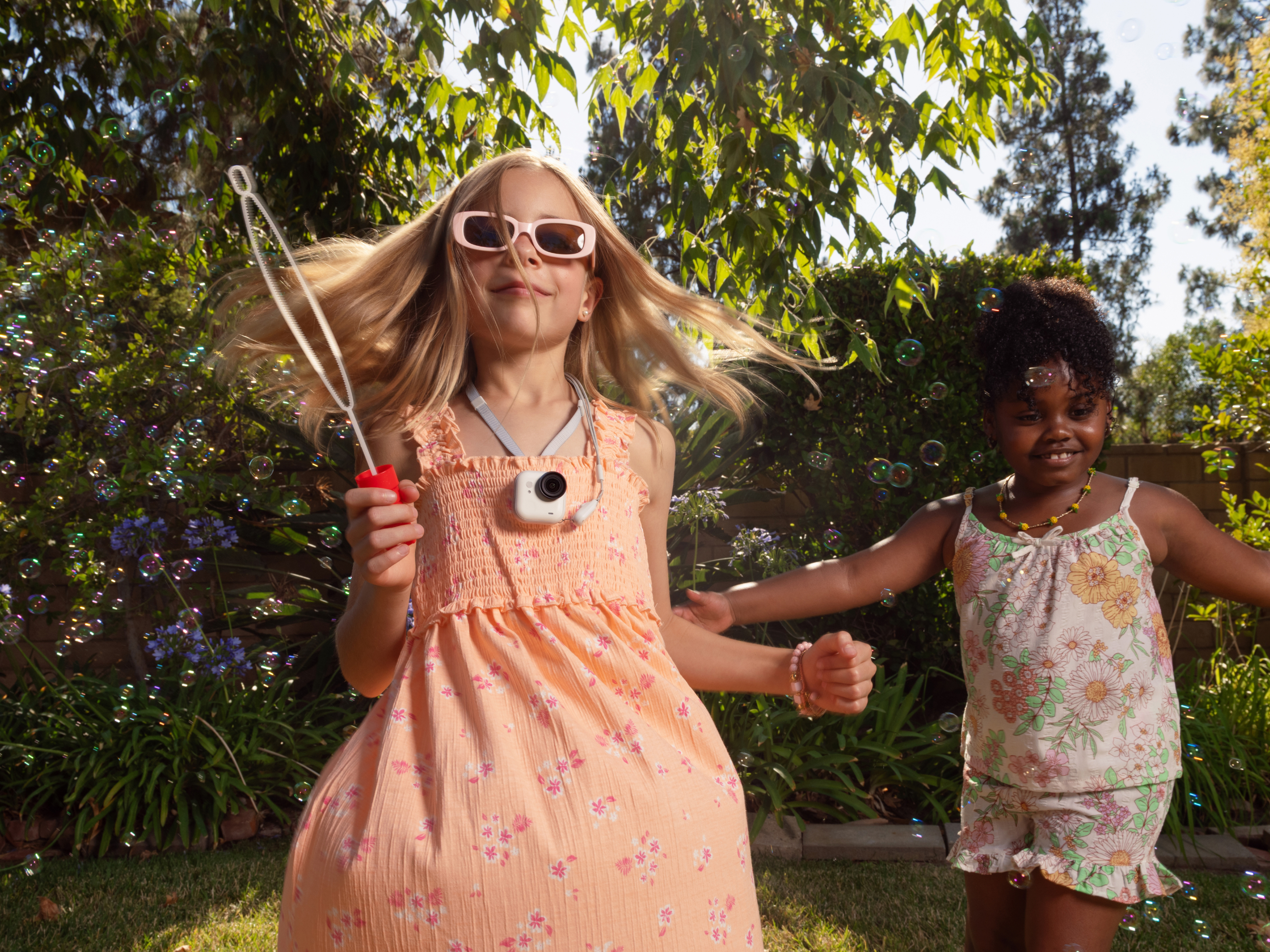


Whoever said that size matters has never had a chance to use Insta360 GO Ultra. Small, light, and easy to attach to almost anything, it’s the camera you reach for when you don’t want to carry one at all. Welcome to the future—it’s much smaller than you think.
What GO Ultra Is Designed to Do
Some cameras chase the big numbers—the high resolution, the dynamic range, the long list of features—while others are built to be forgotten. GO Ultra is built for hands-free captures, designed to mount, clip, or magnetically attach so you can record life as it happens—without holding a device or thinking about framing every second.
This isn’t necessarily the camera you’ll use for in-depth interviews or cinematic quality, but it is what you’ll choose for hikes, bike rides, and those travel excursions when you don’t want to be loaded down by a hefty camera.
And it records things differently. Because it’s compact and wearable, GO Ultra captures authentic first-person angles that larger cameras can’t. The footage feels more personal and often more authentic.
.jpg)
Key Features That Shape How You Should Use GO Ultra
Small doesn’t mean simple; small is simply the opposite of big. Insta360 GO Ultra packs serious capability into a body that practically disappears when worn. But understanding its core features changes how you shoot.
FlowState Stabilization
Insta360’s advanced FlowState Stabilization keeps footage steady even when your movement isn’t. Running, cycling, quick turns, kick-flicks—the camera smooths the chaos without making shots feel artificial.
Magnetic Mounting System
What’s the fun if you’re constantly worried that your camera is going to detach, hit a wall, and become less of a camera and more of a pile of parts? With its magnetic mounting system, GO Ultra holds on and doesn’t let go. Try it on your jacket, the GO Ultra Magnet Pendant, or even a piece of gear. Experiment safely in the knowledge that it isn’t going anywhere.
Water-Resistant Build
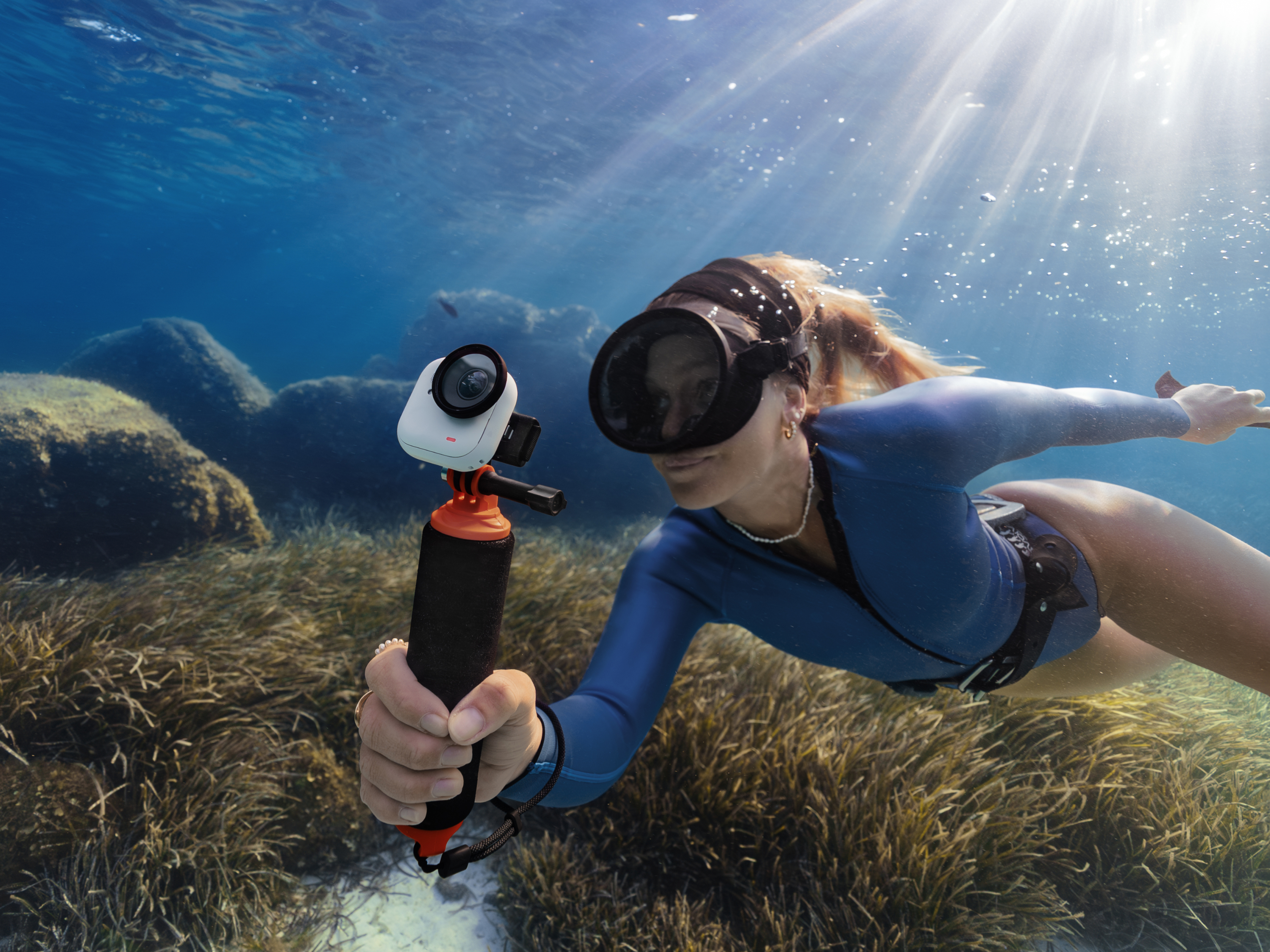
GO Ultra is IPX68-rated, meaning it is waterproof down to 33ft (10m). With the AquaLense add-on, it becomes waterproof down to 197ft (60m). And that FlowState Stabilization mentioned earlier? Don’t worry, that works in exactly the same way underwater.
Size and Power
Size-wise, Insta360's GO Ultra is small enough to fit into the palm of your hands and weighs just 59 grams—that’s just over two AA batteries, in case you were wondering—but it still packs a mighty punch. It’s capable of producing 4K60FPS footage day or night thanks to its large 1/1.28" sensor. Small size, big power.
Best GO Ultra Settings for Everyday Shooting
There’s plenty of scope to get creative and push boundaries, but for everyday shoots, start with a standard resolution and frame rate suited for general use. A higher resolution preserves detail for later reframing, while a frame rate around 30FPS keeps motion looking natural without creating oversized files. Keep the exposure at auto, turn on FlowState Stabilization, and see how things go. You’ll be surprised how far automatic settings will go.
Best Settings for Action, Sports, and POV Footage
When things start moving quickly, adjust the settings to keep up. For fast-paced action—mountain biking, running, skating, climbing—prioritize higher frame rates. Shooting at 50FPS or 60FPS helps preserve clarity during rapid motion and gives you flexibility for smooth slow motion in post.
Again, keep FlowState Stabilization on, but also think about locking the exposure. When a camera is on automatic, it constantly adjusts for light, which can cause distracting brightness shifts. Test what works, then stick with it unless there are major changes.
If you’re doing a POV shot, perhaps with the camera attached to your helmet or chest, consider a wider field of view than you normally would, as this will add a nice immersive feel that gives plenty of perspective.
How to Get Smooth, Watchable Footage with Minimal Editing
It can be tempting to fix everything in editing, but there are several things you can do while shooting that will help in post-production.
Firstly, try to minimize sharp, jerky movements. The stabilization is a great help, but it can’t overcome everything, so think about movements in gentle sweeping arcs wherever possible. Placement and attachment are also really important. A camera that is only loosely attached will incur plenty of micro-shakes that you’ll have to try to get rid of in editing, whereas one that is firmly attached should provide much better footage.
And finally, give your clips a few seconds before and after the activity or event. This will make trimming inside the Insta360 app easier.
Using the Insta360 App to Edit, Stabilize, and Export
Speaking of the app. The Insta360 app is where raw clips turn into polished, shareable moments. Open your footage, and you’ll find AI-powered tools that automatically identify highlights, trim unnecessary sections, and assemble clean edits in minutes.
Alternatively, if you prefer a hands-on approach, manual trimming and timeline adjustments are simple in the app. However you choose to edit, you can also fine-tune stabilization, adjust aspect ratios for different platforms, and reframe wide shots to emphasize specific moments. When it's time to export, always choose the highest resolution for the best image quality.
Recommended Accessories to Unlock More Use Cases
Depending on what you’re recording, there are numerous accessories to help you get the most out of Insta360 GO Ultra.
As mentioned earlier, the AquaLens lets you take your camera down to 197ft (60m) for some serious underwater videography, while the magnetic pendant lets you hang Insta360 GO Ultra around your neck. For faster movement, helmet and action mounts lock the camera in place during cycling, skating, or climbing. Lastly, a mini tripod base transforms the camera into a stationary storyteller. Set it down for time lapses, group moments, or static shots that add variety to your edit.
Common Mistakes New Insta360 GO Ultra Users Make
Mistakes happen—it’s a learning curve after all. One of the most common mistakes is mounting it too loosely. Even with excellent stabilization, a shaky base can cause jitter that no software can fully eliminate. Always double-check your attachment before you start moving.
Another common mistake is overdoing it with the wide field of view. A wide shot can look wonderfully dramatic, but it can also distort faces and environments—that’s one of the trade-offs. If it’s not important, by all means go wide, but if you want to maintain clarity, think about pulling the lens back a little.
The last mistake is universal across pretty much every camera—not cleaning the lens properly or enough. This is particularly prevalent in action shots. All that mud, sand, grit, and water flying through the air can quickly make lenses filthy. Get into the habit of cleaning it regularly, or you’ll be watching important footage ruined by dirt.
Is GO Ultra the Right Camera for You?
Just because a camera has great features doesn’t mean it’s the right camera for you. Insta360 GO Ultra is ideal for creators who value portability, speed, and a first-person perspective. If you film travel days, outdoor adventures, daily routines, or fast-moving action, its lightweight, wearable design unlocks angles that larger systems simply can’t capture.
It’s less suited to long-form interviews, studio settings, and filmmaking situations that require manual lens control and advanced creativity. But don’t get it wrong—Insta360 GO Ultra can handle a wide range of scenarios. This little camera was meant to tear down trails, dive beneath the waves, and capture the best of life’s action.
Frequently Asked Questions
Does Insta360 GO Ultra Need an SD Card?
No. Insta360 GO Ultra features built-in internal storage, so you don’t need to insert a microSD card to start recording. This speeds up setup and keeps the body compact and sealed for everyday use.
How Many Hours to Charge Insta360 GO Ultra?
Charging time varies depending on the power source. Plugging directly into a wall outlet will charge faster than using a laptop. Generally, Insta360 GO Ultra fully charges in 2 hours.
Can I Take Pictures With Insta360 GO Ultra?
Absolutely. As well as stunning video, Insta360 GO Ultra can capture images, but it’s worth bearing in mind that that’s not its primary function. Video comes first, then photos. If high-resolution photography is your main priority, a dedicated photo-focused camera may offer more manual control.
Get More from Every Shot with Insta360 GO Ultra
Choose your activity. Choose your perspective. Choose the perfect shot. There are times when a larger camera with ample settings is needed, but for those adventures in life where you don’t want to be weighed down, small is often the way to go.
Insta360 GO Ultra isn’t about oversized rigs or complicated setups. It’s about capturing life as it unfolds—hands-free, stabilized, and ready to share. It’s about hitting record and getting on with life without constantly readjusting. Don’t live your adventures through a lens; attach the camera and live that moment as it was meant to be.
Keen to keep up to date on Insta360 stories? Keep an eye on our blog and sign up for our mailing list. Got a story to share? Email yours to communitystories@insta360.com and win up to US$50.







%20(1).svg)


%20(1).svg)

.svg)


