
















































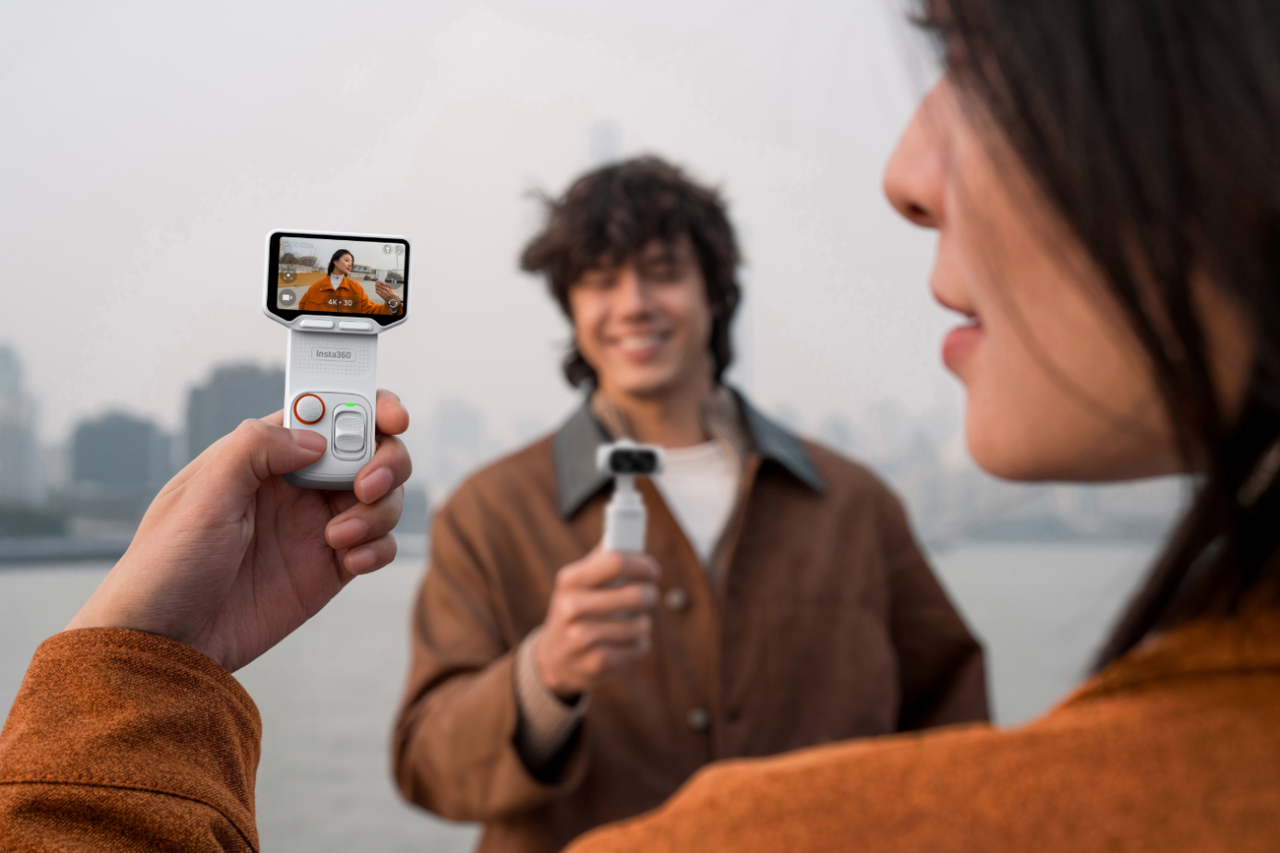


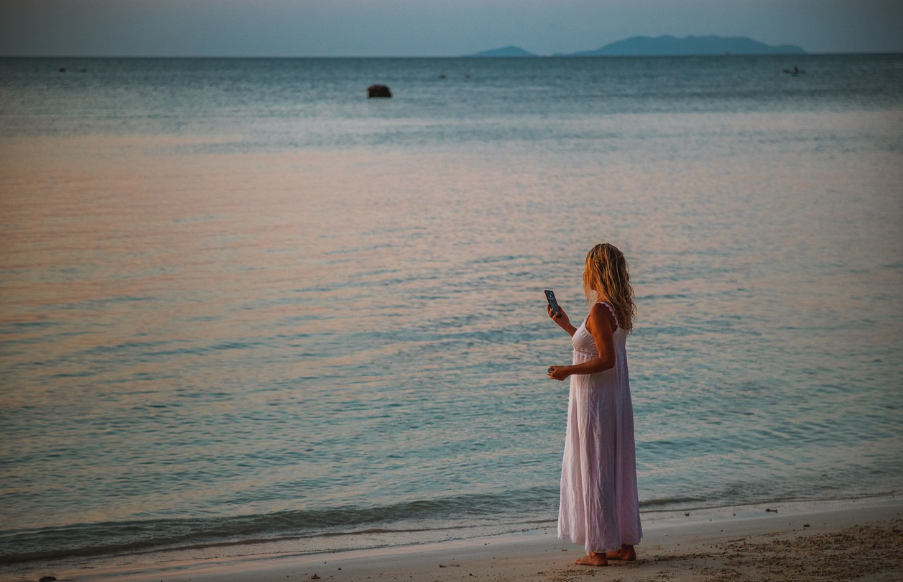
A phone is often the first camera we reach for on a trip, and for good reason. It is already in your pocket, easy to share from, and good enough for quick photos, messages, maps, and short clips. But once a travel day gets longer, the same phone may also be running navigation, draining battery, filling storage, heating up in the sun, and interrupting your recording with notifications.
That is when a dedicated travel vlogging camera starts to make sense. The right camera should not make your trip feel like a production. It should help you film smoother walk-and-talk clips, better family moments, cleaner audio, low-light scenes, POV details, and spontaneous memories without turning your phone into the bottleneck.
In this guide, we will help you choose the best travel vlogging camera for the way you actually travel, with Insta360 Luna as the main vlogging camera, Insta360 GO Ultra for low-profile POV clips, and Insta360 X6 for the moments you want to capture first and frame later.
Key Takeaways
Short on time, or just trying to decide what belongs in your travel bag? Here is the simple version.
- Choose Insta360 Luna Pro if you want a lightweight, easy-to-use travel vlogging camera for everyday clips, walk-and-talk videos, family moments, and short-form content.
- Choose Insta360 Luna Ultra if you want more creative flexibility from a dual-lens gimbal camera, including longer reach for city details, performances, scenic shots, and more varied travel storytelling.
- Add Insta360 GO Ultra when you want hands-free, low-profile POV footage from your hat, chest, magnet pendant, or small mounts without holding a camera in front of your face.
- Add Insta360 X6 when you want to capture everything around you, choose the angle later, and use AI Director to help turn travel footage into shareable edits with less manual work.
- Keep your phone in the kit. A dedicated camera can reduce the pressure on your phone, but your phone is still useful for maps, communication, quick stills, and backup shots.
Why Phones Struggle on Long Travel Days
Phones are excellent everyday cameras, but travel pushes them harder than normal life. On a regular day, your phone may only shoot a few clips. On a trip, it may be recording video in bright sun, charging from a power bank, running GPS, downloading maps, using roaming data, and storing hundreds of photos and videos at the same time.
That is why many travelers run into the same problems:
- Overheating: Long 4K recording, direct sunlight, navigation, charging, and hot weather can all add heat. If the phone gets too warm, it may dim the screen, slow down, stop recording, or show a temperature warning.
- Battery drain: Filming uses power quickly, especially with the screen on. If your phone is also your ticket, map, translation tool, and payment device, using it as your main camera can feel risky.
- Storage pressure: Travel clips add up fast. Even if you back up to cloud storage or an external drive, managing files every night can become one more chore.
- Awkward handling: Holding a phone out while walking, vlogging, eating, hiking, or playing with family can feel less natural than using a camera built for filming.
- Interrupted recording: Calls, notifications, app switching, and accidental touches can get in the way just when something memorable happens.
A travel vlogging camera does not replace the phone completely. It gives your phone fewer jobs to do. Use the phone for the things it does best, and use a dedicated camera for the moments where you want smoother video, clearer audio, better handling, or more creative angles.
For a broader look at what makes a vlog work, see our guide to what vlogging is and what you need to film one.
What Makes a Good Travel Vlogging Camera?
The best camera for travel vlogging is not always the one with the highest resolution. A travel camera has to earn its place in your bag every day. It should be fast to use, easy to hold, stable while walking, reliable in changing light, and simple enough that you will actually bring it with you.
Start with the travel moments you want to capture:
- Walking through a city: You need stabilization, a comfortable grip, and audio that keeps your voice clear without making every step feel shaky.
- Talking to camera: You need an easy way to frame yourself, monitor audio, and record without a complicated setup.
- Family memories: You need fast start-up, simple controls, and a camera that does not pull your attention away from the moment.
- Food, markets, hotels, and daily details: You need a camera that can move from wide context to tighter details without making every shot feel staged.
- Night markets, restaurants, and indoor scenes: You need better low-light handling and realistic expectations about what any compact camera can do in dim light.
- Social clips: You need vertical video, quick transfer, and an edit workflow that does not turn a five-day trip into a five-week project.
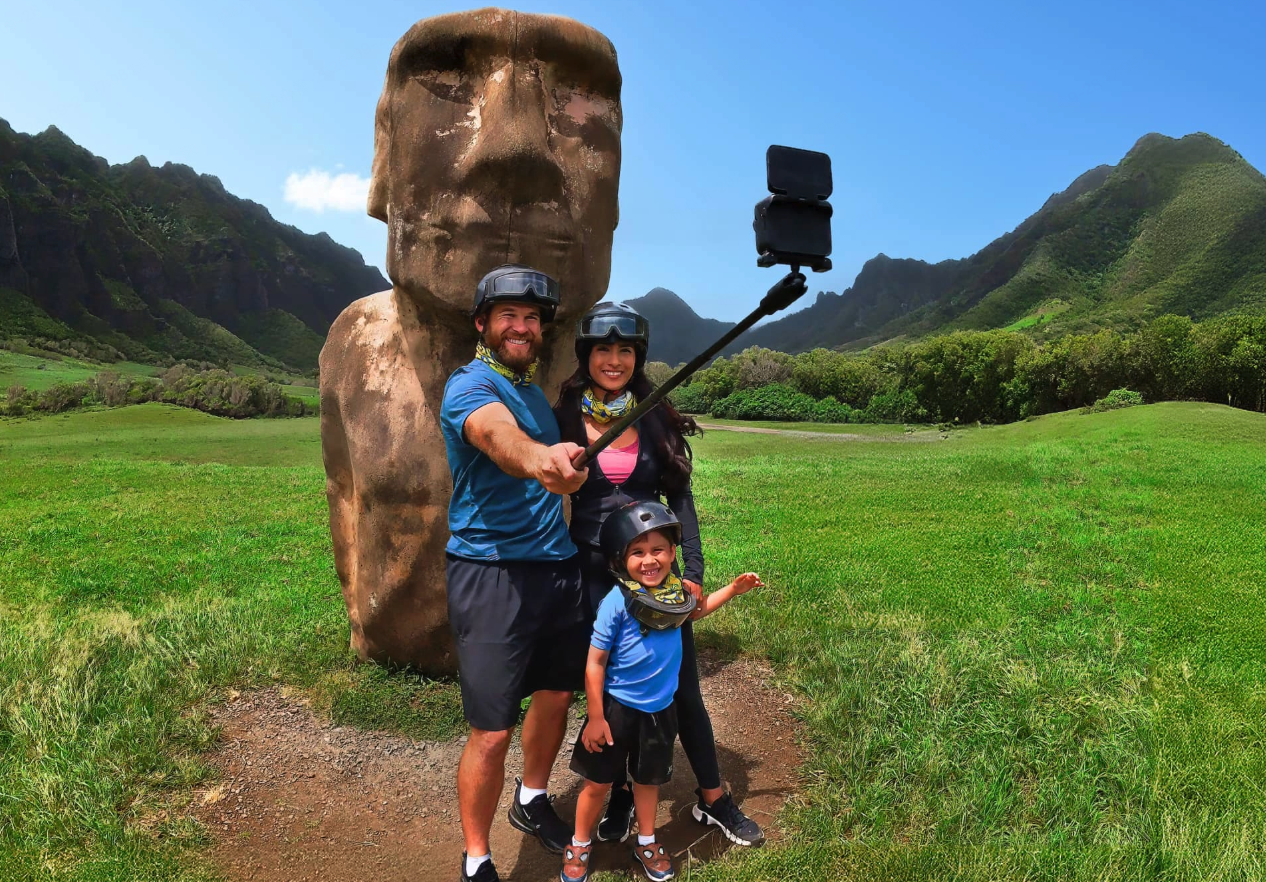
That is why we recommend thinking in roles rather than trying to force one device to do everything:
- Main story camera: The camera you reach for when you want to vlog, talk, show your surroundings, and capture the main memories of the trip.
- POV camera: The small camera that catches what your hands, eyes, or body are doing without needing to hold a camera.
- Capture-everything camera: The camera that records the whole scene when you do not know where the best moment will happen.
For most travel vloggers, Luna is the main story camera. GO Ultra and X6 fill in the angles that a normal vlogging camera cannot capture as easily.
Luna Pro vs Luna Ultra: Which One Fits Your Travel Style?
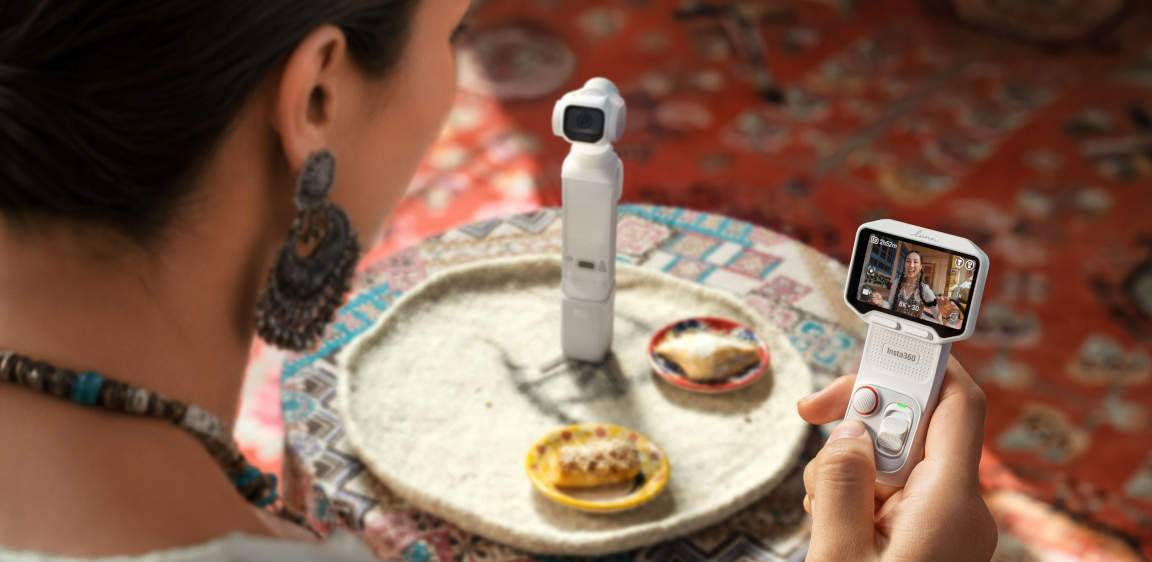
If your main goal is travel vlogging, start with the Insta360 Luna Series. Luna is built around the kind of moments travel creators film most: walk-and-talk clips, city exploring, family memories, social videos, low-light scenes, and everyday storytelling.
Both Luna Pro and Luna Ultra give you a compact gimbal camera experience with a Leica Summicron Lens, a 1" 8K sensor, 3-axis stabilization, vertical video support, internal storage, microSD support, and long runtime. The real question is how much creative flexibility you want.
Choose Insta360 Luna Pro for simple, lightweight travel vlogging
Insta360 Luna Pro is the better starting point for most travel vloggers. It is lighter than Luna Ultra, easier to think about, and focused on the core travel shots most people actually use: talking to camera, walking through a city, filming family, capturing food, recording hotel or airport moments, and making vertical clips for TikTok, Reels, and Shorts.
Choose Luna Pro if you want:
- A travel vlogging camera that feels simple from day one.
- A lighter setup for long walking days.
- Strong image quality without carrying a larger camera.
- Native vertical video for short-form content.
- A clean main camera for everyday travel stories.
If you are new to Luna, our Luna Pro first use guide is a helpful starting point. For settings by scenario, see our Luna Pro settings and shooting tips guide.
Choose Insta360 Luna Ultra for more creative travel shots
Insta360 Luna Ultra is for travelers who want more range and more visual variety. Its dual-lens system gives you wider creative coverage, including stronger zoom options for distant subjects and detailed city scenes.
That matters more than it sounds. On a trip, you are not always standing close to what you want to film. You might want to capture a performer across a square, architectural details high on a building, a friend walking ahead on a busy street, or a stage from the back of a venue. Luna Ultra gives you more room to create those shots without changing to a separate camera system.
Choose Luna Ultra if you want:
- More focal-length flexibility in a compact gimbal camera.
- Better reach for city details, stage moments, scenic views, and travel cutaways.
- A more creator-focused setup for varied travel videos.
- A stronger main camera if you care about building a more polished travel story.
In short: Luna Pro keeps travel vlogging simple. Luna Ultra gives you more room to shape the trip visually.
Add the right Luna accessories for travel
For travel, audio and handling matter as much as camera specs. A shaky or hard-to-hear vlog is less useful than a technically impressive clip that no one wants to watch.
Useful Luna accessories include:
- Battery Handle for Insta360 Luna Series: Adds extra power, a built-in tripod, and a more comfortable grip for longer travel days.
- 1/4" Thread Handle for Insta360 Luna Series: A compact handle with a built-in tripod and standard 1/4" thread for flexible setups.
- Insta360 Mic Air: A lightweight wireless mic option for walk-and-talk travel clips.
- Insta360 Mic Pro: A stronger audio option for creators who care about voice clarity, interviews, and noisy travel environments.
For a deeper accessory breakdown, read our Luna Pro accessories guide.
When to Add GO Ultra for Hands-Free POV
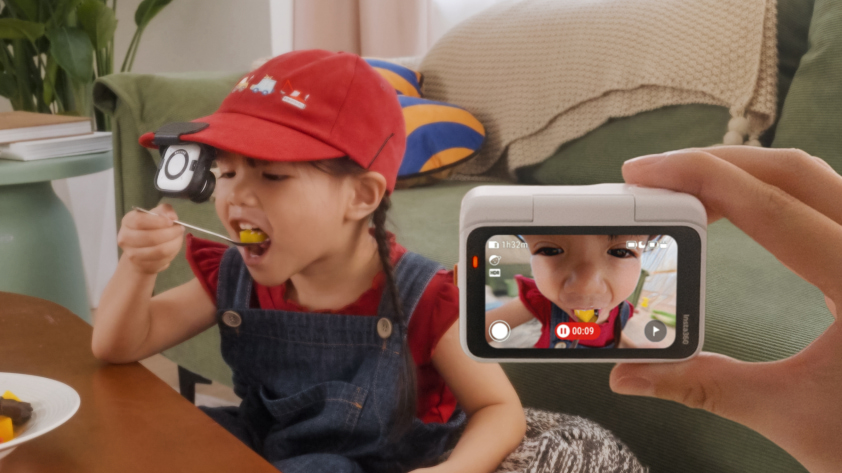
A travel vlog is more interesting when it includes what the trip felt like, not just what you looked like while explaining it. That is where Insta360 GO Ultra fits in.
GO Ultra is not the main vlogging camera for every traveler. Luna is better for framing, talking, and building the main story. GO Ultra is the low-profile POV camera you use when holding a camera would change the moment.
Use GO Ultra for:
- Walking into a market or hotel room.
- Filming a food experience from your point of view.
- Capturing hands-free clips while hiking, cycling casually, or exploring.
- Recording a child running ahead, a partner ordering coffee, or a quick behind-the-scenes travel moment.
- Getting POV clips from a hat, magnetic pendant, easy clip, or small mount.
The key is to use GO Ultra in short bursts. You do not need to record an entire afternoon. Capture 10 to 20 seconds of a scene, then stop. Those small POV clips become useful cutaways when editing a travel vlog.
GO Ultra also helps with the “I do not want to edit all this” problem. Its AI Highlights Assistant can automatically identify strong moments while you shoot, and the Insta360 app supports Auto Edit, FlashCut, and Shot Lab for quick AI-assisted edits. That makes it a strong companion for travelers who want POV memories without spending hours sorting through footage.
A simple GO Ultra travel formula:
- Record the first step into a new place.
- Record a hands-only activity, like opening a room door, grabbing street food, or packing for a day trip.
- Record one short movement clip, such as walking through a crowd or along the beach.
- Let those clips support the main vlog footage from Luna.
For more travel camera ideas, see our guide to the best travel cameras.
When X6 Helps You Capture What You Might Miss
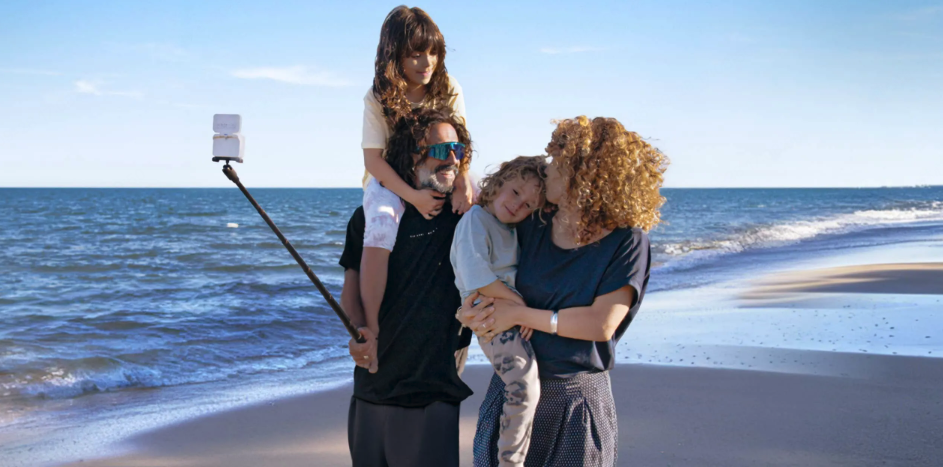
Some travel moments are hard to frame because you do not know where the action will happen. Family members are spread across a beach. A street performance is happening on all sides. You are walking through a city square. You want yourself, the view, and the people around you in the same moment.
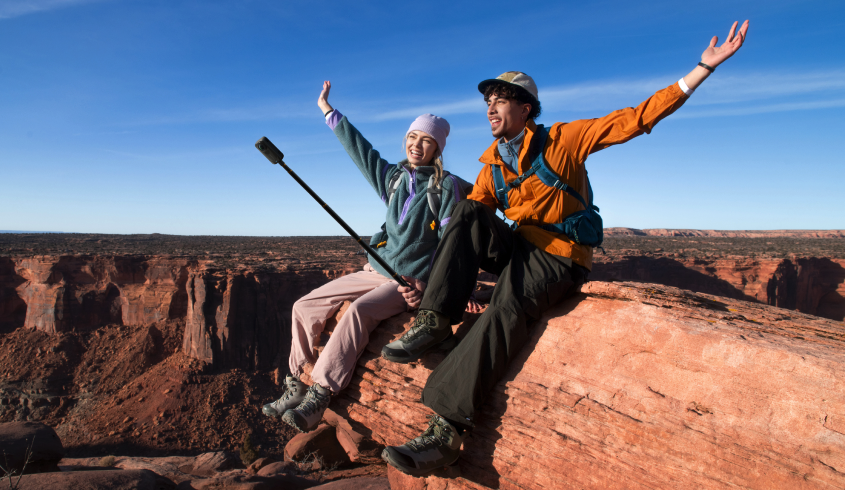
That is when Insta360 X6 becomes valuable. X6 captures in 360, so you can record first and decide the angle later. It can become a selfie shot, a wide establishing shot, a third-person follow shot, or a flat clip for social media after the fact.
Use X6 when:
- You are traveling alone and still want third-person footage.
- You are filming group travel and do not want to miss someone’s reaction.
- You are moving through a busy place and cannot keep pointing the camera perfectly.
- You want one clip that can become both horizontal and vertical content.
- You want to create a more dynamic edit from a single captured moment.
X6 also addresses one of the biggest concerns about 360 cameras: editing workload. With AI Director, X6 can use AI to identify highlight moments and help generate a share-ready video in the Insta360 app. It is especially useful after a long travel day, when you want a starting point instead of opening a folder full of clips with no idea where to begin.
That does not mean every traveler needs a 360 camera. If you prefer to frame each shot as you record and share quickly with minimal reframing, Luna should stay your main camera. Think of X6 as the camera for “I do not want to miss the moment,” while Luna is the camera for “I want to tell the story clearly.”
A Simple Insta360 Travel Setup for Beginners
The easiest travel kit is the one you understand before you leave. Do not pack every mount you own. Build around the type of travel video you want to make.
| Travel goal | Recommended setup | Why it works |
|---|---|---|
| Everyday travel vlogs | Luna Pro + Battery Handle + Mic Air | Lightweight, simple, and strong for walk-and-talk clips, family moments, and city exploring. |
| More cinematic travel videos | Luna Ultra + Battery Handle + Mic Pro | More range, more audio control, and more shot variety for creator-style travel content. |
| Low-profile POV memories | GO Ultra + magnetic or clip-based mounts | Lets you capture hands-free details without holding a camera in public. |
| Capture-everything travel backup | X6 + Invisible Selfie Stick + spare battery | Records the whole scene, gives you framing choices later, and supports AI Director for faster edits. |
| Short-form travel content | Luna Pro or Luna Ultra for vertical clips + GO Ultra for POV cutaways | Gives you a main talking camera plus quick immersive details for Reels, TikTok, and Shorts. |
For most beginners, start with Luna Pro and one audio or handle accessory. Add GO Ultra if you want POV. Add X6 if you often come home thinking, “I wish I had pointed the camera the other way.”
FAQ
Is a travel vlogging camera better than a phone?
A travel vlogging camera is better than a phone when you need smoother handheld video, clearer audio, longer dedicated filming time, better handling, or a camera that does not compete with maps, messages, and battery life. A phone is still better for quick photos, navigation, communication, and instant sharing. The strongest setup is often both: a phone for travel logistics and fast stills, plus a dedicated camera for video.
Why does my phone overheat when filming travel videos?
Phones can overheat while filming because video recording, high resolution, screen brightness, GPS, charging, direct sunlight, and hot weather all add heat. Travel often combines several of those factors at once. To reduce heat, record shorter clips, keep the phone shaded, avoid charging while filming when possible, and let the device cool naturally if it shows a warning.
Should I choose Luna Pro or Luna Ultra for travel vlogging?
Choose Luna Pro if you want a lighter, simpler travel vlogging camera for everyday videos, family moments, and short-form content. Choose Luna Ultra if you want more creative flexibility, especially for city details, scenic shots, performances, and travel videos that benefit from a dual-lens system and longer reach.
Is GO Ultra enough as my only travel camera?
GO Ultra can work as a very small travel camera if your priority is POV clips and low-profile recording. For main vlogging, talking to camera, framing yourself, and building a complete travel story, Luna is the stronger main camera. GO Ultra works best as a companion that adds hands-free angles to your Luna footage.
When should I bring X6 on a trip?
Bring X6 when you expect unpredictable moments, group activities, scenic places, solo travel, or situations where you want to choose the angle later. X6 is especially useful when one clip might need to become a selfie, wide shot, vertical social post, or third-person travel view.
Can AI editing help reduce the time spent editing travel videos?
Yes. Insta360 app tools such as Auto Edit, FlashCut, and Shot Lab can help create quick edits from your clips. GO Ultra also has AI Highlights Assistant, while X6 includes AI Director to identify highlight moments and help create share-ready videos. AI editing is best used as a starting point: it reduces the blank-page feeling, and you can still fine-tune the result.
Keen to keep up to date on Insta360 stories? Keep an eye on our blog and sign up for our mailing list. Got a story to share? Email yours to communitystories@insta360.com and win up to US$50.




%20(1).svg)


%20(1).svg)

.svg)


