

















































Front-facing camera selfies are easy and convenient. Just hold it up, frame yourself, and shoot. However, if you really want to see some magic, try the camera on the back. It captures more light, detail, and renders selfies in a much better way, but it comes with an obvious problem: framing. You strain your arm, hope for the best, and what you get is the top of your head, and that's about it. But there are a few secrets to getting it just right and taking those selfies that genuinely stand out.
Why Rear Camera Selfies Look Better Than Front Camera Shots
You might assume that the front and rear cameras on your phone are identical. And you would be entirely wrong. Back cameras are built to capture the world, not just your face at arm’s length. They use larger sensors, higher-quality lenses, and more accurate focal lengths—meaning what you see is closer to reality. They are, simply put, high-resolution cameras that provide the best shots.
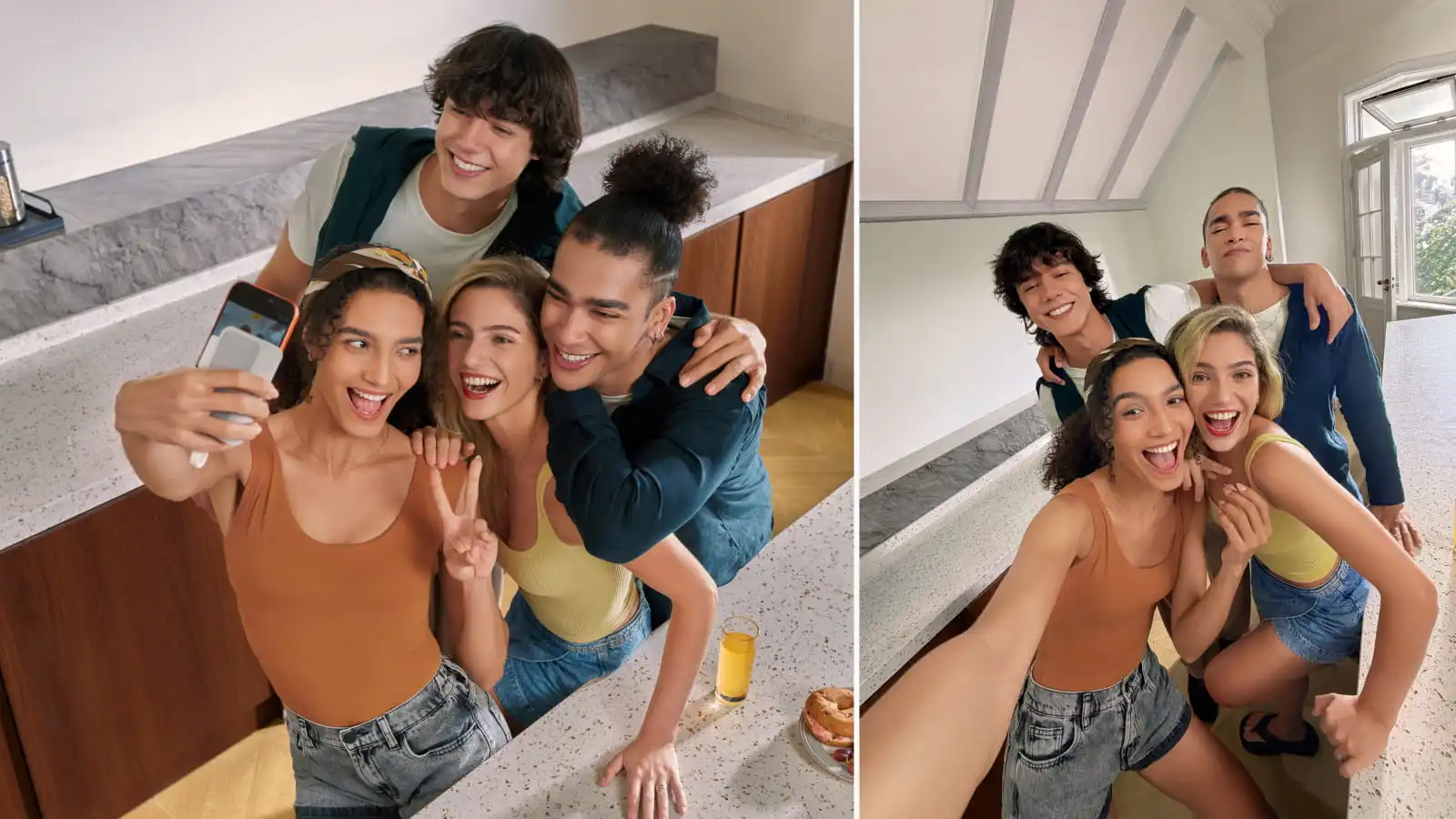
Front cameras rely on ultra-wide lenses to squeeze you into the frame. They might be good at sandwiching you and your friends into a selfie shot, but that comes at a price. Faces stretch at the edges, noses can appear larger, and jawlines soften. It's nothing dramatic, but enough for your brain to tell you that something feels a little off.
Rear cameras handle light better, meaning highlights don’t blow out as easily and shadows keep their detail. Skin tones remain balanced, rather than being smoothed into a plastic-like finish. Put it all together, and you have an image that looks sharper, more dimensional, and more like how you appear in real life.
How a Selfie Monitor Solves Rear Camera Selfies
Regardless of how good the camera is, the problem with rear camera selfies has always been the framing, or rather the lack of it, as is often the case. But what if you had a selfie mirror that allowed you to get everything just right before pressing the shutter button?
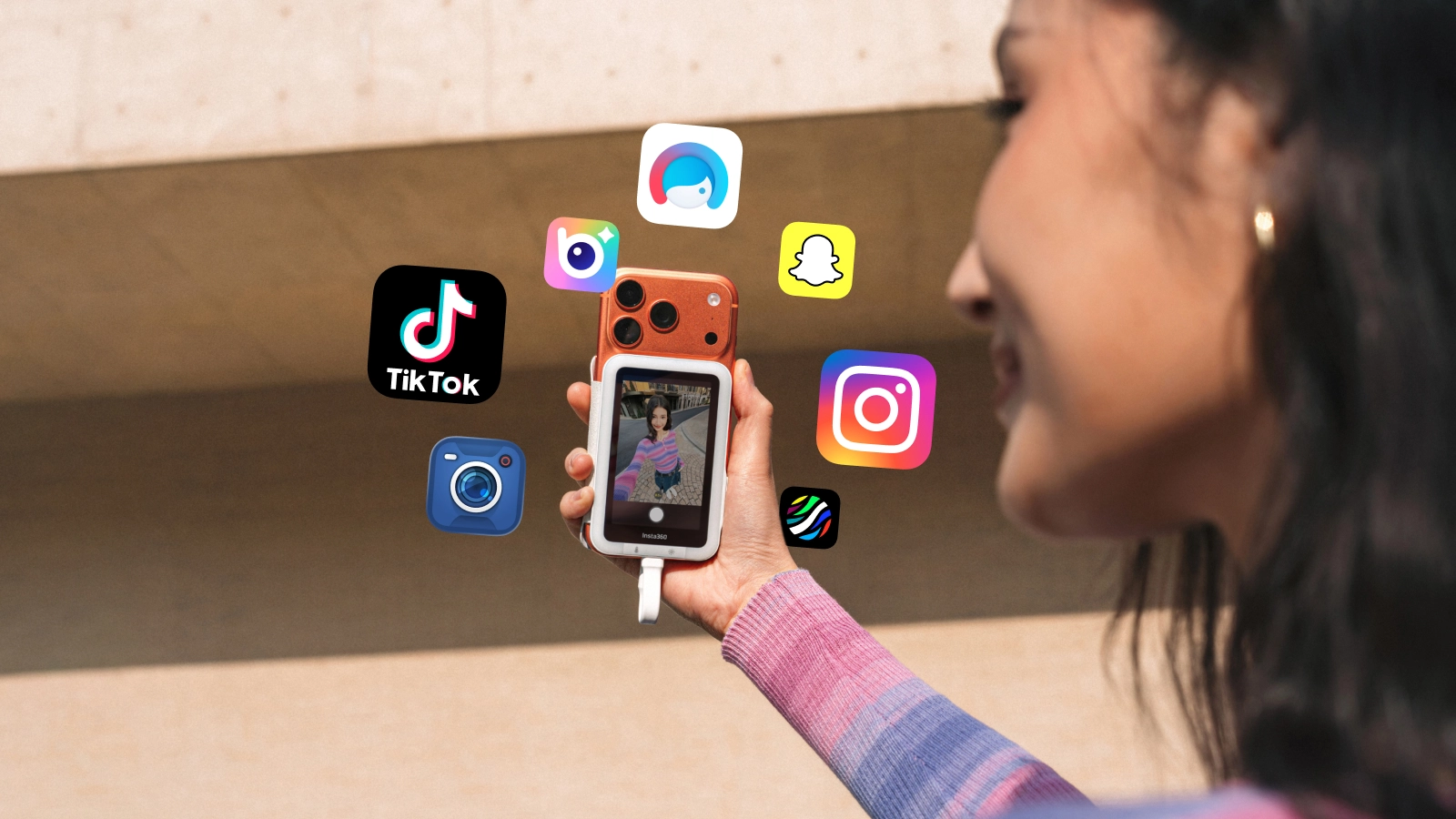
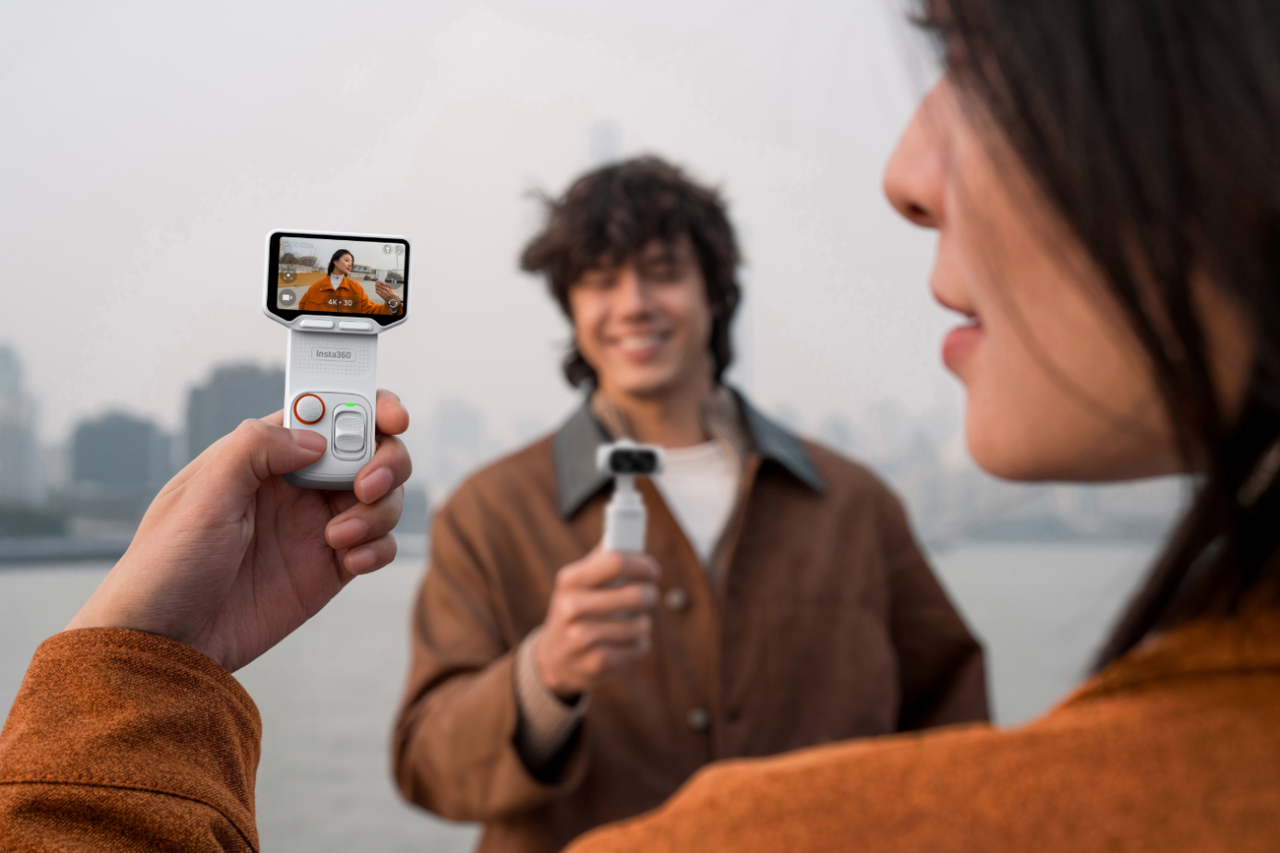
By providing a live view of what the rear camera sees, the Insta360 Snap Selfie Screen eliminates all the guesswork and allows you to take selfies that are far superior to those taken with the front camera. You can check your composition in real time, adjust your angle, and maintain natural eye contact instead of staring at space. For solo creators, this is a huge advantage. You don’t need multiple takes just to get one hopefully usable shot. It reduces time and ensures quality immediately.
How to Take Rear Camera Selfies Using a Selfie Monitor
Step 1: Mount the Selfie Monitor at Eye Level
Start by attaching the selfie monitor securely so it sits just above or beside your camera lens. Try to keep it around eye level, as this will naturally maintain a good posture and prevent a downward or upward look that can throw off a shot.
Step 2: Switch to the Rear Camera
Set your camera or phone to use the back-facing lens and turn off any external or internal filters or automatic smoothing. Those might be necessary for the front camera and its weird warping, but the rear camera is very different.
Step 3: Frame Yourself Using the Live Preview
Use the selfie monitor to get your composition just right with a bit of headroom and equal space around you. Keep your shoulders relaxed and align your eyes slightly above center for a balanced look. At this point, it'll feel like you're taking a regular front-facing camera selfie, so make any necessary adjustments.
Step 4: Lock Focus and Exposure
Once the framing looks right, lock focus and exposure. This prevents lighting shifts if you move slightly or clouds pass overhead.
Step 5: Capture Without Guessing
Use a timer, remote trigger, or gesture control, and focus on the moment instead of the camera. With the live preview guiding you, every shot feels natural rather than staged, which hopefully means fewer retakes and better results.
When a Selfie Screen Monitor Makes the Most Sense
Not everyone needs a selfie mirror, but for those in particular industries or in certain situations, it becomes the smartest choice you can make. Here are some examples.
- Solo content creators who need consistent framing without a second set of eyes.
- Vloggers recording themselves while walking, talking, or changing environments.
- Fitness and wellness creators who rely on full-body framing and precise angles.
- Travel storytellers capturing themselves in wide, unfamiliar spaces.
- Group selfies where no one wants to be half cut out of the frame.
- Outdoor creators dealing with harsh light and changing conditions.
- Educators and reviewers who need a clean eyeline while demonstrating gear.
4 Tips for Better Rear Camera Selfies
If you've read through the above steps, you're probably thinking this sounds like a piece of cake—which, honestly, it is—but there are also some ways to take rear camera selfies to the next level.
- Use natural light whenever possible. Face a window or shoot during golden hour if possible. While rear cameras still deliver a better dynamic range, great light will always make a huge difference in quality, and good natural light is always best.
- Clean the lens before every shoot. It sounds obvious, but how many times have you zoomed in on a great shot only to find a small, annoying smudge? Dirt or smudges can easily ruin a shot, so give it a good wipe each time before using it.
- Choose the right lens for the distance. Ultra-wide lenses are great for landscapes, but exaggerate features up close, so they aren't always the right option. If your camera allows it, use a standard or portrait-style focal length and step back slightly for more natural proportions.
- Lock your settings before you shoot. Auto modes constantly adjust based on light and focal length, so lock your settings to ensure that everything looks the same as when you set it up.
Frequently Asked Questions
Is the Front Camera or the Rear Camera More Accurate?
The rear camera is more accurate in most cases. Rear cameras use better lenses and sensors, which reduce distortion and preserve natural facial proportions. Front cameras often rely on ultra-wide lenses and software correction, which can subtly stretch or smooth features.
Is the Rear Camera a Selfie Camera?
A selfie is about who’s in the frame, not which lens you use. So yes, the rear camera can also be a selfie camera, especially if you're using a selfie monitor that provides a live preview of the image.
Should You Take Selfies With a Rear Camera?
If image quality matters, absolutely. Rear camera selfies deliver sharper detail, better lighting control, and more realistic results. They take a little more setup, but for creators, vloggers, and anyone who wants photos that feel true to life, the upgrade is worth it.
Insta360 Makes It Easy to Take Rear Camera Selfies
The rear camera has been in the selfie shadow for too long. It used to be an awkward set of arm twists and hopeful shots that rarely delivered, despite the superior camera, but things have changed. With Insta360 Snap Selfie Screen, you can finally take advantage of that great rear camera and deliver selfies that look sharp, maintain color and contrast, and give you the most accurate image of yourself possible.
In 2026, don't settle for the warped front camera selfies people have been over-reliant on for too long. Break free and do things differently. Turn that camera around for those selfies, and you'll never go back.
Keen to keep up to date on Insta360 stories? Keep an eye on our blog and sign up for our mailing list. You can also contact our Enterprise team directly to see how 360 cameras can benefit your business.




%20(1).svg)


%20(1).svg)

.svg)


