


















































Filming is simple—just hit record, right? In some aspects, absolutely, just hit the button and point it towards something you want to record, but for those who want to get the most out of video storytelling, there are numerous ways to really make your footage shine.
Don't try to do all of them at once, as you'll feel like a first-grader standing in front of a complex algebra equation. Your brain will hurt, your mind will drift…
One of the best of the “upper echelon” features to tackle first is frame rate, which can dictate the rhythm and style of a video. Viewers sense pace changes instantly because frame rate influences how edges glide, snap or blur.
Quick subjects need tighter timing, while slower action benefits from steadier pacing. Already scratching your head in confusion? Don't worry, this is a beginner's guide after all.

What Is Frame Rate and Why Does It Matter for Video Storytelling?
Frame rate is the count of individual images recorded each second. With today's sharper, crystal-clear video, it's easy to forget that the camera behind it is, in fact, taking a steady stream of images that it then stitches together to make a continuous film.
So why does it matter? Well, movements gain personality once you pick a number that fits the subject's speed. Rapid action benefits from tighter timing, while calmer scenes look great with gentler pacing.
We now live in the age of 360 cameras, where the world is being recorded from all angles. The frame rate is very noticeable here and significantly influences texture and viewer focus.
Frames per Second (fps) Explained: Capturing Motion One Frame at a Time
Let's dive quickly into the technical side. Cameras record motion by lining up still images in quick succession, and your frames per second (fps) setting dictates how closely those images are captured together. A low count leaves more distance between frames, which introduces a softer flow that suits slower action. A higher count narrows that spacing, giving movement a snappier feel that fits sports, vehicles or rapid gestures.
This is supported by research showing that the human eye tracks motion, and that tighter spacing helps viewers follow rapid shifts with greater ease. That clarity becomes even more noticeable when filming subjects that change direction quickly or cover large distances in short bursts.
How Frame Rate Shapes Motion: From 24fps Cinema to 60fps Live Streams
It's tempting to want to jump for the highest number. Bigger is better, as we're often told. However, with frame rate, that isn't always true. Filmmakers often choose 24fps because that count gives scenes a softer cadence that supports narrative pacing. It's easy on the eye and each moment looks deliberate, which helps dialogue-driven footage feel grounded.
Faster subjects need a different approach because swift direction changes demand tighter timing. Live creators typically opt for 60fps, as this rate captures rapid activity with sharper edges.
Anything that is moving quickly, whether that's a car tearing down the highway, a skier ripping through the trees or an athlete in full flow, should probably be filmed at a higher fps. But flexibility is key. Devices such as Insta360 X5 and Insta360 X4 capture both ends of this spectrum, allowing beginners to switch styles without friction.
Why Higher Frame Rates Create Smoother, Sharper Motion
Lower frame rates work when two people are sitting opposite each other, having a conversation, because movement is slow and kept to a minimum. Someone reaching for a glass or tucking their hair behind their ear takes several seconds to complete, meaning a 24fps frame rate can easily keep up. However, when that motion is accelerated, it becomes a matter of milliseconds rather than seconds.
Fast subjects often stretch across several positions in a single second, and higher frame rates catch those shifts with tighter precision. More captured moments reduce the gaps that normally create streaks or softness, so edges are easier to follow when movement accelerates.
Viewers track direction changes with less effort because each instant lands with clearer definition.
Fast movement isn't fast cars and bombardier skiers. Skaters, cyclists, and runners will undoubtedly be able to tell the difference once they film rapid action at elevated counts. Compact tools such as Insta360 GO 3S or Insta360 GO Ultra keep up with those quick bursts because their capture modes support motion that changes without warning.
Choosing the Right Frame Rate for Your Content
So, the million-dollar question is, what is the right frame rate for you? First, think clearly about what you're going to be filming and whether there will likely be any noticeable speed changes. If you're filming a narrative scene, such as part of a movie or documentary, 24fps is likely your best option because it provides a steadier pace, suited for emotional beats.
This will give the piece a calm feel that hopefully resonates with the viewer, even if they have no idea what frame rate means.
Vlogs can be a little different. If you're filming a mixture of slow scenes of you speaking and medium-speed scenes, such as exploring a local area or cooking, consider bumping up to 30fps, which is excellent at handling everyday action without feeling overly sharp.
This is the happy middle-of-the-road fps if you're not quite sure what's going to come up and you need something reliable.
When filming primarily action or fast-paced movement, such as a soccer game, a person dancing or performing tricks on their BMX, you'll want to go up to 60fps. This setting tracks direction changes cleanly during travel, sports or energetic movement.
However, keep in mind that if you suddenly shift to soft narrative mode in this high fps, you may notice that gentle movement starts to look unnaturally sharp. Viewers naturally expect a softer cadence during these kinds of moments, which isn't what you're getting at 60fps.
Shots that need dramatic slow motion push counts far higher. You'll need to go for 60fps or higher, depending on how slow you want to go. For standard slow motion, 60fps is sufficient to allow a 50% slowdown when editing on a 30fps timeline. For more dramatic slow motion, use 120fps or higher to enable a greater degree of slowdown.
Shutter Speed and Motion: How Exposure Works with Frame Rate
Now that we've mastered the complexities of fps, let's add an extra layer to your creative freedom. Shutter speed is how long an Insta360 camera’s sensor stays exposed during each frame. Creators pair shutter timing with fps to guide how motion appears on screen.
Faster shutters freeze edges because each slice of exposure leaves little room for streaking. Slower shutters stretch movement into trails that add a sense of drift or atmosphere.
This is certainly an area to experiment with when you have some free shooting time. A simple approach keeps the shutter speed near double the chosen fps for balanced motion, although bright or low-light conditions may require adjusting that ratio.
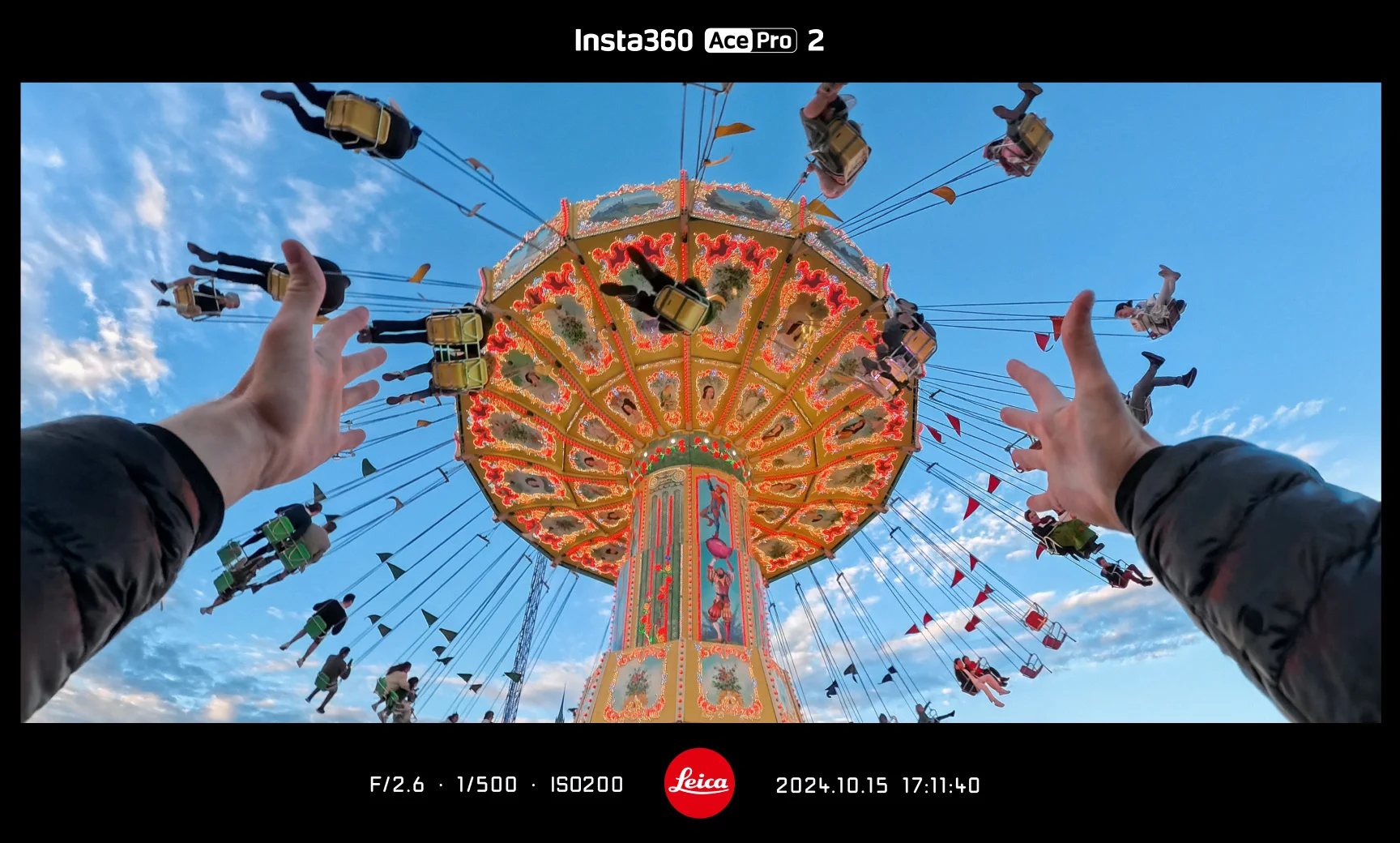
You're unlikely to capture Oscar-worthy footage on your first attempt, but keep refining, and these small tweaks help beginners produce cleaner footage without overwhelming their workflow. If you're already eating all this up and are hungry for something that provides the broadest range of options and features, consider Insta360 Ace Pro 2. It's small, convenient, and cinema-quality.
Frequently Asked Questions
Is 30fps or 60fps Better?
It's not really a question of one being “better”. You should pick between the two based on movement speed and desired texture. Think clearly about what you're filming and what speed changes might arise during the process. 30fps handles steady subjects with a natural feel that suits interviews, walkthroughs and calmer action, while 60fps tracks rapid shifts with tighter clarity, which helps viewers follow direction changes during sports or energetic travel scenes.
Can Frame Rate Be Too High?
Yes. When the frame rate is too high, it can create motion that feels too sharp and polished, which looks strange to the human eye—even if we don't quite understand why. It also uses considerably more storage and often needs better lighting. You achieve better results when you match your setting to the mood you want, rather than pushing for the highest number available.
Elevate Your Storytelling with Insta360
For those who dream of telling visual stories in the most powerful way possible, frame rates are an inevitable rite of passage. Once you have learned, tested, and tamed your fps, you'll notice a remarkable shift in the quality of your filming.
Filmmaking is a journey, and one with many awkwardly placed obstacles you must overcome. One of these is certainly frame rates, shutter speeds and the many other functions that you pretend don't exist in the early days, but deep down you know you'll need to master to go up to the next level.
Whatever your story is, make sure you tell it well, to the best of your knowledge and abilities. But no great storyteller can work without their trusted equipment, and Insta360 Ace Pro 2 has everything you need to go from “filming” things to creative masterpieces that will captivate your audience.
Whether you want to film in 8K, 360 glory, clip on a camera the size of your thumb before a bike ride, or go all in with something designed for professionals, you've come to the right place.
Getting the camera is the first step. Learning how to use it is one of the most satisfying processes in photography or videography!
Got a story to share? Email yours to communitystories@insta360.com and win up to US$50.







%20(1).svg)


%20(1).svg)

.svg)


