

How do I adjust shooting parameters?
1.Connect EVO with your phone.(How do I connect it?)
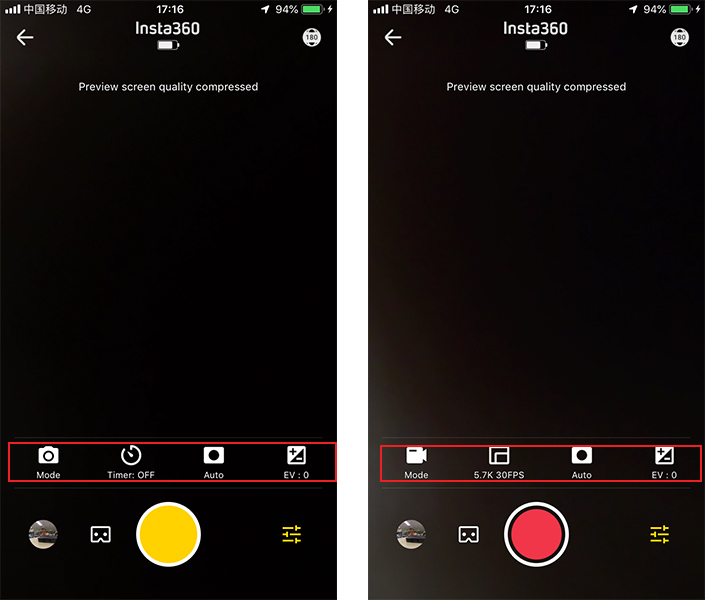
2.Open the EVO App and enter the camera interface. Tap settings in the lower right corner to adjust the shooting mode and parameters. In photo mode, you can choose single photo, HDR photo and Interval photo. In video mode, you can choose normal video, HDR video and Time-lapse video. Then, you can adjust the parameters as you please.
Was this information helpful?
.svg)


Insta360 Trade-In
使っていない機材を価値に変えよう。
詳しくはこちら
メーリングリストに登録
Insta360の最新ニュースをゲット

私はプライバシーポリシーに同意し、Insta360の最新ニュースやセール情報をメールで受け取ることを希望します。 いつでもInsta360に連絡すれば、購読を中止できることを理解しました。



%20(1).svg)


%20(1).svg)

.svg)


購入サポート
購入前の質問
注文と支払い
返品と返金
 営業時間:10:00-19:00(GMT+9)
製品サポート
トラブルシューティング・ヘルプ
保証・修理サービス
営業時間:10:00-19:00(GMT+9)