



































How do I turn on OTG feature on my Android phone?
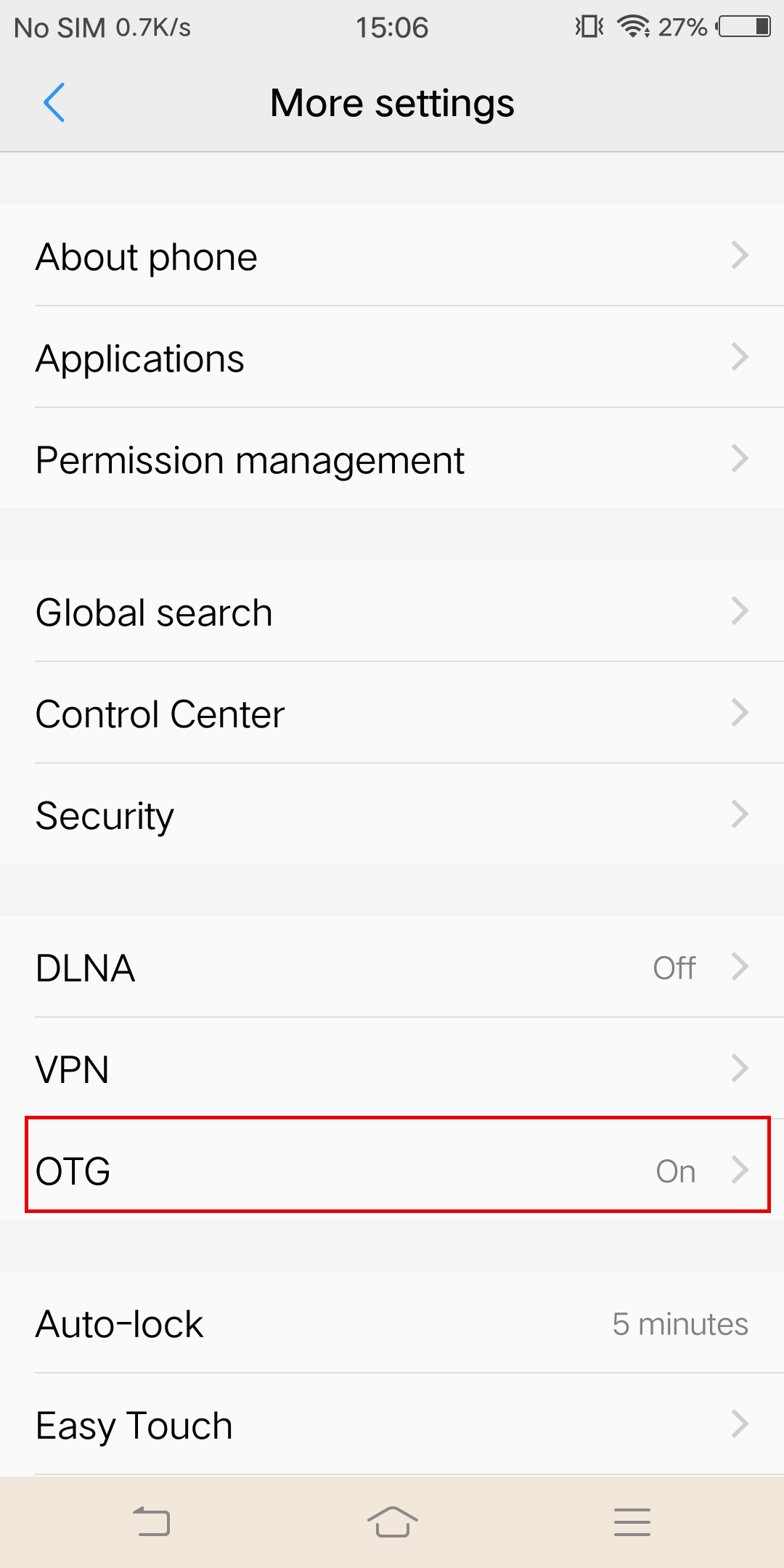
Note:As for the sync cable connection, you need to enable the OTG feature first on some Android phones such as Vivo, OPPO and Sony to establish the connection.
*For OPPO devices, please turn on OTG feature in system setting first and then plug the camera into your phone.
*For vivo devices, please turn on OTG feature in setting first and then plug the camera into your phone.
 *For Sony devices, after connecting your phone with sync cable, enter setting, tap 'USB Connectivity', and turn on 'Detect USB device'.
*For Sony devices, after connecting your phone with sync cable, enter setting, tap 'USB Connectivity', and turn on 'Detect USB device'.
Was this information helpful?
.svg)


Insta360 Trade-In
使っていない機材を価値に変えよう。
詳しくはこちら
メーリングリストに登録
Insta360の最新ニュースをゲット

私はプライバシーポリシーに同意し、Insta360の最新ニュースやセール情報をメールで受け取ることを希望します。 いつでもInsta360に連絡すれば、購読を中止できることを理解しました。



%20(1).svg)


%20(1).svg)

.svg)


購入サポート
購入前の質問
注文と支払い
返品と返金
 営業時間:10:00-19:00(GMT+9)
製品サポート
トラブルシューティング・ヘルプ
保証・修理サービス
営業時間:10:00-19:00(GMT+9)