
















































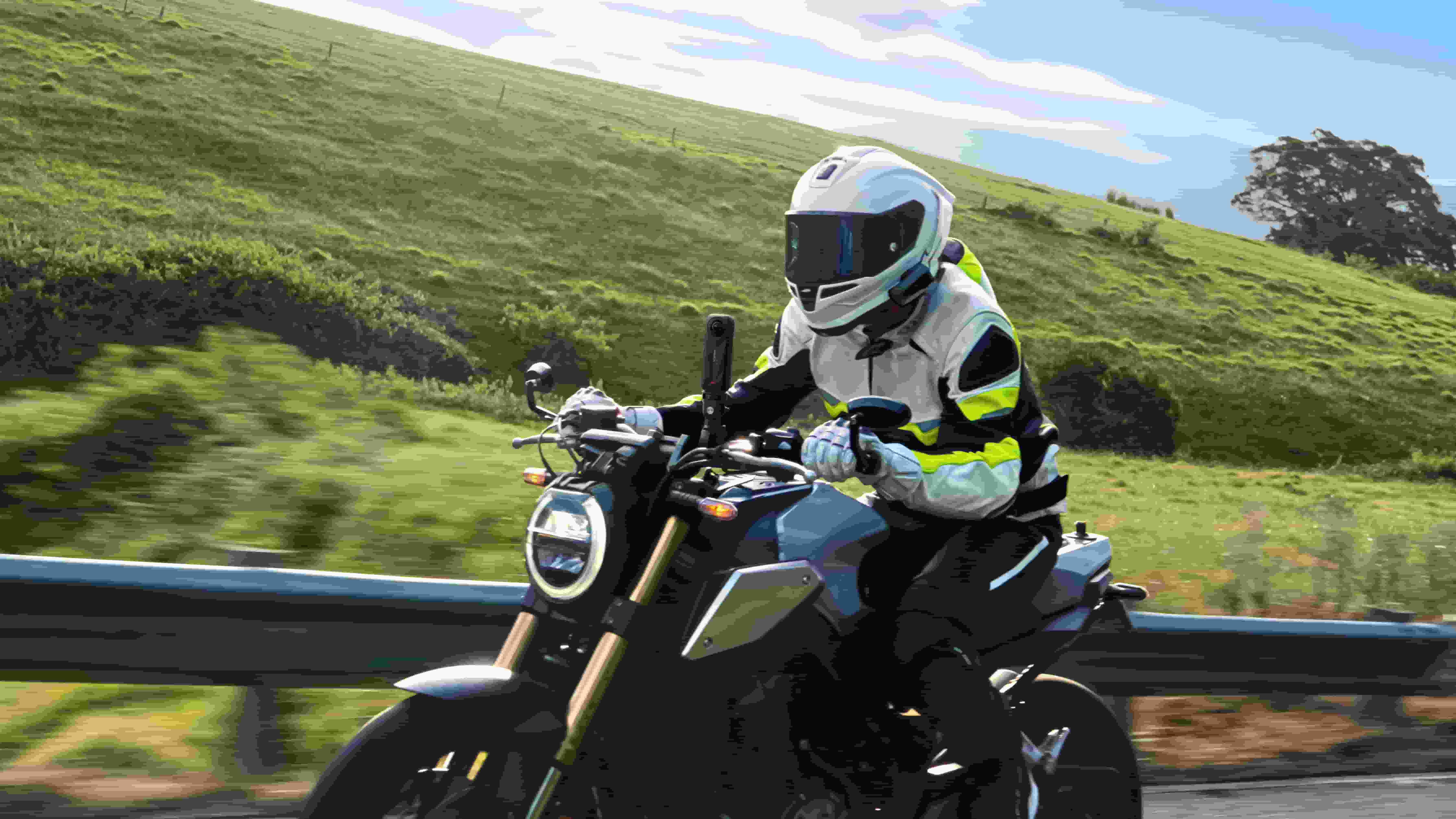


There’s something oddly compelling about watching a ride POV from behind handlebars or third-person follow-cam style. You’re not just observing, you’re in the cockpit. Leaning into curves, weaving through traffic and watching the world go by.
What started as very niche content on YouTube and TikTok has really blown up in popularity. Some moto creators have even made it a full-time gig. Even amateurs now have the tools to turn daily commutes and weekend rides into visual narratives with global reach.
If you want in on the action, then let's explore the tools you'll need to create awesome moto content.
Top Cameras for Motovloggers
Insta360 Ace Pro 2: Pro-Level Visuals in a Compact Package
Insta360 Ace Pro 2 is for creators who prefer a straightforward setup and consistent POV capture. It works great right out of the box, delivering sharp footage with super easy-to-use controls.
Key Specs and Features:
- 8K video capture with a 157° ultra-wide field of view
- Dual AI chip architecture for advanced image processing
- FlowState Stabilization for ultra-smooth visuals
- Active HDR up to 4K60fps
- Clarity Zoom (2x lossless zoom)
- Wind Guard with multi-mode audio optimization
- Waterproof to 39ft/12m (fine in the rain)
- Gesture control and voice control
- Magnetic quick-mount design
- 180-minute runtime with 30W PD fast charging
Motovlogging Mounts for Insta360 Ace Pro 2
- Helmet Chin Mount 2.0 – Classic helmet POV.
- Helmet Mount Kit – For a wide capture angle that follows your gaze.
- Rear View Mirror Mount – Bar-level for cockpit-style framing.
- Heavy Duty Clamp – Versatile mounting on crash bars, tail racks, or frame tubing.
Insta360 X5: Every Angle, Every Time
If you want to capture everything, in all directions, all at once, then Insta360 X5 is for you. Hit record and let the camera handle everything. When you get home, you can pick the best angles, zooms, or tracking shots using reframing tools in the app.
And of course, you can capture that drone-style follow cam footage using the Invisible Selfie Stick. It’s no exaggeration to say this shot is a major reason why certain motovlogging channels have blown up in recent times.
Key Specs and Features:
- 8K 360 video with 11K supersampling
- 5.7K60fps Active HDR for smooth action shots
- InstaFrame Mode: flat video + full 360 capture
- Dual 1/1.28" sensors with Triple AI Chip
- Replaceable lenses
- Built-in Wind Guard and four audio profiles
- Waterproof to 49ft (15m): fine in any weather
- 208-minute battery life in Endurance Mode
- Fast charging: 80% in 20 minutes
- Invisible Selfie Stick support for third-person views
Motovlogging Mounts for Insta360 X5
- Motorcycle Bundle - Includes new universal clamp mount and flexible adhesive mount
- X5 POV Chest Mount – Hands-free footage with a stable, mid-body perspective.
- Unicorn Helmet Mount – Forward-facing top-down view.
- Third Person Backpack Mount – Chase-cam angle, no drone required.
- Back Bar – Tail-mounted for rider-following shots.
- Invisible Selfie Stick – Iconic floating cam effect.
- Motorcycle U-Bolt Mount – Handlebar or frame mount. Firm and simple.
Take Control with the GPS Preview Remote with Built-In Mic
A must-have accessory for the serious motovlogging setup, the GPS Preview Remote with Built-In Mic pairs seamlessly with both Insta360 Ace Pro 2 and Insta360 X5. Strap it to your bars or your wrist and get real-time video preview, mode switching, and remote control. Plus, in the updated version with built-in mic, you can capture high-quality audio with two adjustable noise reduction modes for clear sound, whatever the situation.
The killer feature for motovlogging is definitely the ability to log GPS location, speed, and ride stats directly to your clips. Overlay data like your speed inside the Insta360 app with no extra sensors or post-production hassles.
How to Start Motovlogging
Motovlogging used to be difficult and fraught with danger...for your camera gear. Dodgy mounts and not-so-great camera stabilization made for average road footage. Now we are spoiled with incredibly accessible pro-level gear, and it has never been easier to capture really cool shots.
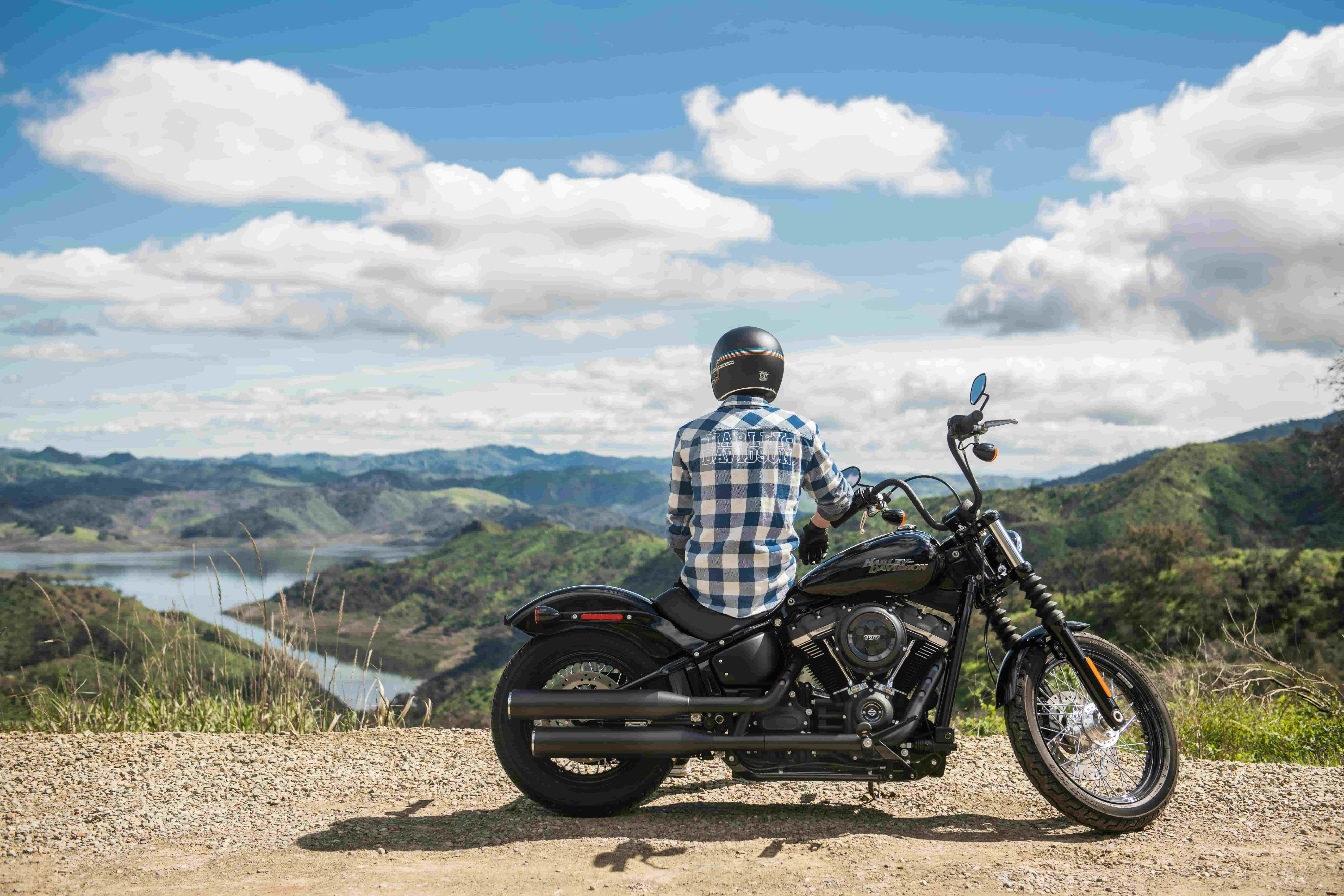
Choose a Camera
What's your style? If you want quick, direct POV footage that looks great without any fuss, then Insta360 Ace Pro 2 is an excellent choice. Prefer creative flexibility and multiple perspectives? Go with Insta360 X5 and shoot everything at once, then decide how to frame it later.
Choose the Right Mount
Don’t overcomplicate it at the start. The Helmet Chin Mount 2.0 or the POV Chest Mount gives a natural view of your ride with minimal setup. If you are just starting out, you can choose the Motorcycle Bundle available for Insta360 X5 or Insta360 Ace Pro 2, providing the essential motorbike mounting kit to get you started.
Keep It Simple at First
Especially when starting out, just set the camera to Auto mode. Turn on QuickCapture so it starts filming as soon as you hit the button. You won’t need to mess with exposure or ISO. Ace Pro 2’s Clarity Zoom helps you get close-ups on the go, while InstaFrame on the X5 gives you an immediate, shareable clip. You can experiment with settings and modes once you have gained some experience and know more about what you like to capture.
Don't Forget The Importance of Good Audio
If your commentary is part of the content, sound really matters. Use the built-in mic with Wind Reduction turned on, or better yet, pair your camera with a motorcycle Bluetooth headset from SENA or Cardo. Alternatively, you can add your voiceover after the fact during editing.
Edit and Share
Use the Insta360 app on mobile or Insta360 Studio on desktop. These apps make it easy to edit your footage, add stats overlays with the GPS Preview Remote with Built-In Mic, and use AI reframing to find the best moments from your 360 video. The tools are built to simplify the process. Pro editing skills are no longer needed to make pro-looking content.
Stay Consistent
You don’t need to ride the Alps to start a motovlog. Document your commute. Talk through your maintenance process. Share your favorite route to coffee. The key is showing up and hitting record. You’ll refine your approach with every clip.
Cool Motovlogging Shots You Can Capture
Helmet POV
Mount the camera on your chin or on top of the helmet for a true rider's-eye perspective. It shows exactly what you see and lets viewers experience the road as you do. Best for commentary, traffic interaction, or showcasing technical riding skills.
Third-Person Follow
Use the Invisible Selfie Stick with the Third-Person Backpack Mount or Back Bar to create a floating drone-style view. This adds drama and scale to mountain roads, group rides, or long highway stretches. It feels cinematic, even when you're just rolling through town.
Rear-Facing View
Attach your camera to the tail or luggage rack using the Motorcycle U-Bolt Mount. It’s ideal for capturing group formations, chase riders, or just the shifting scenery behind you. Works well for ride recaps and storytelling transitions.
Handlebar Cam
Mounted low and centered, this view frames your dashboard, mirrors, and the road ahead. It’s perfect for voiceovers, bike reviews, or tutorial-style content where your hands and instruments are visible.
TimeShift (Hyperlapse)
Condense a long ride into a fast-forwarded sequence that still feels smooth. Combine this with background music and overlays for a recap-style vlog. TimeShift smooths out bumps and keeps pacing snappy.
Split-Screen Perspectives
Pair an Insta360 X5 and Ace Pro 2 to capture multiple angles in sync. Show your face and the road at the same time. Or combine third-person and first-person footage for a more complete narrative.
Static B-Roll
Pull over and get static shots using a mini tripod or clamp mount. These clips can show your gear, bike walkarounds, or landscape cutaways to add pacing and polish.
Night Rides and Low Light
Use PureVideo mode on the Insta360 X5 or Ace Pro 2 for twilight rides or city night scenes. Focus on capturing reflective surfaces, neon signage, or tunnels with clean shadows and preserved detail.
FAQ
Which is better for motovlogging, Insta360 Ace Pro 2 or Insta360 X5?
Both cameras are excellent at what they do, so the answer to this question really depends. Insta360 Ace Pro 2 is a more traditional action camera that is great for wide-angle action shots, and is also very versatile off the bike for regular vlogging. Insta360 X5 is unique in its ability to capture stunning high-definition 360 video, so you can film in all directions at once and choose your framing later. If that is appealing, then X5 is the best choice. Many motovloggers use both.
What resolution and frame rate should I use?
Both Insta360 Ace Pro 2 and Insta360 X5 are capable of incredibly high-res 8K video. But if you want your footage to be versatile and maybe include some slow-mo, then 4K at 60fps is a great choice on Insta360 Ace Pro 2 for sharpness and flexibility in post-production. While with X5, you can capture 360 video at 5.7K60fps, or 4K120fps.
Can I preview my footage live?
Yes, the GPS Preview Remote with Built-In Mic lets you monitor and control recording from your handlebars. You can also preview on the camera's built-in touch screen or via the Insta360 App on your phone.
How should I edit my motovlog?
Use the Insta360 app or Studio. Both offer reframing tools, GPS overlays, and AI tools to simplify your workflow.
Keen to keep up to date on Insta360 stories? Keep an eye on our blog and sign up for our mailing list. Got a story to share? Email yours to communitystories@insta360.com and win up to US$50.







%20(1).svg)


%20(1).svg)

.svg)


