

















































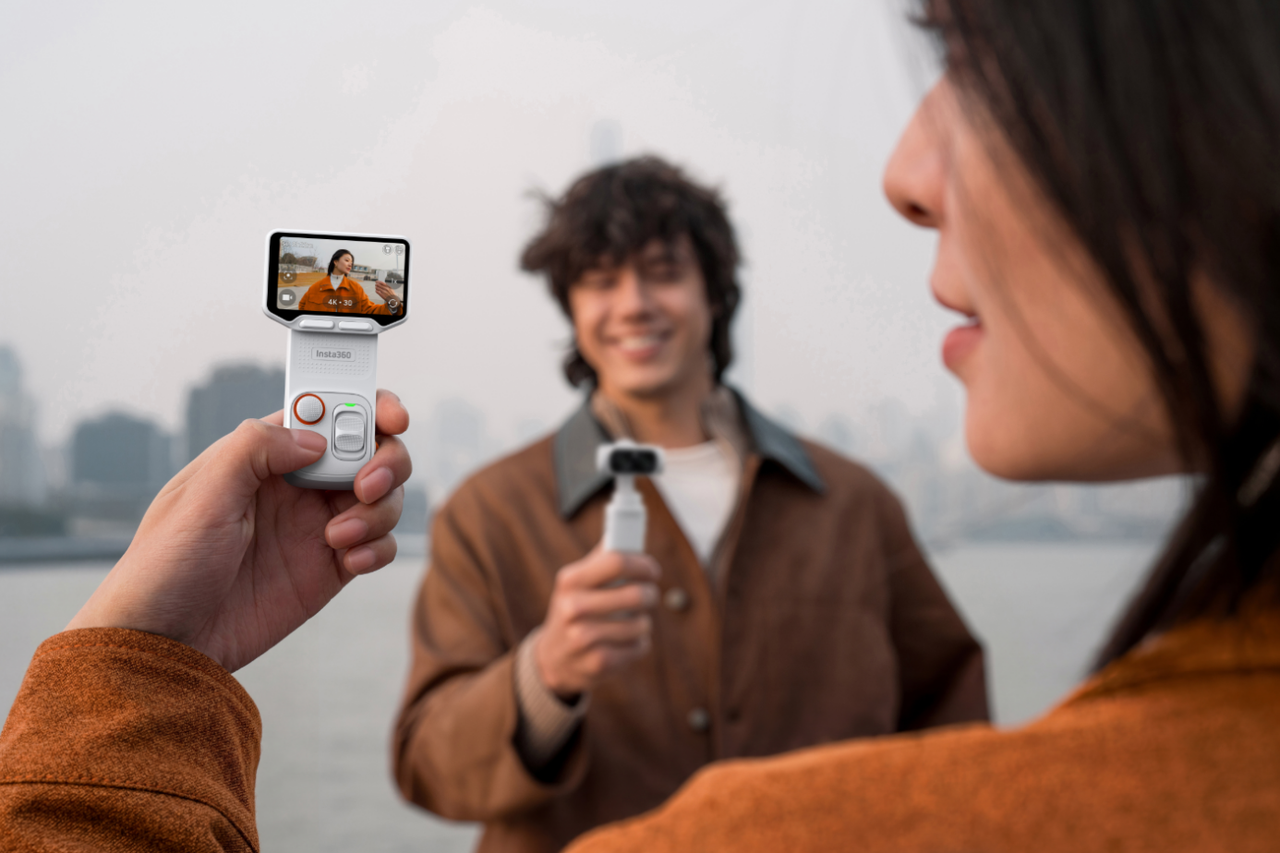


Insta360 Luna Ultra is here, and it’s redefining how we think about gimbal cameras. With its dual-lens system co-engineered with Leica and the next-generation 1" 8K sensor producing outstanding image quality, this is a camera already well ahead of the field.
But that’s just the start. It also comes with a pro-grade telephoto lens, supporting up to 12× zoom for ultra-clear close-ups, an industry-first detachable 2" OLED touchscreen, AI Deep Track and Rapid Focus, and 8K Dolby Vision Video.
Insta360 Luna Ultra does what used to require two or three different cameras, but with great power comes a bit of a learning curve. Here are 8 ways to get the best out of your Insta360 Luna Ultra.
First-Time Setup Tips Worth Getting Right
It’s normal to want to rush, to tear that box open and hit record as quickly as possible. But to borrow a phrase from Guinness, good things come to those who wait.
Start by checking for firmware updates as these will often introduce performance improvements, bug fixes, and additional features that can improve the overall shooting experience. Next, pair and test the detachable screen to ensure everything is connected correctly before heading out on location.
It's also worth setting your preferred frame rate and resolution in advance. If you primarily create content for social media, your ideal settings may differ from someone producing cinematic travel videos or professional projects. You can just put the camera on automatic, but the sooner you begin to learn about manual settings, the better.
Don’t overthink it, there will be a lot of trial and error, but establishing set preferences early gives you a good foundation to work from and a smoother workflow every time you pick up the camera.
Finally, customize any quick-access menus or shortcuts available within the interface. The fewer taps it takes to reach your most-used settings, the less likely you are to miss a shot.
Pick the Right Resolution Before You Hit Record
Following on from the previous point, it’s worth expanding a little on resolution. Many creators automatically select the highest available setting, assuming more pixels always lead to better results. However, bigger numbers don’t always equate to better footage, and choosing the right resolution depends entirely on how and where your footage will be used.
If you're filming dramatic landscapes, detailed travel scenes, or projects that may require cropping during editing, higher-resolution recording provides greater flexibility. Additional detail allows you to reframe shots without sacrificing image quality, which can be especially useful when working with dynamic subjects.
On the flip side, for everyday shooting, recording at a more practical resolution often makes more sense. Smaller file sizes reduce storage demands, speed up transfers, and create a smoother editing workflow. If your final video will primarily be viewed on phones, tablets, or social media platforms, viewers may never notice the difference.
As a general rule, 4K at 30fps is the sweet spot for everyday vlogging, travel content, and family videos. It delivers excellent image quality while keeping file sizes manageable and editing workflows efficient.
If you're filming sports, fast-moving subjects, or action-heavy sequences, 4K at 60fps provides smoother motion and gives you the option to create slow-motion effects during editing. For creators who plan to crop, reframe, or extract multiple compositions from a single shot, 8K recording offers the maximum amount of detail and flexibility in post-production.
Activate PureVideo Mode in Low Light
Low light, when you’re not prepared for it, can easily destroy otherwise good footage. But night shots and time without that perfect golden glow shouldn’t be shied away from.
Low-light environments present challenges for every camera system. As available light decreases, image noise becomes more visible, details begin to disappear into shadows, and footage can quickly lose the clarity that looked so impressive during the day. But with Insta360 Luna Ultra, you can have your very own light technician, and it’s called PureVideo Mode.
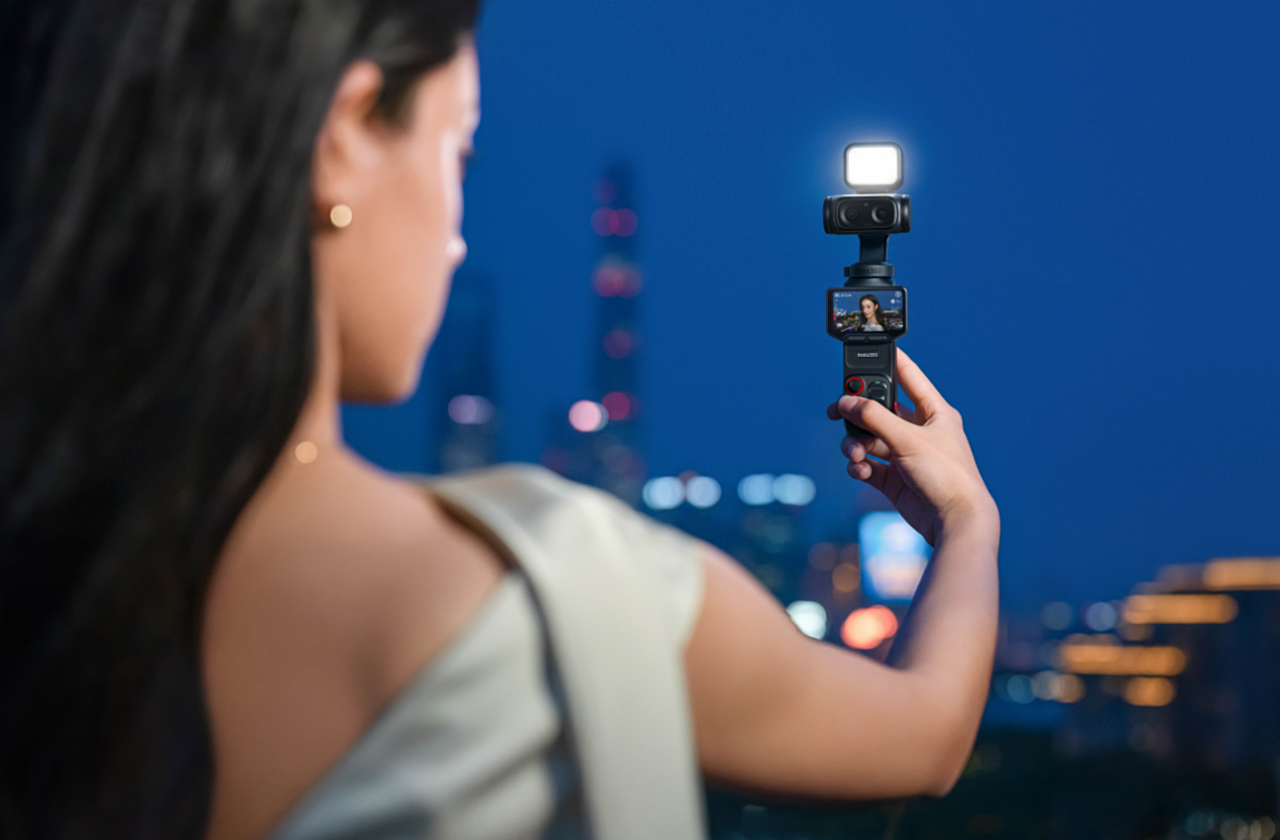
Designed specifically for challenging lighting conditions, PureVideo uses advanced image processing to improve low-light performance, leaving you with cleaner footage, reduced noise, improved shadow detail, and greater overall clarity when filming after dark.
The benefits become particularly noticeable in real-world situations. Walking through a city illuminated by streetlights, capturing the atmosphere of a restaurant, documenting an evening event, or filming during blue hour all place heavy demands on a camera system. It’s easy to get into the mindset that cameras just can’t film in those environments, but that’s an untruth that you need to unlearn. PureVideo can’t save every situation, but it’s remarkable what it can do.
Choose a Leica Color Profile to Skip the Edit
Creators used to spend hours going over footage, tinkering with color correction and grading, searching for that mythical perfection. If you want to keep doing that, by all means, set aside a few hours per clip, but with Leica’s Color Profile you can establish exactly what you want before you even hit record.
Rather than producing a flat or neutral image designed for extensive editing, Leica color profiles deliver a refined look directly during capture. Colors appear rich without becoming oversaturated, contrast feels balanced, and skin tones maintain a natural appearance across a variety of environments.
This can be a major advantage for travel creators, lifestyle filmmakers, and vloggers who publish content frequently. Instead of spending additional time adjusting every clip, you can move footage into your editing timeline with much of the visual work already done.
Leica Natural delivers low saturation with strong contrast, delivering a classic, timeless aesthetic. Leica Vivid brings high saturation with bright, vivid imagery, enhancing the warm and inviting atmosphere of any scene through a rich, colorful lens. And Leica Chrome has warm skin tones, soft contrast, and vignette focusing to create a cinematic light and shadow atmosphere. And these are just some of the most popular.
Play around, experiment, see what works for you, and create results that feel polished without appearing artificial.
Shoot in 10-bit I-Log When You Plan to Color Grade
If Leica color profiles are designed for convenience, 10-bit I-Log is designed for creative flexibility. This setting captures significantly more color information than standard recording modes, giving editors greater control during post-production. Highlights can often be recovered more effectively, subtle color transitions appear smoother, and footage generally provides more room for creative adjustments.
The difference becomes particularly valuable when working on cinematic travel films, documentary projects, commercial productions, or any content that will receive extensive color grading. However, one of the biggest mistakes new creators make is assuming they should use I-Log for everything.
Not every project needs the additional workflow. Footage recorded in a log profile often appears flat and desaturated before grading. If you're producing quick social content or simply want footage ready to share immediately, a Leica color profile may be the better choice.
Make the Most of AI Deep Track and Smart Framing
How did we ever operate without AI-tracking? Keeping a moving subject perfectly framed can be surprisingly difficult. Whether you're filming a child running through a park, following a cyclist along a winding trail, or recording your own travel adventures, even small movements can quickly throw off composition.
It also requires you to stay so engaged with the screen that you might not see that lamppost or park bench.
AI Deep Track helps solve that problem by intelligently identifying and following subjects within the frame. Instead of constantly adjusting camera position or repeating takes, you can focus on the action while Insta360 Luna Ultra handles much of the tracking work behind the scenes.
As long as you’re holding the camera in roughly the right place, the Insta360 Luna Ultra lens will follow your subject. No jerky footage, no slamming into a lamppost at full speed. No concussion.
The benefits become especially obvious when filming alone. Solo creators often face the challenge of being both the camera operator and the subject. AI Deep Track reduces that workload, helping keep attention where it belongs while maintaining more consistent framing.
Smart Framing takes things a step further by helping optimize composition automatically. Rather than placing subjects awkwardly within the frame, the system works to create shots that feel balanced and intentional.
Use the Detachable Screen for Solo and Remote Shots
The detachable 2" OLED touchscreen is a game-changer and is one of Insta360 Luna Ultra's most versatile features because it gives creators greater freedom when positioning the camera. Instead of remaining attached to the device, the screen can be used remotely to monitor framing, review shots, and make adjustments from a distance.
Imagine setting up a camera beside a hiking trail before walking into frame. Or placing it across a room while filming a tutorial, workout, or cooking demonstration. Without a remote display, checking composition is a nightmare and often means repeated trips back and forth to the camera. With a detachable screen, that tiresome process is dramatically improved.
It also encourages more creative camera placement. You can experiment with lower angles, elevated perspectives, and unique viewpoints that might otherwise be difficult to monitor accurately. More freedom, more flexibility, a wildly different shooting experience.
Explore the Built-In Creative Modes
While standard shooting mode is understandably the best place to get started and to hone your craft, Insta360 Luna Ultra comes with an array of creative modes to expand into and take your footage up a few more levels.
Slow Motion
Perfect for emphasizing action and revealing details that are easy to miss at normal speed. Whether it's crashing waves, athletic movement, or everyday moments, slowing things down can add drama and impact.
Motion Timelapse
Ideal for capturing long journeys, city walks, changing weather, or scenic drives. Motion Timelapse condenses extended periods into dynamic sequences that showcase movement and progression.
Hyperlapse
Unlike traditional timelapses, Hyperlapse combines camera movement with accelerated time. The result feels energetic and immersive, making it particularly effective for travel content.
Telephoto Shooting
Telephoto capabilities allow you to isolate distant subjects, compress perspective, and create a more cinematic look. This can be especially useful when filming landscapes, architecture, wildlife, or urban environments.
Macro Photography
Small details often make the biggest visual impact. Macro shooting opens up creative possibilities by revealing textures, patterns, and subjects that are invisible from a normal viewing distance.
Start Shooting Smarter With Insta360 Luna Ultra
When you unpack an Insta360 Luna Ultra for the first time, it can be difficult to know where to start. The beauty of this camera is that it can do pretty much everything. It has five different focal lengths, perfect for every style and need.
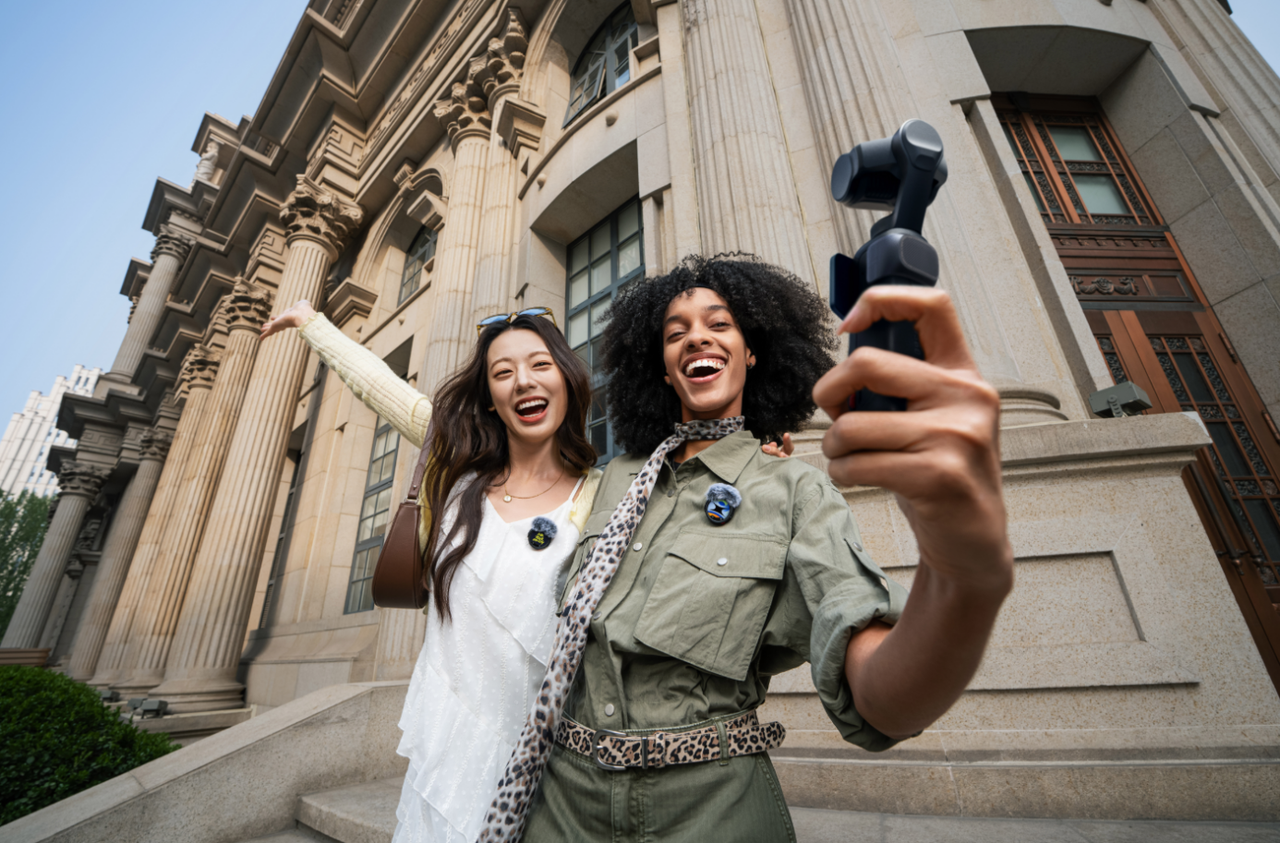
Teamed with Leica, it comes with a heavyweight sensor and color profiles that have from a camera maker that's helped define photography for more than a century. Add AI-powered subject tracking that keeps you perfectly framed without a camera operator, and industry-leading stabilization that smooths out every step, turn, and sprint.
This is the camera that’s going to change how we shoot. Are you ready?
Frequently Asked Questions
What is the best video setting for everyday vlogging on Insta360 Luna Ultra?
For everyday vlogging, 4K at 30fps with the Leica Natural color profile is the best place to start for most creators. It delivers sharp, detailed footage with natural colors while keeping file sizes manageable for faster transfers, editing, and sharing.
How do you use the detachable screen on Insta360 Luna Ultra?
The detachable screen allows you to monitor framing and control the camera remotely. This is particularly useful when filming yourself, positioning the camera in difficult locations, or experimenting with creative angles that make the built-in display difficult to see.
Can you use Insta360 Luna Ultra for telephoto macro photography?
Yes. Insta360 Luna Ultra's dual-lens design supports both telephoto and macro shooting, allowing creators to capture distant subjects as well as highly detailed close-up images. This versatility makes it suitable for everything from travel photography to creative product shots and nature content.
Keen to keep up to date on Insta360 stories? Keep an eye on our blog and sign up for our mailing list. You can also contact our Enterprise team directly to see how 360 cameras can benefit your business.





%20(1).svg)


%20(1).svg)

.svg)


