

















































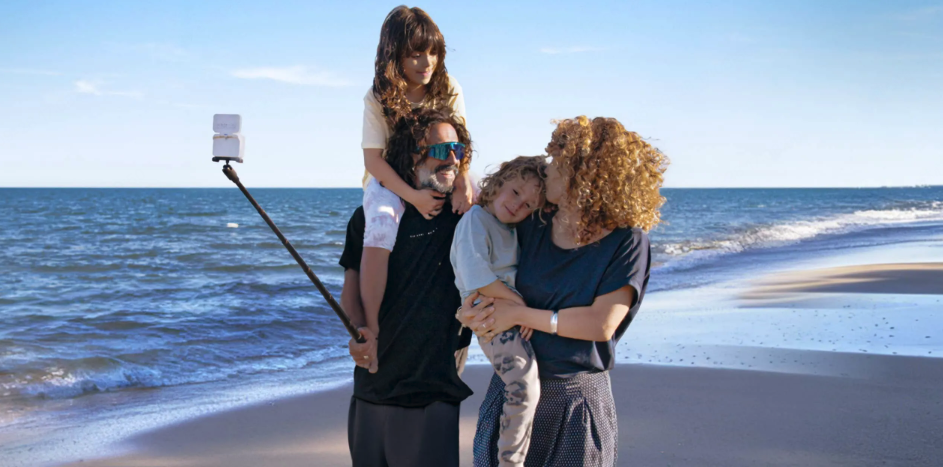


A family island trip can include beach time, snorkeling, boat rides, and days spent exploring a nearby city. Choosing one camera for the whole trip means balancing waterproofing and easy handling with the portability, battery life, and storage you’ll need on the go. The best action camera for travel is not simply the one with the highest resolution or deepest waterproof rating. It is the one that fits the moments you want to capture, stays easy to carry, and does not leave you with a mountain of footage you never want to edit. If you’re looking for a camera for snorkeling and travel, start by deciding whether you want simple, ready-framed clips or the freedom to choose your angle later.
At Insta360, we design cameras for different ways of telling a story. In this guide, we’ll help you choose between direct, ready-to-frame footage and flexible 360° capture, plan for battery and storage, and build a setup that works from the beach to the city.
Key Takeaways
Short on time? Start with the kind of footage you want to bring home.
- Choose Insta360 Ace Pro 2 if you prefer to frame each shot as you record and want a straightforward camera for water activities, walk-and-talk clips, and family moments.
- Choose Insta360 X6 if you want to capture a scene in 360° and decide later whether a clip becomes a selfie, a wide landscape, or a third-person view. That flexibility comes with more reframing and file-management work.
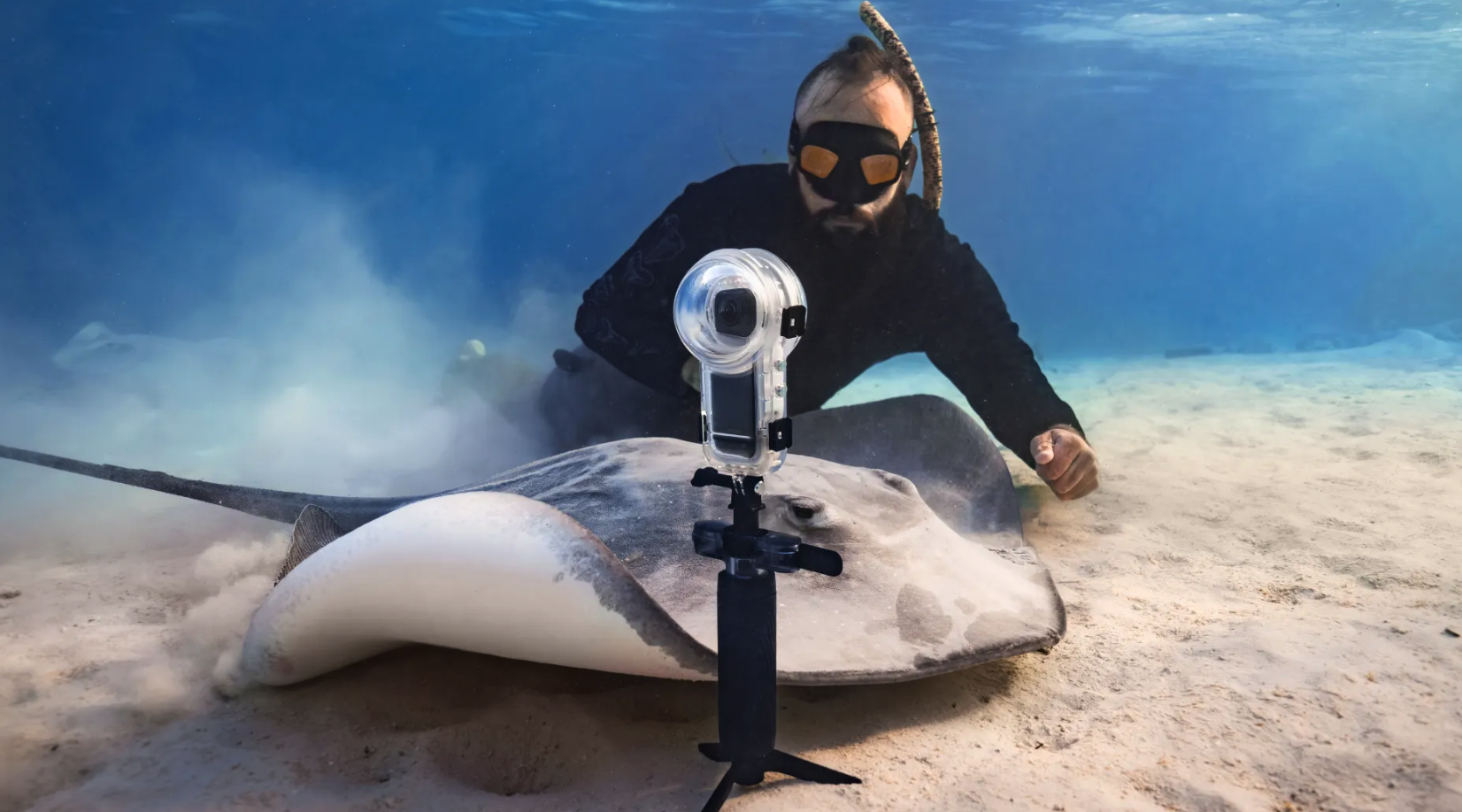
- For snorkeling, check the exact camera’s waterproof rating and use a model-specific dive case when your depth, duration, or shooting conditions call for one. For X6 underwater 360° footage, use the X6 Invisible Dive Case Pro and its included underwater lenses.
- Keep your phone for maps, still photos, messages, and quick clips. An action camera is a companion for hands-free, stabilized, wet, or unusual-angle video—not a universal phone replacement.
- Plan your recording settings, spare power, and storage before the trip. Short clips and a simple daily backup routine make it much easier to enjoy the memories afterward.
What Do You Need from a Camera for a Mixed-Activity Trip?
Start with the moments, not the spec sheet. One Reddit user planning a family trip to Malaysia wanted a camera for city travel, an island stay, snorkeling, boat trips, beaches, kayaking, and everyday family memories. That mix is a useful test for any travel setup: the camera needs to work across activities without becoming one more thing to manage. The best travel camera for beach days may need to handle saltwater and sand, while a camera for family travel also needs to be quick to pick up, simple to operate, and easy to pack. Before comparing cameras, answer four practical questions:
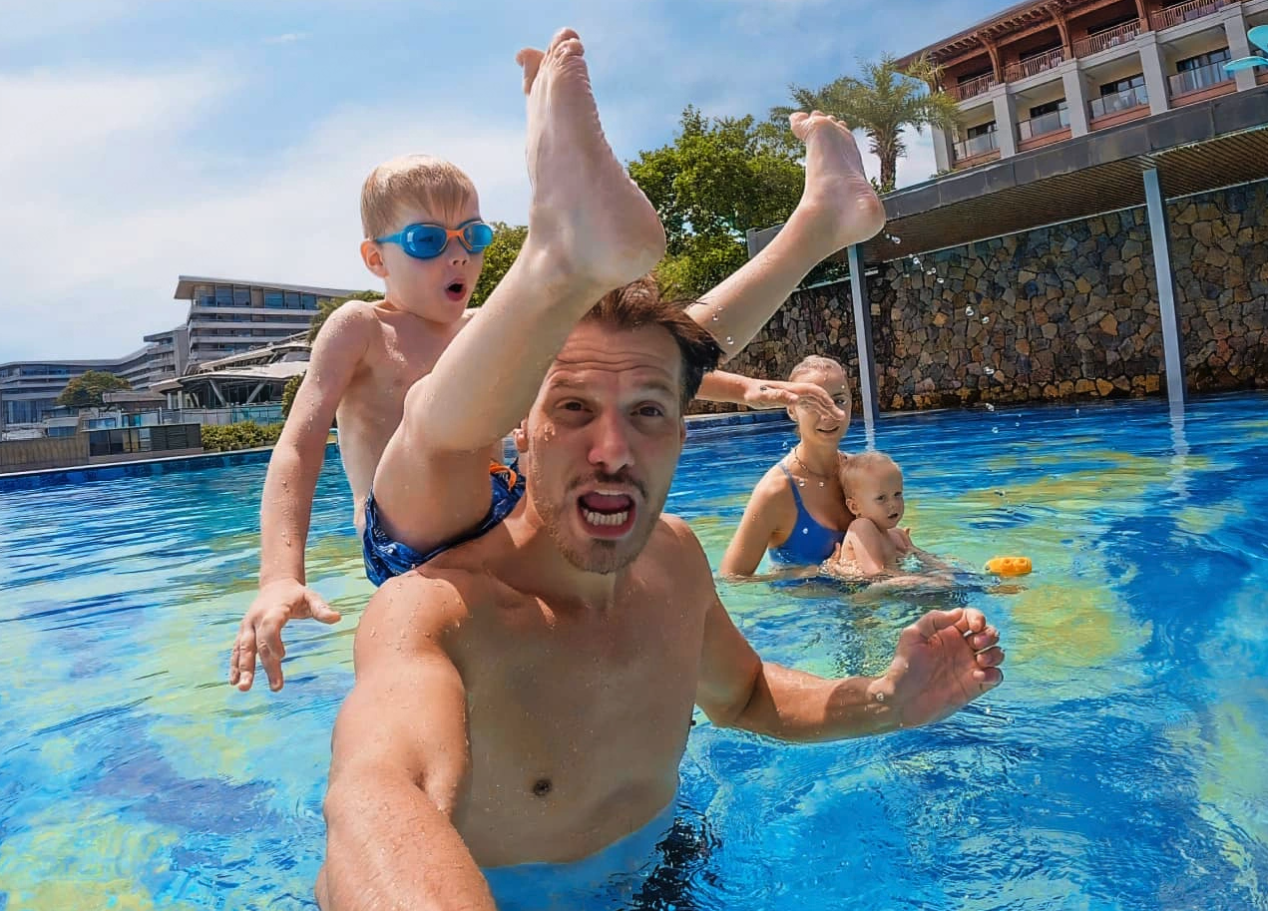
- How wet will the camera get? Occasional splashes, surface snorkeling, and repeated or deeper dives are different use cases. Check the camera’s own rating and the case rating separately; a rating is not a promise against every impact or mishandled seal.
- Do you want to frame while recording or choose the view later? A conventional wide-angle camera gives you a direct clip with less reframing. A 360° camera captures the whole scene so you can choose the angle afterward.
- Who is operating the camera? If you want to stay present with children or friends, a simple grip, quick start/stop access, and a small number of reliable angles may matter more than advanced settings.
- How much editing will you realistically do? Be honest. If you want to share a few clips each night, choose a workflow that gets you there quickly. If reframing and making a travel montage sounds fun, 360° capture gives you more options.
These priorities also explain why a single “best travel camera” answer is rarely useful. A camera that excels at underwater protection may be less convenient for quiet indoor portraits; a camera that captures every angle may create more files and decisions. The right compromise depends on whether your trip is primarily about water, family memories, or creating a polished travel video.
| Your trip | Prioritize | A practical camera direction |
|---|---|---|
| Beach resort with snorkeling and casual family clips | Easy handling, a secure grip, and a simple edit workflow | Insta360 Ace Pro 2 for direct framing; add a compatible dive case if your planned use requires it |
| City plus beach, with spontaneous group shots | Portability, quick setup, and flexibility in framing | Insta360 X6 if you enjoy choosing angles after recording; Insta360 Ace Pro 2 if you prefer ready-framed clips |
| Family trip with children and little time to edit | Simple controls, short clips, reliable mounting, and easy file transfer | Keep the setup light; record the moments that matter rather than leaving the camera rolling |
Can One Camera Handle Snorkeling and City Travel?
Yes, if you choose a camera based on the compromise you can live with. An action camera can move from a wet activity to a city walk more easily than a delicate, bulky setup, but it will not behave exactly like a phone or a large-sensor still camera in every situation.
For a direct, simple shooting workflow
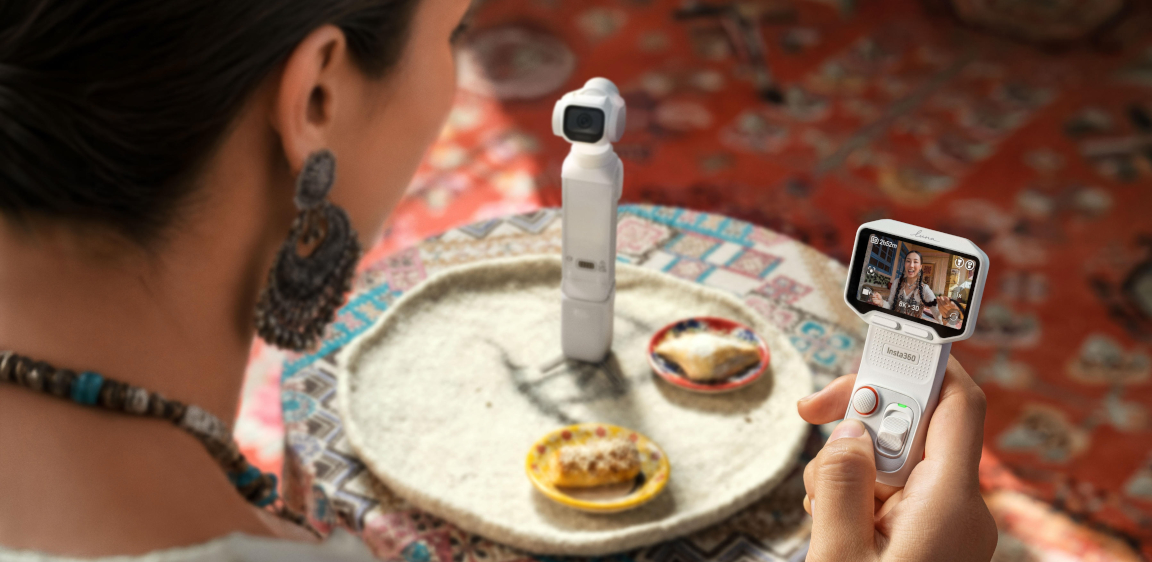
Insta360 Ace Pro 2 records a conventional wide-angle view. You decide what goes in the frame before pressing record, which is useful for a snorkeling pass, a short family greeting, or a walk-and-talk clip. Its flip screen helps you check your composition when filming yourself. Here are practical ways to create the three travel angles shown in the tutorial:
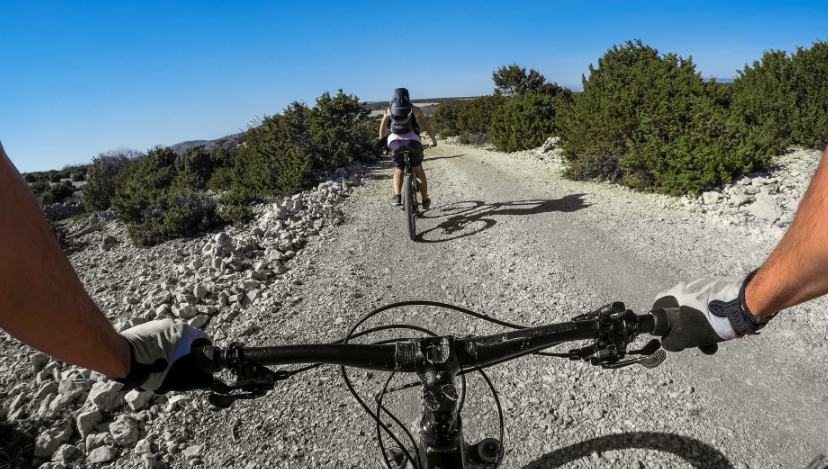
- First-person POV: Attach Ace Pro 2 to the Head Strap for a head-level view, or to the Chest Strap for a steadier view of what is in front of you. Point the camera slightly downward so hands and activity enter the frame. For snorkeling, only use a mount and camera configuration suitable for the water activity; a chest/head strap is not a substitute for a dive case when one is required. With X6, use the X Series POV Chest Mount 2.0 and reframe the 360° clip afterward.
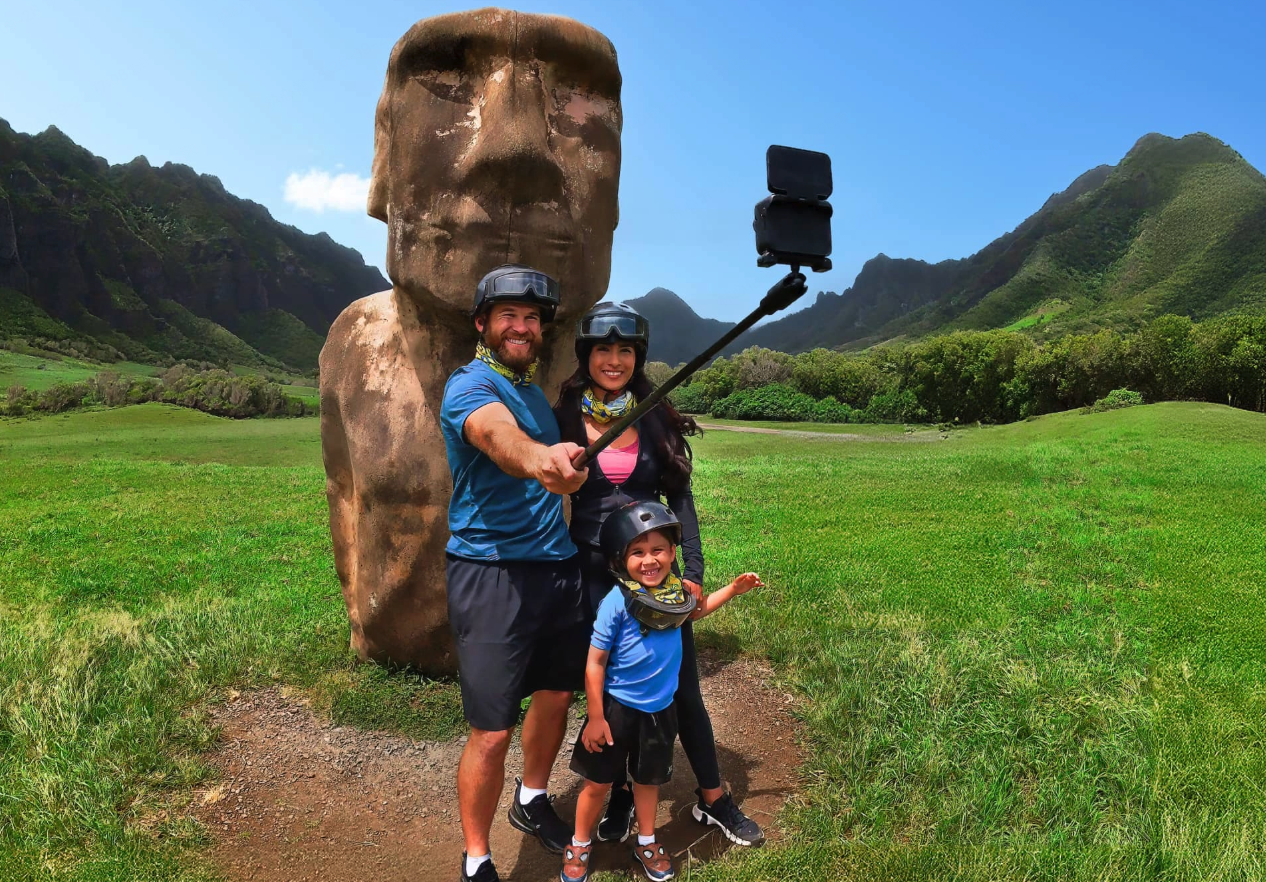
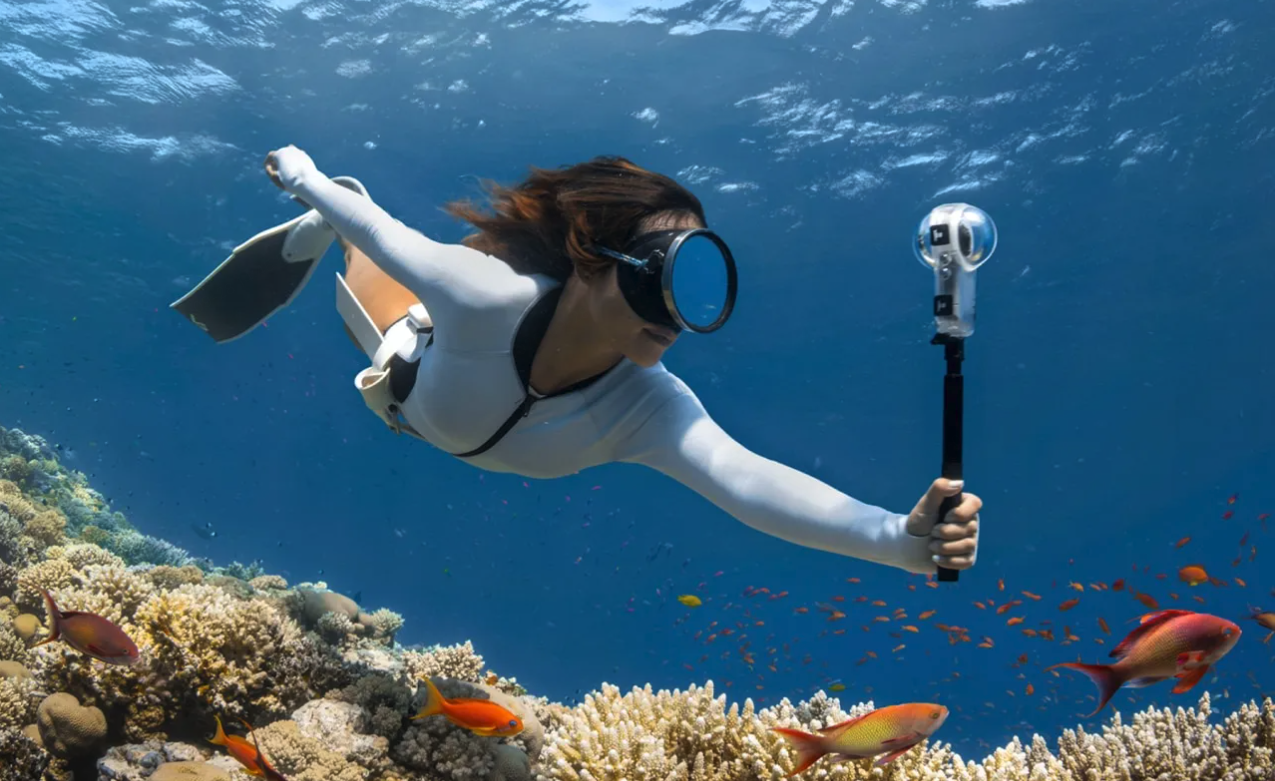
- Selfie POV: Hold Ace Pro 2 on a compatible grip or short selfie stick, flip the screen toward you, and keep your face near the center of the wide frame. A travel companion can also hold the camera just outside the frame. With X6, extend the 114cm Invisible Selfie Stick and reframe the footage as a selfie afterward; the stick disappears in the 360° export, not in ordinary single-lens footage.
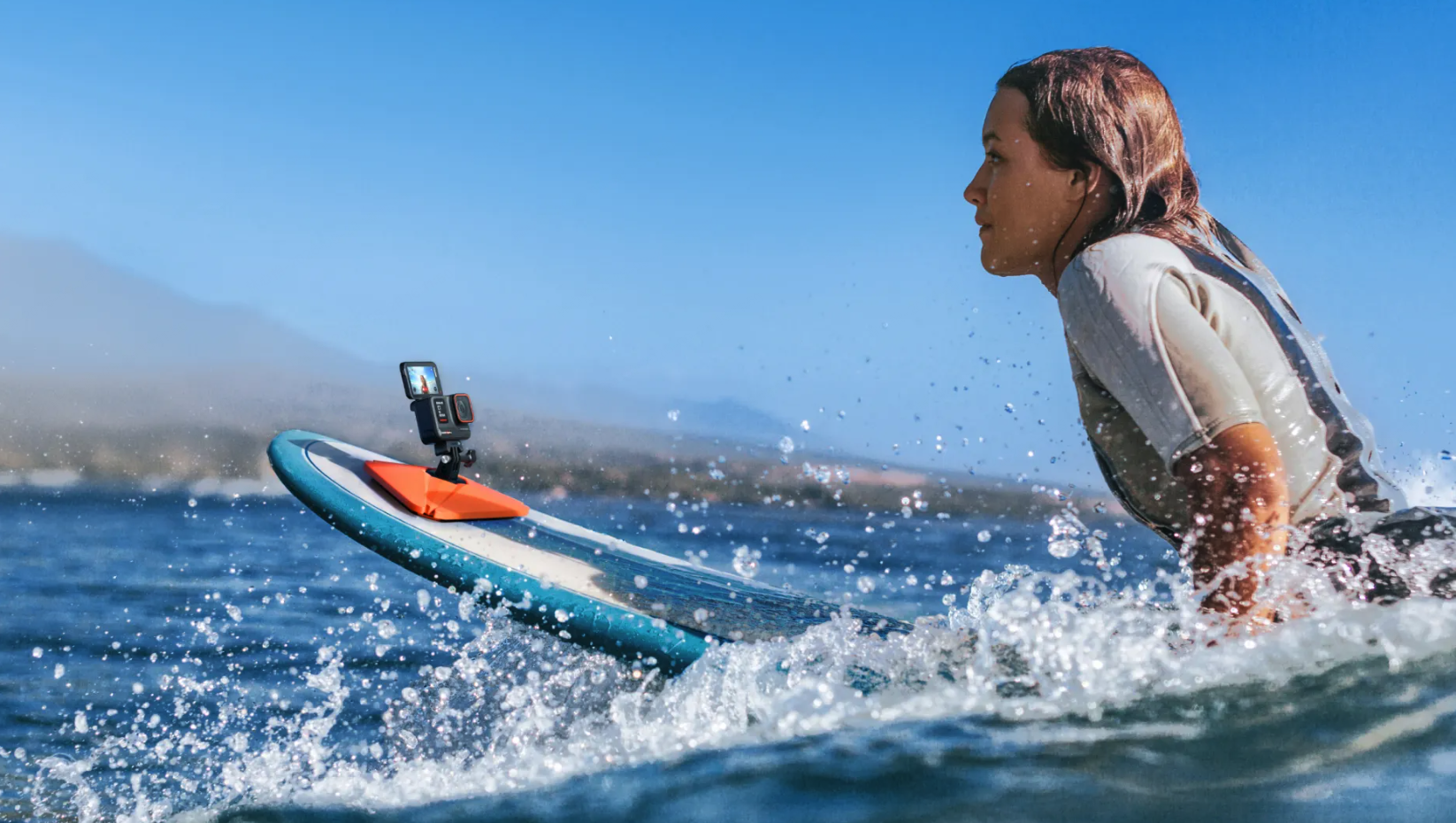
- Follow-camera / third-person view: For Ace Pro 2, ask a travel companion to film you from a few steps behind, or place the camera on a secure, stationary surface using a compatible Flexible Adhesive Mount where that surface and location are appropriate. Check the mount before recording and never attach it where failure could endanger someone or damage property. With X6, hold it out on the Invisible Selfie Stick while walking or moving, then reframe the clip to show yourself in the scene; this creates a floating third-person look without needing another filmer. Keep the stick within easy control in crowds and near water.
The simplest recipe for a short travel sequence is one POV clip, one face-to-camera or reaction clip, and one wider follow/scene clip. Record each for a few seconds, then move on rather than filming the entire activity.
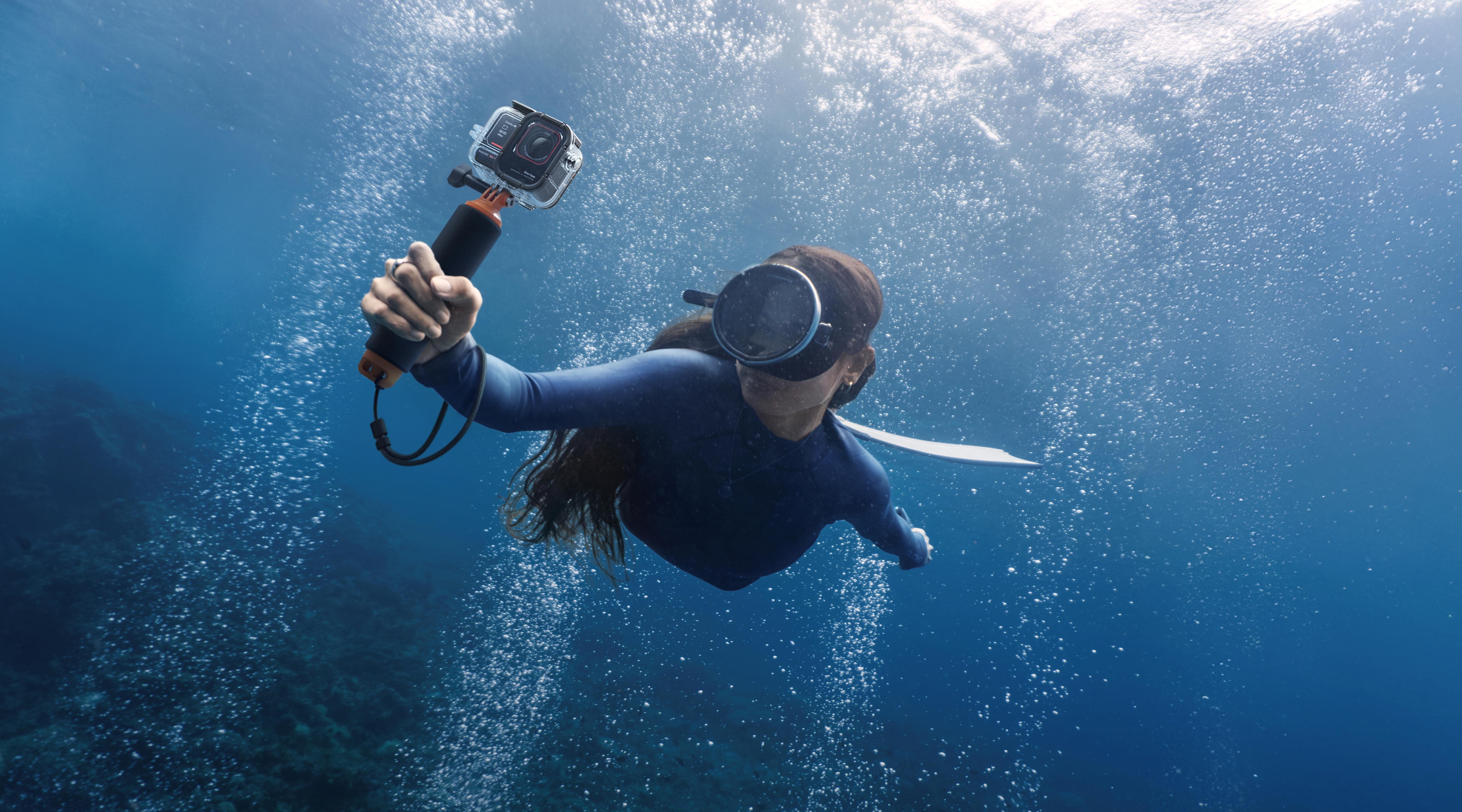
The same tutorial shows a split above-and-below-water composition using a dome housing in clear water. Treat this as a specialized creative option, not a requirement for ordinary snorkeling; confirm exact accessory compatibility and follow the housing’s instructions before taking it into the water.
For city use, the benefit of a direct-view action camera is that you can record short clips without committing to reframing every shot later. Its wide perspective works well for street scenes and group clips, but faces near the edge can look stretched. Keep people near the center when possible, step back slightly for a group shot, and avoid putting a face close to the edge of an ultra-wide frame.
For flexible 360° travel footage
Insta360 X6 records the scene around you, so you can decide later whether a moment works best as a selfie, a landscape, or a third-person clip. This is useful when you are traveling without someone available to film you, or when a family moment happens too quickly to set up a perfect composition. The tradeoff is that 360° footage asks for an editing step: select the view, set keyframes, and export the version you want to share.
If you want underwater 360° footage, use the X6 Invisible Dive Case Pro with its included underwater lenses. The case is purpose-built for underwater 360° capture and rated to 60 m (197 ft); it is not interchangeable with cases made for other X-series models. For straightforward snorkeling clips with less reframing, Ace Pro 2 may be the simpler choice. Check each camera’s own waterproof limit and the official instructions before every water session.
Keep your phone in the travel kit
An action camera does not need to replace a phone to earn its place. Use the phone for maps, restaurant photos, documents, messaging, and quick stills. Use the action camera when you want stabilized video while moving, hands-free POV, an unusual mounting angle, or a device you can prepare for water according to its rating and compatible case.
This division can also reduce the worry that one device must do everything. If a phone gets hot during navigation, charging, and recording in direct sun, stop recording, move it out of the sun, and let it cool before using it again. A separate camera may take some recording load off the phone, but it is not a guarantee against overheating: heat, charging, resolution, recording duration, and ambient temperature all matter. Avoid leaving either device in a hot car or sealed in direct sunlight.
What Should You Consider for Battery Life and Storage?
Battery and storage anxiety can turn a fun day into constant screen checking. Plan around the way you shoot rather than relying on a headline runtime or buying the largest card without a backup plan.
Think in recording windows, not a full day of continuous video
Most travel memories do not need to be recorded from beginning to end. Capture a few seconds before and after a key moment: boarding the boat, entering the water, swimming past a reef, reuniting after an activity, or seeing a landmark for the first time. This gives you a story without filling the card with long, repetitive clips.
Official runtime figures are measured under specified conditions and can vary with resolution, frame rate, temperature, screen use, wireless connections, and stabilization. For example, Insta360 X6’s store specification lists up to 140 minutes of 8K30fps recording in its stated endurance mode, but that is not a guarantee for every trip or setup. Start each day with a full battery, carry a charged spare or suitable power bank, and top up during lunch or transit when safe and convenient. Do not charge a wet camera; dry it and follow the product instructions first.
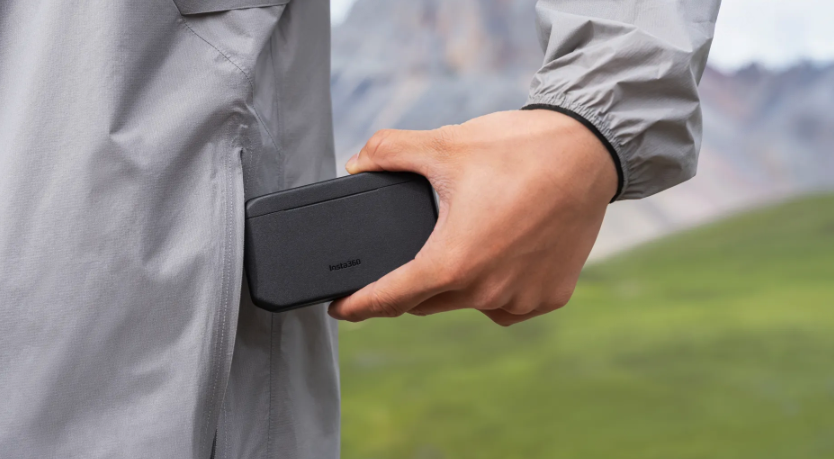
For a long day, the X6 Fast Charge Case can charge the camera and two spare batteries while storing two memory cards. If you use Ace Pro 2, consider carrying a spare battery and charging it during downtime. Keep batteries protected from extreme heat and follow airline rules for carrying lithium batteries.
Estimate storage before leaving the hotel
High-resolution video can use storage quickly, and 360° footage can create more material to review because you may want to reframe several moments. Check the camera’s supported card type and capacity, format the card in-camera before the trip after backing up anything important, and bring a second compatible card if you expect to film extensively. X6 also lists 47 GB of usable built-in storage, but treat that as a buffer rather than a substitute for checking available space before a major activity.
A simple routine helps: review remaining space each evening, copy important footage to a laptop or supported storage device when available, and keep the original card untouched until you have confirmed the backup. If traveling without a computer, avoid deleting clips in a hurry; use a second card or wait until you can verify your copies.
Make heat management part of the plan
Phones and cameras can both warm up during long, high-resolution recording, especially in hot weather or while charging. Record shorter clips, pause between takes, lower the screen brightness when practical, and keep equipment shaded when not in use. If a device displays a temperature warning, stop and let it cool naturally. Do not use ice or place a hot device in water to cool it down.
Is an Action Camera Right for Family Travel?
An action camera can be a strong family travel companion when you want durable, stabilized video and hands-free perspectives. It is especially useful at the beach, pool, on a boat, or during an activity where pulling out a phone feels inconvenient. A Floating Hand Grip can make a compatible camera easier to hold at the water’s surface and easier to spot if dropped; it does not increase the camera’s waterproof rating or replace a dive case.
For city days and family gatherings, use a small number of repeatable shots instead of filming constantly. Decide who is watching the children before putting on a hands-free mount; camera placement should never distract the adult responsible for supervision.
- First-person moment: mount Ace Pro 2 on the Head Strap or Chest Strap, or X6 on the X Series POV Chest Mount 2.0. Record a short walk through a market or the approach to a boat; stop before the mount becomes uncomfortable or interferes with awareness.
- Selfie moment: hold Ace Pro 2 on a grip and use the flip screen to check the frame. With X6, use the Invisible Selfie Stick and choose a selfie view later in the Insta360 app.
- Scene-setting moment: ask another adult to film a few seconds of the family in the wider location. For a no-operator third-person clip, move with X6 on the Invisible Selfie Stick and reframe afterward. Avoid leaving equipment unattended in public.
- Water moment: use the correct camera and case configuration, secure the grip, and keep the camera under control. Children should not be responsible for handling equipment in water unless an adult is supervising closely.
Think about privacy as well as gear. Ask before filming other people at close range, be particularly considerate around children, and follow local rules at attractions, museums, and cultural sites. Keep camera handling secondary to supervising children and staying aware of your surroundings.
Low light is an important tradeoff. Action cameras are designed for movement and wide views, but a dim restaurant, a night market, or an indoor family gathering can challenge any small camera. A larger sensor can collect more light, while stabilization can help with camera shake but cannot freeze a moving child or make a dark scene bright. Move closer to available light, hold the camera steady, and take a few still photos on your phone if that is the more reliable tool for the moment. Do not expect an action camera to replace a dedicated camera for every portrait or night scene.
How Do You Choose a Setup You Will Actually Carry?
Keep the travel kit to the accessories that solve real problems on your itinerary. More mounts can create more options, but they also add weight, setup time, and compatibility questions.
| Setup | Best for | What to pack |
|---|---|---|
| Simple beach and city kit | One-camera travel with quick clips | Insta360 Ace Pro 2, Floating Hand Grip, Head Strap or Chest Strap, spare battery, compatible microSD card |
| Flexible travel-video kit | Self-filming, landscapes, and multiple reframed angles | Insta360 X6, 114cm Invisible Selfie Stick, X Series POV Chest Mount 2.0, lens cap, spare battery, compatible microSD card |
| Snorkeling plus city kit | Surface water activities and everyday travel | Camera-specific setup, Floating Hand Grip, microfiber cloth, and a model-specific dive case if the activity or shooting goal requires it |
| Deeper or extended underwater kit | Planned diving within the case’s rated conditions | Insta360 Ace Pro 2 with its Dive Case, or Insta360 X6 with its Invisible Dive Case Pro; follow the exact case instructions |
Before you leave, rehearse the whole workflow once: mount the camera, start and stop recording, check framing, transfer one clip to your phone, and confirm how you will recharge and back up files. If that feels fiddly at home, simplify it before your trip.
For a three-angle travel recap, capture one POV clip, one selfie or reaction clip, and one wide scene-setting clip at each major activity. Keep each take short. If you use X6, reframe only the moments that benefit from another angle; if you use Ace Pro 2, frame deliberately and spend less time choosing a view later. This small habit creates variety without turning the trip into a production schedule.
Travel Camera FAQ
Is an action camera suitable for city and family travel?
Yes, if your priority is compact, stabilized video, spontaneous moments, and use in active or wet environments. For portraits, distant subjects, and some low-light scenes, a phone or dedicated camera may be a better fit. Many travelers will get the most useful setup by carrying both a phone and an action camera, each for the jobs it handles well.
Can one camera shoot both snorkeling and everyday travel?
It can, provided you check the camera’s waterproof rating, use the correct compatible housing when needed, and are comfortable with its image style and editing workflow. Insta360 Ace Pro 2 offers direct wide-angle framing; Insta360 X6 offers 360° reframing, with the X6 Invisible Dive Case Pro recommended for underwater 360° capture. A single camera can cover both settings, but it will not be the ideal tool for every type of photo or video.
How important is low-light performance on a travel camera?
It matters if your trip includes night markets, indoor meals, evening shows, or family gatherings. Small action cameras may show more noise or motion blur as light drops. Stabilization helps reduce shake, but it cannot stop a moving subject from blurring. Use available light, keep the camera steady, avoid unnecessary high frame rates in dim scenes, and use your phone or another camera for still photos when it produces the result you prefer.
Can an action camera replace my phone while traveling?
No. A phone remains more convenient for navigation, communication, documents, and quick everyday photos. An action camera complements it with hands-free POV, stabilized video, activity-specific mounts, and a setup designed for use in conditions within its rating. Keeping the phone available also gives you a backup camera if one device runs out of power.
How can I reduce the work of sorting and editing travel footage?
Record short clips with a clear purpose, rather than leaving the camera running. At the end of each day, favorite or transfer only the clips you are likely to use and back them up before deleting anything. For X6, use 360° reframing selectively instead of trying to turn every recording into multiple edits. For Ace Pro 2, frame the shot before recording and choose settings that need less color work if quick sharing matters more than a heavily graded look.
What accessories should I bring for a beach and snorkeling trip?
Start with a compatible Floating Hand Grip for easier surface handling. Add the camera-specific dive case only when required by your depth, duration, or desired underwater image. A spare battery, compatible memory card, lens cloth, and small dry storage pouch are often more useful than carrying several mounts you have not practiced using.
Will using an action camera prevent my phone from overheating?
It can reduce how much video recording you ask of the phone, but it cannot guarantee the phone will stay cool. Navigation, charging, direct sun, high ambient temperature, and long recording sessions can all contribute to heat. Keep devices shaded, pause between recordings, and let a device cool naturally if it shows a temperature warning.
How do I choose between Insta360 Ace Pro 2 and Insta360 X6 for travel?
Choose Insta360 Ace Pro 2 if you want direct framing, a flip screen for selfie shots, and a more straightforward edit. Choose Insta360 X6 if you want to capture the whole scene and select your framing later, including third-person perspectives. For underwater use, confirm the exact rating and accessories for the camera you choose; the X6 Invisible Dive Case Pro is a model-specific setup for underwater 360° capture.
Keen to keep up to date on Insta360 stories? Keep an eye on our blog and sign up for our mailing list. Got a story to share? Email yours to communitystories@insta360.com and win up to US$50.




%20(1).svg)


%20(1).svg)

.svg)


