
















































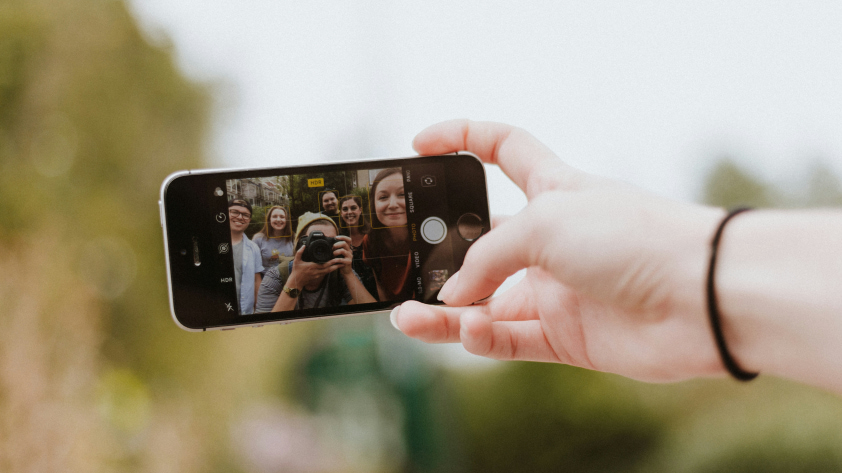


It's a process that many of us know well. You raise your camera, smile, look at the image, but it's just not right. Repeat the process. And keep doing it until one is just about acceptable. Sometimes it finally works. Sometimes you lose patience, and that's the end of it. It can feel like luck, but good fortune has very little to do with it. It's about following some clear guidelines. We'll demystify the world of smartphone selfies in our guide, so you can get it right the first time.
1. Face a Light Source and Not the Screen
This is a common error to make. Selfie equals facing the screen, right? Technically, yes, but light shapes everything that we see on screen; without it, you're always struggling for a good selfie. For the best results, face a light source—a window or natural light often works best—as this will evenly distribute light across your face. Then get the camera angle right and take the image. Simple, but one of the most effective tips.
2. Hold the Camera Slightly Above Eye Level
Camera height has a huge impact on how a selfie feels. When a camera is too low, it emphasizes the chin and tends to compress the features, while placing it too high can distort proportions and make the photo feel staged. Try to place the camera slightly above eye level—just a few inches—and then tilt it down slightly. This works well with images, but if you're shooting a video, you'll probably want to keep it at eye level to look natural.
3. Step Back to Reduce Distortion
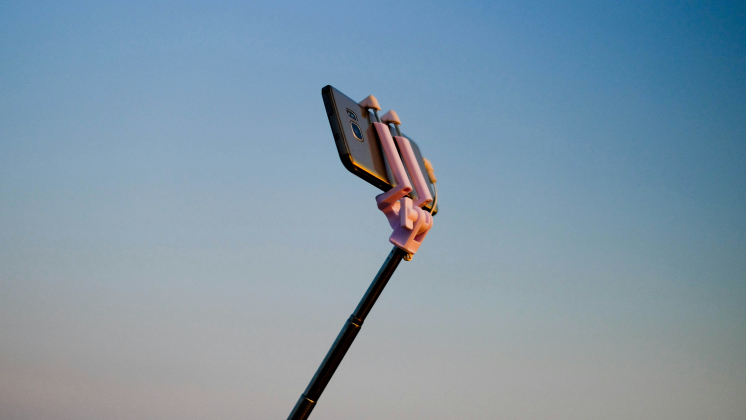
Most smartphone front-facing selfie cameras use wide-angle lenses, which help fit more into the frame, but can also distort features when you're too close. The closer you get to the lens, the more you risk stretching your face, which won’t produce the selfie of your dreams. Try to stand back as much as possible, and consider using a selfie stick. This not only reduces distortion, but also gives your selfie some room to breathe.
4. Experiment With Portrait Mode
Notice how we used the word experiment there. Portrait mode, which usually focuses on the central image and blurs the background, can be a powerful tool when used correctly. However, there's a time and a place for it. Use it when there's good lighting and a solid background, with minimal movement. Portrait mode sometimes struggles in busy settings or low light, so if that is the case, use it sparingly and experiment with alternatives.
5. Simplify the Background
Let's stay with the background. Your location often dictates where and when you want to take a selfie: on holiday at that cool restaurant, in a national park with wild animals, etc. But that background doesn't always provide the best setting for a selfie. When there's too much going on, your image can feel cramped and busy, which takes away from the star of the show, you. Instead, look for simple shapes, neutral colors, or open space behind you. A blank wall, clear sky, or softly textured environment gives your face room to stand out.
6. Stay Loose and Keep Moving
There's nothing worse than an awkward-looking selfie. When the arms are in an unnatural position, the pose looks staged, and your face is clearly feeling the strain. Instead of standing stock still and taking a lot of photos, add some movement to inject energy into the selfies. It doesn't need to be big movements, but just shift your weight, turn your shoulders slightly, or let your arms move naturally rather than pressing them against your body.
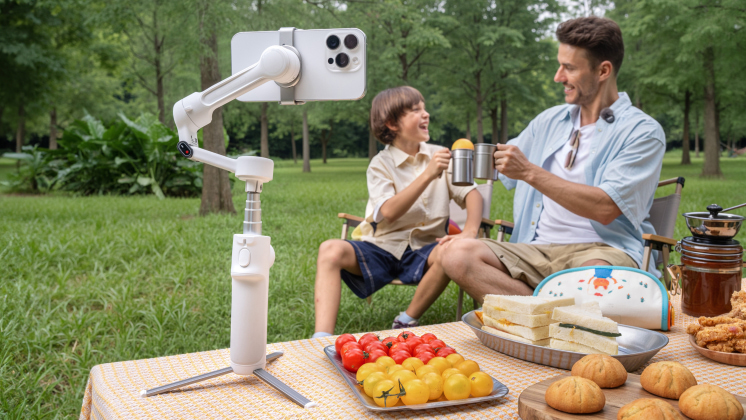
This is where a phone gimbal really makes a difference. With AI tracking, devices like Insta360 Flow 2 Pro automatically keep you perfectly framed while you move, so you don’t have to worry about staying centered. It captures those natural, in-between moments — the laugh, the hair flip, the spontaneous turn — instead of stiff, posed shots. The result feels effortless, dynamic, and far more authentic.
7. Stabilize Your Shot for Sharper Results
Now that we've just told you to add some movement, we're going to emphasize the importance of stability. Yes, move around between shots to add some life, but when it comes to hitting that shutter, you should be as still as possible. The problem is that humans are jittery, shaky creatures, so take a deep breath before taking the shot, which should help maintain crispness, preserve detail, and prevent blurring. If you want to go one step further, a smartphone stabilizer does the job far better than humans ever can.
8. Edit Lightly and Let the Shot Do the Work
Don't. Over. Edit. We can't stress that enough. Over-filtered or heavily edited selfies are usually immediately recognizable. Start with minor adjustments. Fine-tune exposure so the image feels balanced, then correct color temperature if skin tones look too warm or too cool. Avoid excessive skin smoothing or sharpening. It starts small, but before you know it, you look like an AI model gone wrong. Keep it simple.
Frequently Asked Questions
What Camera Settings Are Best for Smartphone Selfies?
The automatic setting on most cameras does a decent job, but consider enabling HDR when shooting in high-contrast light to balance highlights and shadows. Avoid using digital zoom whenever possible, as it almost always reduces quality.
Is Portrait Mode Always Better for Selfies?
Not always. Portrait mode is great in situations with good, even lighting and a background that isn't too busy. If there's poor lighting or a background with a lot of movement, it might not work very well.
How Can I Avoid Blurry Selfies When Shooting Alone?
Good lighting is the first thing to get right. When the lighting is bright and even, the automatic shutter can operate faster, reducing the risk of blurring. Also, try to keep your movements to a minimum just before you take the image, or use a smartphone stabilizer if you keep having issues.
Do Accessories Really Make a Difference for Selfie Quality?
They can make a big difference. Accessories or features like stabilization, automatic framing, and hands-free shooting let you focus on you rather than the camera in your hand.
Ready to Take Better Selfies?
The selfie revolution is here—no more awkward angles, unnatural movement, or constant retakes. With smart gadgets, like Insta360 Snap, you can focus entirely on you and your environment, safe in the knowledge that you'll have a wealth of excellent images to choose from when you start your editing. It's never been easier, and the results have never been as extraordinary. The old selfie has run its course. Welcome to the new selfie.
The Insta360 Vision Awards supported by Leica are now open. Join creators worldwide for a chance to win from an US$80,000+ prize pool, including Leica cameras and Insta360 gear.
Got a story to share? Email yours to communitystories@insta360.com and win up to US$50.







%20(1).svg)


%20(1).svg)

.svg)


