

















































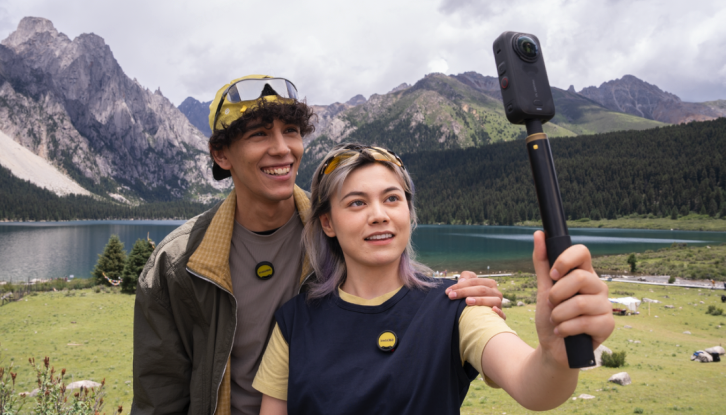


X6 isn't one camera with a few extra modes bolted on. It's three distinct shooting systems in a single body: full 360 capture, a tracked flat camera that behaves like a gimbal, and a single-lens action cam. Knowing which one to reach for, and how to get the most out of each, is the difference between footage that looks like an afterthought and footage that looks planned.
So whatever the plan is: riding, traveling, vlogging, or just trying to capture a day out without thinking too hard about it, these are the habits worth building before your next shoot.
Shoot 360 First, Decide the Angle Later
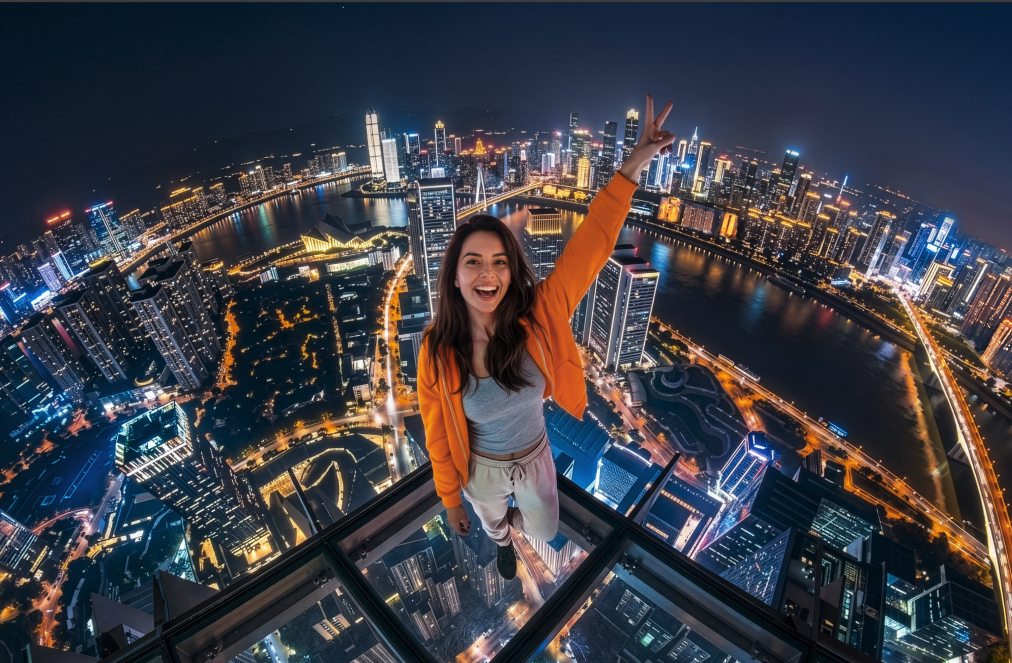
360 is the mode built for not having to choose your shot in the moment. Hit record, keep the camera moving through the scene, and X6 captures everything around you at native 8K50fps.
The angle, the crop, the framing: all of that gets decided afterward, in the app or in Insta360 Studio, using InstaFrame to pull whatever perspective actually worked once you're looking back at the footage.
The habit worth building here is simple: stop thinking about composition while you're shooting, and start thinking about coverage instead. Since the camera captures the entire sphere around it, your job in the moment is just to keep it somewhere useful, above your head, out in front of you, mounted on a bike or a helmet, and let the reframing happen later.
Use an Invisible Selfie Stick to keep yourself out of the shot, since 360 capture stitches together two lenses and the camera body itself, along with anything holding it, can end up visible in frame if you're not holding it out and away from you.
One more thing worth knowing: because 360 footage is stitched from two separate lenses, subjects that get too close to the camera can fall directly into the stitch line and look distorted. Keep your subject at least 0.8m from the lenses when you can, and if you're filming someone specifically, try to angle one lens directly toward them rather than splitting them between both.
If you do end up with stitching artifacts, both the Insta360 app and Insta360 Studio let you experiment with Optical Flow Stitching and AI Stitching to see which handles the shot better.
Let InstaFrame 2.0 Be Your Gimbal
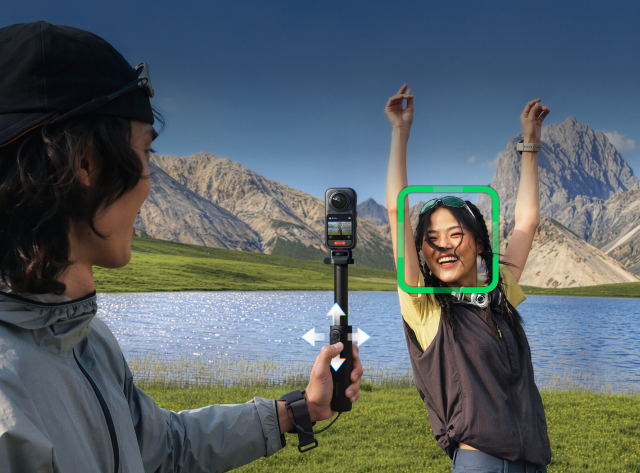
This is the mode that replaces the gimbal you'd otherwise be carrying. InstaFrame 2.0 locks onto a subject, whether that's you, another person, a pet, or an object, and tracks it automatically, outputting clean flat 4K video with no separate stabilization rig and no reframing step afterward.
There's no gimbal motor whirring to keep up and no separate device to charge, the tracking and the stabilization both happen computationally, in the same body as everything else.
Pair it with the Foldable Selfie Stick Remote Kit and you get joystick control on top of the tracking, so you can direct the shot in real time the same way you would with a handheld gimbal, panning and adjusting framing without ever taking your eyes off your subject.
This is the mode to reach for anytime you'd normally think you need a gimbal for: walk-and-talk vlogging, following a pet around a yard, filming a product demo, or capturing a friend without needing a second person to operate the camera.
Flat Video When You're Composing, Not Just Capturing
Sometimes you already know exactly what shot you want, and you don't need the full 360 sphere or automatic tracking to get it. That's when Single-Lens Mode makes sense: a traditional wide-angle action cam shooting up to 5K with a field of view up to 170° (5K30 in Flat mode, 132° at 5K60). 4K120fps is there for when you want slow motion that's actually worth watching back.
Think mounted shots where the framing is fixed and known in advance, a helmet mount on a descent, a chest mount on a hike, a handlebar mount for a ride, situations where you're composing a specific shot rather than capturing everything and sorting it out later.
Treat it like you would any action camera: compose the frame yourself, mount it where the shot actually lives, and let the higher frame rates do the work in post when you want to slow a moment down.
Match Your Settings to the Scene
X6 defaults work well in most conditions, but a couple of adjustments make a real difference depending on the light. In bright, well-lit conditions, shoot at 8K50fps with standard color and sharpness set to medium, and leave shutter speed and ISO on auto so the camera can balance exposure on its own.
When the light drops, switch to PureVideo Mode at 8K30fps instead. It's built specifically for low light, and it'll hold detail in a dim room or a night ride in a way the standard mode won't.
Protect the Shot, Not Just the Lens
X6's lens guards protect the lenses from scratches and impact, and in most conditions the footage looks nearly identical with or without them. The exception is strong, direct light: the guards add an extra layer of glass, so a small amount of flare can still show up at certain angles even though the flare issue itself has been significantly reduced compared to earlier cameras.
If you're shooting into the sun or under harsh lighting and want the cleanest possible image, pull the guards off. Either way, you don't need to adjust anything else: X6 automatically detects whether you're using Standard guards, Premium guards, or none at all, and both the Insta360 app and Insta360 Studio apply the correct stitching parameters to match, so switching guards mid-shoot doesn't mean redoing your workflow.
Get Your Audio Right Before You Roll
Video isn't the only thing worth planning for. X6's 360 omnidirectional mic array picks up sound from every direction, which is exactly what you want for ambient, immersive audio, but it's not always what you want when there's one specific thing you need to hear clearly.
Intelligent Audio Mode reads the environment and adjusts automatically, but if you're riding, there's also a separate hidden mic built specifically for motorcycle use that filters out wind and isolates engine sound, worth knowing about if you've been reaching for a different mic setup out of habit.
For interviews, commentary, or anything where dialogue needs to be clean regardless of what's happening around you, connect up to two Insta360 Mic Air or Mic Pro transmitters directly to the camera through Insta360 Direct Connect rather than relying on the built-in array alone.
Use the Right Card
None of this matters if your card can't keep up. X6 needs a microSD/TF card with a UHS-I interface, V30 speed class or higher, and the exFAT file system. Slower cards are the most common cause of dropped or corrupted recordings at high bitrates, especially at 8K, so it's worth checking your card's rating before a shoot rather than after losing footage. Skip UHS-II or UHS-III cards and anything over 1TB, both can cause compatibility issues rather than solving them.
One Battery, One Card, Three Cameras
The real advantage of all this isn't any single mode, it's not having to decide which camera to bring. A 360 rig, a gimbal-mounted tracking camera, and an action cam used to mean three devices, three batteries, and three memory cards to manage, and usually meant leaving at least one of them at home. X6 carries all three shooting systems in one body, on one battery, writing to one card, so the only decision left on any given shoot is which mode fits the moment you're actually trying to capture.
Keen to keep up to date on Insta360 stories? Keep an eye on our blog and sign up for our mailing list. Got a story to share? Email yours to communitystories@insta360.com and win up to US$50.
Your shot. Your world. The Insta360 Global Awards 2026 supported by Leica are officially open. Join creators worldwide and compete across six categories (Street, Travel, Life, Portrait, Sports, and Night) for your share of a US$150,000+ prize pool, including cash prizes and Insta360 gear. Submit your best video or photo at insta360.com/awards.




%20(1).svg)


%20(1).svg)

.svg)


