

ONE R FAQ for Beginners

 1.Why is my selfie stick not invisible?
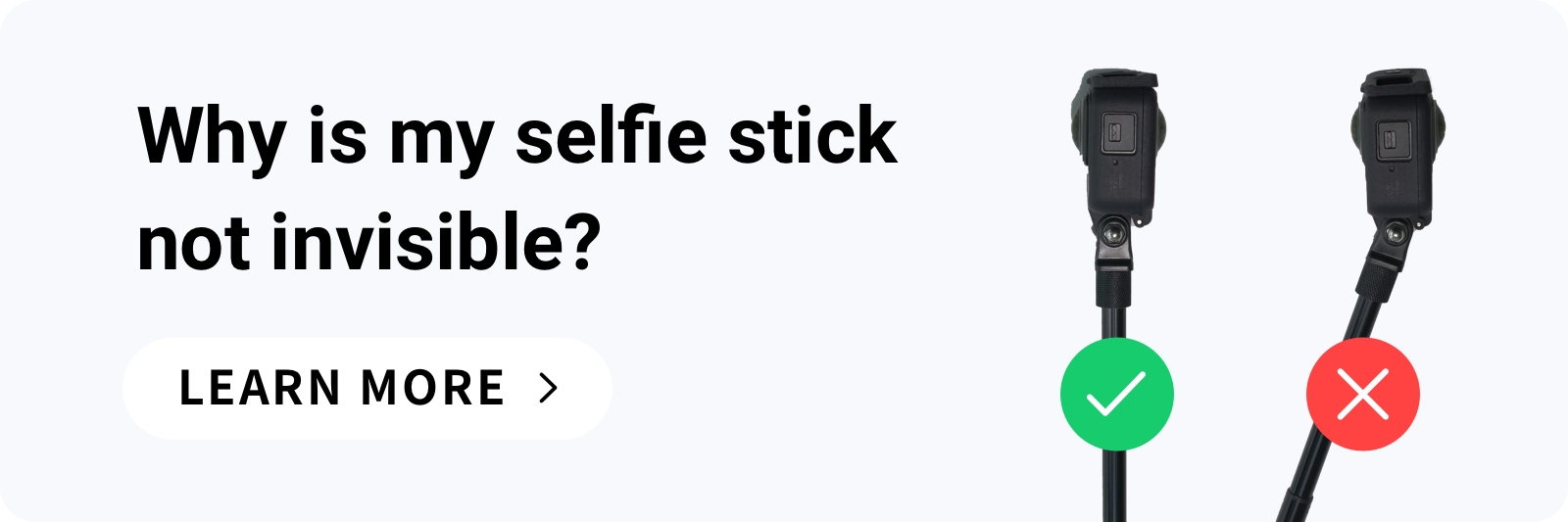
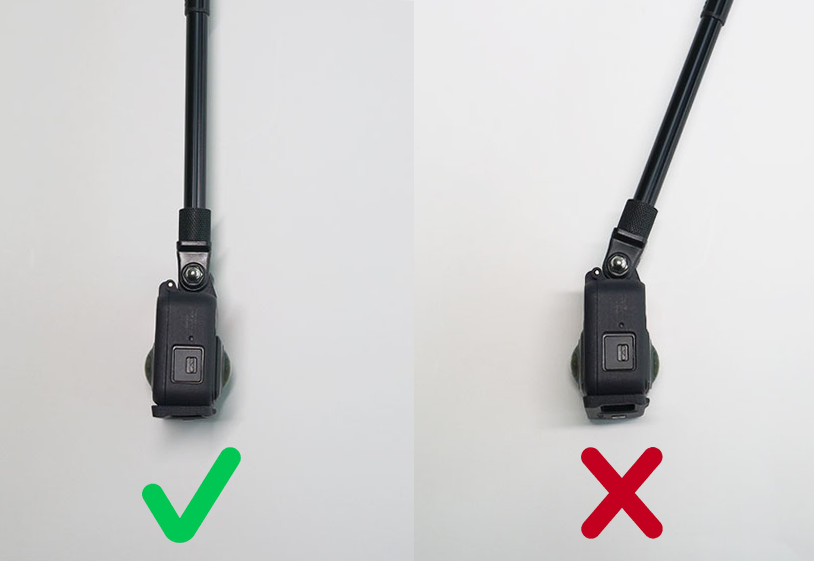
To start, the Invisible Selfie Stick effect is only supported when using the Dual-Lens 360 Mod and Insta360’s official Invisible Selfie Stick. Make sure the selfie stick is completely straight and parallel with the camera as shown below. Then fasten the 1/4" thumb screw to lock the selfie stick in place. If the stick is not aligned properly, it will not completely disappear.
You can power on your ONE R to check that the stick is fully invisible on the camera’s touch screen.
Check here for a detailed tutorial on using the Invisible Selfie Stick.
1.Why is my selfie stick not invisible?
To start, the Invisible Selfie Stick effect is only supported when using the Dual-Lens 360 Mod and Insta360’s official Invisible Selfie Stick. Make sure the selfie stick is completely straight and parallel with the camera as shown below. Then fasten the 1/4" thumb screw to lock the selfie stick in place. If the stick is not aligned properly, it will not completely disappear.
You can power on your ONE R to check that the stick is fully invisible on the camera’s touch screen.
Check here for a detailed tutorial on using the Invisible Selfie Stick.
 2. ONE R has gaps after assembly. Is it still waterproof?
Why does ONE R have gaps after assembly?
2. ONE R has gaps after assembly. Is it still waterproof?
Why does ONE R have gaps after assembly?
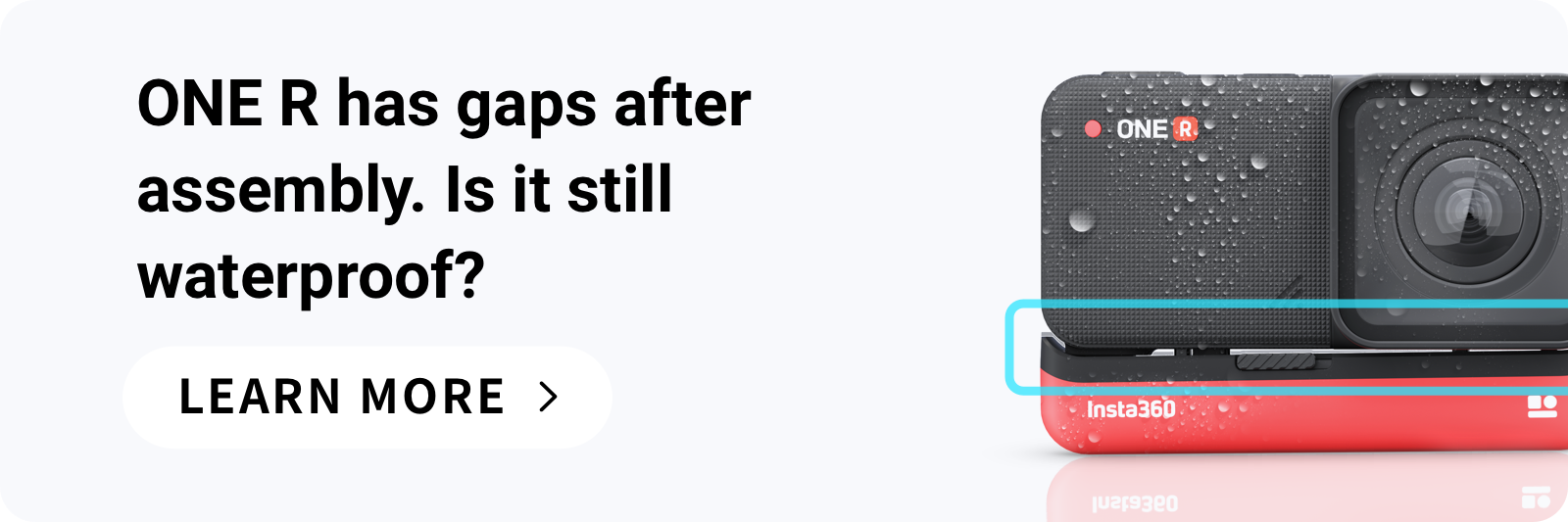
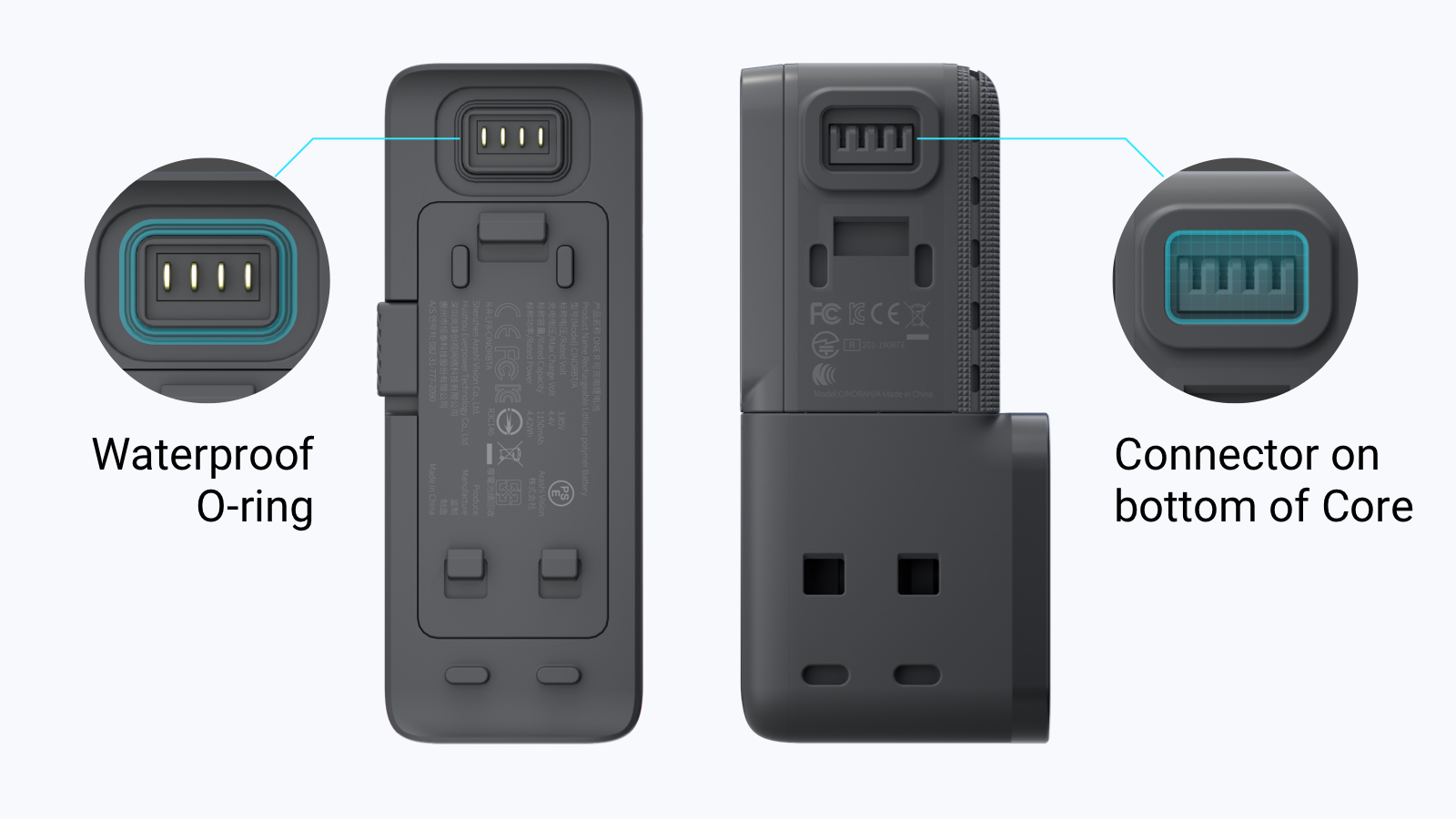 Slight gaps between the Battery Base and ONE R’s other components after assembly is normal. The gaps are the result of ONE R’s waterproof O-rings being squeezed into place and is a sign that they are firmly sealed together. ONE R achieves waterproofing through localized protection of key components, which becomes effective when they are joined together.
*ONE R is waterproof up to 5 meters when fully assembled and installed in the Mounting Bracket.
Why is the gap larger on one side than the other?
Slight gaps between the Battery Base and ONE R’s other components after assembly is normal. The gaps are the result of ONE R’s waterproof O-rings being squeezed into place and is a sign that they are firmly sealed together. ONE R achieves waterproofing through localized protection of key components, which becomes effective when they are joined together.
*ONE R is waterproof up to 5 meters when fully assembled and installed in the Mounting Bracket.
Why is the gap larger on one side than the other?
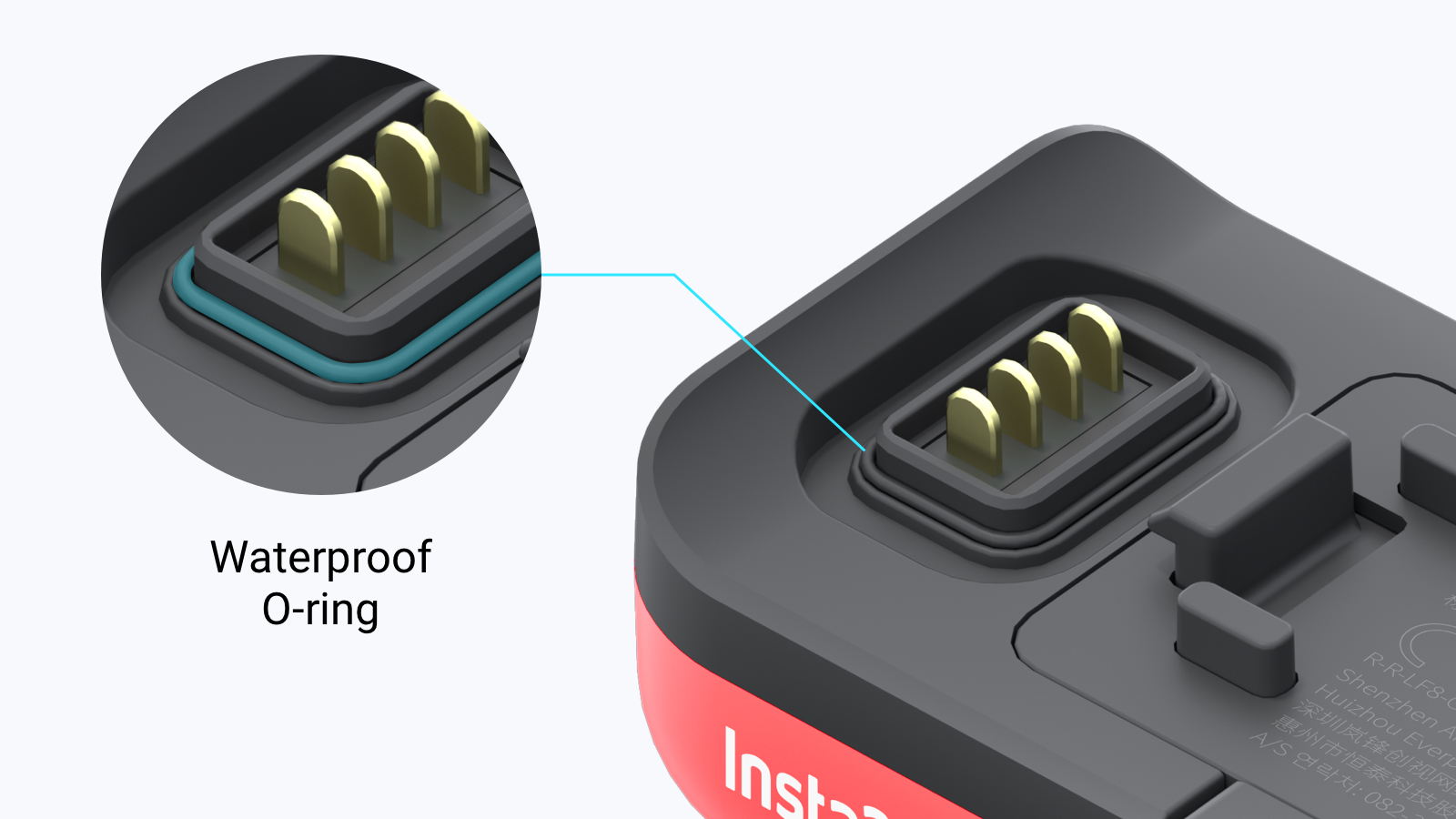 It is caused by the squeeze of the waterproof O-ring shown in the picture. It's normal and does not affect waterproofing or camera performance.
More tips for waterproofing
1) Check that there is no dust, dirt or debris in ONE R’s connection points or the spaces between various modules.
2) Make sure the SD card slot is firmly closed and there’s no yellow visible beneath the latch.
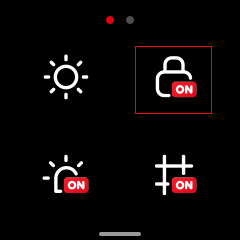
3) Lock the touch screen before taking ONE R underwater to avoid accidental button presses on the touch screen.
It is caused by the squeeze of the waterproof O-ring shown in the picture. It's normal and does not affect waterproofing or camera performance.
More tips for waterproofing
1) Check that there is no dust, dirt or debris in ONE R’s connection points or the spaces between various modules.
2) Make sure the SD card slot is firmly closed and there’s no yellow visible beneath the latch.
3) Lock the touch screen before taking ONE R underwater to avoid accidental button presses on the touch screen.
 4)When finished shooting, take a towel and give ONE R a rub down to remove any droplets. Then disassemble the camera and leave the components to dry for next use.
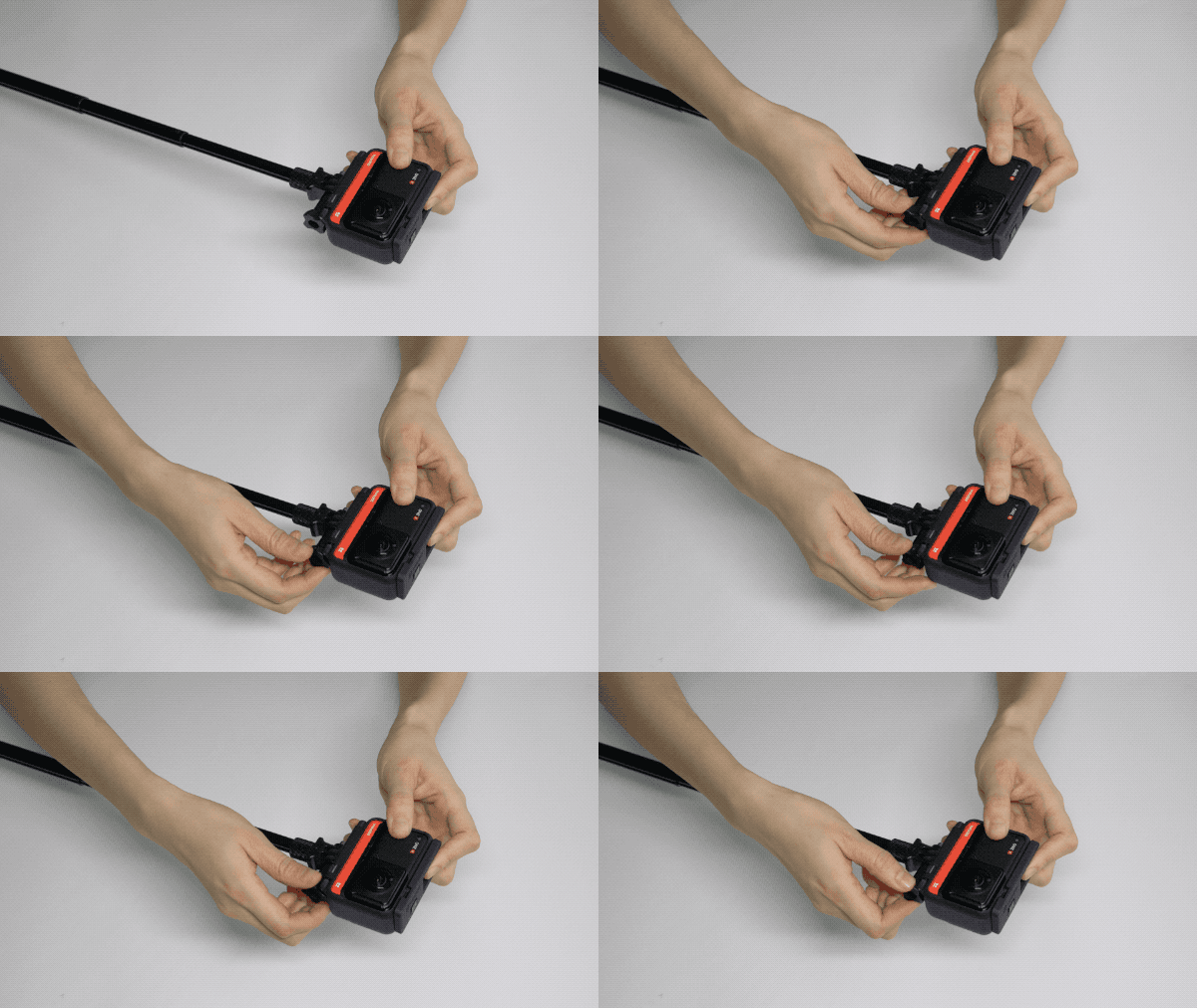
3. How do I open and close the SD card slot cover?
1)Open the cover and insert or remove a MicroSD card.
4)When finished shooting, take a towel and give ONE R a rub down to remove any droplets. Then disassemble the camera and leave the components to dry for next use.
3. How do I open and close the SD card slot cover?
1)Open the cover and insert or remove a MicroSD card.
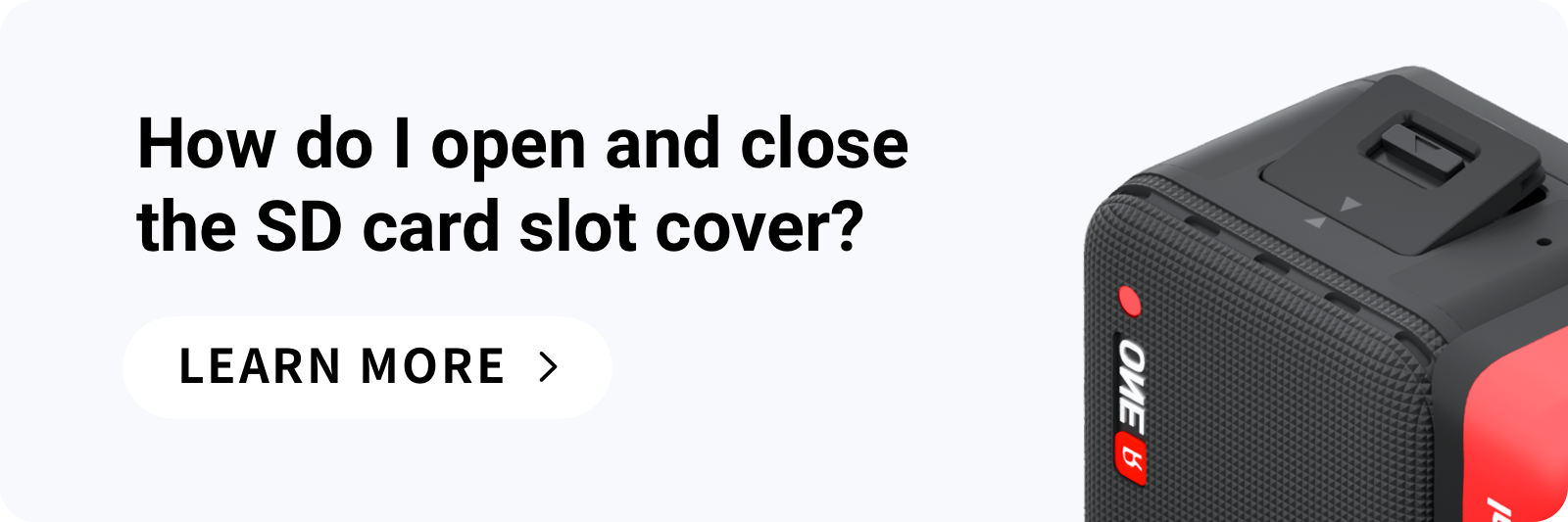
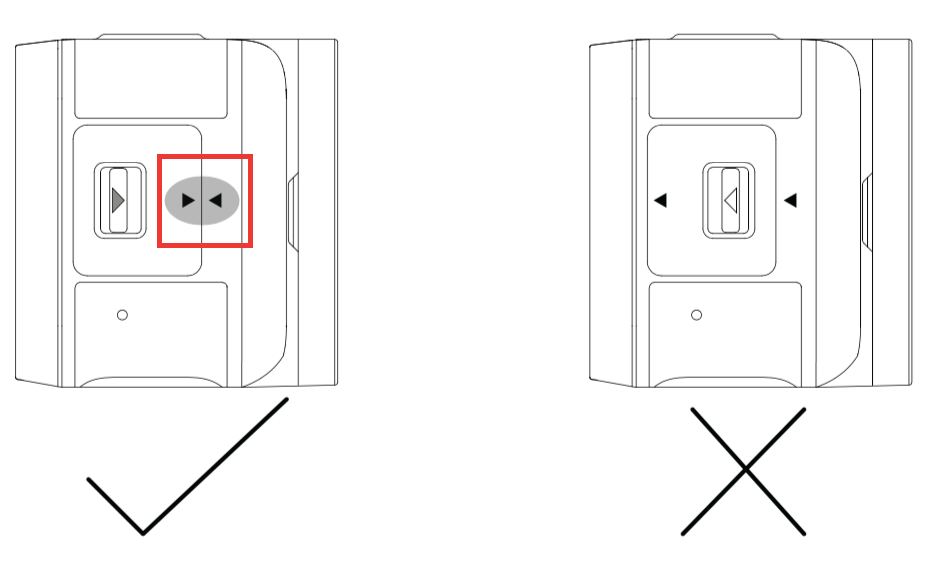
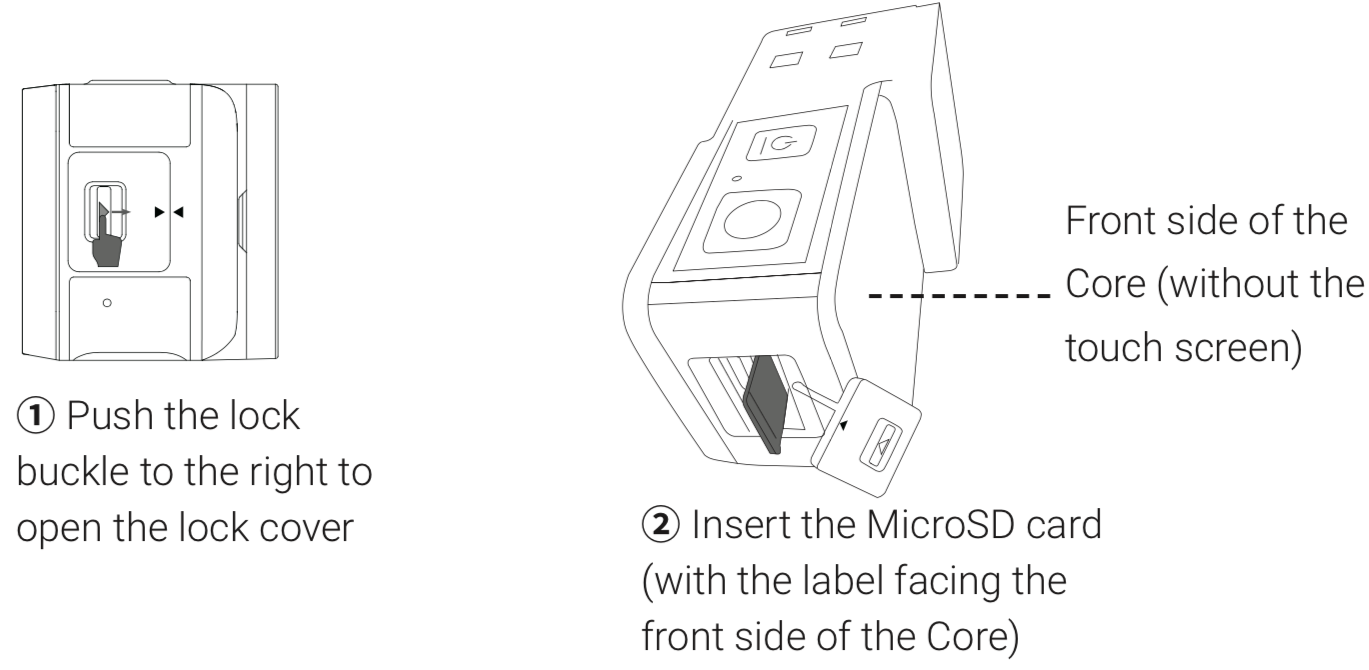 2)When closing the cover, first insert it by aligning the two arrows. Then press down firmly.
Be sure to close the cover completely to ensure that waterproofing is not affected. Align the triangle indication marks as shown to the right. The yellow indication mark near the lock buckle should be totally covered.
2)When closing the cover, first insert it by aligning the two arrows. Then press down firmly.
Be sure to close the cover completely to ensure that waterproofing is not affected. Align the triangle indication marks as shown to the right. The yellow indication mark near the lock buckle should be totally covered.
 4. What should I do if the ONE R can’t connect to my phone?
If your mobile phone cannot connect to ONE R’s WiFi after entering ONE R’s default WiFi password (check the default WiFi password by navigating to Settings on ONE R’s touch screen), try the following steps:
1)Restart the camera and phone;
2)If it still cannot connect, please turn on your phone’s airplane mode and try again;
3)If it still cannot connect, please turn on GPS positioning for the ONE R app on your phone's settings page (for Android phones only) and try again.
4)Please contact online support if your phone doesn’t connect to ONE R after following these steps.
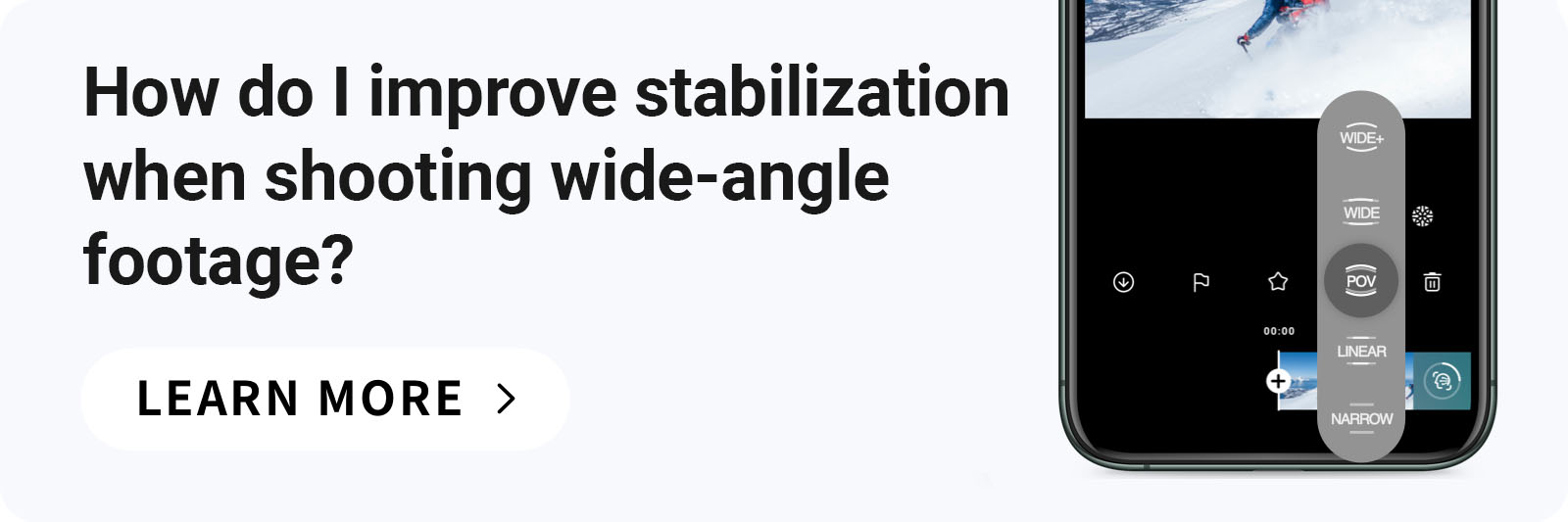
5. How do I improve stabilization when shooting wide-angle footage?
To start, remember that the preview you see on your ONE R screen does not yet have FlowState stabilization. The preview screen uses a basic stabilization algorithm, but you’ll only see FlowState once you bring your footage onto the ONE R app, Insta360 Studio or Adobe Premiere Pro via the plugin.
Using the app or another Insta360 editing software, you can adjust the field of view (FOV) and change the level of stabilization to suit your needs. By default, the FOV is set to Ultra Wide.
You can toggle FOV between Ultra Wide, Wide, Linear and Narrow (16:9 30fps video also supports “POV+”, optimized for POV shooting; HDR video not supported) after opening any video and then sliding the FOV setting at the bottom right of the editing interface. As the FOV gets narrower, stabilization accuracy will increase.
4. What should I do if the ONE R can’t connect to my phone?
If your mobile phone cannot connect to ONE R’s WiFi after entering ONE R’s default WiFi password (check the default WiFi password by navigating to Settings on ONE R’s touch screen), try the following steps:
1)Restart the camera and phone;
2)If it still cannot connect, please turn on your phone’s airplane mode and try again;
3)If it still cannot connect, please turn on GPS positioning for the ONE R app on your phone's settings page (for Android phones only) and try again.
4)Please contact online support if your phone doesn’t connect to ONE R after following these steps.
5. How do I improve stabilization when shooting wide-angle footage?
To start, remember that the preview you see on your ONE R screen does not yet have FlowState stabilization. The preview screen uses a basic stabilization algorithm, but you’ll only see FlowState once you bring your footage onto the ONE R app, Insta360 Studio or Adobe Premiere Pro via the plugin.
Using the app or another Insta360 editing software, you can adjust the field of view (FOV) and change the level of stabilization to suit your needs. By default, the FOV is set to Ultra Wide.
You can toggle FOV between Ultra Wide, Wide, Linear and Narrow (16:9 30fps video also supports “POV+”, optimized for POV shooting; HDR video not supported) after opening any video and then sliding the FOV setting at the bottom right of the editing interface. As the FOV gets narrower, stabilization accuracy will increase.
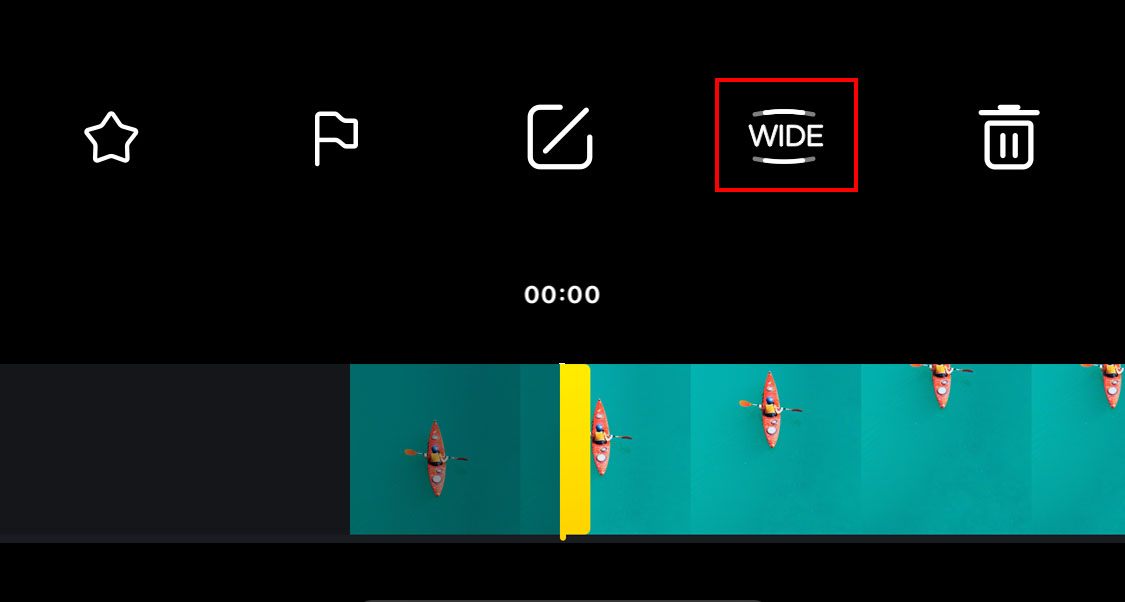 Pro Tip: If you don’t want any fisheye in your shot, select either “Linear” or “Narrow” to get a flat, natural feel.
6. Why does the Dual-Lens 360 Mod fog?
Like an SLR camera, ONE R uses a modular design. When modules are disassembled, moisture in the air may enter the Dual-Lens 360 Mod, which can lead to temporary fog the next time it is assembled and turned on. To avoid fogging, please follow these tips:
1. If the current humidity is relatively high, avoid disassembling the camera. By keeping the camera assembled, you will prevent moisture from entering the lens Mod.
2. If you’re shooting in a low-temperature, high-humidity environment, it’s a good idea to take the camera out of your pocket or any other storage case and let it acclimate to the outside temperature for 1-2 minutes. When your camera’s temperature approaches the outside air temperature, fogging can be more easily avoided.
7. Why does shooting a video generate multiple files in the SD card?
Due to the high bitrate of 5.7K 360 video, two high-resolution VID files will be generated and stored separately during recording. The naming rule is VID_year/month/ day_time_00 OR 10_video serial number (e.g. one recording would generate two files, VID_20200101_123000_00_001 and VID_20200101_123000_10_001) and a low-resolution LRV video. The LRV video is mainly used to aid previewing and AI-powered computer vision analysis for editing and reframing.
Pro Tip: If you don’t want any fisheye in your shot, select either “Linear” or “Narrow” to get a flat, natural feel.
6. Why does the Dual-Lens 360 Mod fog?
Like an SLR camera, ONE R uses a modular design. When modules are disassembled, moisture in the air may enter the Dual-Lens 360 Mod, which can lead to temporary fog the next time it is assembled and turned on. To avoid fogging, please follow these tips:
1. If the current humidity is relatively high, avoid disassembling the camera. By keeping the camera assembled, you will prevent moisture from entering the lens Mod.
2. If you’re shooting in a low-temperature, high-humidity environment, it’s a good idea to take the camera out of your pocket or any other storage case and let it acclimate to the outside temperature for 1-2 minutes. When your camera’s temperature approaches the outside air temperature, fogging can be more easily avoided.
7. Why does shooting a video generate multiple files in the SD card?
Due to the high bitrate of 5.7K 360 video, two high-resolution VID files will be generated and stored separately during recording. The naming rule is VID_year/month/ day_time_00 OR 10_video serial number (e.g. one recording would generate two files, VID_20200101_123000_00_001 and VID_20200101_123000_10_001) and a low-resolution LRV video. The LRV video is mainly used to aid previewing and AI-powered computer vision analysis for editing and reframing.
Was this information helpful?
.svg)


Insta360 Trade-In
使っていない機材を価値に変えよう。
詳しくはこちら
メーリングリストに登録
Insta360の最新ニュースをゲット

私はプライバシーポリシーに同意し、Insta360の最新ニュースやセール情報をメールで受け取ることを希望します。 いつでもInsta360に連絡すれば、購読を中止できることを理解しました。



%20(1).svg)


%20(1).svg)

.svg)


購入サポート
購入前の質問
注文と支払い
返品と返金
 営業時間:10:00-19:00(GMT+9)
製品サポート
トラブルシューティング・ヘルプ
保証・修理サービス
営業時間:10:00-19:00(GMT+9)