
















































Stitching Calibration Tutorial
- 1. Connect the camera to your phone (How do I connect it?), open ONE X App->Settings->More camera settings->Calibrate Stitching.
- 2. Please put the device horizontally, and follow the instruction to rotate your camera 90° in turn.
- 3. Finally, tap "Confirm" to finish stitching calibration.
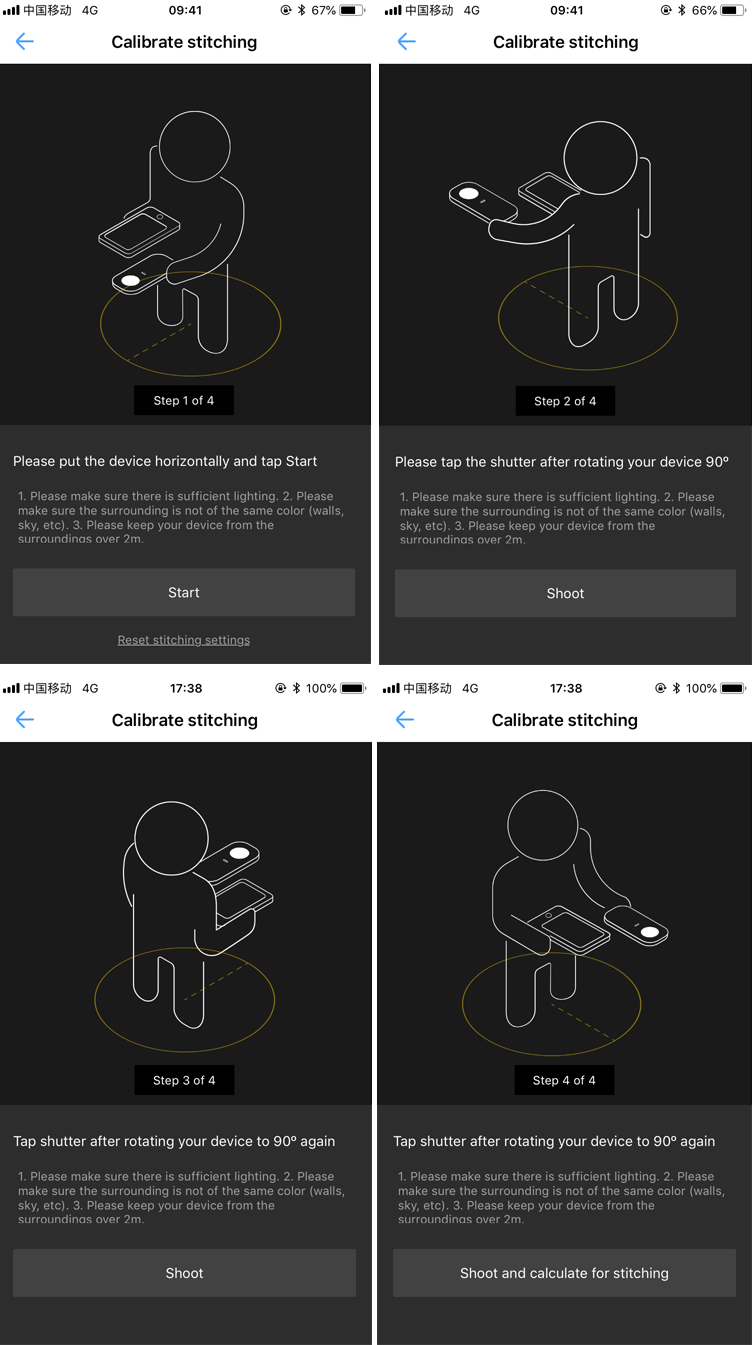
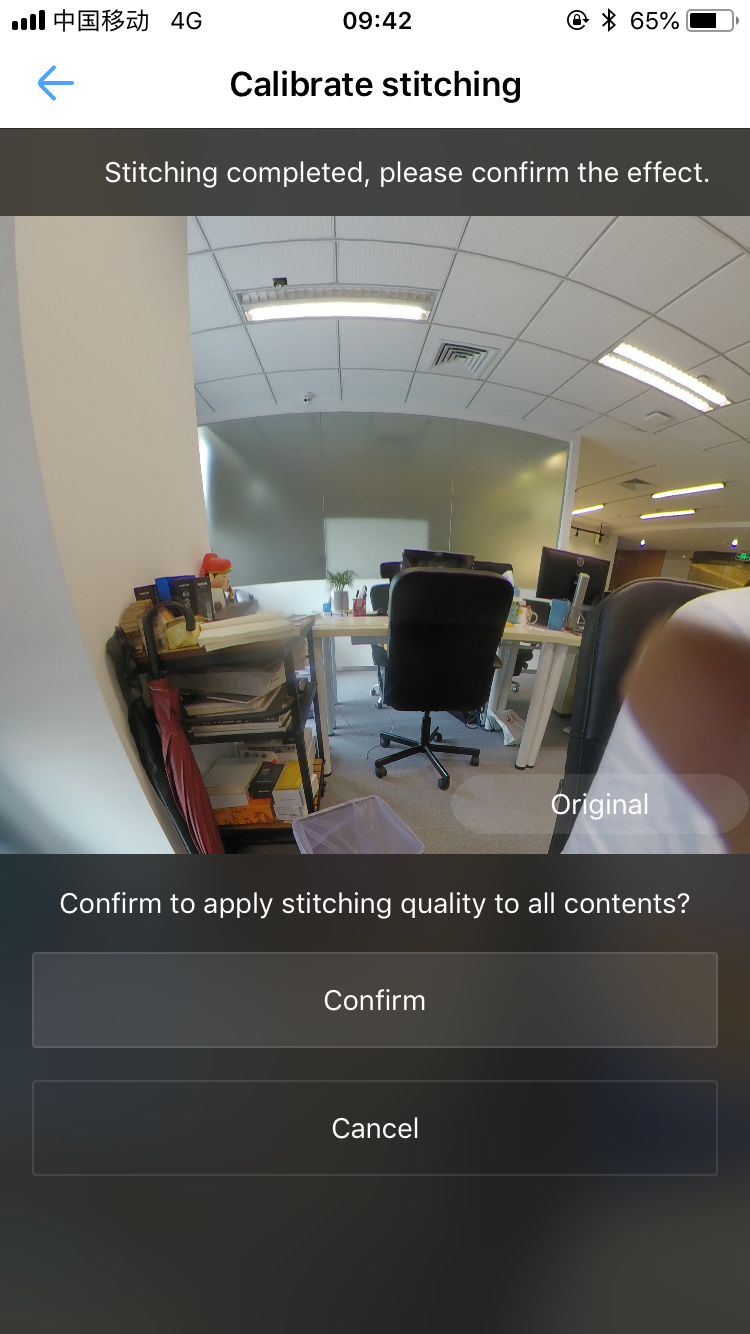 Importance: Please do not exit the App or disconnect the camera in the calibration.
Was this information helpful?
.svg)


Insta360 Trade-In
Tirez profit du matériel que vous n'utilisez plus.
En savoir plus
Souscrire
Recevez les dernières nouvelles d'Insta360

J'accepte la politique de confidentialité et je souhaite recevoir les dernières nouvelles et offres d'Insta360 par email. Je comprends que je peux contacter Insta360 pour me désabonner à tout moment.


%20(1).svg)


%20(1).svg)

.svg)


Assistance à l'achat
Questions avant-vente
Commandes & Paiement
Retours & Remboursements
 Heures de bureau: 9:00-18:00 (UTC+1)
Assistance produit
Dépannage & Aide
Réparations & Garantie
Heures de bureau: 9:00-18:00 (UTC+1)
