















































How do I adjust shooting parameters?
- Standalone Use:
- 1.When the power is on, press the power button to find “settings", then press the shutter button to enter.
- 2.Press the shutter button to switch between photo mode and video mode, then press the power button to choose between shooting modes and press the shutter button to make your selection. You can adjust timer, ISO cap, resolution, RAW / LOG and so on.
- Wi-Fi Control:
- 1.Connect the ONE X with Insta360 ONE X App. (How do I connect it?)
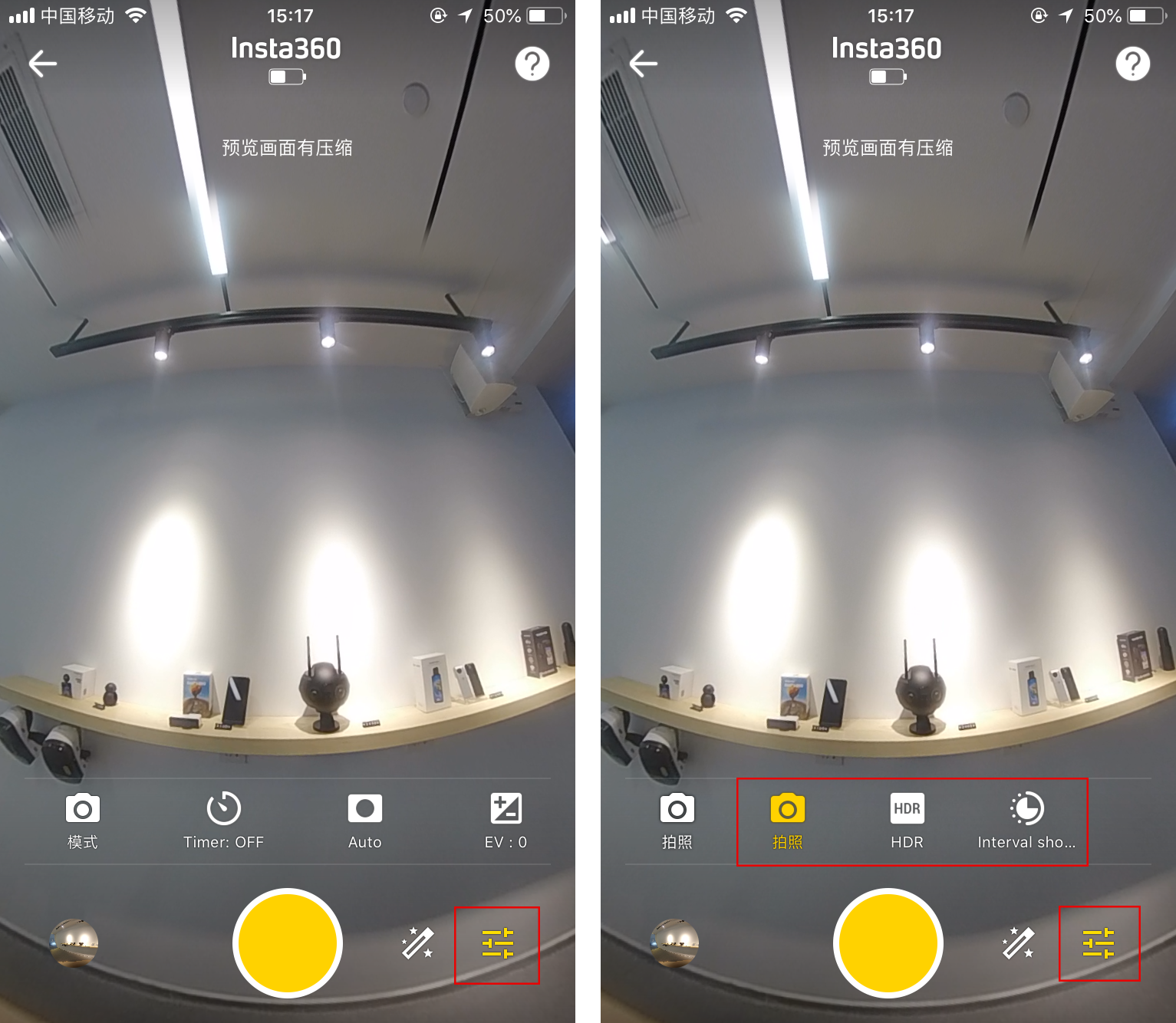
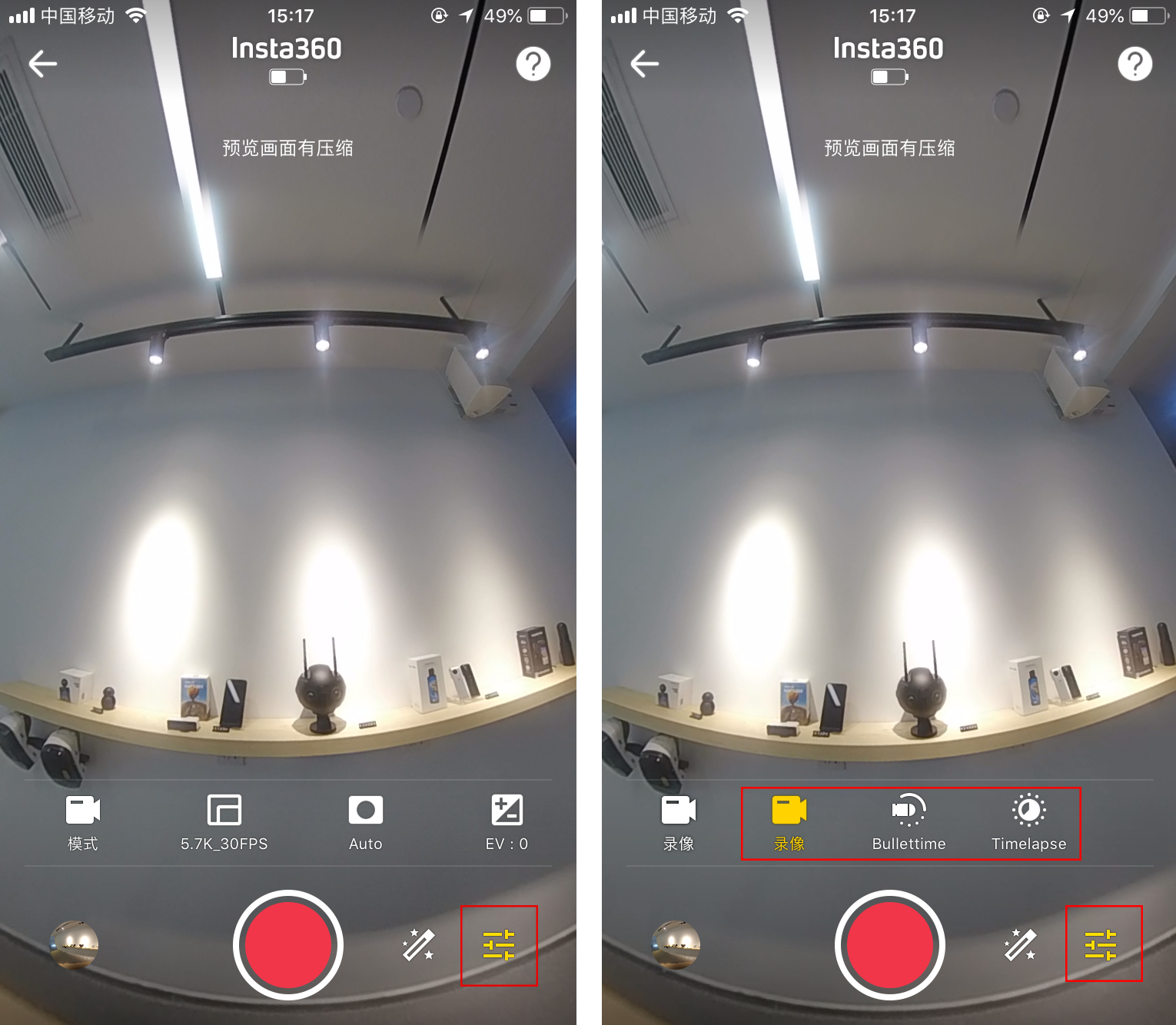
- 2.Open the ONE X App and enter the camera interface. Tap settings in the lower right corner to adjust the shooting mode and parameters. In photo mode, you can choose single photo, HDR photo and Interval photo. In video mode, you can choose normal video, Bullet Time video and Time-lapse video. Then adjust the parameters that you want.
- 3.Or tap Retouch to use the Beauty/Filter function.
- 4.After making your selection, tap the Shutter button to take photo/video.
Was this information helpful?
.svg)


Insta360 Trade-In
Tirez profit du matériel que vous n'utilisez plus.
En savoir plus
Souscrire
Recevez les dernières nouvelles d'Insta360

J'accepte la politique de confidentialité et je souhaite recevoir les dernières nouvelles et offres d'Insta360 par email. Je comprends que je peux contacter Insta360 pour me désabonner à tout moment.


%20(1).svg)


%20(1).svg)

.svg)


Assistance à l'achat
Questions avant-vente
Commandes & Paiement
Retours & Remboursements
 Heures de bureau: 9:00-18:00 (UTC+1)
Assistance produit
Dépannage & Aide
Réparations & Garantie
Heures de bureau: 9:00-18:00 (UTC+1)
