


















































In this post, we'll run you through the top shots from Brandon Li's "One Day In Hong Kong". If you haven't seen it yet, you can watch it here.
All of these shots were done using Insta360 ONE X, and some used an extended selfie stick accessory.
Shot 1: The Impossible Jib Shot
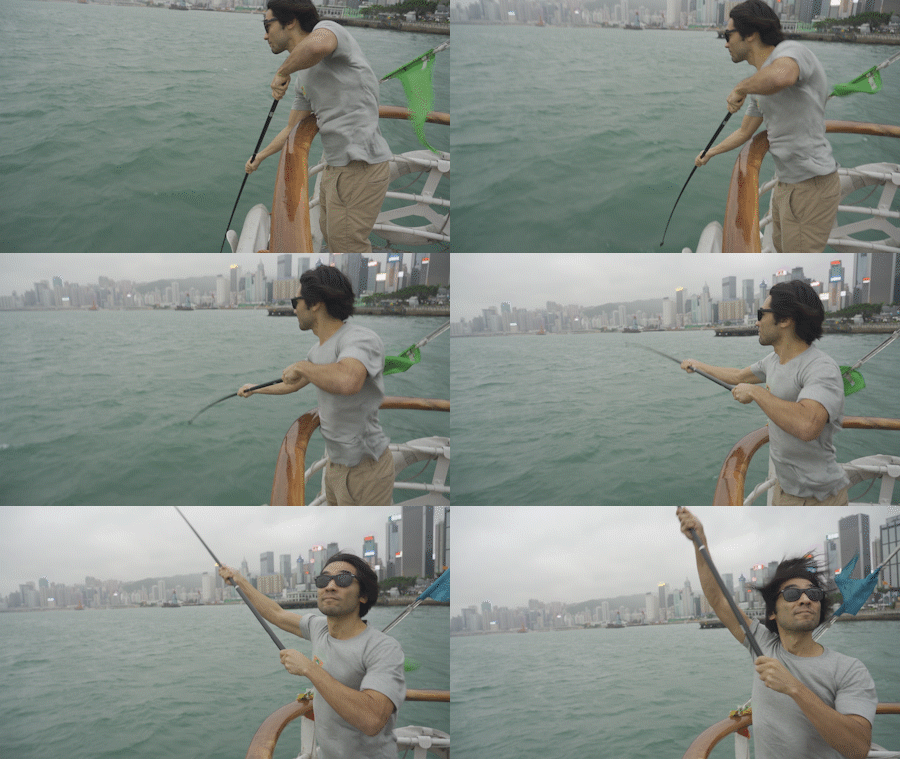
Shots like this used to take a heavy jib, risking it this close to the water would be a no-go without an operator, check it out:
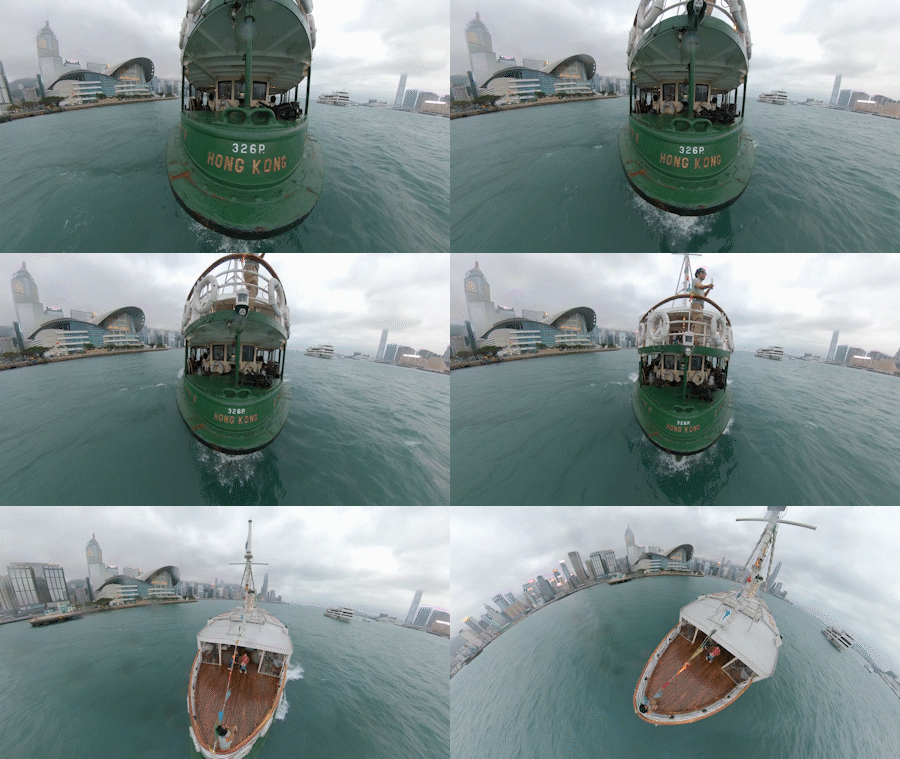
Brandon thought to hold the ONE X over the edge of the Star Ferry Pier and pull up for this jib shot. The framing of focussing on "Hong Kong" then panning overhead was all done in post.
Shot 2: The Dolly Zoom
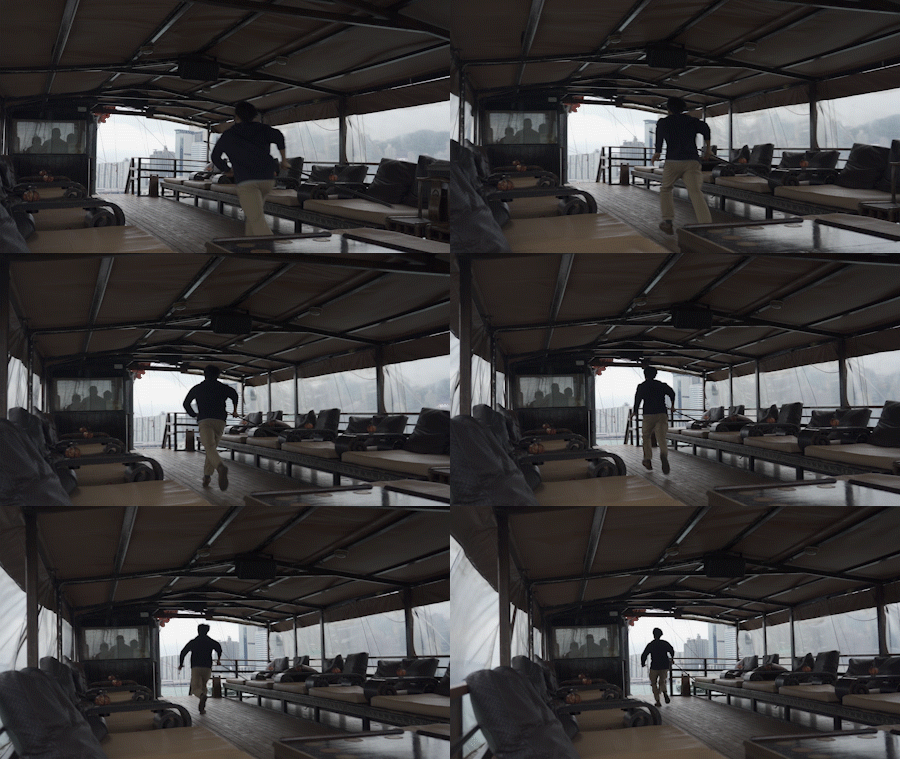
What used to take a zoom lens and a dolly now just takes the Insta360 ONE X. Take this example, Brandon utilized a wide open space, the static subject of the mast of a boat, and ran right at it.

The stabilization on the ONE X means you can run at your subject without having to worry about shaky footage. Once captured, the ViewFinder in the app can adjust the FOV to create a dolly zoom effect in post.
Shot 3: Close Up Tracking
Tracking this close to objects is near impossible without a 360 camera. Check this one out. Brandon held the ONE X right up close to the bun and reframed in post.
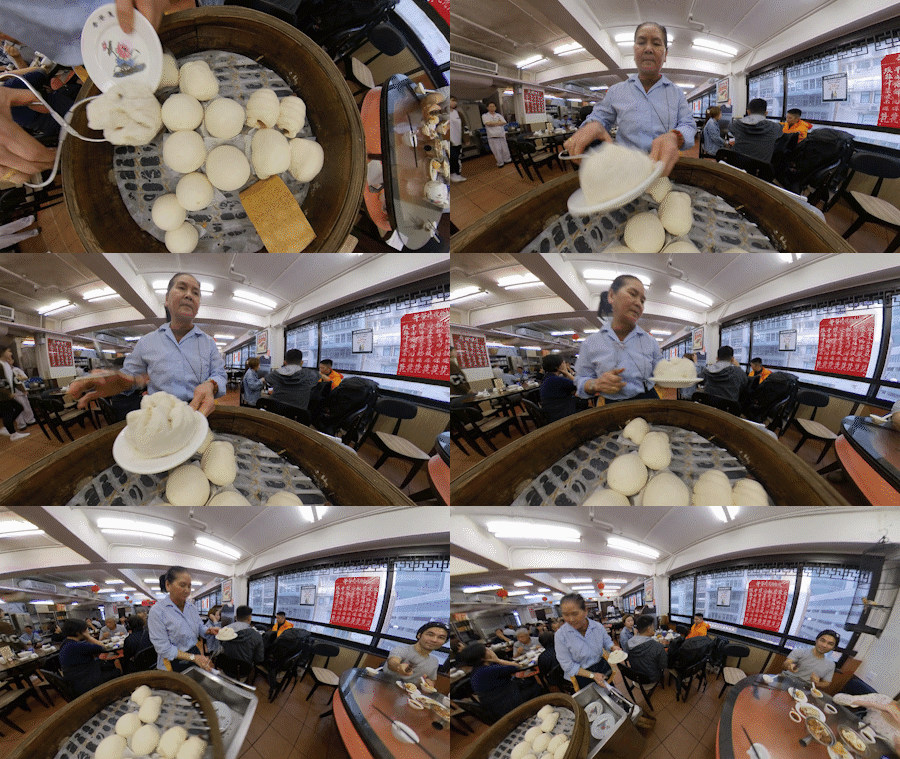
All you need to do for this shot is to hold your ONE X near the subject. Super simple. Once in post, you can use FreeCapture to follow your subject.

Shot 4: The TimeShift
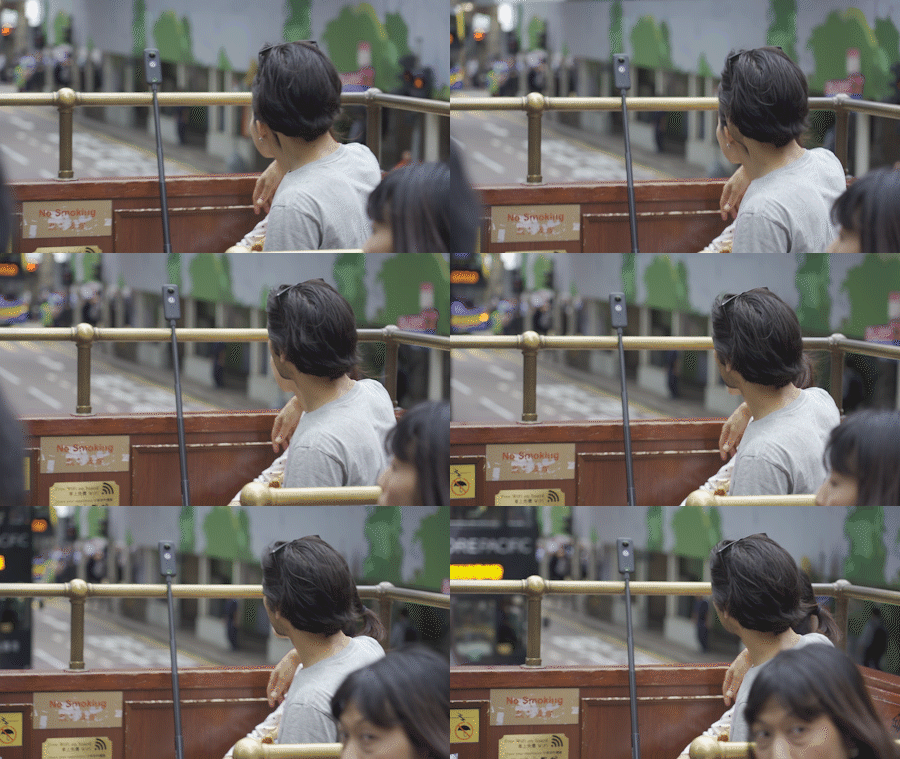
Imagine combining hyperlapses, slow motion and the reframing capabilities of a 360 camera. That's TimeShift. Brandon shot from the prime location at the head of one of Hong Kong's iconic trams.
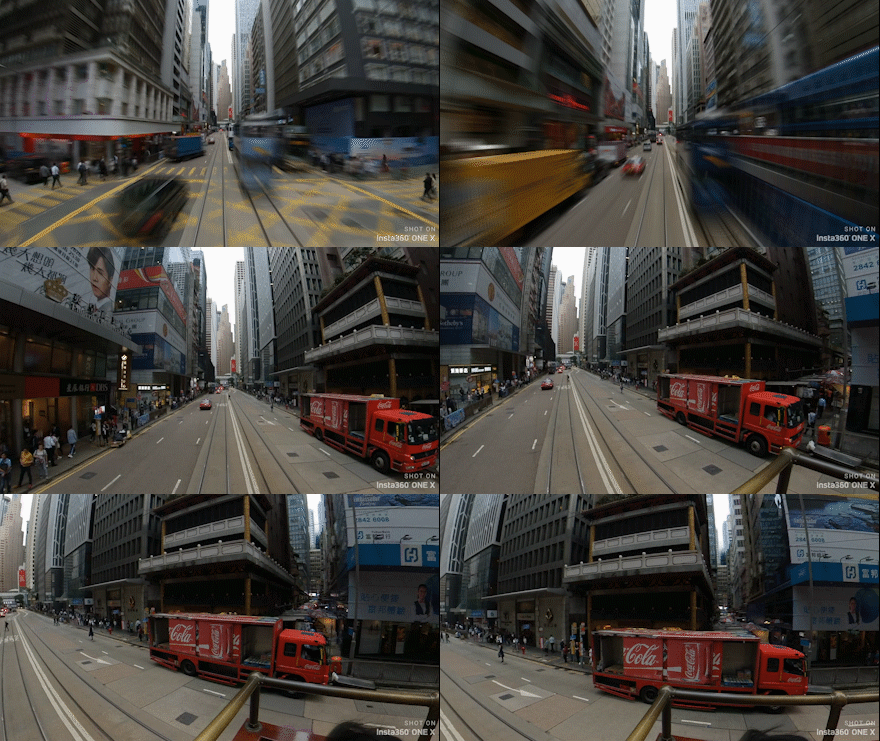
Here's how simple it is to shoot. FlowState stabilization smooths out the shakes of the tram, while you can focus on sitting comfy. Once in post, just adjust the speed of your clip after adding your keyframes.
Shot 5: The Indoor Drone Shot
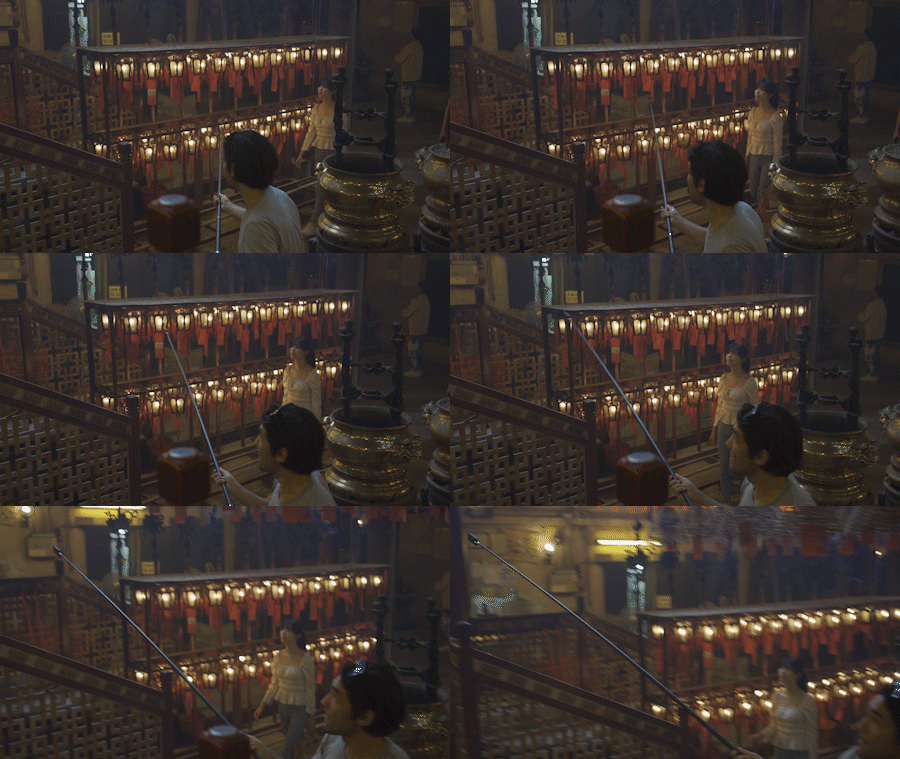
Unless your the world's best FPV drone pilot, there's no way you can get shots like this without an Insta360 ONE X. You can use the ONE X in ways where a drone simply isn't possible, or legal.
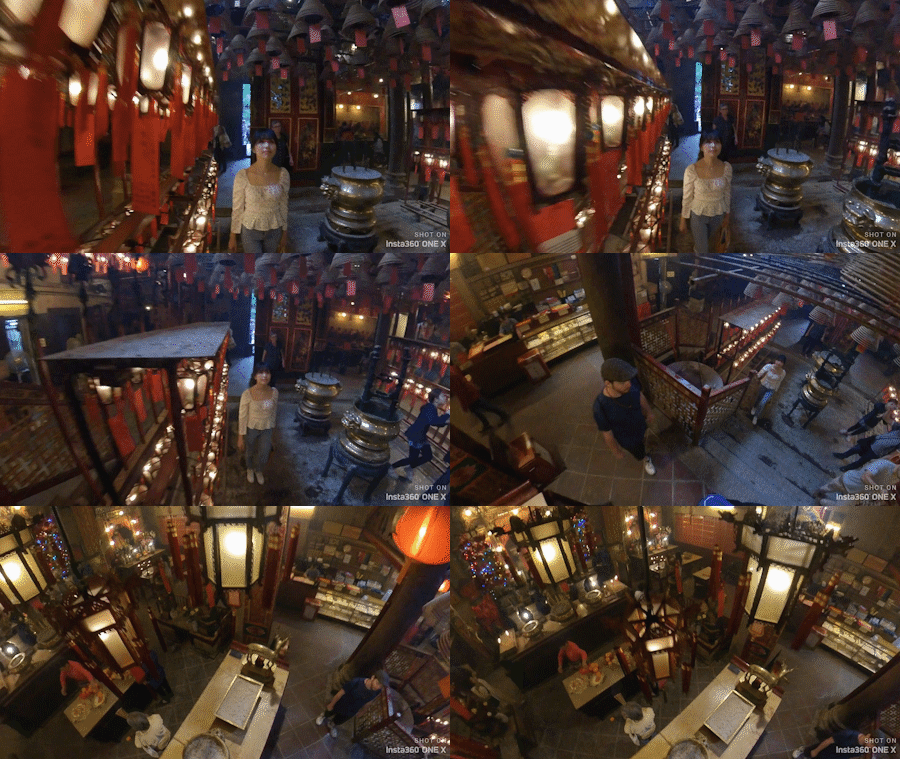
All you need to do for this shot is move away from your subject with the ONE X on either the invisible selfie stick or the extended selfie stick. The speed ramping and reframing is a nice touch in post.
While ONE X app does a great job of providing a host of editing tools, many videographers prefer desktop. For that, we have Insta360 Studio to make your workflow simple.
Keen to keep up to date on Insta360 stories? Keep an eye on our blog and sign up for our mailing list.






%20(1).svg)


%20(1).svg)

.svg)


