
















































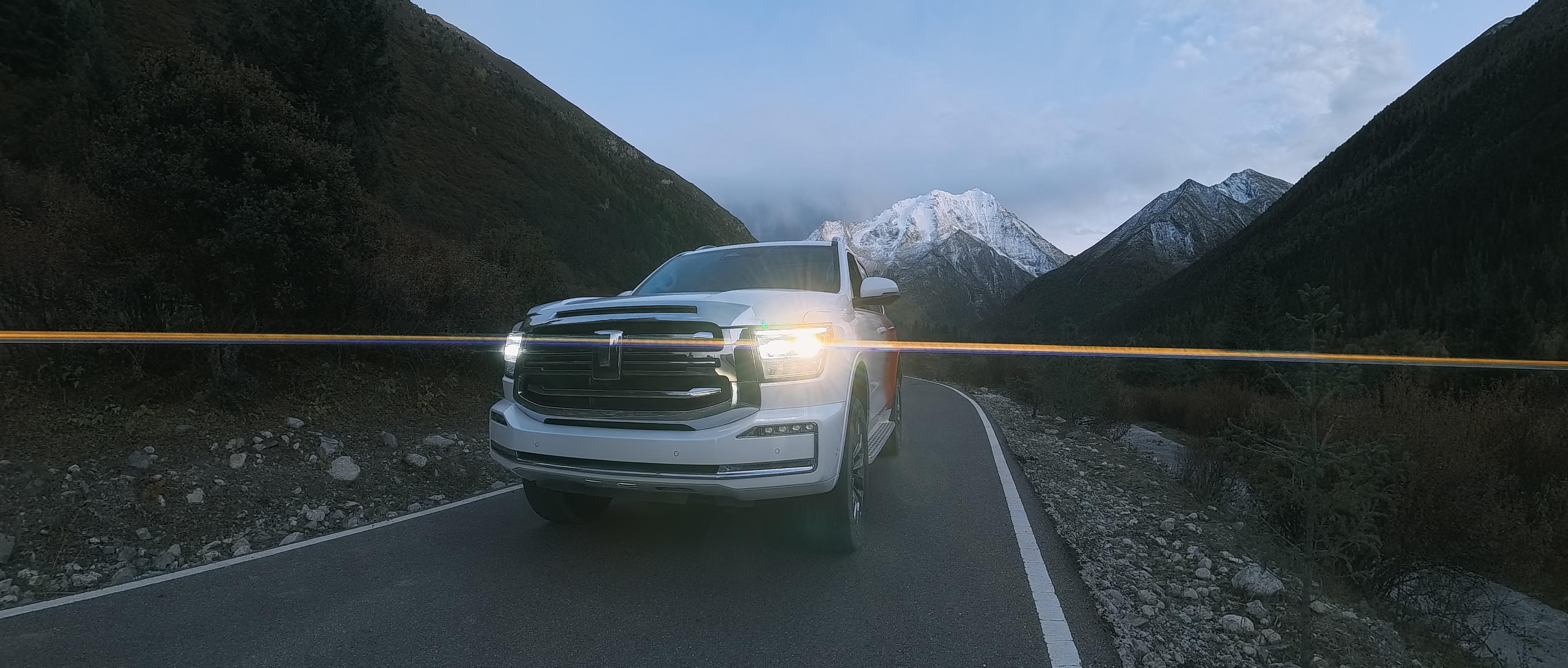


Six seconds into a dashcam clip, windshield glare eats the exposure, wind swallows your voice and the shot ends up shakier than the mount holding the camera. But it doesn't have to go that way.
The best camera for recording in-car videos solves those problems before you hit record, and Insta360 Ace Pro 2 handles the vibration, shifting light and wind noise a cabin throws at it, so the footage finally looks the way the drive felt.
Key Takeaways
- Road vibration, shifting light and wind noise wreck more in-car footage than resolution ever does—they're the real problems to solve first.
- Insta360 Ace Pro 2 pairs FlowState Stabilization, Active HDR and an integrated Wind Guard to handle all three at once.
- Where you mount the camera changes the story as much as the camera itself does—a windshield mount, a headrest mount and a visor mount each capture something different.
Why In-Car Filming Is Harder Than It Looks
Mount a camera to the dash and hit record—simple, right? A moving car actually stacks several problems on top of each other that a stationary shoot doesn’t have to deal with.
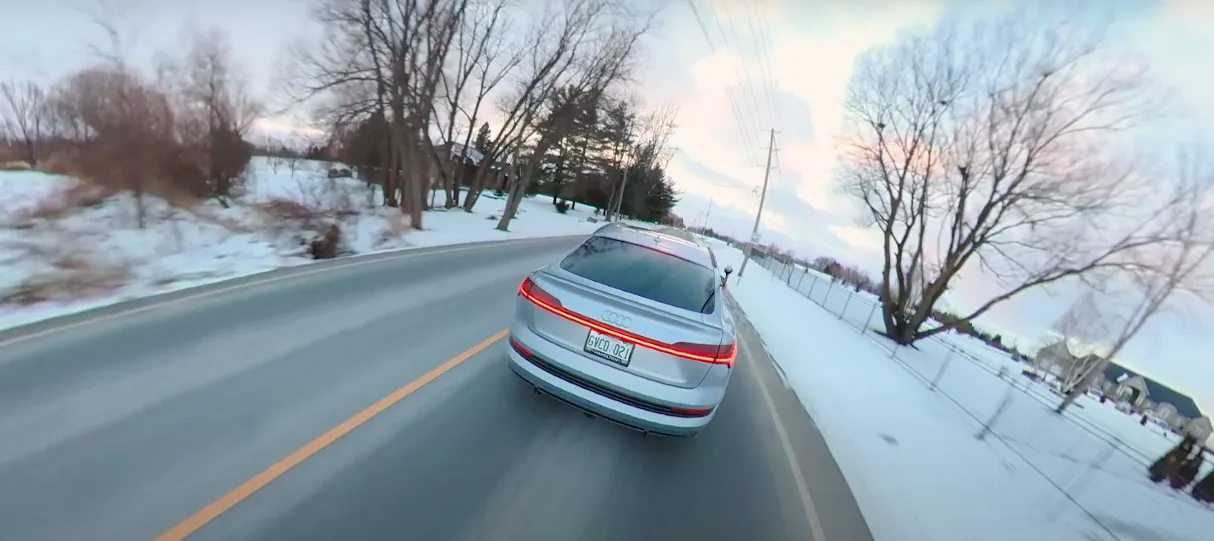
Road vibration can turn into shaky, unwatchable footage unless the camera corrects for it in real time. Lighting shifts fast too—tunnels, tree cover, dusk drives and oncoming headlights force a small sensor to adjust in an instant, and a low-quality camera just makes it look grainy or with blown-out highlights. Road drone and wind—worse with a window down or no roof at all—can also bury a voice in noise.
Even where the camera's allowed to sit adds another wrinkle, since most states restrict what can go on a windshield—California's vehicle code, for example, only permits a video recorder in a small zone near the lower corners or top center.
None of that gets fixed once the car's moving, so framing, mounting and settings all need to be locked in beforehand, and that’s true whether you’re weighing a 360 car camera or a purpose-built action camera like Insta360 Ace Pro 2.
What Makes a Camera Good for In-Car Video?
So, what’s actually worth shopping for when looking for the best in-car video camera? Here are five factors to think about:
| Camera Requirement | Why It Matters for In-Car Videos |
| Strong image stabilization | Road vibration and bumps turn into unwatchable, shaky clips unless the camera compensates instantly |
| Low-light performance | Dawn, dusk and night driving videos need a camera sensor that retains detail instead of losing it |
| Wide dynamic range | Bright glass and dim car interiors are often in the same shot, and they shouldn’t wash each other out |
| Wind-resistant audio | Nothing kills a clip faster than dialogue lost to noise you couldn't control |
| Secure and flexible mounting | A camera can become loose or may even fall off an unstable mount at high speeds |
Why Insta360 Ace Pro 2 Handles In-Car Recording Better
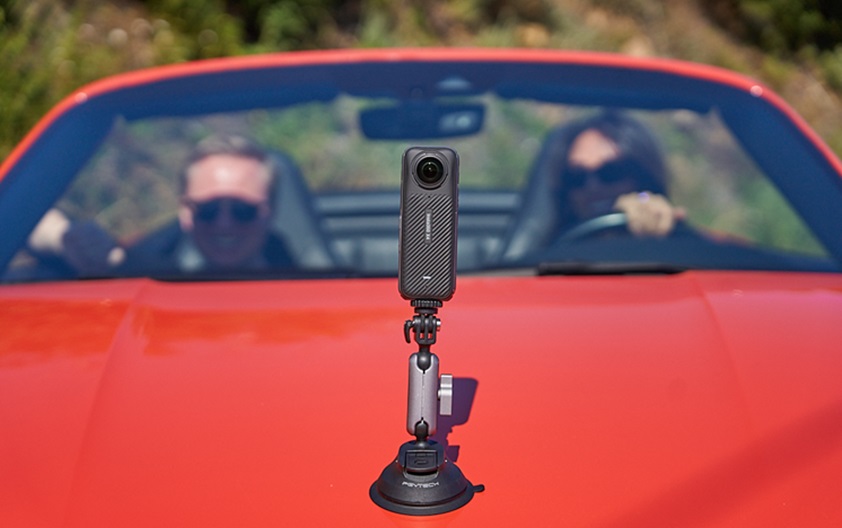
Insta360 Ace Pro 2 is the camera built around exactly this problem—vibration, blown-out windshields, wind noise and a cabin with nowhere obvious to mount anything. Tuck it on the dash for driver POV, mount it on the headrest to catch a passenger conversation, or pull it off and shoot handheld the second you park.
Here's what makes it the ultimate choice for recording in-car videos, skipping every problem above:
- FlowState Stabilization and 360 Horizon Lock keep the shot level over every pothole and bump, whether it's mounted to the dash or the headrest.
- Active HDR, now up to 4K60FPS, balances the bright glass against the shaded interior, so you're never choosing between seeing the road or seeing the driver.
- PureVideo, backed by the 1/1.3" 8K sensor and Leica SUMMARIT lens, adds a dedicated low-light mode up to 4K60FPS for drives that start after sunset.
- An integrated Wind Guard (the first one built into an action camera) works alongside refreshed audio algorithms to keep wind and road noise from drowning out your voice.
- Voice Control 2.0 and gesture control start and stop a recording without taking a hand off the wheel.
- Road Mode and Pre-Recording turn it into a proper dashcam, looping old footage automatically and saving the 120 seconds before you hit the button.
- A magnetic mounting system swaps between dash, console and headrest positions in seconds, and the 2.5-inch flip touchscreen stays readable even with sun hitting the windshield.
Best Camera Positions for In-Car Video
Depending on the sorts of shots you want to film in-car, the camera position that works best changes, too. Here are some pointers:
| Position | Shot It Captures | Best For |
| Dash or windshield mount | Natural driver POV, or a split view of the road and cabin | Commentary, vlogging, dashcam duty |
| Rear-view mirror mount | A compact driver POV that stays out of direct sight | Commuting, dashcam duty |
| Headrest or console mount | Wide view of driver and passenger | In-car conversations, recreation content |
| Visor or A-pillar mount | A closer angle on the driver’s face | Vlogging, direct-to-camera commentary |
| Cupholder or lower-dash mount | Hands on the wheel and lower cabin detail | POV detail shots, B-roll |
Insta360 Ace Pro 2 handles every one of these positions, so you can stay flexible as your shots, and your shooting style, change from one drive to the next. (These five placements cover cabin filming specifically, but if you’re comparing the best action camera for cars more broadly, the same stabilization and low-light strengths carry over.)
Whatever position wins, a clean, dry surface and a fully engaged suction cup are the difference between a smooth shot and a loose camera rattling around the cabin—installing a car camera mount properly matters just as much as which shooting position you pick. The same setup holds up outside the car too, should you ever want to branch out from filming in-car videos into an exterior shot instead.
Getting Clean Audio Inside a Car
Road drone and echoes off of glass and hard dash surfaces can really ruin the audio of awesome in-car footage. And so can wind the moment a window's down, the sunroof's open or the roof's off entirely in a convertible. So the camera’s job is just as much about producing perfect audio as it is visuals.
Insta360 Ace Pro 2's Wind Guard cuts that noise at the source, and Voice Enhancement audio mode helps with whatever cabin noise is left.
Editing can clean up some of that afterward, but it can't fix a voice that was muffled or distorted the moment it was recorded. It's worth doing a quick test before a long drive—record yourself at the loudest you expect to get and listen back for crackling. Catch it now, and you won't lose the whole take later.
For dialogue-heavy content like an in-car podcast, pairing Insta360 Ace Pro 2 with a Bluetooth headset beats relying on the onboard mic alone.
Camera Settings for In-Car Recording
A few settings changes do more for in-car footage than any accessory:
- Switch on PureVideo for dawn, dusk or night drives—it's a dedicated low-light mode that keeps footage usable up to 4K60FPS instead of grainy.
- Turn on Active HDR whenever the drive moves between bright and shaded stretches, like tunnels, tree cover or parking garages, so exposure doesn't lurch every few seconds.
- Pull ISO down manually in bright daylight if the windshield keeps washing out. Insta360 Ace Pro 2's ISO range runs from 100 to 6400, with up to ±4EV of exposure compensation to dial it in.
- Set white balance manually if tinted windows or dashboard lighting are shifting the colors—auto white balance can drift over a long drive.
- Use MegaView instead of the standard wide field of view for interior shots, where the extra distortion from a 157° lens is more distracting than useful.
- Set a storage limit in Road Mode before a long trip, and let Pre-Recording catch the 120 seconds before the button gets hit.
Frequently Asked Questions
What Is the Best Camera for Recording Inside a Car?
Insta360 Ace Pro 2 is built for it, combining strong stabilization, a low-light mode, an integrated Wind Guard and flexible mounting in one compact body. The best option generally handles vibration, changing light and wind noise without extra gear, which rules out most standard action cameras and phone mounts.
How Do You Reduce Road Noise When Filming in a Car?
Use a wind guard over the mic, switch to a wind-reduction audio mode and keep the mic as unobstructed as possible. For dialogue-heavy content, pairing the camera with a Bluetooth headset or external mic gives a cleaner track than relying on the onboard mic through wind and road noise.
Where Should You Mount a Camera Inside a Car?
For driver POV or dashcam duty, mount on the windshield or dash. For conversations with passengers, a headrest or console mount captures both people in one frame. For a closer angle on the driver alone, a visor or A-pillar mount works instead.
The Right Camera Turns Every Drive Into Footage Worth Keeping
Vibration, glare, wind and a cramped cabin are the reasons most in-car footage ends up unwatched. Solve those upfront, with the right stabilization, HDR, audio and mounting, and the drive itself does the rest of the work.
Explore Insta360 Ace Pro 2 and see how much of that it handles before the car even leaves the driveway.
Keen to keep up to date on Insta360 stories? Keep an eye on our blog and sign up for our mailing list. Got a story to share? Email yours to communitystories@insta360.com and win up to US$50.
Your shot. Your world. The Insta360 Global Awards 2026 supported by Leica are officially open. Join creators worldwide and compete across six categories (Street, Travel, Life, Portrait, Sports, and Night) for your share of a US$150,000+ prize pool, including cash prizes and Insta360 gear. Submit your best video or photo at insta360.com/awards.


.webp)


%20(1).svg)


%20(1).svg)

.svg)


