
















































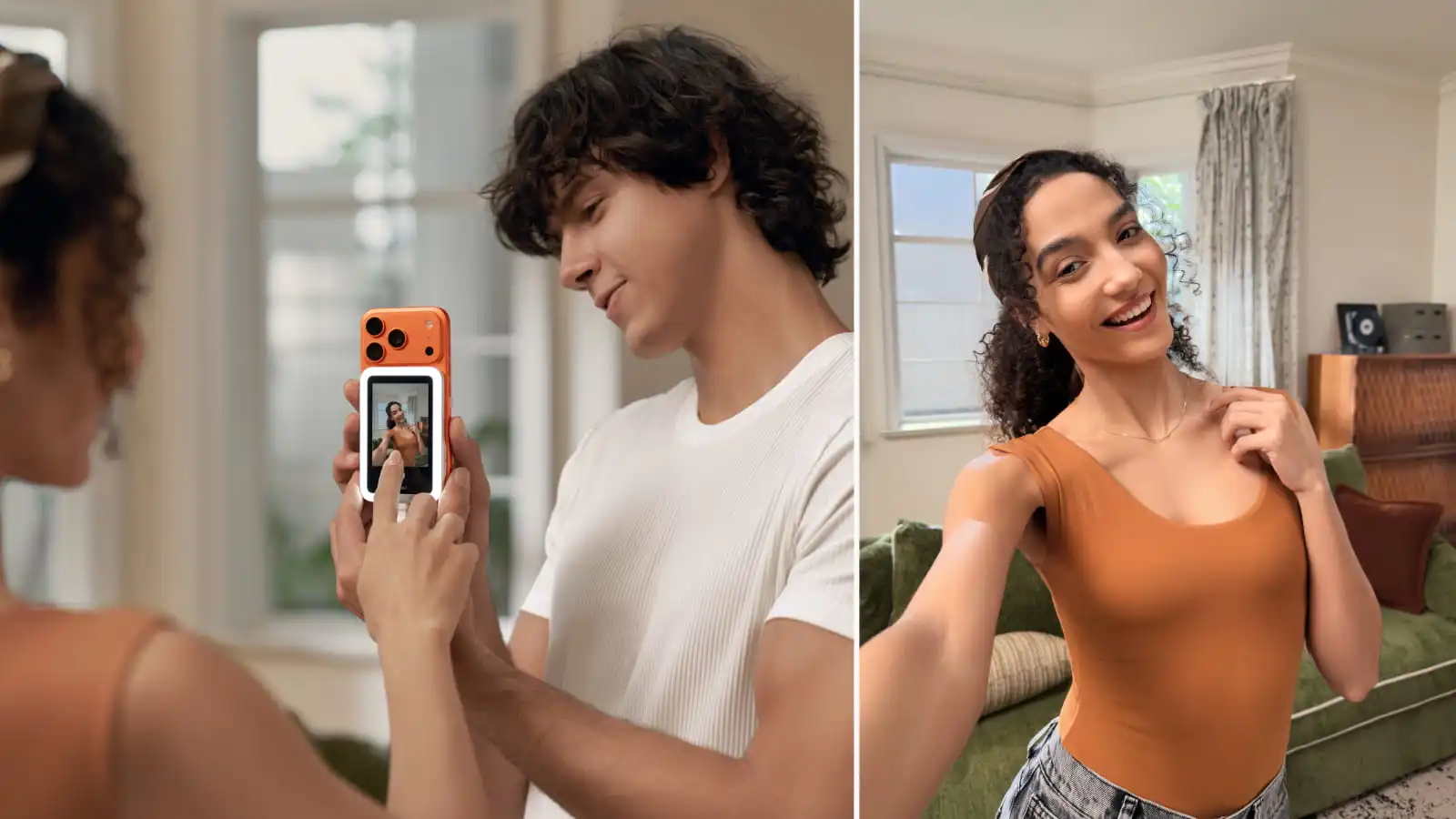


The best camera on most smartphones is the one that's rather annoying to use as a selfie camera. The back camera usually has a bigger sensor, better glass, and way sharper results, but trying to get everything framed properly without seeing it can be a nightmare. Well, now you don't need to struggle. A selfie screen completely changes the game by giving you a real-time view of what the rear camera sees. It's selfies like you've never seen them before.
FAQs Related to Real-Time Preview
Q1: How Does a Selfie Screen Improve Framing and Focus?
When you can see yourself in real time, everything's just so much easier. Just frame your face and what you want in the picture, and hit that button. Instead of guessing where the lens is pointed, you get instant visual feedback.
Q2: Why Is Real-Time Focus Important for Selfies and Vlogs?
Walking shots, handheld vlogs, or action-heavy scenes are unpredictable, which is why cameras like Insta360 X4 or Insta360 GO 3S work so well. But phones can be a problem. One moment, your face is nicely framed, but for the next five minutes, the camera is pointing at a spot just above your head. A real-time preview lets you catch those annoying issues before they ruin a take. For solo creators using a selfie screen like Insta360 Snap, the difference between usable footage and infuriating footage is significant.
FAQs About Camera Choice
Q3: Why Use the Rear Camera Instead of the Front Camera for Selfies?
Short answer: The back camera is usually a lot better. It produces better images, and people look a lot more natural because the front camera tends to compress images. Using the rear camera for selfies gives you access to the best sensor and lens on the device—but without a screen, you’re shooting blind.
Q4: How Do Rear Camera Sensors Enhance Video Quality?
If you can't shoot with something like Insta360 Ace Pro 2 or Insta360 X5, a smartphone used well is the next best thing. Rear camera sensors are typically larger and more advanced, which allows them to capture more light and detail. That translates to cleaner footage, smoother gradients, and improved dynamic range in challenging lighting conditions.
FAQs About Mirroring and Framing
Q5: What Problems Do Mirrored Previews Cause?
Mirrored previews can be maddening because movements feel backward. Left becomes right. You raise one hand, and the screen shows the other. It’s disorienting, especially when you’re trying to frame yourself quickly or stay natural on camera. You find that you spend more time trying to translate what's happening than actually focusing on the shots.
Q6: How Does a Selfie Screen Prevent Mirroring Issues?
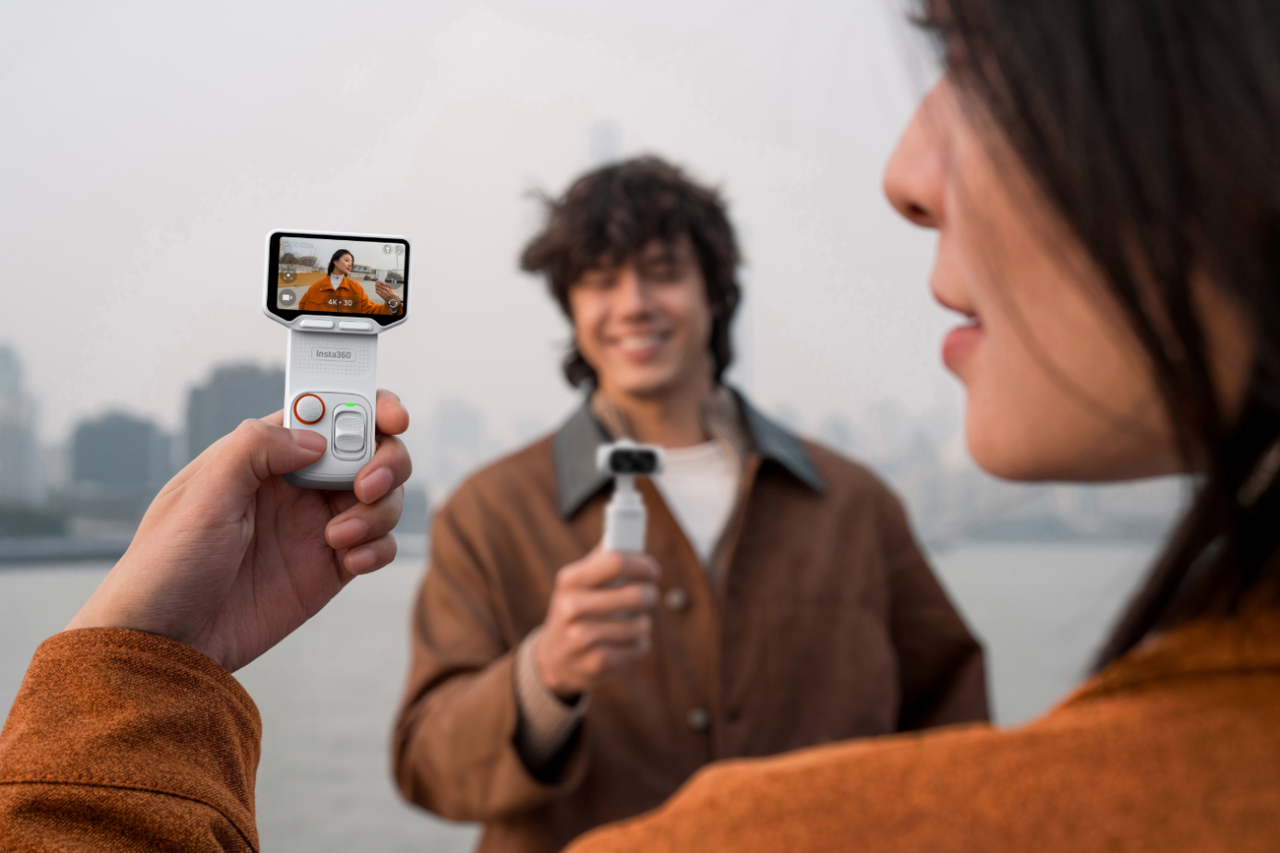
A dedicated selfie screen shows a true-to-life preview of what the camera is actually recording. You know exactly where you are in the frame, how much headroom you have, and how your movements translate on camera.
FAQs About Practical Shooting Features
Q7: How Do Gridlines and Aspect-Ratio Guides Help Composition?
Good composition can make or break how footage looks. When everything is lopsided, it can look amateurish, but when it's structured and exactly where you planned, it looks golden. Gridlines help you keep your eyes level, your subject centered, and your framing balanced using simple visual cues like the rule of thirds. Aspect-ratio guides take that a step further. Whether you’re shooting vertically for social media or wide for cinematic footage, seeing the final frame in real time helps you compose with purpose instead of cropping later.
Q8: Can I Adjust Brightness, Contrast, and Screen Ratio on the Touchscreen?
Yes, and it can make a huge impact on your footage. Shooting outdoors, moving between shade and sun, or filming at golden hour can make screens hard to read. Being able to adjust brightness and contrast keeps the preview visible in changing light, while screen ratio controls help match your output format.
Q9: How Does a Touchscreen Control Enhance Shooting?
Touchscreen control lets you start and stop recording, change settings, and monitor your shot without flipping the phone back around. That’s a game-changer when your phone is primed, ready to shoot, and you’re on the move.
Q10: Does the Screen’s Battery Life and Portability Matter?
It certainly does. A solid battery life keeps you shooting through extended sessions, while a lightweight, portable design makes it easy to carry into any setup.
Capture stunning ultra-wide 0.5x selfies wherever you go with a selfie screen monitor designed to elevate your mobile photography. Equipped with a professional-grade light, it lets you harness the full power of your phone’s rear camera—so every shot looks sharp, balanced, and effortlessly polished. Ready to upgrade your selfies? Get yours today.
Keen to keep up to date on Insta360 stories? Keep an eye on our blog and sign up for our mailing list. You can also contact our Enterprise team directly to see how 360 cameras can benefit your business.





%20(1).svg)


%20(1).svg)

.svg)


