

















































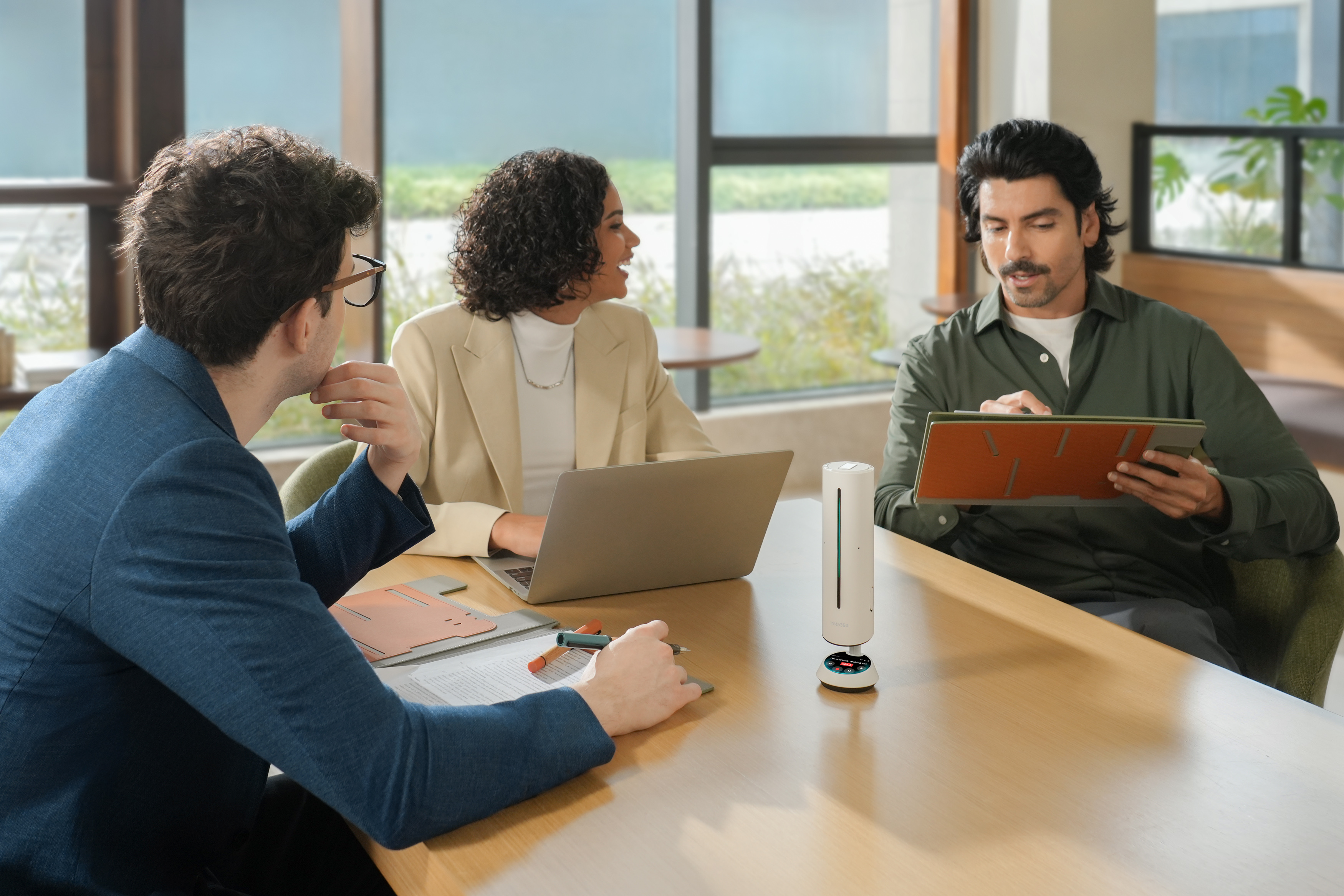


Video conferencing works best when it just works, nice and easy without any complications or setup friction. That all starts before the meeting even begins. Cameras frame participants automatically, audio adjusts in real time, and collaboration tools are ready the moment you jump in.
In 2026, video conferencing is built around this type of simplicity. It’s easier to stay focused and communicate clearly even when you might be thousands of miles away.
Here in this guide, you’ll learn what’s changed (and what matters now) and how to choose the right video conferencing setup.
Key Trends Shaping Video Conferencing in 2026
Video conferencing hasn’t always been seamless. Frozen screens, bad audio, people craning their necks to get into the shot, that was the past.
Today, new technologies shape how remote meetings work, so they’re much easier to use and participate in. Some of those key drivers include:
- AI-driven automation: Modern video conferencing cameras use AI to track speakers, adjust composition, and keep conversations visually dynamic without anyone touching a control. With AI-powered conferencing solutions, you can focus on the meeting while the system handles the rest.
- Hybrid-first design: People now connect from the office, home, coworking spaces, cafés, and just about anywhere else you can get a Wi-Fi signal. Video conferencing is now built around this reality so that, even when people are physically disconnected, everyone still feels digitally connected.
- Smarter audio environments: Advanced audio systems filter background noise, isolate voices, and reduce echo automatically. Even in busy environments, conversations stay clean and focused.
- Simple all-in-one systems: Today’s video conferencing systems are simple all-in-one systems that can begin and end at the push of a single button. Straightforward, just as it should be.
Core Components of a Modern Video Conferencing Setup
A reliable video conference setup comes down to a few key components working well together. Those three essentials are: clear video, consistent audio, and the tools that keep everything connected.
Smart Cameras for Clearer, More Dynamic Meetings
Modern conferencing cameras actively follow the conversation. They track speakers, adjust framing, and keep the focus exactly where it should be without manual input. The result is a meeting that feels more like an in-person exchange, not a fixed-angle broadcast where only part of the room is visible.
Devices like Insta360 Link 2 take this further with AI-powered tracking and high-resolution imaging, ensuring every participant stays sharp, centered, and fully visible as discussions unfold.
Professional Audio Systems for Clear Communication
You can normally handle patchy video for a short period, but poor audio is an irritation that can lead to a quick finish. Modern video conferencing setups place huge emphasis on clear communication from start to finish for exactly this reason.
Advanced systems use directional microphones, noise reduction, and echo cancellation to isolate speech, even in busy or echo-prone environments.
Solutions like Insta360 Wave are designed to capture voices cleanly and consistently, helping conversations flow without interruption or misunderstanding.
.jpeg)
Displays, Collaboration Tools, and Connectivity
A video conference shouldn’t simply feel like a glorified video call. With people joining from different parts of the world and in different environments, it’s vital that ideas and concepts can be shared quickly and accurately.
High-quality displays ensure everyone can see (and think) clearly. Collaboration tools allow teams to share ideas in real time. And stable connectivity keeps everything running without dropouts or delays.
Put everything together, and that simple video call becomes a virtual space where people can collaborate and create, no matter where they are.
Video Conferencing Solutions for Different Room Types
Meetings and conferences happen in a variety of ways in the physical world, and the same applies to the virtual workplace. Here are a few video conferencing solutions based on the type of room they’re hosted in:
Huddle Rooms and Small Meeting Spaces (1-5 People)
In huddle rooms and small meetings, conversation moves quickly, and technology can be at its simplest. A compact, all-in-one solution with a wide field of view and built-in audio is usually enough to cover the entire space.
Medium Conference Rooms (Up to ~14 Participants)
Once you get over ten people in a meeting, the dynamic begins to change. There’s more movement, more voices, and more coordination needed.
Smarter systems with wider coverage, more precise audio pickup, and cameras that can track speakers as discussions move around the table are best here. AI-powered devices, such as Insta360 Link 2, help maintain focus automatically, so everyone stays visible without constant adjustments.
Large Conference Rooms and Training Spaces
Large conference rooms or training spaces are a further step up and typically require a specific setup, like Insta360 Connect.
In larger rooms, distance becomes the biggest challenge. Voices need to carry clearly while faces need to stay recognizable.
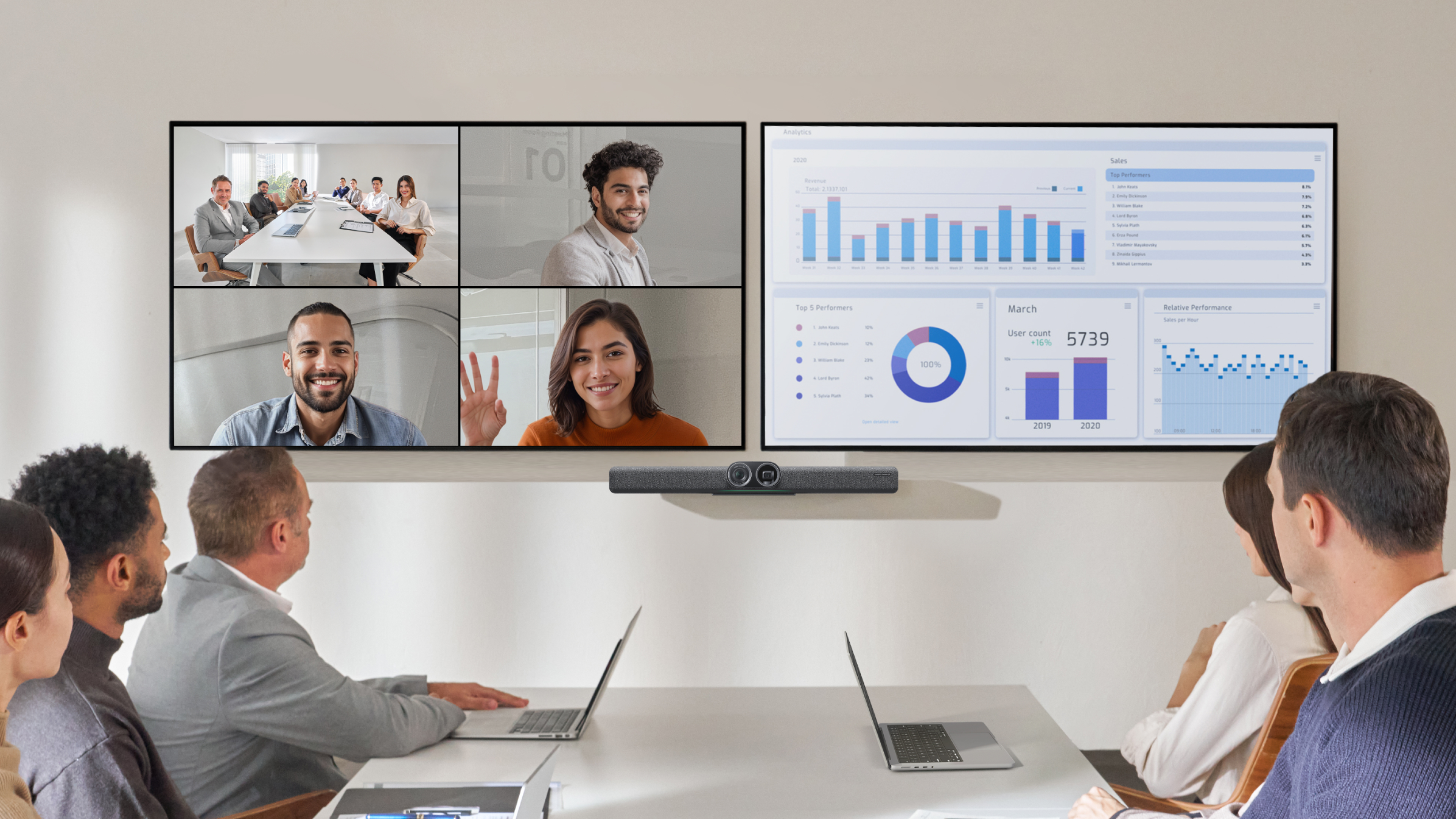
These setups often rely on multiple microphones, advanced tracking systems, and wider or multi-camera coverage for consistency from front to back. The goal is simple: whether someone is speaking at the head of the table or from the far corner, they should feel equally present on screen.
AI and Automation in Modern Video Conferencing
The biggest shift in video conferencing in 2026 isn’t something you can see. AI is now a core part of any setup.
It allows cameras to detect speakers and frame them automatically. No inching the camera around when somebody moves a little too far.
AI automation also handles lighting and exposure in real time while monitoring audio and filtering background noise that might be a nuisance.
People can effectively sit down, hit a button and let the system handle the rest. You don’t need someone managing the setup to monitor everything and miss everything. Everybody can stay focused and fully involved.
Choosing the Right Video Conferencing Equipment for Your Business
No two teams are alike, and the right conferencing equipment for your team isn’t necessarily the most advanced, but the one that best fits your team.
Start with space and numbers.
A small huddle room doesn’t need the same system as a large conference suite. Match your equipment to the size of the room, the number of participants, and how meetings typically flow.
Then think about how often you rely on hybrid collaboration.
If remote participation is a daily reality, prioritize tools that create a balanced experience—where people dialing in feel just as involved as those in the room.
Finally, consider three factors: ease of use, scalability, and integration.
If something is wonderful but takes an hour to set up beforehand, is it worth it? Can your system grow as your team expands? And can you integrate the system into your current setup?
How Insta360 Supports Modern Video Conferencing
The goal is to go into a video conference meeting and not even notice the technology that supports it, and that’s where Insta360 can help.
Insta360’s approach to video conferencing is built around intelligent simplicity, with systems designed to adapt in real time, removing the need for constant adjustments and letting conversations flow naturally.
With AI-powered tracking, devices like Insta360 Link 2 keep speakers perfectly framed as discussions move, creating a more engaging and dynamic experience for remote participants.
On the audio side, Insta360 Wave focuses on clarity where it matters most—your voice. Advanced noise reduction and smart capture ensure every word comes through cleanly, even in less-than-ideal environments.
And in larger setups, integrated solutions like the Insta360 Connect bring everything together: camera, audio and AI processing in one streamlined system. Its camera boasts a 110º ultra-wide field of view with 4K Ultra-HD resolution, perfect for those large conferences or team meetings.
Frequently Asked Questions
What Equipment Do I Need for Video Conferencing?
The basics needed for a video conference are a camera, a microphone, a display, and a decent internet connection. But from there, you might want to add AI-powered cameras and dedicated audio systems to make a noticeable difference.
Which Devices Are Used in Video Conferencing?
Most video conferences use the same devices: webcams or conference cameras, microphones, speakers, displays or monitors, and collaboration software that allows people to share instantly. Increasingly, these functions are being consolidated into all-in-one systems that simplify setup while improving performance.
What Are the Benefits of AI Video Calls?
AI video calls mean you don’t need to manually alter camera angles because they lock onto subjects and then track their movement. AI can also optimize lighting, reduce background noise, and generally improve overall clarity.
The Future of Video Conferencing
The way we work has been changing for some time now, and video conferencing is adapting with it.
People used to fly across the world for a single important meeting, but now everyone can convene easily and conveniently from any corner of the globe. What once felt unreliable, like poor audio, flickering video, and a lack of a true in-person feel, is now becoming seamless.
With AI automation, integrated setups, and superb collaboration tools, meetings feel more natural and productive.
Modern solutions remove friction and keep focus on communication. Explore Insta360 video conferencing solutions to find a setup that suits your workspace.
Keen to keep up to date on Insta360 stories? Keep an eye on our blog and sign up for our mailing list. Got a story to share? Email yours to communitystories@insta360.com and win up to US$50.







%20(1).svg)


%20(1).svg)

.svg)


