














































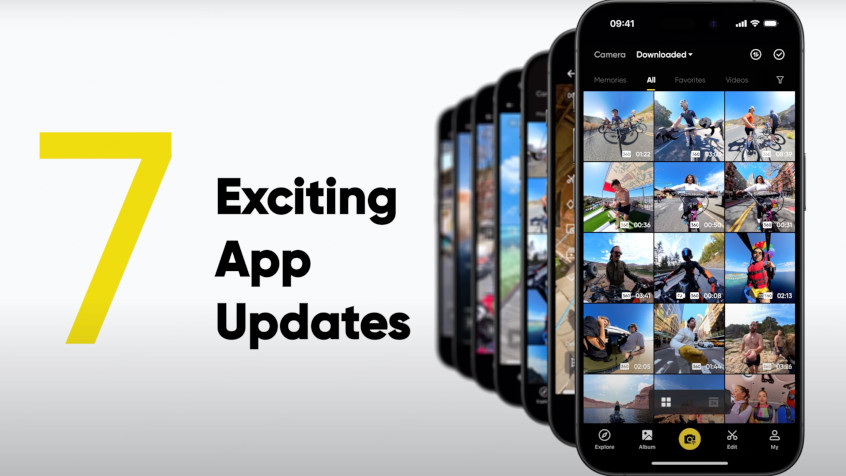


The Insta360 app has been revamped with all-new AI-powered updates that make editing easier and more intuitive. Here's a look at our most exciting new additions.
New Album Page
It's now easier than ever to find your best moments. Videos are arranged in a grid, allowing you to see more files on screen at once, and the thumbnails have been made larger too, with specific highlights picked out by AI for 360 footage, making them stand out and faster to find.
New Preview Editing
Make movies in an instant with the latest tools for editing, reframing, AI, and more, directly from the Preview page:
Editor
Tap Editor to access a suite of features that allow you to create the clips you want on the fly. With Frame Cut, you can select the segment—or segments—you want and jump right into the editing process. Afterwards, you can add the Stats Dashboard or discover more advanced options with FlashCut.
Record
The new Record feature allows you to add dynamic angles to your videos by tilting your phone to reframe. Combine this with traditional swiping movements and keyframes to get complete control of your footage. Once you're done, you can preview and export the footage right away.
Keyframes
This "key" feature has undergone a streamlining makeover that lets you add keyframes to your footage as soon as it's recorded. Change the perspective and the field of view with touch gestures and add your keyframes with a tap. This is clutch for getting the most out of panoramic videos.
Auto Edit
For totally unique videos, this is the option for you. Here, AI can automatically add music, wild camera moves, slick transitions, and more to your footage in moments. You can mix-and-match with your own edits too, so you'll always get the clip you want.
Preset Perspectives
If you can't decide what your best angles are, select AI Frame, and our smart director will automatically find the best view of your highlights. You can also lock in either the forward or selfie viewing angle with a tap and export in an instant. This feature is perfect for extreme sports, such as motorcycling and skiing, and nailing sensational selfies.
New FOV Options
With Dewarp and Zoom, you can find your desired field of view in a flash. To remove the fisheye effect from your footage, tap Dewarp—that's it! With Zoom, there's a handy slider that gives you total flexibility, and options for immediately getting the ultra-wide Tiny Planet or the super-tight Narrow looks.
With so many options at your fingertips (literally!), version 2.0 of the Insta360 app makes editing and exporting your 360 videos as fun as the shoot itself. Upgrade today and start creating!
Keen to keep up to date on Insta360 stories? Keep an eye on our blog and sign up for our mailing list. Got a story to share? Email yours to communitystories@insta360.com and win up to US$50.




%20(1).svg)


%20(1).svg)

.svg)


