
















































Stitching Calibration Tutorial
- 1. Connect the camera to your phone (How do I connect it?), open ONE X App->Settings->More camera settings->Calibrate Stitching.
- 2. Please put the device horizontally, and follow the instruction to rotate your camera 90° in turn.
- 3. Finally, tap "Confirm" to finish stitching calibration.
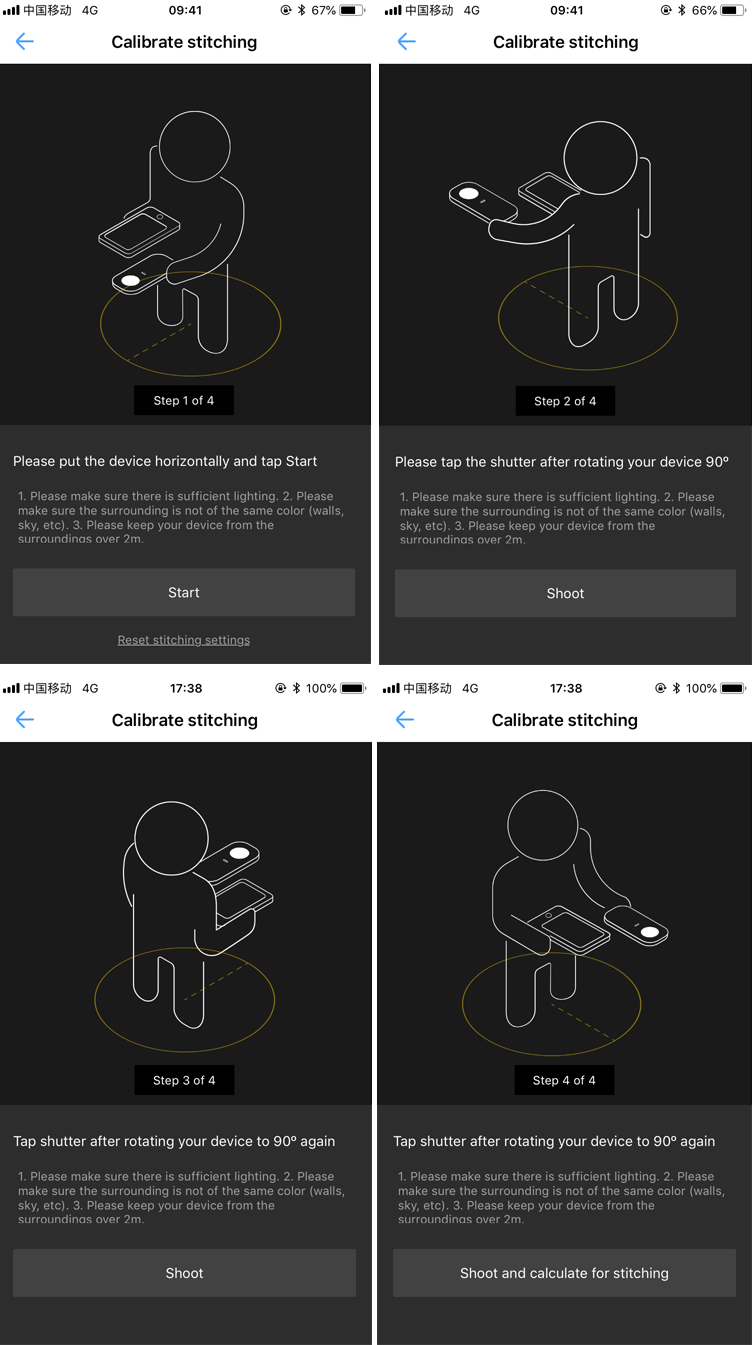
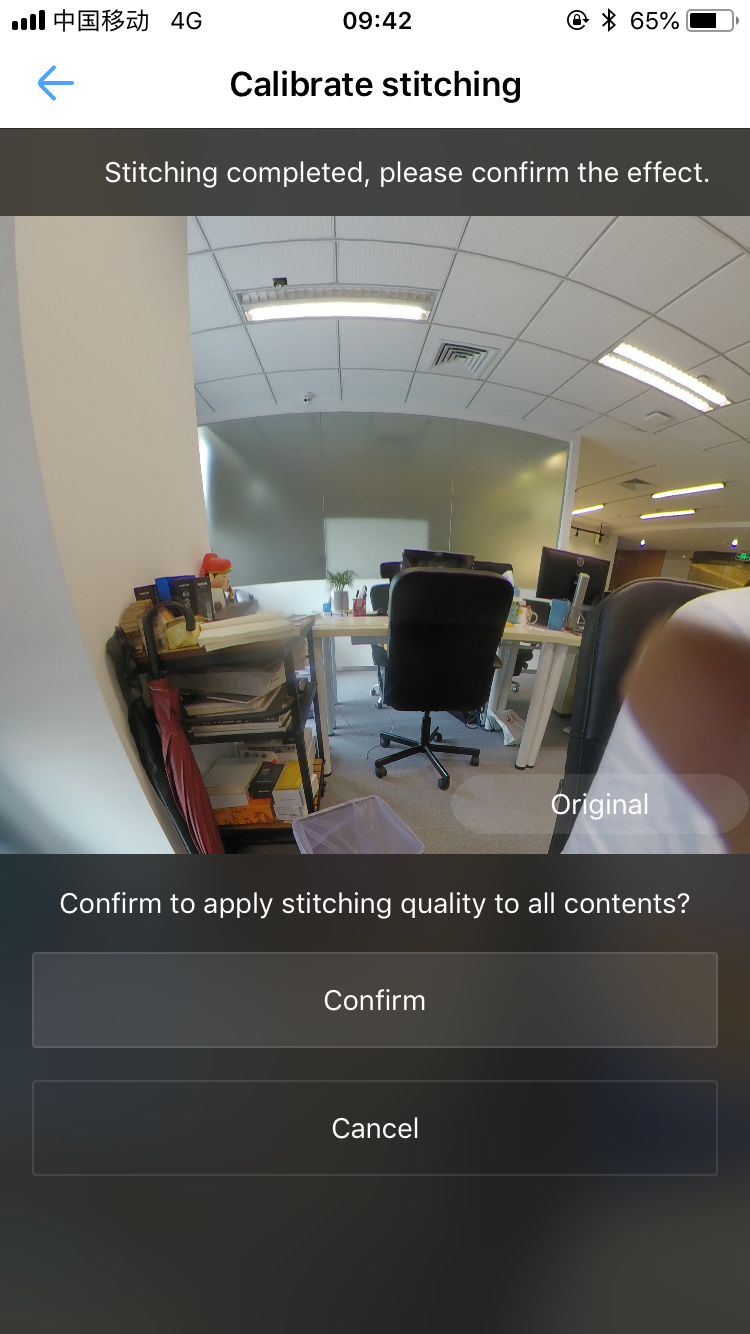 Importance: Please do not exit the App or disconnect the camera in the calibration.
Was this information helpful?
.svg)


Insta360 Trade-In
Get more from gear you're not using.
Learn more
Subscribe
Get the latest news from Insta360

I agree with the Privacy Policy and I'd like to receive the latest Insta360 news and deals by email. I understand I can contact Insta360 to unsubscribe at any time.


%20(1).svg)


%20(1).svg)

.svg)


Chat
Office Hours: 24/7
Start now

Email

