

How do I adjust shooting parameters?
1.Connect EVO with your phone.(How do I connect it?)
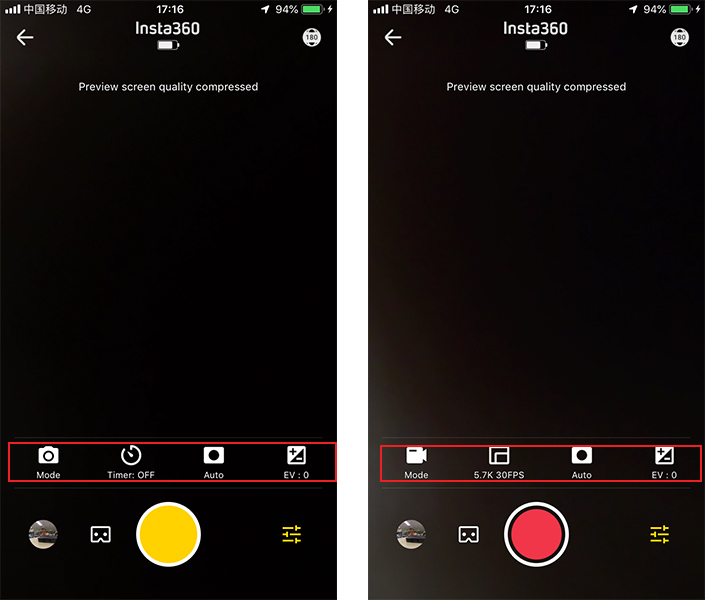
2.Open the EVO App and enter the camera interface. Tap settings in the lower right corner to adjust the shooting mode and parameters. In photo mode, you can choose single photo, HDR photo and Interval photo. In video mode, you can choose normal video, HDR video and Time-lapse video. Then, you can adjust the parameters as you please.
Was this information helpful?
.svg)

구독하기
Insta360 최신 소식을 만나보세요!

저는 개인정보 보호정책에 동의하며, 이메일로 최신 Insta360 소식과 할인 정보를 받고 싶습니다. 언제든지 Insta360에 연락하여 구독을 취소할 수 있다는 점을 이해합니다.


%20(1).svg)


%20(1).svg)

.svg)


구매 안내
주문 및 결제
구매 전 문의
반품 및 환불
 영업 시간: 10:00‑19:00 (GMT+9)
제품 지원
트러블슈팅·도움말
보증·수리 서비스
영업 시간: 10:00‑19:00 (GMT+9)