

How do I connect the ONE X to my computer?
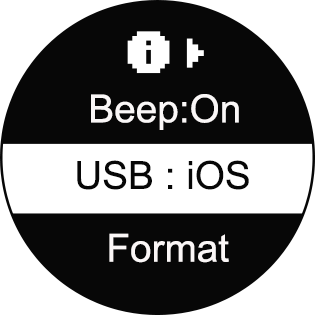
- 1. Please ensure the camera's USB mode is switched to iOS mode (press and hold the power button to turn the camera on, enter Settings->More Settings menu, select "USB" to check or adjust the mode).
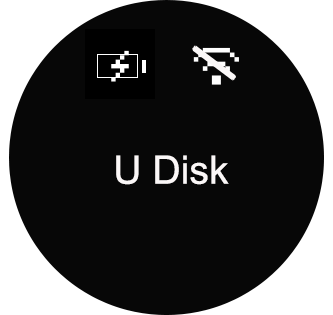
- 2. Connect the camera to your computer with a USB cable, press and hold the power button to turn it on. Wait for the camera to change to "U Disk" mode. The computer should now read the camera's SD card directly.
Was this information helpful?
.svg)

구독하기
Insta360 최신 소식을 만나보세요!

저는 개인정보 보호정책에 동의하며, 이메일로 최신 Insta360 소식과 할인 정보를 받고 싶습니다. 언제든지 Insta360에 연락하여 구독을 취소할 수 있다는 점을 이해합니다.


%20(1).svg)


%20(1).svg)

.svg)


구매 안내
주문 및 결제
구매 전 문의
반품 및 환불
 영업 시간: 10:00‑19:00 (GMT+9)
제품 지원
트러블슈팅·도움말
보증·수리 서비스
영업 시간: 10:00‑19:00 (GMT+9)