
















































Export and share
Download to the GO app album
1. Connect GO to your phone via the Charge Case.
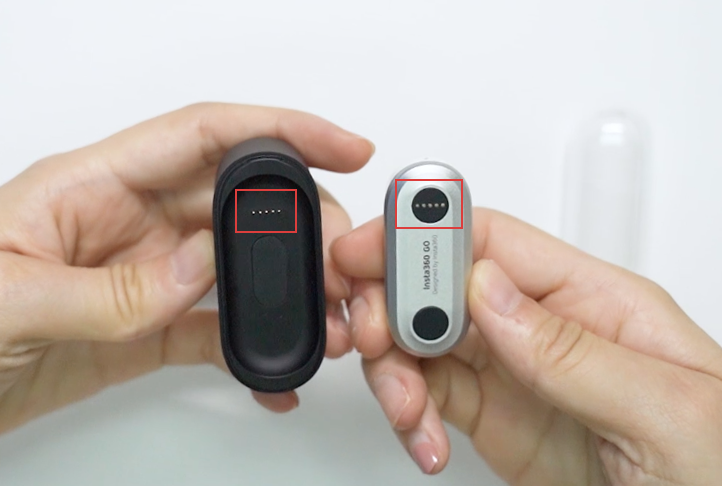 2. Open the GO app -> tap Album->Camera Album.
3. Click photo and it will be downloaded automatically to the app album.
2. Open the GO app -> tap Album->Camera Album.
3. Click photo and it will be downloaded automatically to the app album.
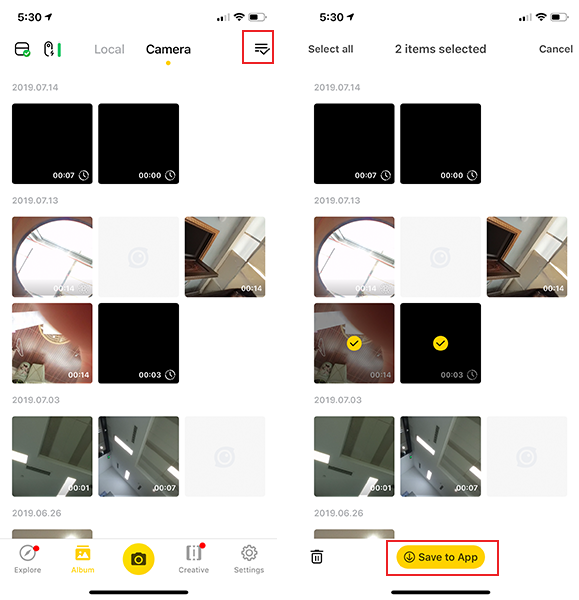 4. Alternatively, you can tap the icon in the right corner and select multiple files. Then tap "Save to App" at the bottom, the files will be downloaded automatically.
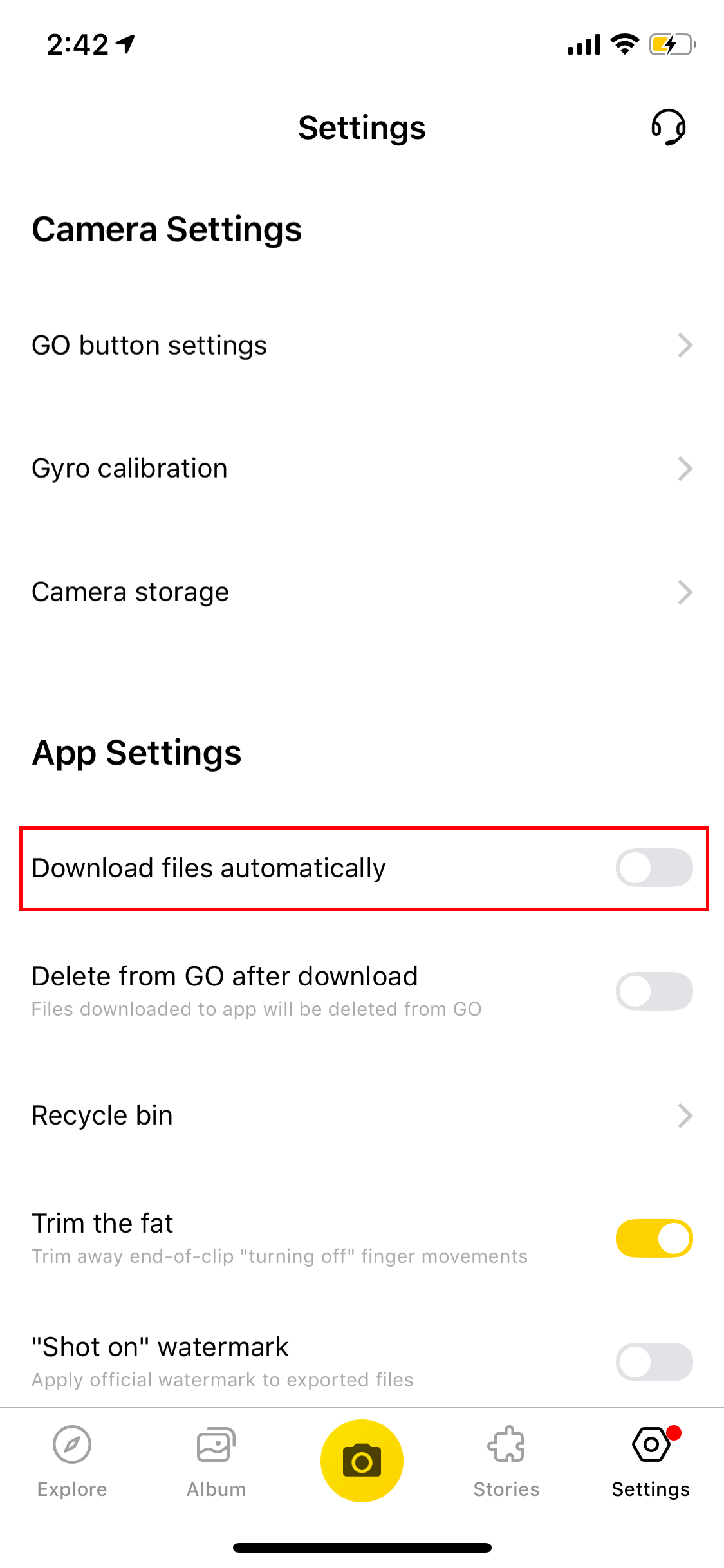
5. You can also turn on "Auto Download Files" in the settings, then the camera's files will be download to your app automatically once GO is connected.
4. Alternatively, you can tap the icon in the right corner and select multiple files. Then tap "Save to App" at the bottom, the files will be downloaded automatically.
5. You can also turn on "Auto Download Files" in the settings, then the camera's files will be download to your app automatically once GO is connected.
 Export to your computer
1. Connect the GO and computer with official USB cable.
2. Open the GO folder "DCIM-Camera01” and export the files.
Share
1. Open GO App.
2. Tap Album -> select a photo/video.
3. Tap the Share button in the top right corner.
Export to your computer
1. Connect the GO and computer with official USB cable.
2. Open the GO folder "DCIM-Camera01” and export the files.
Share
1. Open GO App.
2. Tap Album -> select a photo/video.
3. Tap the Share button in the top right corner.
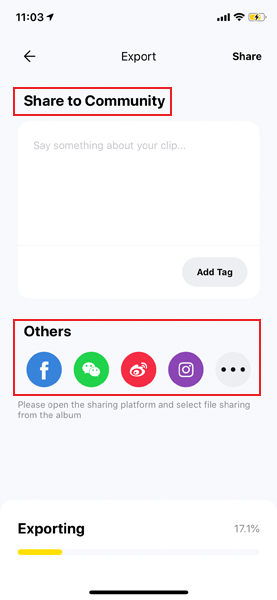
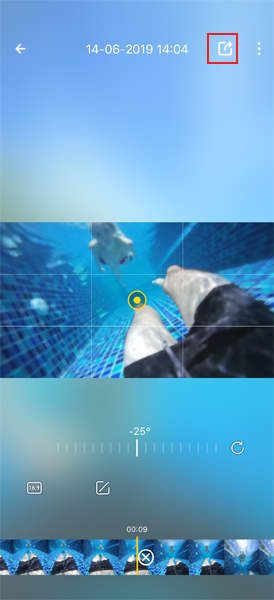 4. Then the files will be saved to your phone's local album automatically, then you can directly share to Insta360 community or other social platforms.
2. Open the GO app -> tap Album->Camera Album.
3. Click photo and it will be downloaded automatically to the app album.
4. Alternatively, you can tap the icon in the right corner and select multiple files. Then tap "Save to App" at the bottom, the files will be downloaded automatically.
5. You can also turn on "Auto Download Files" in the settings, then the camera's files will be download to your app automatically once GO is connected.
Export to your computer
1. Connect the GO and computer with official USB cable.
2. Open the GO folder "DCIM-Camera01” and export the files.
Share
1. Open GO App.
2. Tap Album -> select a photo/video.
3. Tap the Share button in the top right corner.
4. Then the files will be saved to your phone's local album automatically, then you can directly share to Insta360 community or other social platforms.
Was this information helpful?
.svg)


Insta360 Trade-In
Saca más partido al equipo que no utilizas.
Conoce mas
Suscríbete
Recibe las últimas noticias de Insta360

Estoy de acuerdo con la Política de Privacidad y me gustaría recibir las últimas noticias y ofertas de Insta360 por correo electrónico. Entiendo que puedo contactar con Insta360 y dar de baja mi suscripción en cualquier momento.
.svg)


%20(1).svg)

%20(1).svg)


Soporte de compra
Preguntas antes de la compra
Pedidos & Pago
Devoluciones & Reembolsos
 Horario de oficina: 9:00-18:00 (UTC+1)
Soporte del producto
Solución de problemas & Ayuda
Reparaciones & Garantía
Horario de oficina: 9:00-18:00 (UTC+1)
