

















































How to activate EVO with an Android phone?
1.Press and hold the round button on the top of the camera for 3 seconds to turn on the camera.
2.Enter the EVO app, tap the camera icon at the bottom of the screen and select "Connect via WiFi". Then, follow the on-screen instructions to connect your device. (The name of the camera is "EVO******” by default, where ****** is the last six digits of the camera's serial number, you can find the serial number on the box the EVO came in). The first time you connect to the camera via WiFi, press the round button on the top of the camera to confirm your connection.
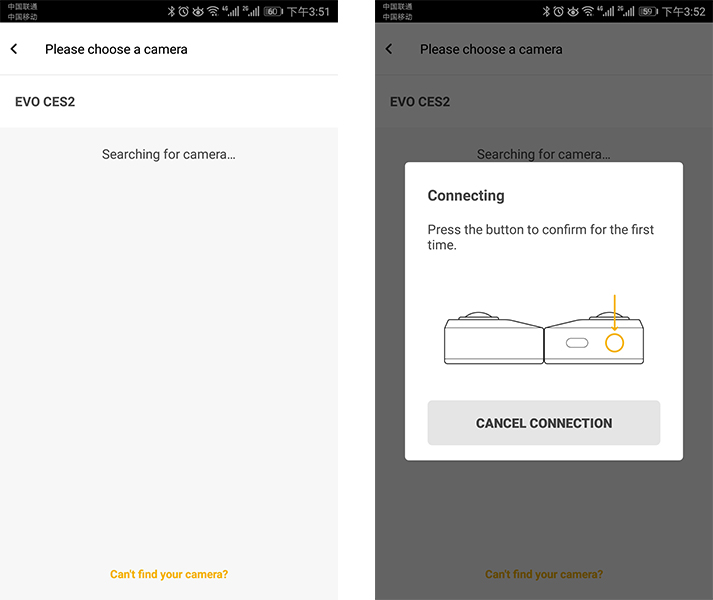 3.Select your current region, follow the on-screen instructions to go to the WiFi settings on your phone. Select EVO’s WiFi and enter the password (password is 12345678 by default).
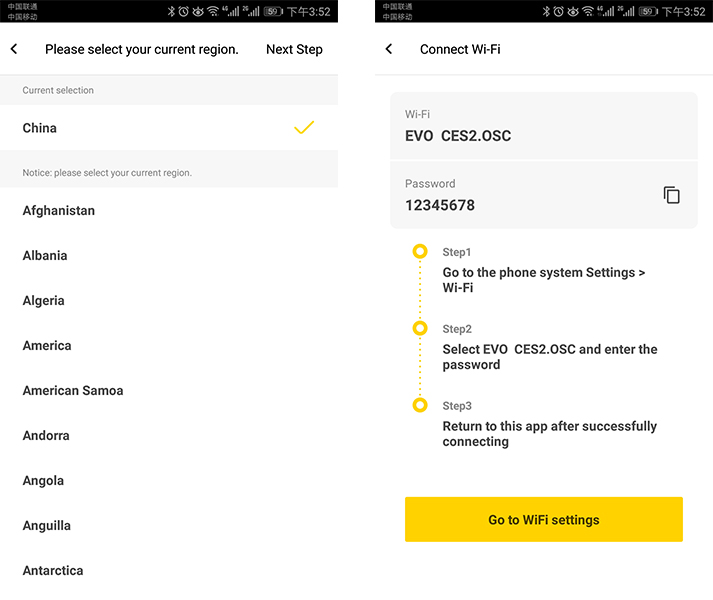 4.Return to the EVO App. Follow the instructions to go to your WiFi settings to connect to Wi-Fi that can normally access the Internet or mobile data.
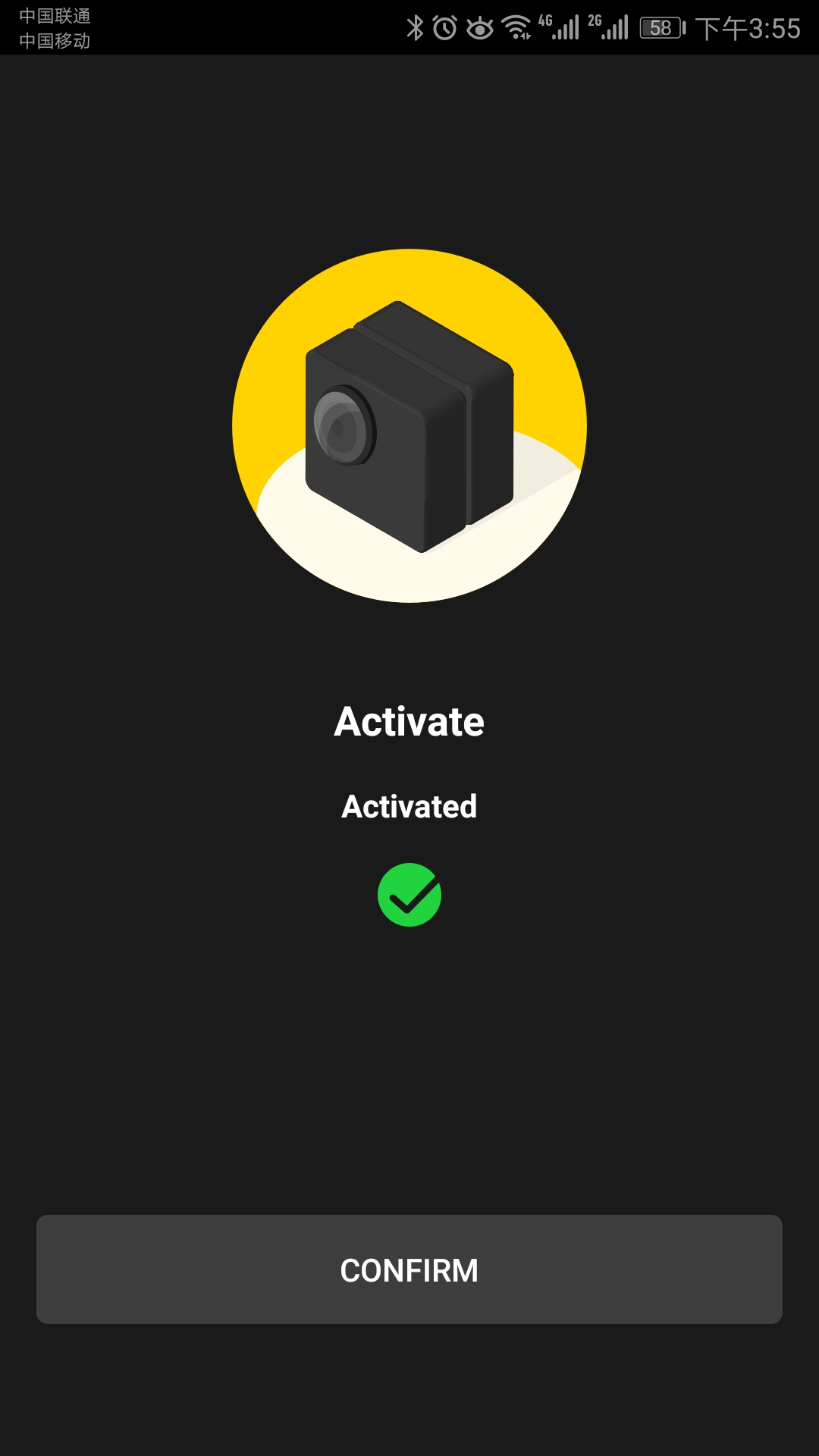
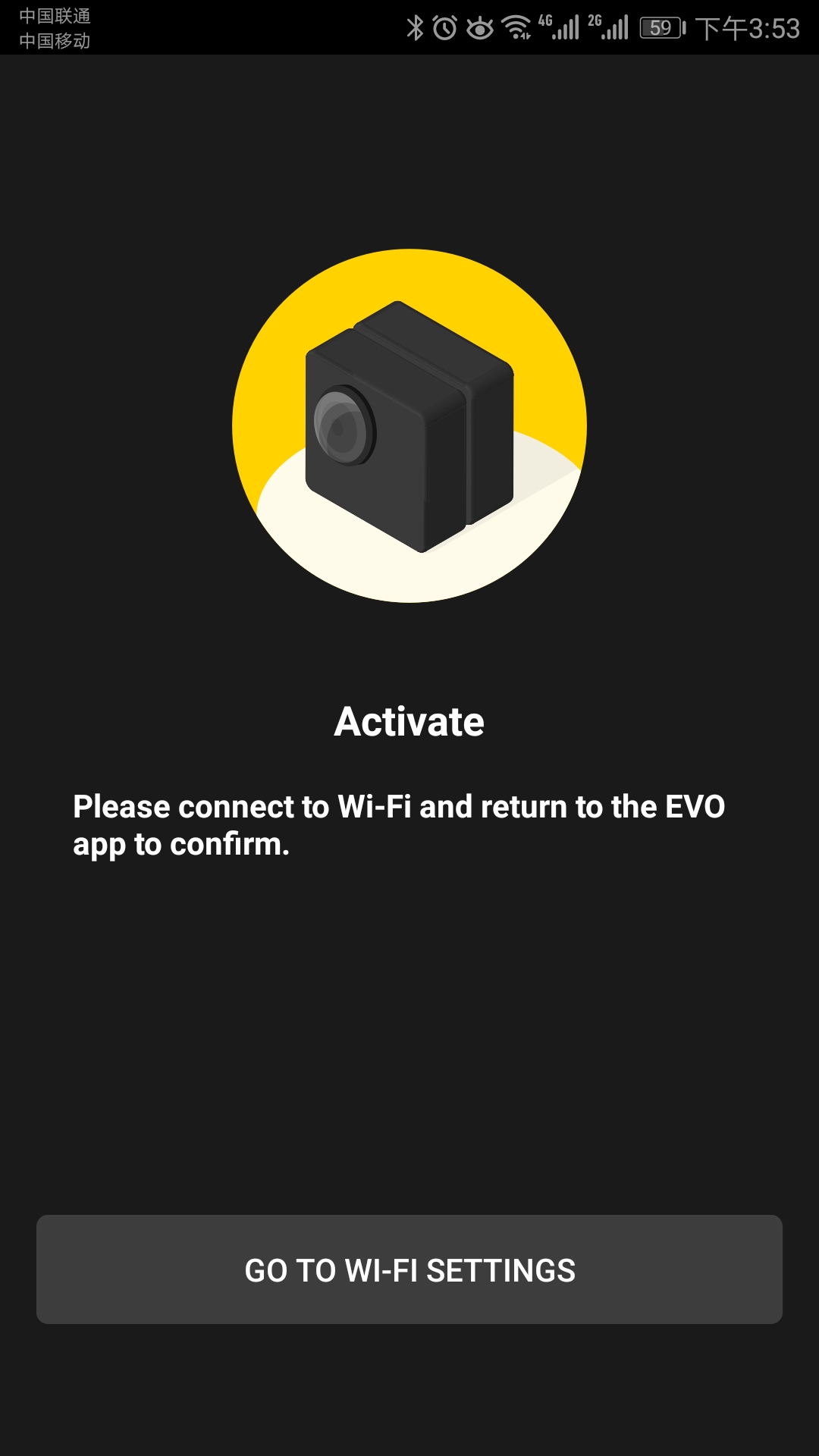 5. Return to the EVO App, tap 'Activate'. After your camera is activated, connect to your EVO’s WiFi again, then you can take photos or shoot videos via the app.
3.Select your current region, follow the on-screen instructions to go to the WiFi settings on your phone. Select EVO’s WiFi and enter the password (password is 12345678 by default).
4.Return to the EVO App. Follow the instructions to go to your WiFi settings to connect to Wi-Fi that can normally access the Internet or mobile data.
5. Return to the EVO App, tap 'Activate'. After your camera is activated, connect to your EVO’s WiFi again, then you can take photos or shoot videos via the app.
Was this information helpful?
.svg)


Insta360 Trade-In
Saca más partido al equipo que no utilizas.
Conoce mas
Suscríbete
Recibe las últimas noticias de Insta360

Estoy de acuerdo con la Política de Privacidad y me gustaría recibir las últimas noticias y ofertas de Insta360 por correo electrónico. Entiendo que puedo contactar con Insta360 y dar de baja mi suscripción en cualquier momento.
.svg)


%20(1).svg)

%20(1).svg)


Soporte de compra
Preguntas antes de la compra
Pedidos & Pago
Devoluciones & Reembolsos
 Horario de oficina: 9:00-18:00 (UTC+1)
Soporte del producto
Solución de problemas & Ayuda
Reparaciones & Garantía
Horario de oficina: 9:00-18:00 (UTC+1)
