







































How do I turn on OTG feature on my Android phone?
Note:As for the sync cable connection, you need to enable the OTG feature first on some Android phones such as Vivo, OPPO and Sony to establish the connection.
*For OPPO devices, please turn on OTG feature in system setting first and then plug the camera into your phone.
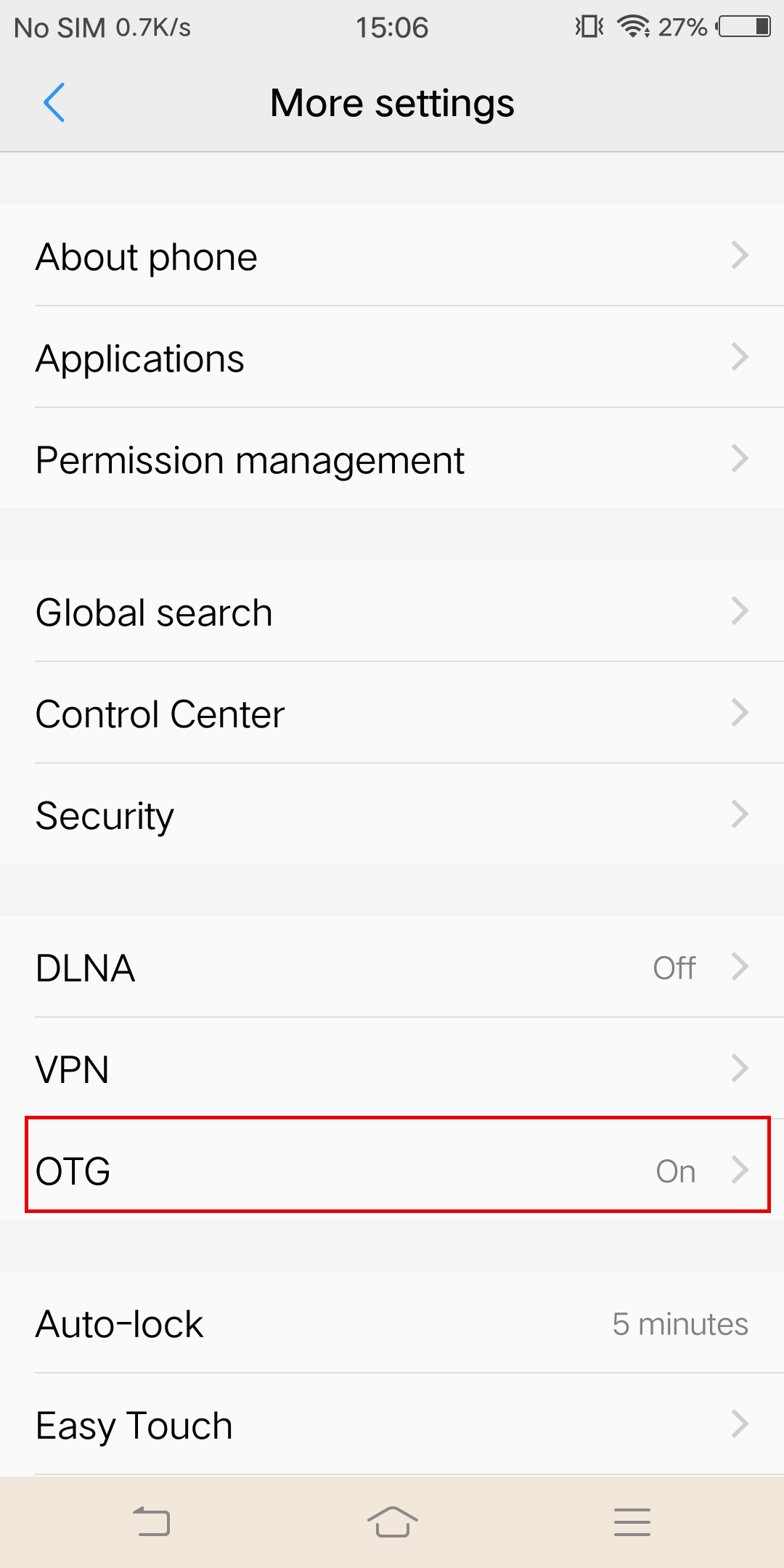
*For vivo devices, please turn on OTG feature in setting first and then plug the camera into your phone.
 *For Sony devices, after connecting your phone with sync cable, enter setting, tap 'USB Connectivity', and turn on 'Detect USB device'.
*For Sony devices, after connecting your phone with sync cable, enter setting, tap 'USB Connectivity', and turn on 'Detect USB device'.
Was this information helpful?
.svg)


Insta360 Trade-In
Saca más partido al equipo que no utilizas.
Conoce mas
Suscríbete
Recibe las últimas noticias de Insta360

Estoy de acuerdo con la Política de Privacidad y me gustaría recibir las últimas noticias y ofertas de Insta360 por correo electrónico. Entiendo que puedo contactar con Insta360 y dar de baja mi suscripción en cualquier momento.
.svg)


%20(1).svg)

%20(1).svg)


Soporte de compra
Preguntas antes de la compra
Pedidos & Pago
Devoluciones & Reembolsos
 Horario de oficina: 9:00-18:00 (UTC+1)
Soporte del producto
Solución de problemas & Ayuda
Reparaciones & Garantía
Horario de oficina: 9:00-18:00 (UTC+1)
