















































With ONE R you can rotate your video to give an inception like barrel roll effect. It’s a head-turner, and is super simple to pull off. Here’s how it’s done.
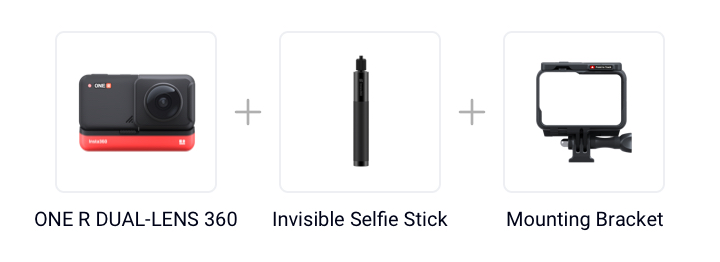
Gear used: ONE R DUAL-LENS 360 +Invisible Selfie Stick+ Mounting Bracket
Steps:
Step 1: The Prep
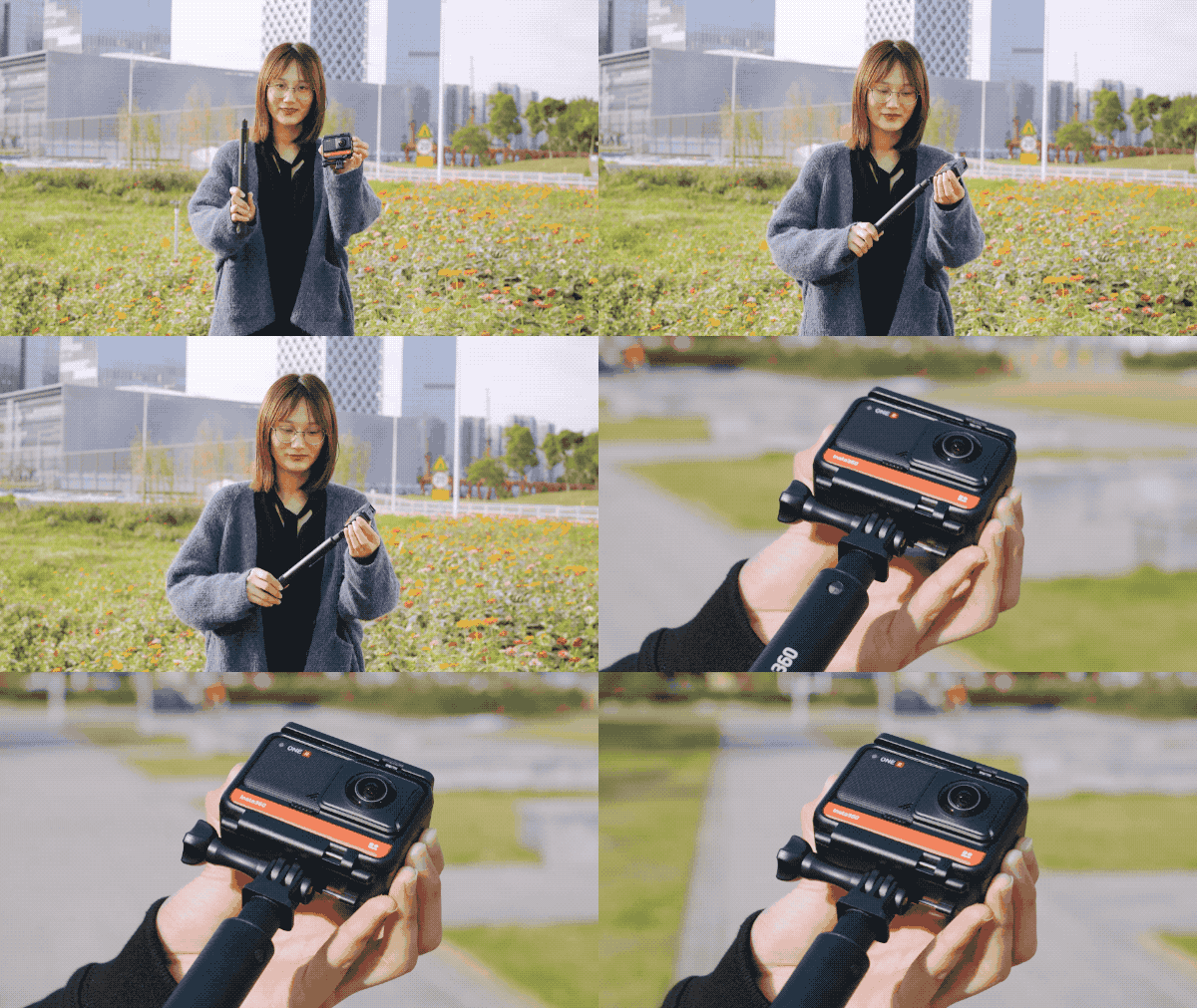
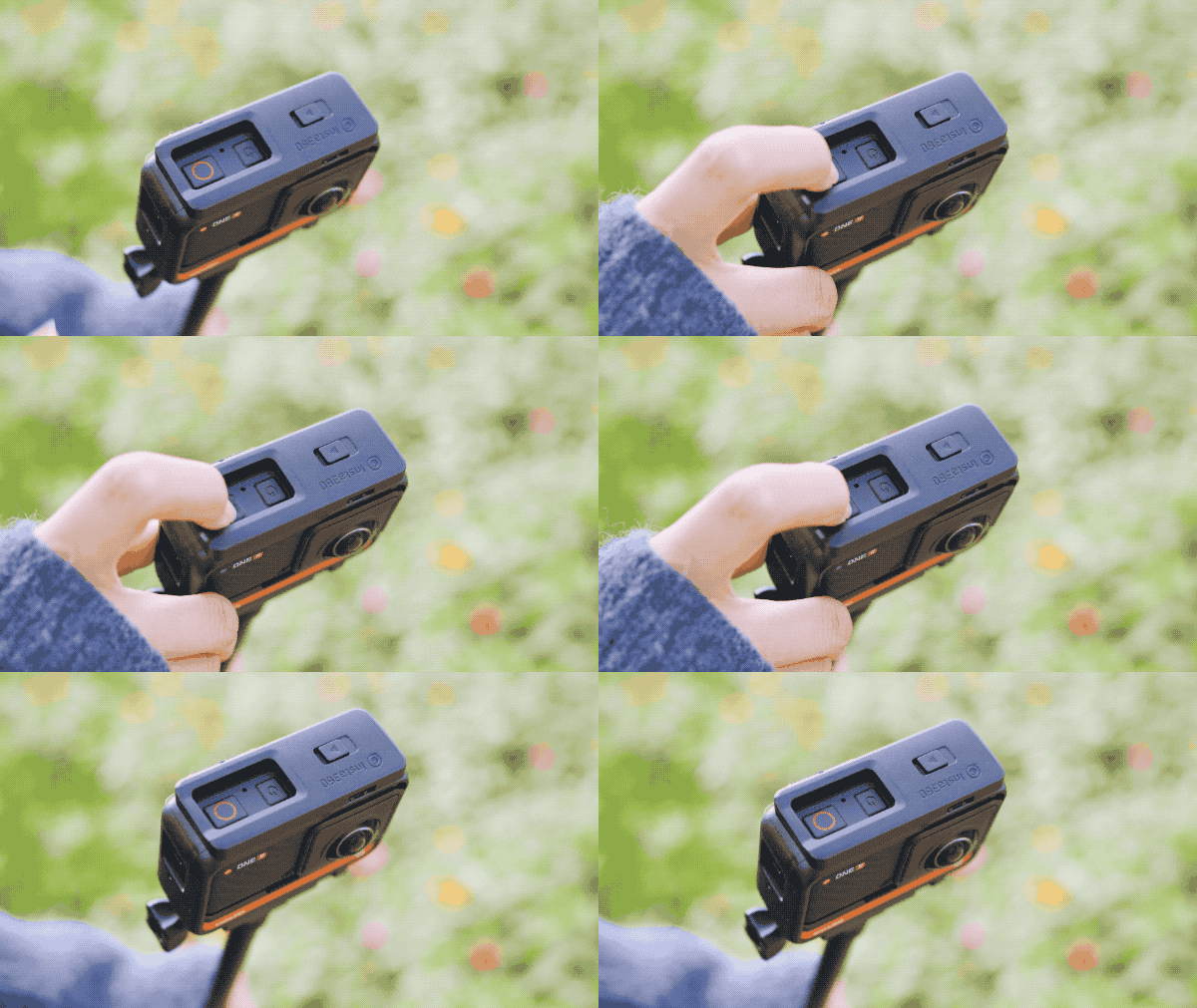
Mount your ONE R (360 Build) onto the Invisible Selfie Stick.
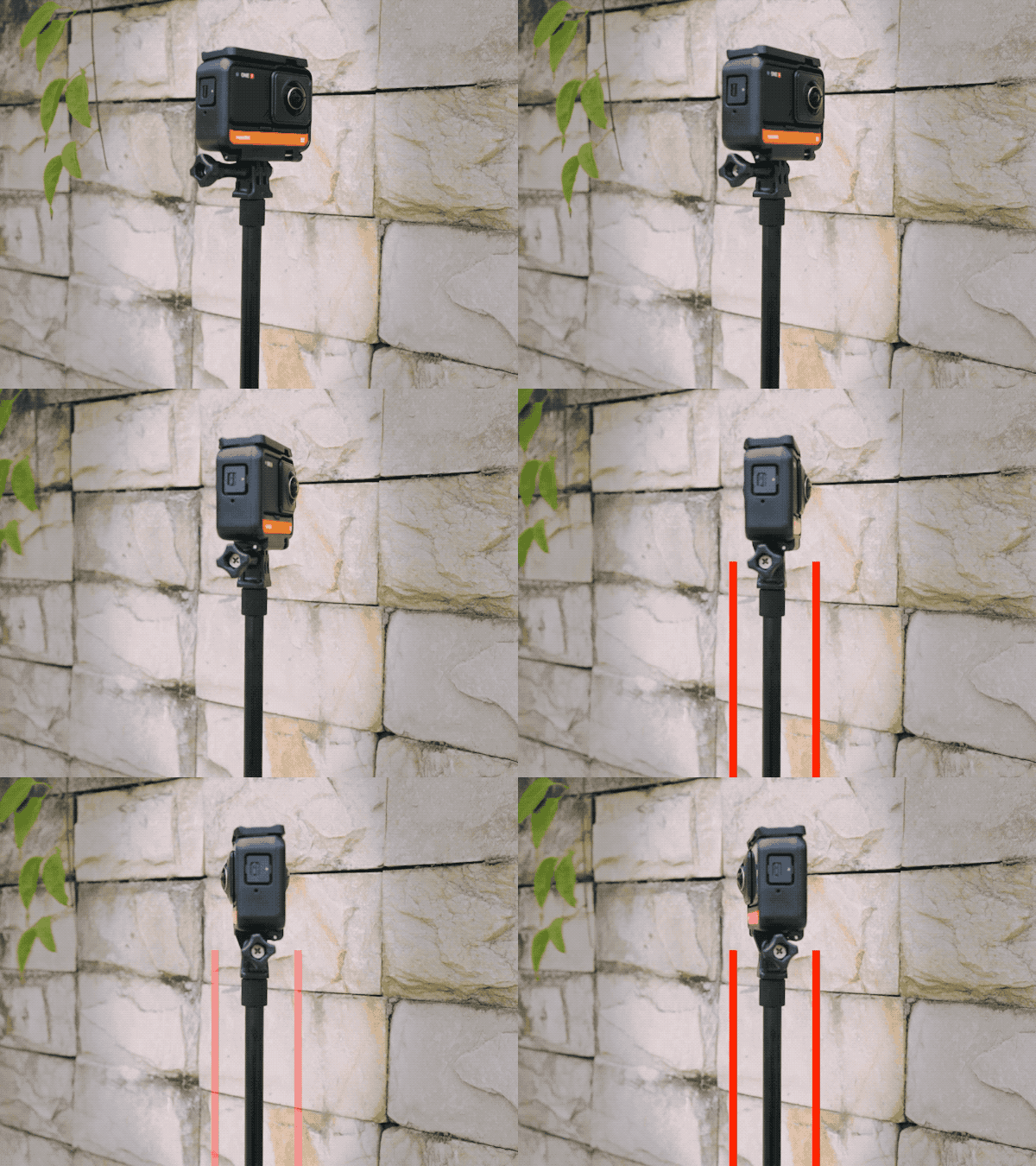
Keep the selfie stick and the camera aligned.
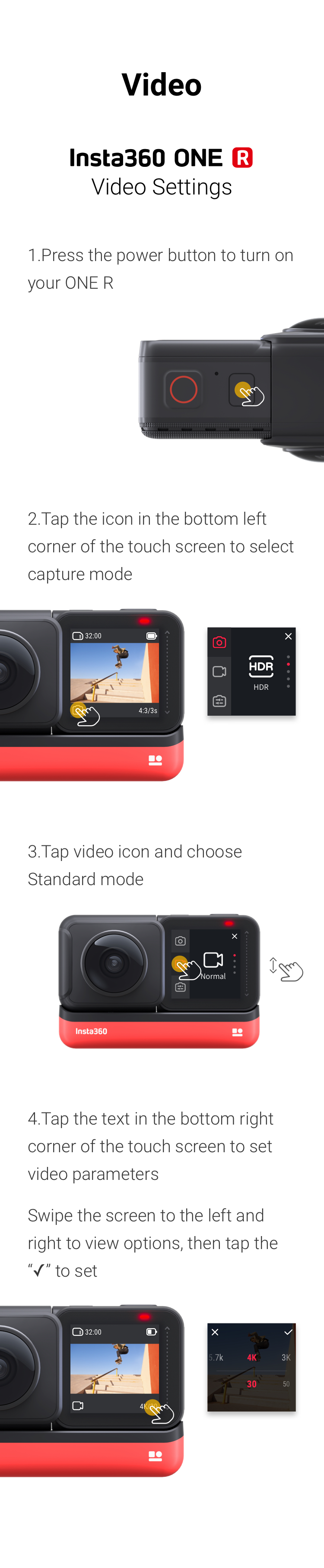
Video Settings.
Step 2: The Shot.
(1) Start recording.
(2)Stand in the middle of a long, narrow area and walk forwards.
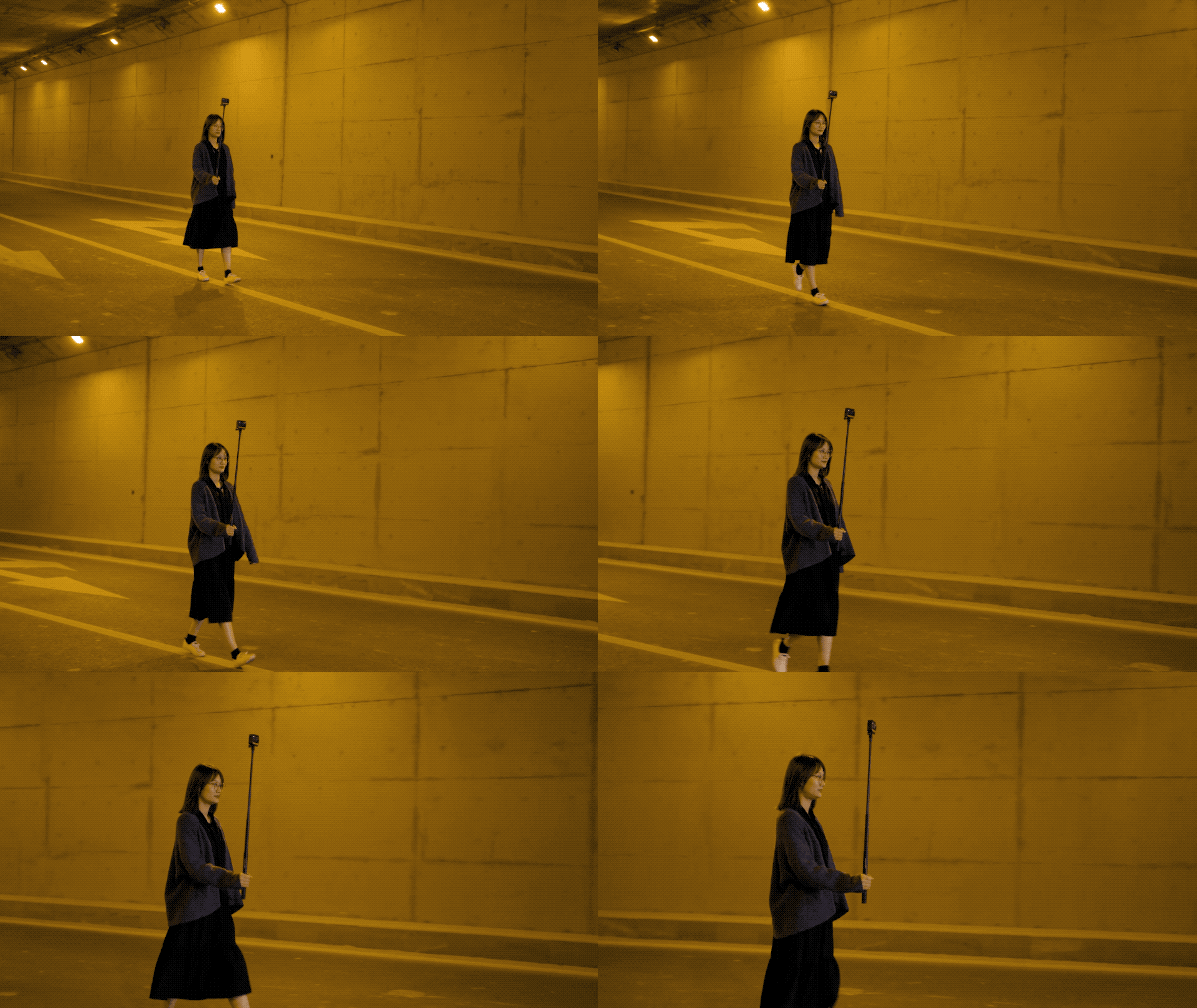
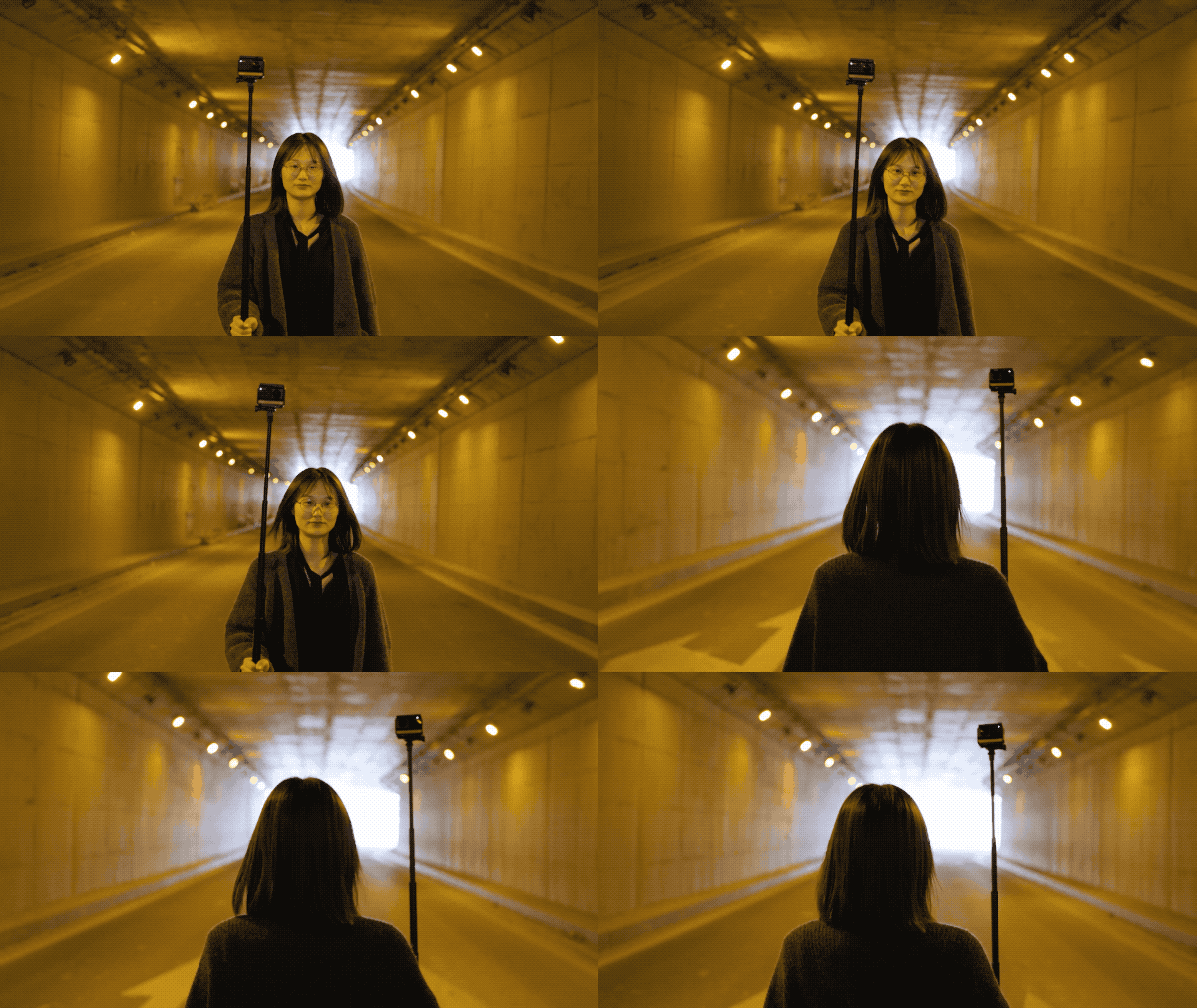
(3)Keep the camera in front of you and stable. Walk for at least 30 seconds.
Step 3: The Edit.
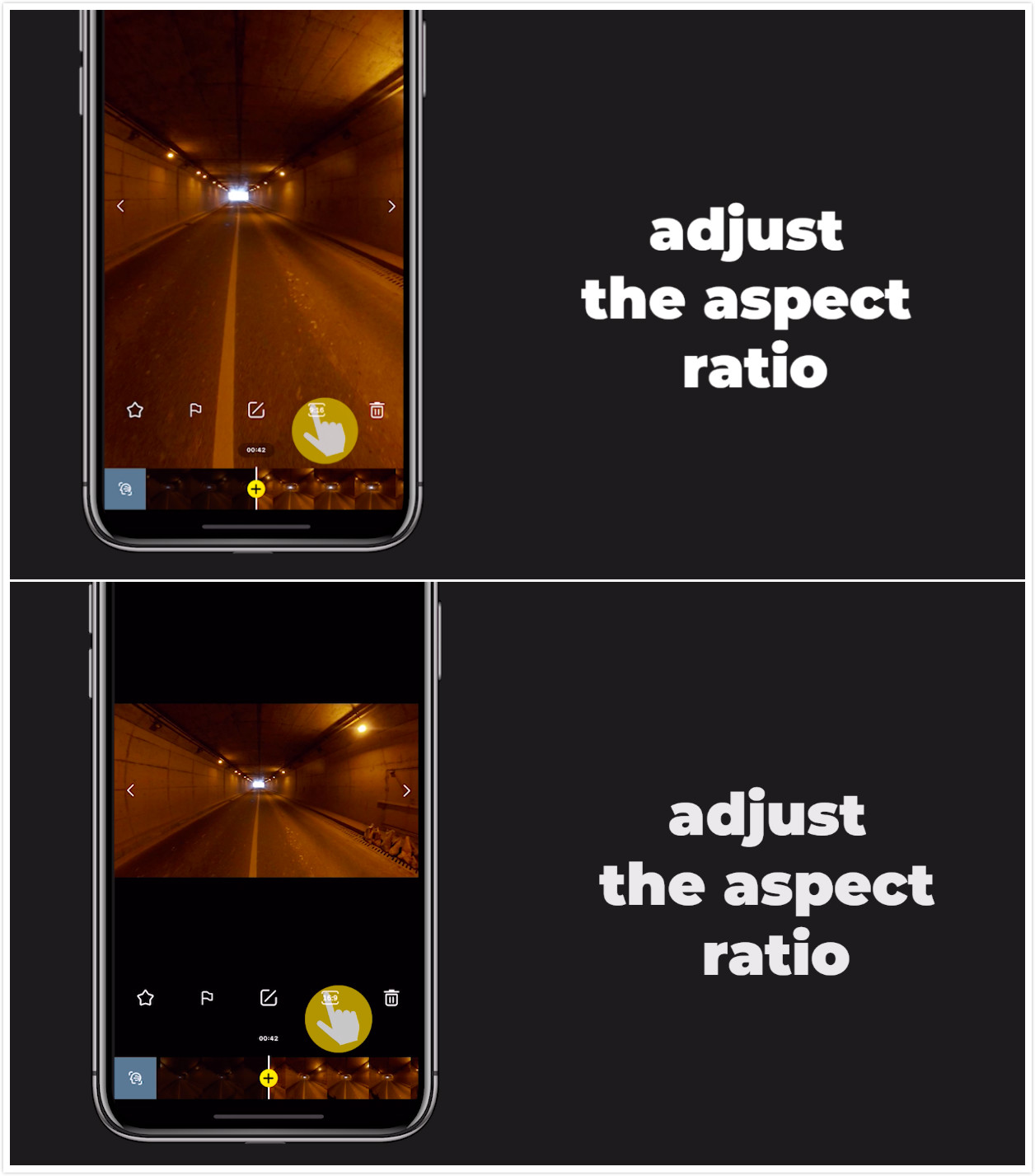
(1)After downloading your content,adjust the aspect ratio.
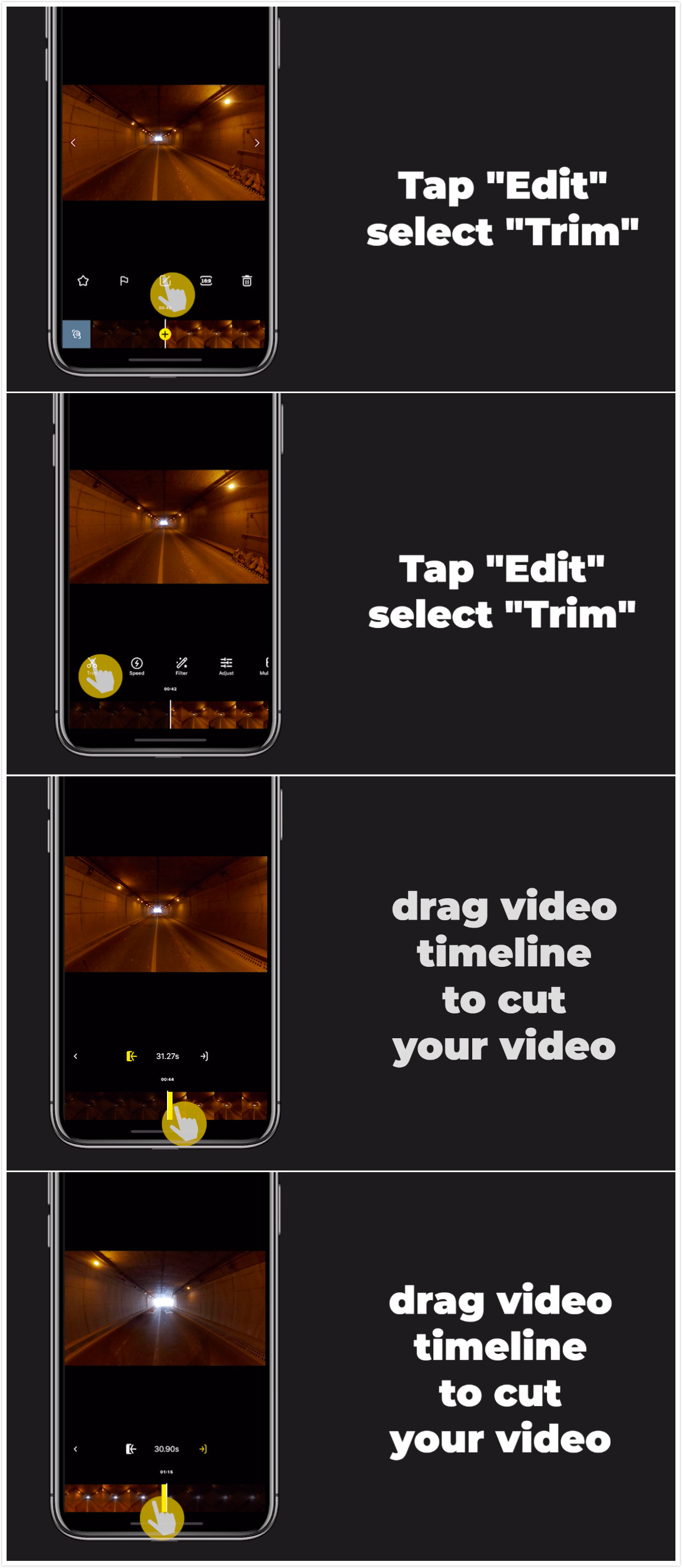
(2)Tap "Edit", select "Trim" and drag video timeline to trim your video.
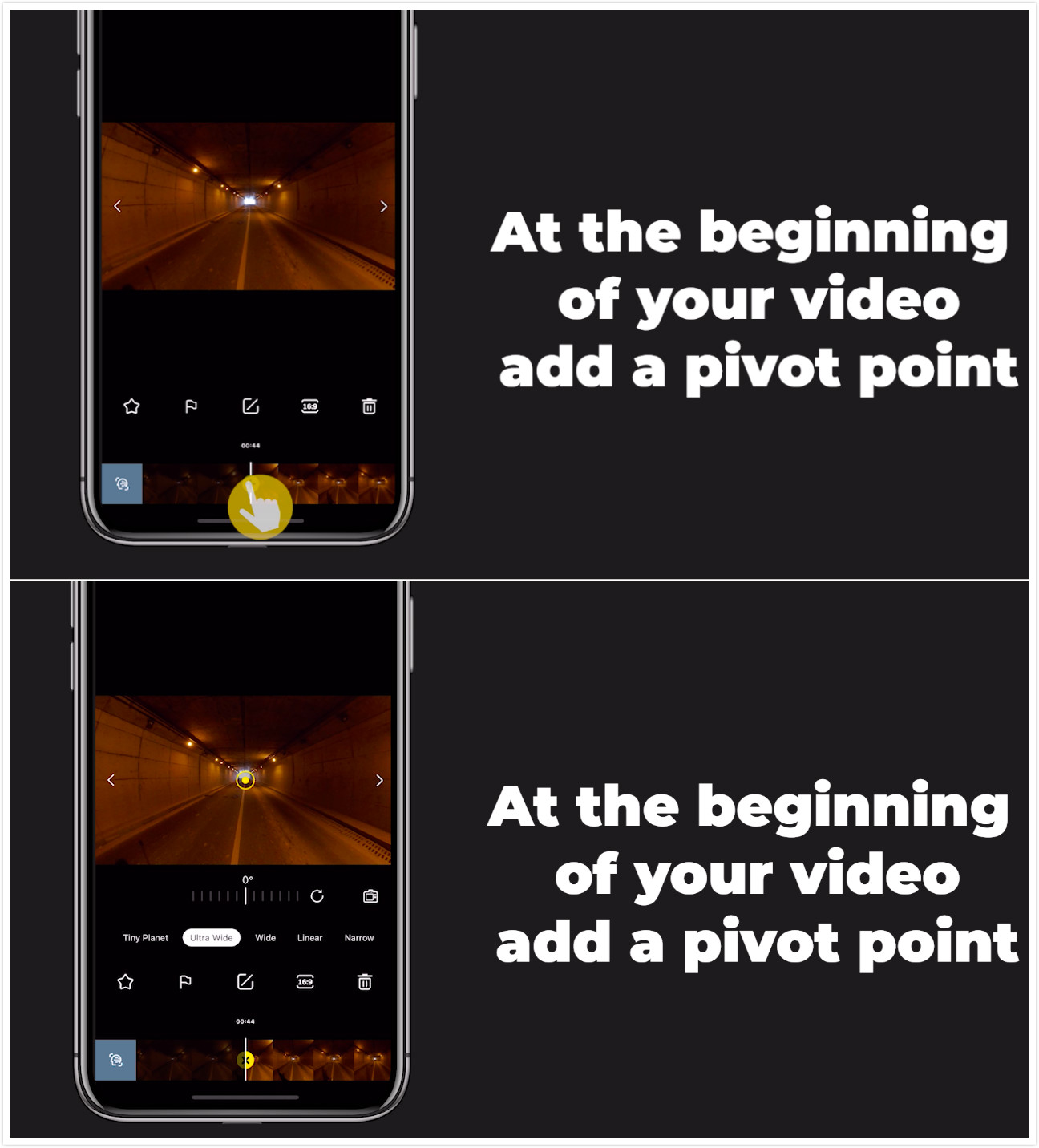
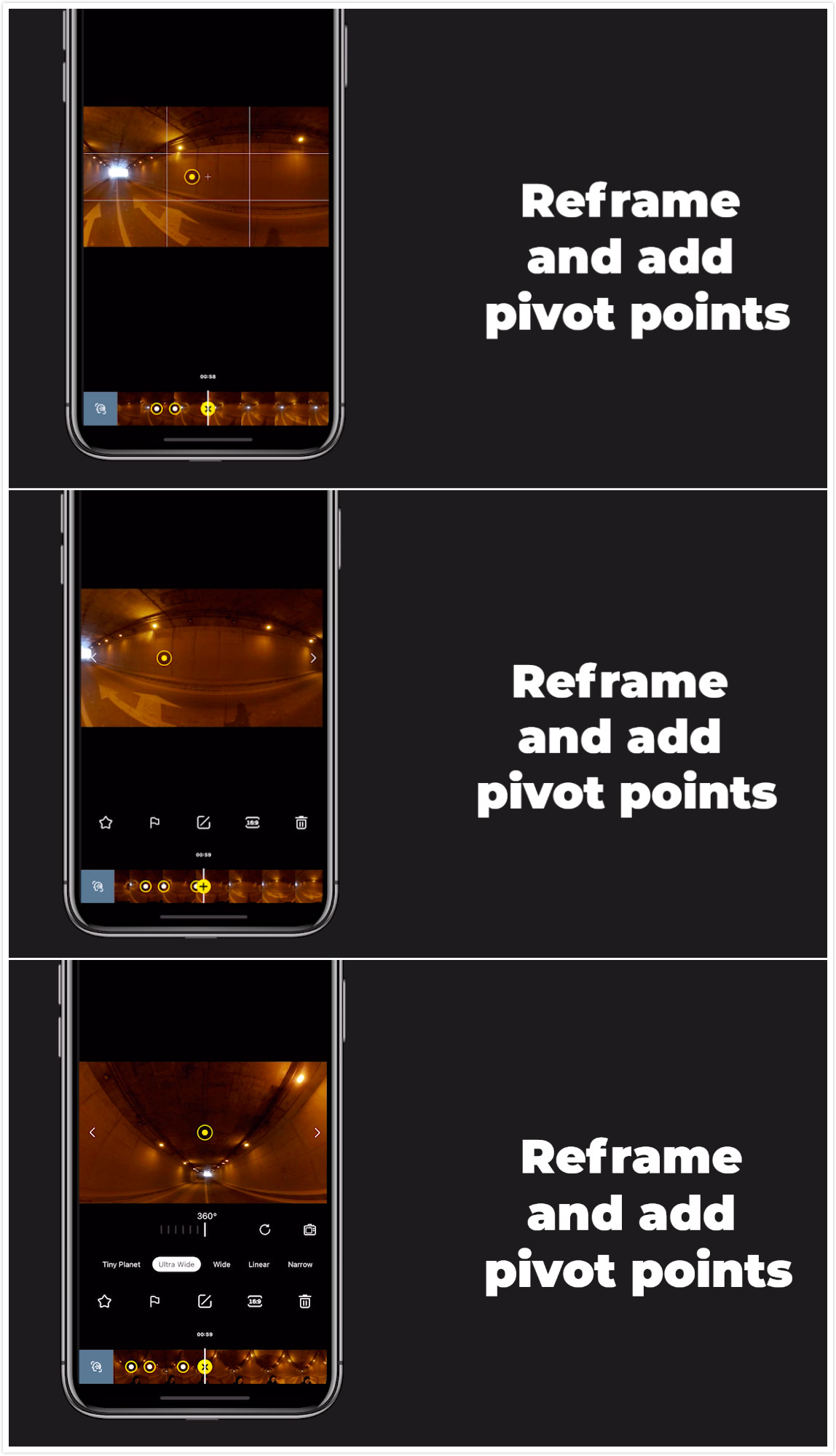
(3)At the beginning of your video, add a pivot point.
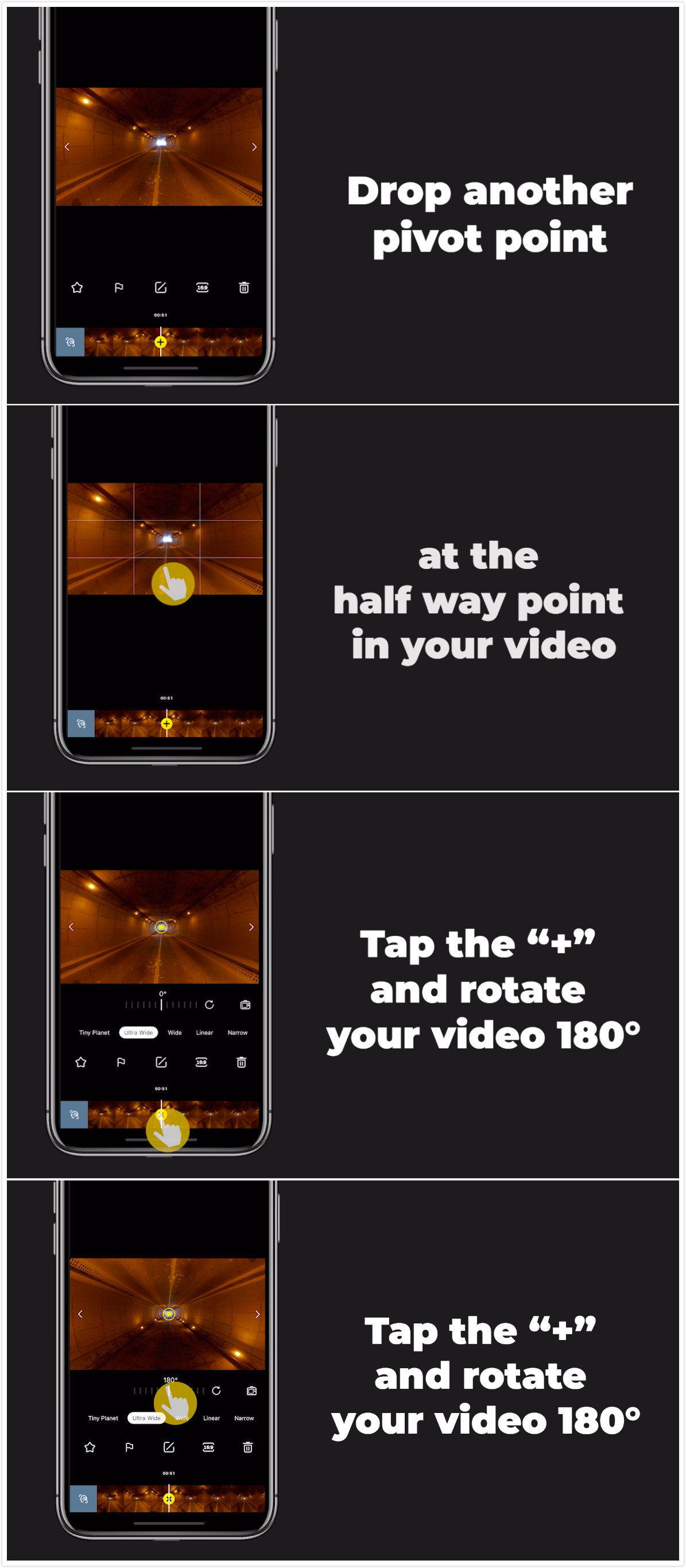
(4)Drop another pivot point at the half way point in your video.Tap the “+” and rotate your video 180°.
(5)At the end of the video, add another pivot point and rotate your video 360°
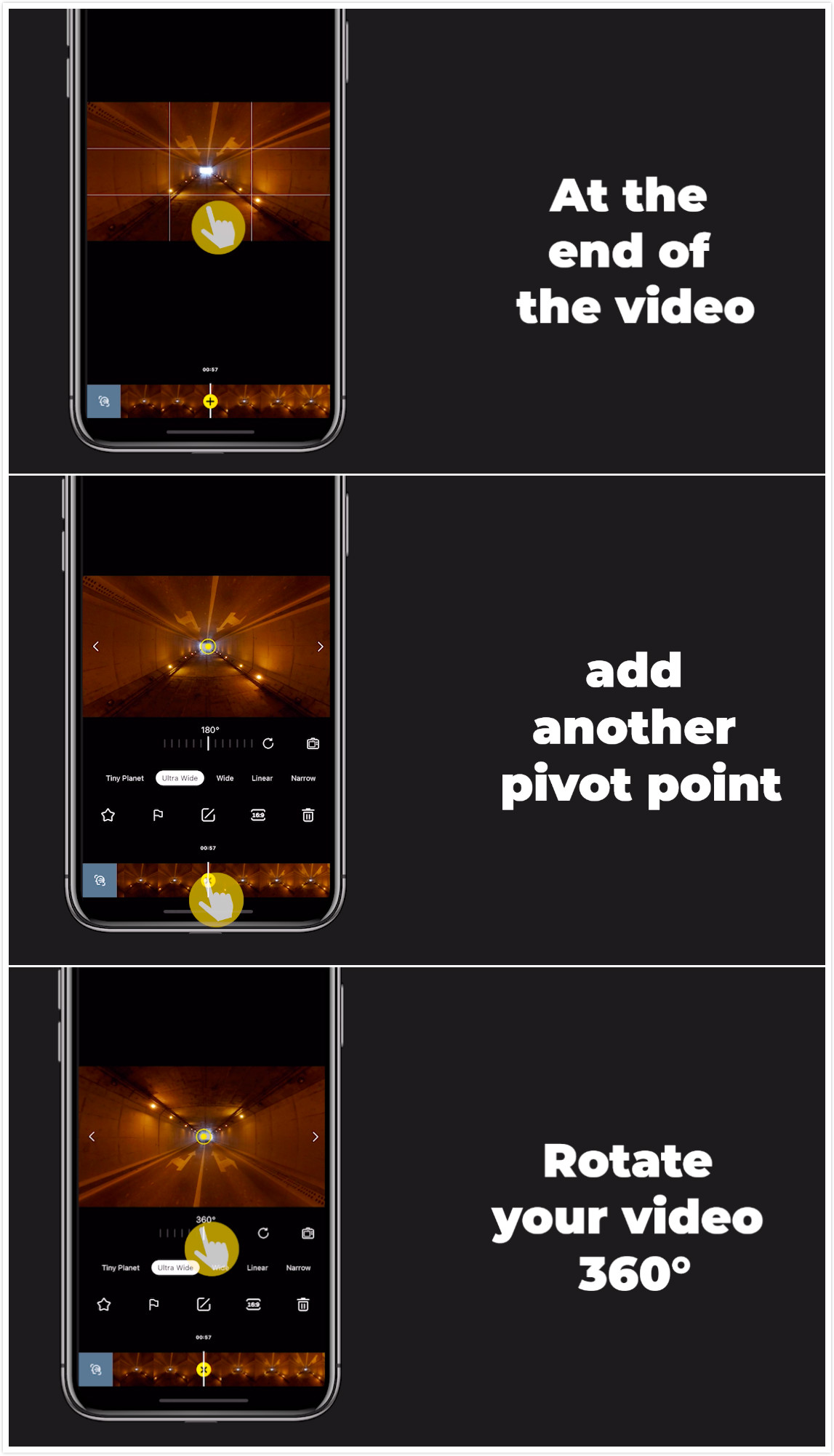
(6)Reframe and add pivot points.
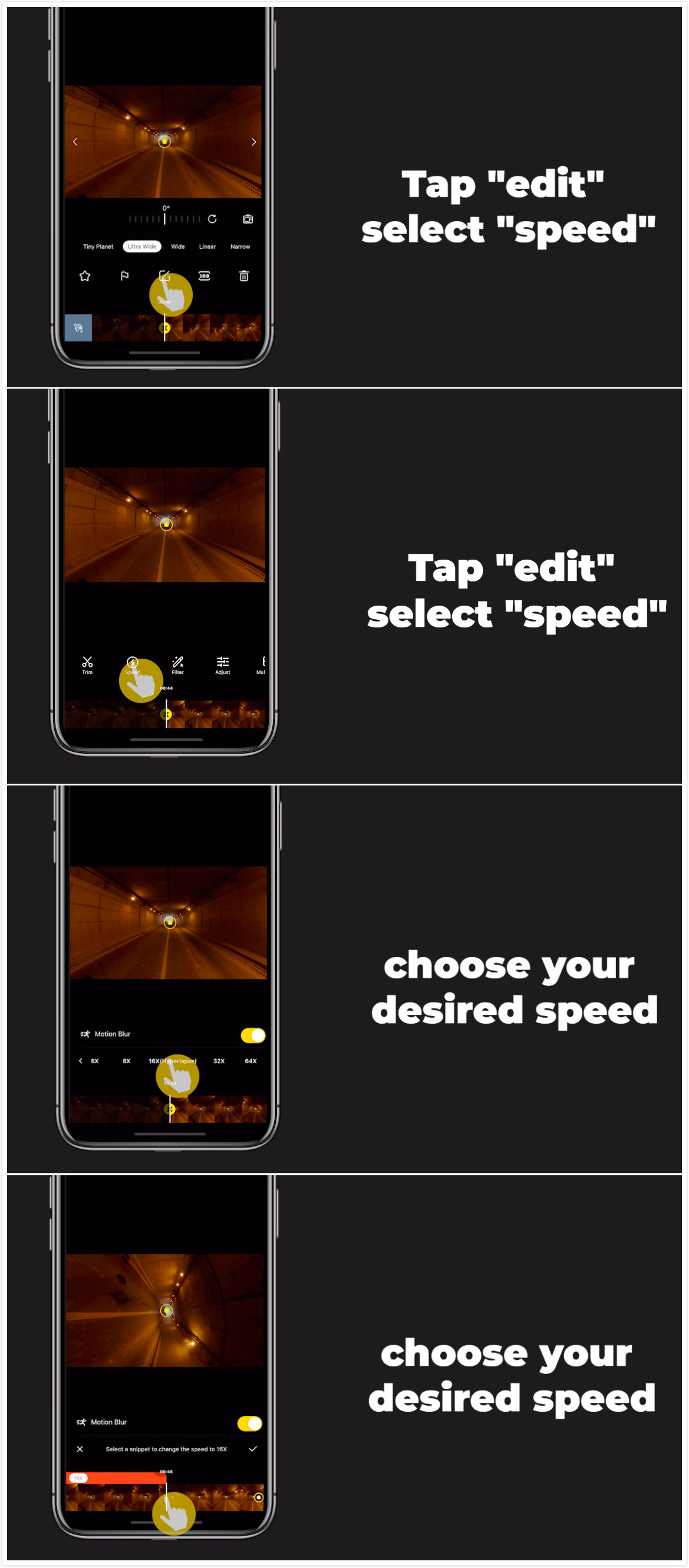
(7)Tap "Edit", click “Speed” and choose your desired speed.
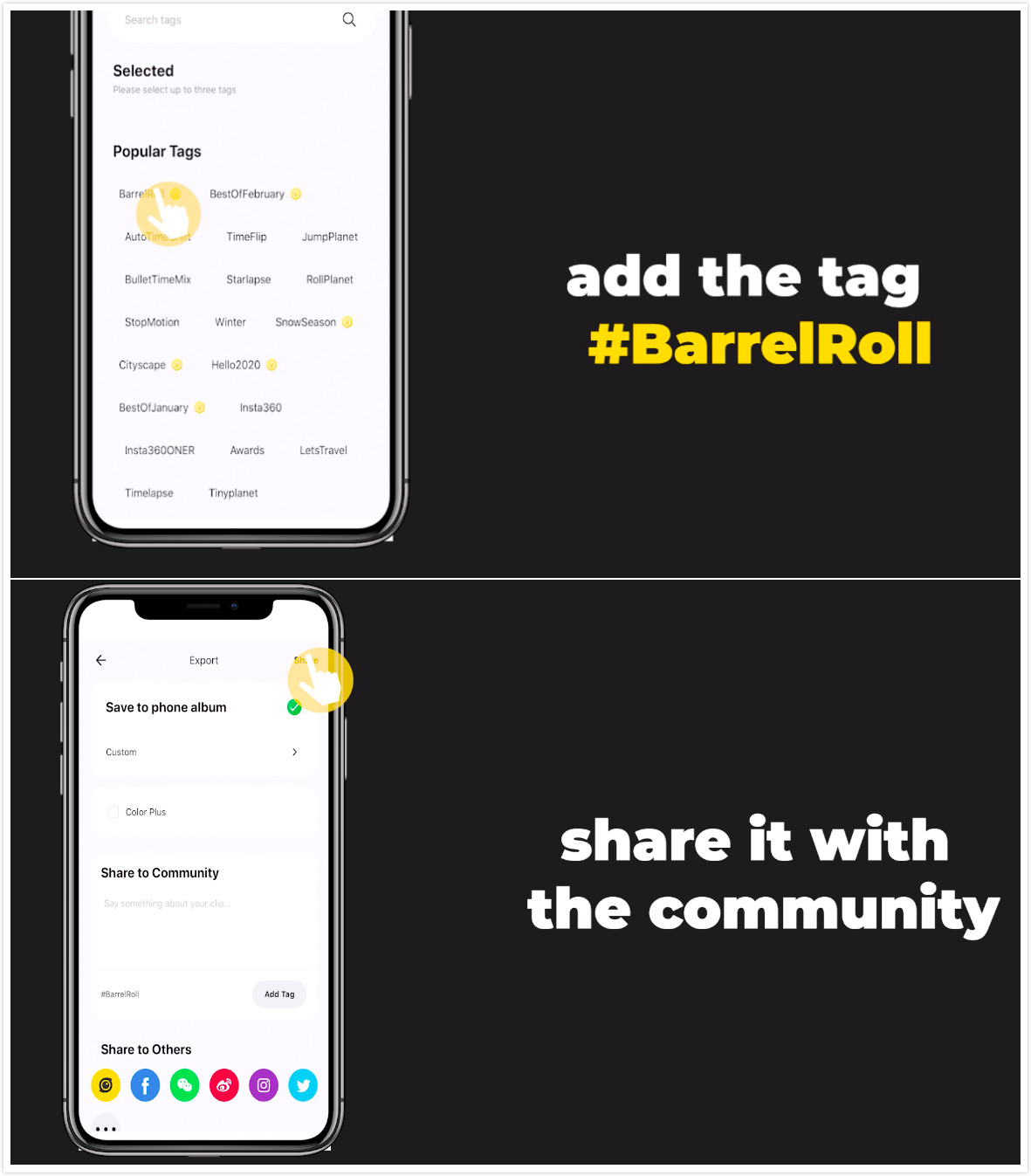
(8)Save and export, add the tag #BarrelRoll,share it with the community!
Get Creative!

Tips:
(1)Try calibrating the gyro if you’re experiencing abnormal rotations or shakes while shooting.
Here’s how to calibrate the gyro.
How to participate:Log into Insta360 Community via the Insta360 app. Tag #BarrelRoll and share.
The best entries will be featured on the Insta360 Community home page for Insta360 users around the world.
.svg)

Recibe las últimas noticias de Insta360

.svg)


%20(1).svg)

%20(1).svg)


 Horario de oficina: 9:00-18:00 (UTC+1)
 Horario de oficina: 9:00-18:00 (UTC+1)
