







































How do I turn on OTG feature on my Android phone?
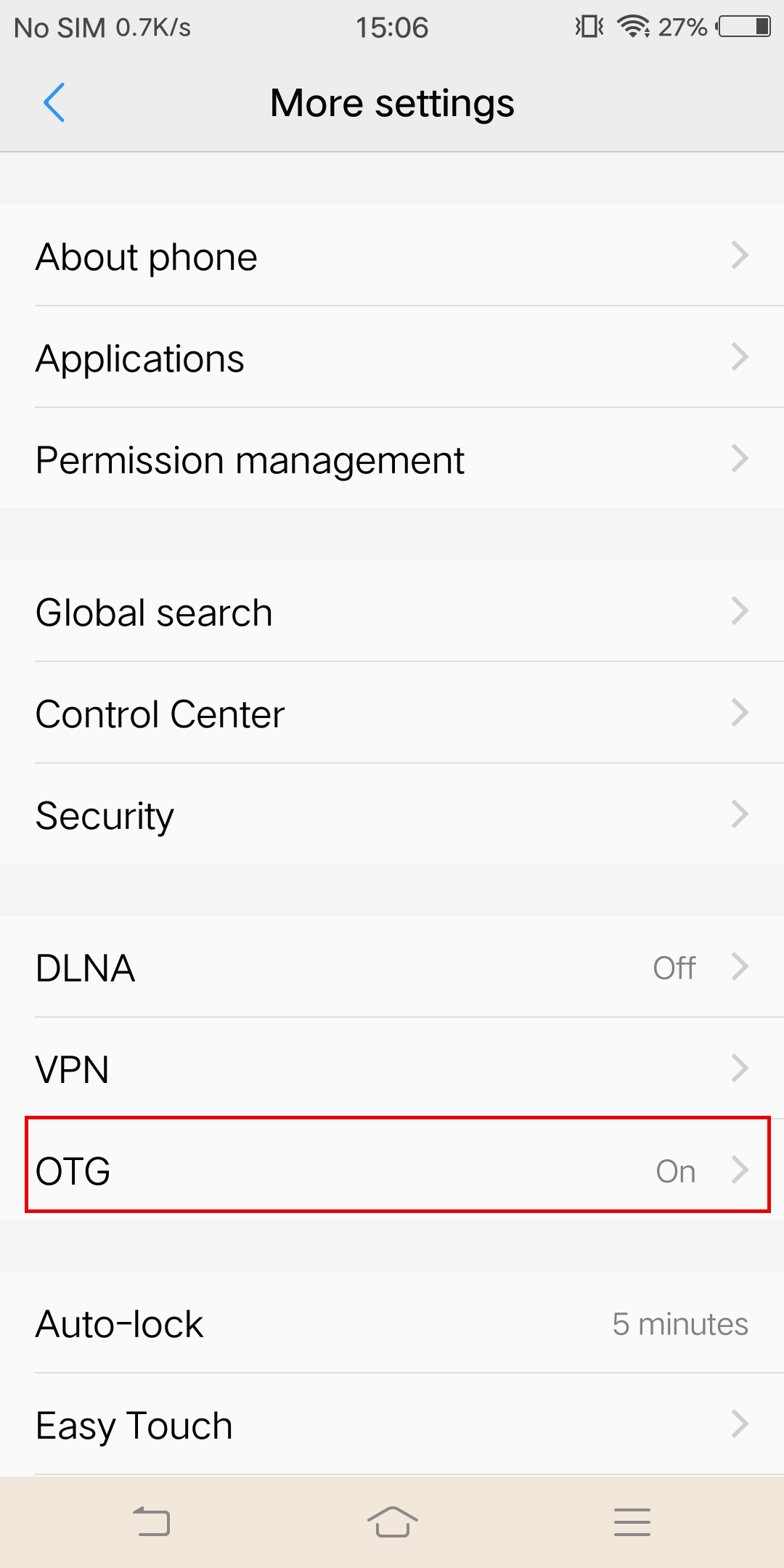
Note:As for the sync cable connection, you need to enable the OTG feature first on some Android phones such as Vivo, OPPO and Sony to establish the connection.
*For OPPO devices, please turn on OTG feature in system setting first and then plug the camera into your phone.
*For vivo devices, please turn on OTG feature in setting first and then plug the camera into your phone.
 *For Sony devices, after connecting your phone with sync cable, enter setting, tap 'USB Connectivity', and turn on 'Detect USB device'.
*For Sony devices, after connecting your phone with sync cable, enter setting, tap 'USB Connectivity', and turn on 'Detect USB device'.
Was this information helpful?
.svg)


Insta360 Trade-In
Mach mehr aus deiner Ausrüstung, die du eh nicht mehr brauchst.
Mehr erfahren
Jetzt Anmelden
Immer die neuesten Infos von Insta360 erhalten.

Ich stimme der Datenschutzrichtlinie zu und möchte die aktuellen News und Angebote von Insta360 per E-Mail erhalten. Ich weiß, dass ich Insta360 jederzeit kontaktieren kann, um mich davon abzumelden.


%20(1).svg)


%20(1).svg)

.svg)


Kaufunterstützung
Fragen vor dem Kauf
Bestellungen & Zahlung
Rücksendungen & Erstattungen
 Bürozeiten: 9:00-18:00 (UTC+1)
Produkt-Support
Problemlösung & Hilfe
Reparaturen & Garantie
Bürozeiten: 9:00-18:00 (UTC+1)
