


















































Filming is the fun bit. The editing? That all depends on your tools and your systems. You film that run at sunrise or the balloons rising over Cappadocia, and then spend the next three hours trying to trim, edit and tinker with all those effects. It’s often a maddening experience that eventually detracts from what you love doing most.
However, Shot Lab changes all of that. Built into the Insta360 app, this AI-powered editing tool transforms raw footage into cinematic, share-ready clips in minutes. Simple, easy editing, made for those who love to film.
What Is Insta360’s Shot Lab?
Shot Lab is an AI-powered editing feature built directly into the Insta360 app. Instead of manually cutting footage on a timeline—which can be akin to clawing fingernails down a chalkboard—you choose a creative template and let intelligent automation handle the heavy lifting.
The key to it all is the next-generation AI software that analyzes motion, subjects and framing. This wizardry automatically tracks people or objects, reframes 360 footage, applies transitions and syncs effects to movement—what used to take hours of brain-aching work can now be done in minutes.
Shot Lab Effects You Need to Try in 2026
Getting everything in the right place is just part of Shot Lab, which also comes with an array of features to make sure your content stands out.
AI Warp
Who says reality needs to stay reality? With AI Warp, you can insert generated reality into your videos using prompts. The results are astonishing, and can range from simple twinkling lights above you to full animated renditions that look out of this world. Originally reserved only for the Insta360 Ace Pro Series, several more cameras have since been added to the lineup.
.gif)
Fly Lapse
Fly Lapse transforms simple walking footage into a smooth, cinematic hyperlapse-style edit, and it’s ideal for city streets, boardwalks or travel sequences where forward motion drives the story. While all cameras can use it, it’s especially important when using gimbals like Insta360 Flow 2 Pro, and small cameras like Insta360 GO 3S and Insta360 GO Ultra where movement can still be a little jerky.
CineLapse
If you want something slower and more atmospheric, try CineLapse, which combines motion, subtle transitions and pacing adjustments to create a film-like time shift. It works great with sunsets or clouds rolling over mountains.
Sky Swap
Skies play a huge part in any shot, but unfortunately, you have very little control over the sky itself. However, Sky Swap is the next best thing and allows you to swap out a bland sky with something more dramatic with a simple tap. It’s one of Shot Lab’s most creative tools, letting you experiment with dramatic weather without standing around for hours waiting for it.
.gif)
Street Lapse
If you’ve seen those amazing timelapse videos of a person exploring a city and wondered how they do it, well, this is it. Street Lapse allows you to track your movement through busy environments, isolating you from the background while the world flows around you. Cars, buses and other people fly past, while you remain sharp and centered. Street Lapse works particularly well with 360 cameras like Insta360 X5 and Insta360 X4.
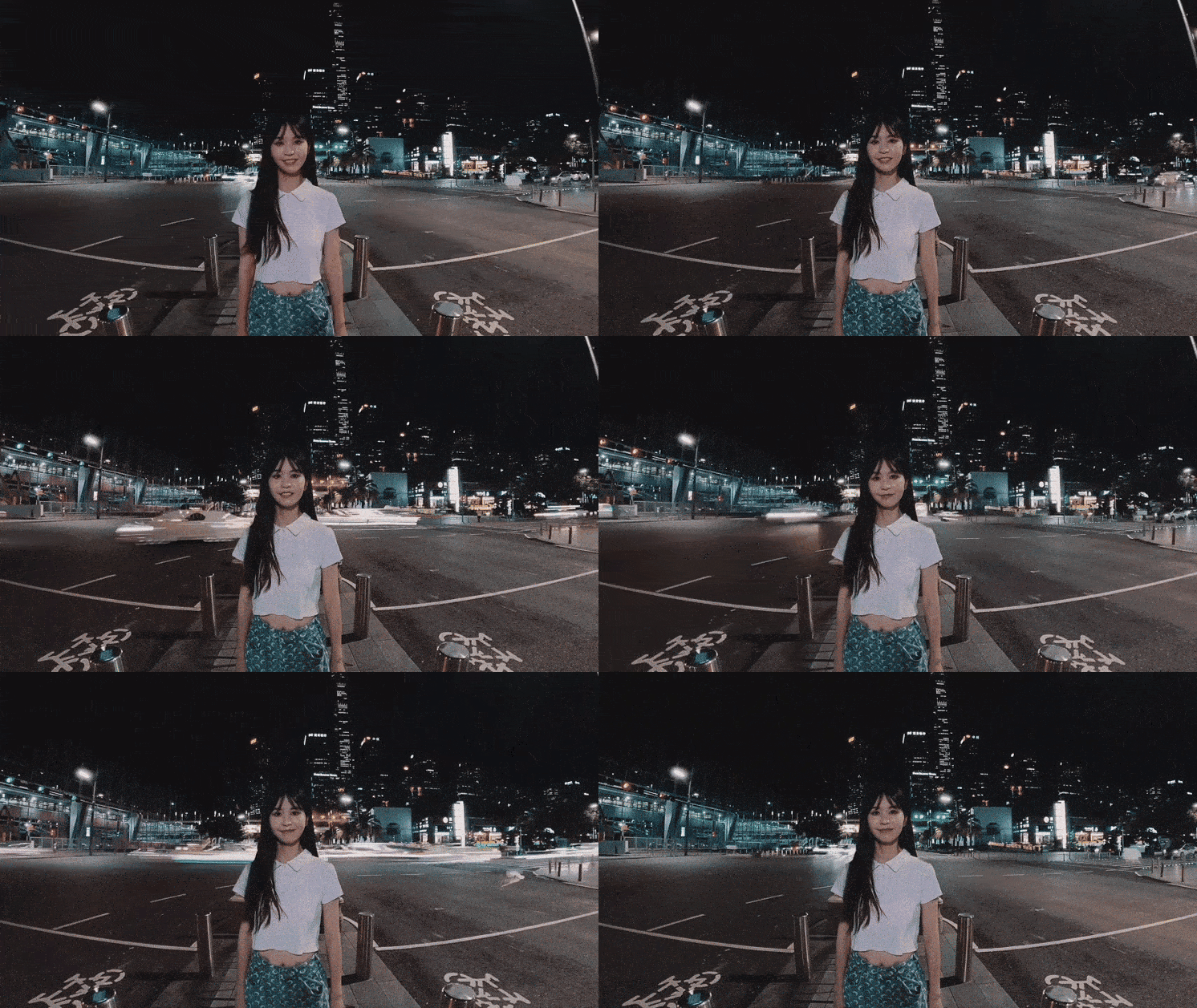
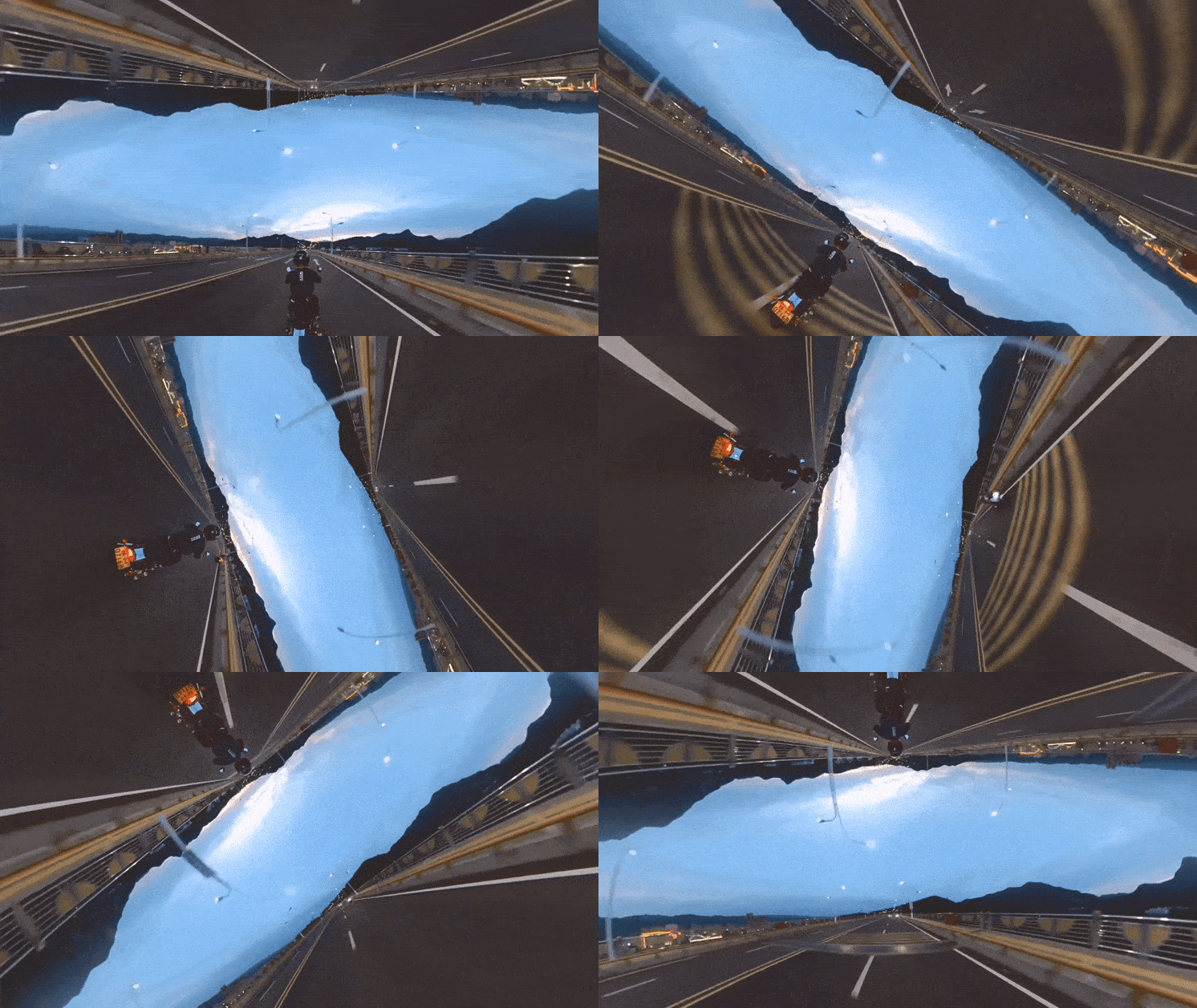
Horizon Flip
Defy gravity—no snowboard or wild skateboard trick needed. Horizon Flip rotates your scene mid-motion, flipping the world upside down while keeping your movement fluid. It’s bold, unexpected and built for action, so it works really well with any sport or activity with a healthy dose of adrenaline.
Spin Me Around & Flash Dash
The Spin Me Around effect is exactly what you might expect—you remain at the center, but the camera appears to spin around you at a dizzying speed. Flash Dash is where you seem to hurtle forward, covering hundreds of meters in mere seconds, perfect if you need to speed up your travel shot without removing it completely.
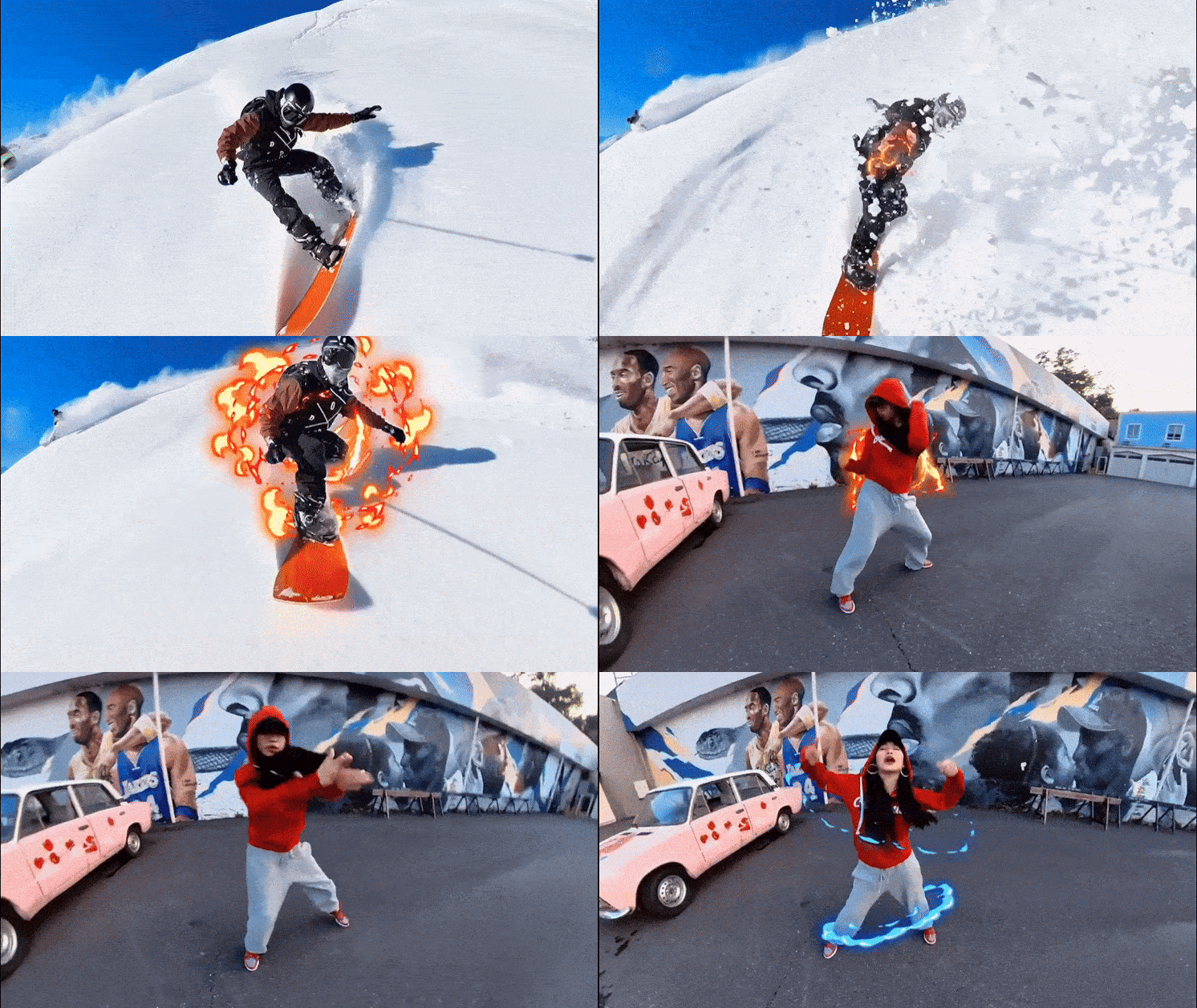
Electric Surge
The Electric Surge effect adds animation of electricity or fire to a subject as they are moving. It’s one of those really simple effects, but it looks extremely cool when done well. Because the AI tracks motion automatically, the effect stays locked to your subject without manual masking or tracking adjustments.
Clone Trail & Multi-Subject Effects
Need more than one of you in a shot? That’s now doable. Clone Trail creates duplicates that follow your movement through a scene, blending freeze-frame moments with flowing motion. Multi-subject effects take it further, isolating several people within the same frame for layered storytelling.
AI Selfie Stick Eraser
This one has become hugely popular. Selfie sticks are great, but have a habit of getting in the way of the finished shot. AI Selfie Stick Eraser automatically removes the selfie stick from compatible footage, creating a floating, drone-like perspective without extra gear. If you want that third-person shot, but you’re the only person around, this is a must.
.gif)
Rotating & Seasonal Shot Lab Effects
Shot Lab is always evolving. New effects rotate regularly, including seasonal themes and trend-driven edits designed for holidays or viral moments. So keep a lookout and try the next effect as soon as it arrives.
Shot Lab AI Transforms Raw Footage Into Cinematic Edits in Minutes
Editing can be a draining experience when you don’t know what you’re doing, or when you don’t have the right tools. With Shot Lab, what once would have taken hours—in fact, let’s be honest, probably days when you’re a complete beginner—now takes a matter of minutes. AI has completely changed the editing process for the better, making it just another fun part of making great content.
But Shot Lab isn’t just about stitching together. This is where your imagination can take flight, where your wildest creative dreams are no longer constrained by technology. Think big and then go beyond it. That’s where Shot Lab lives.
Keen to keep up to date on Insta360 stories? Keep an eye on our blog and sign up for our mailing list. Got a story to share? Email yours to communitystories@insta360.com and win up to US$50.




%20(1).svg)


%20(1).svg)

.svg)


