
















































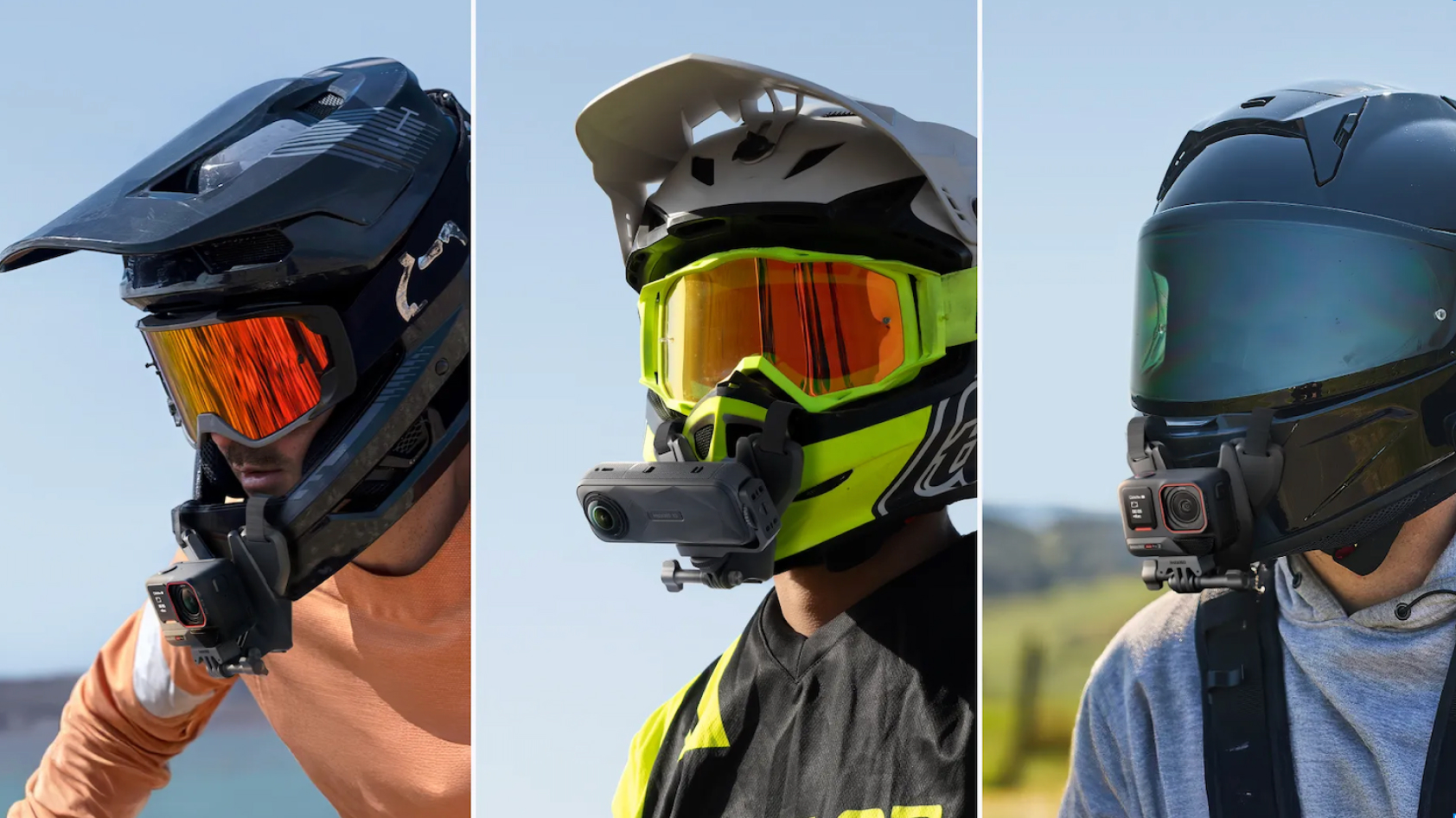


A bike helmet camera is the ultimate tool for immersive footage of your rides. Whether you’re recording scenic routes, ripping a new trail, safeguarding rides with evidence, or analyzing performance, having a camera for your cycling helmet is a must-have accessory for every ride. Check out the best bike helmet cameras of 2026 and some pro tips for secure mounting.
Why Use a Bicycle Helmet Camera?
A bicycle helmet camera isn’t just for recording—it’s a game-changer for safety and skill:
- Crash evidence: Footage can validate insurance claims or police reports.
- Deter bad behavior: Drivers tend to behave better when they know they’re being recorded.
- Improve skill: Review footage to spot braking errors or inefficient lines.
- Capture memories: Relive epic rides or share adventures with friends.
For commuters, mountain bikers, and road cyclists alike, a bicycle helmet camera adds value to every pedal stroke.
Best Bicycle Helmet Cameras for Cyclists
The ideal camera for your bike helmet balances image stabilization to keep your footage smooth, a lightweight build so it doesn't feel heavy on your head, waterproofing for rainy rides, and mounts that work with your helmet type. Here are our 2026 standouts:
Insta360 Ace Pro 2
Insta360 Ace Pro 2 is a top-quality bike helmet camera that offers sharp and clear 8K videos. A special Leica SUMMARIT lens, dual AI chip, and 1/1.3” sensor offer bright and crystal-clear images, day and night. AI-powered FlowState Stabilization delivers buttery-smooth footage no matter how rough the ride. Its handy magnetic mounting system snaps securely to helmets, while the flip touchscreen simplifies framing.
- Leica SUMMARIT lens and dedicated PureVideo mode for evening rides
- Up to 180 mins battery life in 1080p24fps Endurance Mode
- 2.5" flip touchscreen to easily preview shots at tricky angles
- Supports third-party GPS data for real-time stats overlays
- Voice and gesture control for hands-free operation
Recommended accessories:
Mount your cam anywhere on your helmet with the Helmet Mount Kit for a real rider’s perspective. It holds the camera firmly in place and stays firmly out of the way, even during big jumps or sharp turns, so your footage stays smooth.
Insta360 X5
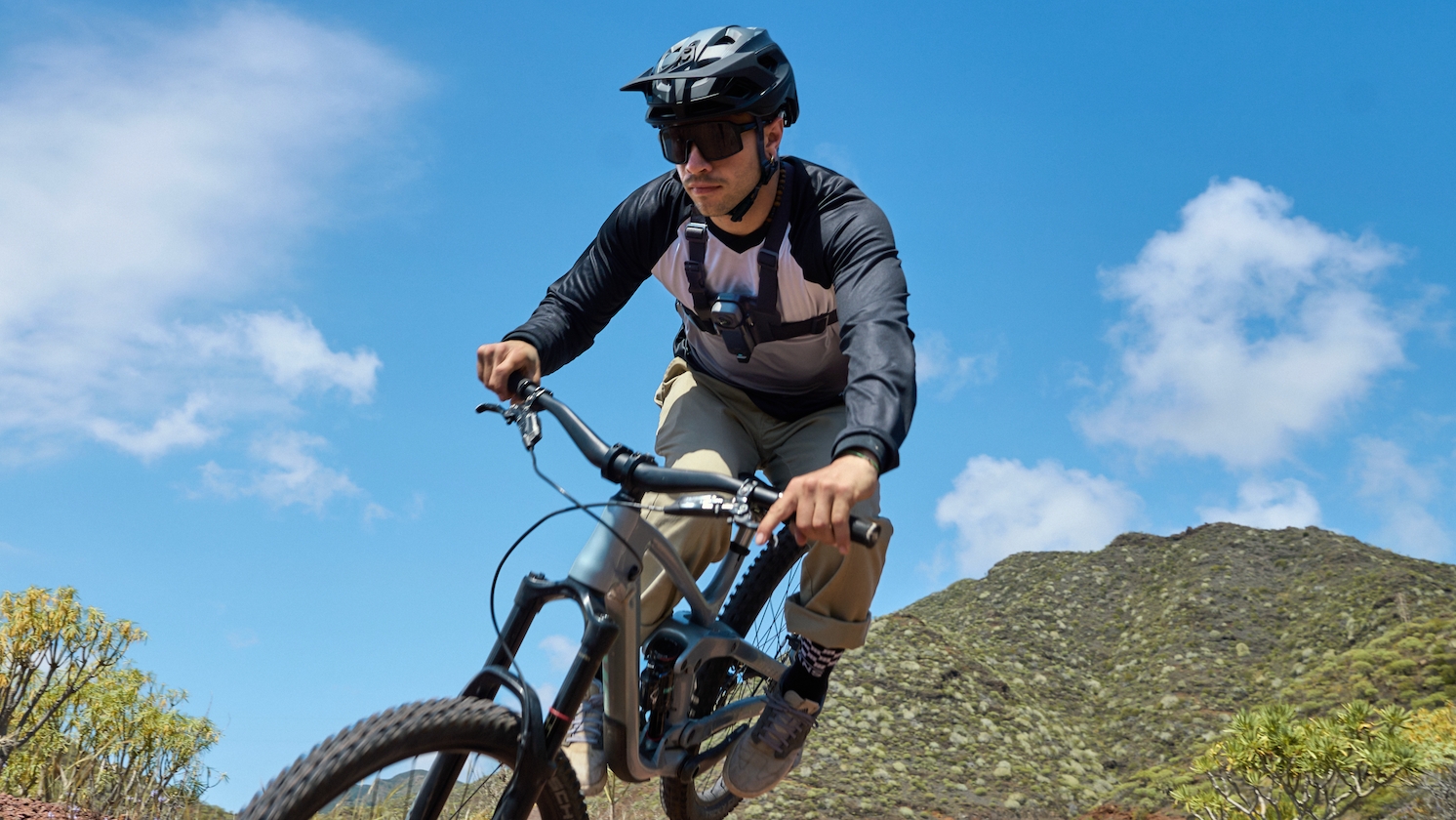
Insta360 X5 is a 360 bike helmet camera that records everything around you in stunning 8K, so you can see your whole ride from every angle. With insane stabilization and tough replaceable lenses, it’s perfect for mountain biking and rougher terrain. Capture the trail, your reactions, and the scenery all at once, then pan around after filming to find the best moments.
- Dual 1/1.28” sensors and triple AI chip for crisp 8K video
- Waterproof up to 49ft (15m) for rainy weather
- Shoot first, frame later with easy reframing tools
Recommended accessories:
The Helmet Chin Mount 2.0 is great for getting a natural POV of your ride, especially if you wear a full-face helmet. It keeps the camera steady, centered, and out of the way of your eyes. Add the ND Filters to add cinematic motion blur, handle bright sunlight, and cut glare.
Insta360 GO 3S

Insta360 GO 3S is a tiny, lightweight bike helmet camera that's perfect for casual cyclists and commuters. At just 39g, it stays out of the way and won’t weigh you down on your ride. Pair it with the Action Pod to easily preview and control the camera.
- Super small and light on your helmet for hands-free POVs
- Powerful magnetic mounting system compatible with helmets, clothes, and gear
- Action Pod with screen for easy preview and camera control
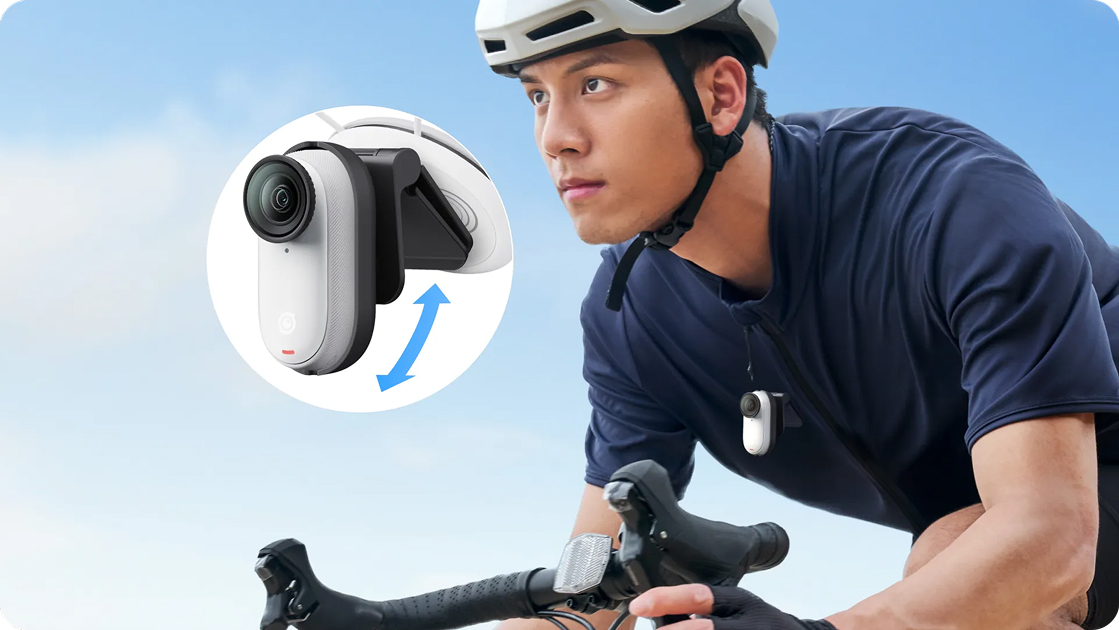
The included Easy Clip quickly mounts the camera to your helmet or helmet strap for steady POVs. The Pivot Clip lets you adjust the camera angle without moving your helmet, so you can try creative shots on the go.
How to Choose the Right Bicycle Helmet Camera for You?
Picking the best camera for your helmet depends on your ride, your needs, and your budget. Here's a quick and clear guide to help you decide the right camera for bike your helmet.
1. Think about your riding style
What kind of rider are you? If you mostly ride in the city or on easy paths, a small and light bike helmet camera like Insta360 GO 3S is a great choice. It's easy to put on and doesn't feel heavy.
If you ride on rough trails, look for a rugged camera with strong stabilization, like Insta360 Ace Pro 2. And if you want to capture everything around you in 360 degrees, Insta360 X5 is perfect.
2. How important is image quality?
Want super-clear and detailed videos? Insta360 Ace Pro 2 and X5 shoot high-quality 8K footage and feature a dedicated low-light shooting mode, perfect for early morning or late-night rides. If you’re happy to compromise on image quality, a simpler bike helmet camera like GO 3S produces clear 4K videos perfect for socials.
The heavier the camera, the more you might feel it on your helmet. Insta360 GO 3S is super light, so it won't bother you on long rides. Bigger cameras weigh more but offer extra features. Think about what feels comfortable while riding.
There’s only so much image stabilization can do. A camera that swings around is going to make almost any video unwatchable. Choose cameras that have strong, steady mounts and make sure they fit your type of helmet; different mounts work better for full-face helmets or regular ones.
5. Check battery life and storage
If you ride long or want to record many rides, battery life is very important. Some cameras record up to 30 minutes in high quality, others can last longer but at lower quality. Also, look for how much storage the camera has, and if it supports extra memory cards. As an extra safety measure, some cameras can record in a loop like a dashcam.
How to Mount a Camera on Your Bike Helmet?
Wondering how to attach an action camera to a bike helmet? Here's a quick and clear guide to the three main mounting spots cyclists use.
Top of the helmet
Mounting your camera on top gives a bird's-eye view of the trail or road. It's great for wide, sweeping shots. Just be sure your bicycle camera is lightweight, as heavier cameras might cause neck strain over long rides.
Side of the helmet
A side mount balances weight better and keeps your footage steady. It's more compact and less likely to get knocked off. Many riders use straps or clips that go through helmet vents for a snug, secure fit.
Chin bar (full-face helmets only)
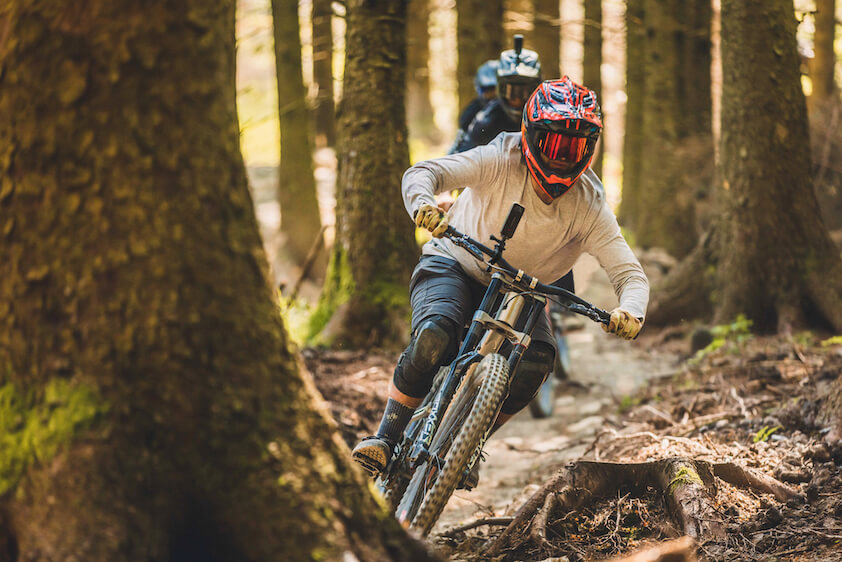
For full-face helmets, a chin bar mount delivers a natural, immersive POV. This is a top choice for mountain bikers who want smooth, centered footage.
Why Insta360?
Insta360 cameras are some of the best biker helmet cameras available today. They deliver high-quality video with sharp, clear images and use advanced stabilization technology to keep your footage smooth, even on rough rides. Their mounts are easy to use and fit securely on different helmets.
Whether you want ultra-clear 8K videos, full 360-degree views, or a small, lightweight camera for everyday use, Insta360 offers reliable models to match your needs.
Keen to keep up to date on Insta360 stories? Keep an eye on our blog and sign up for our mailing list. Got a story to share? Email yours to communitystories@insta360.com and win up to US$50.



.svg)


%20(1).svg)

%20(1).svg)


