

















































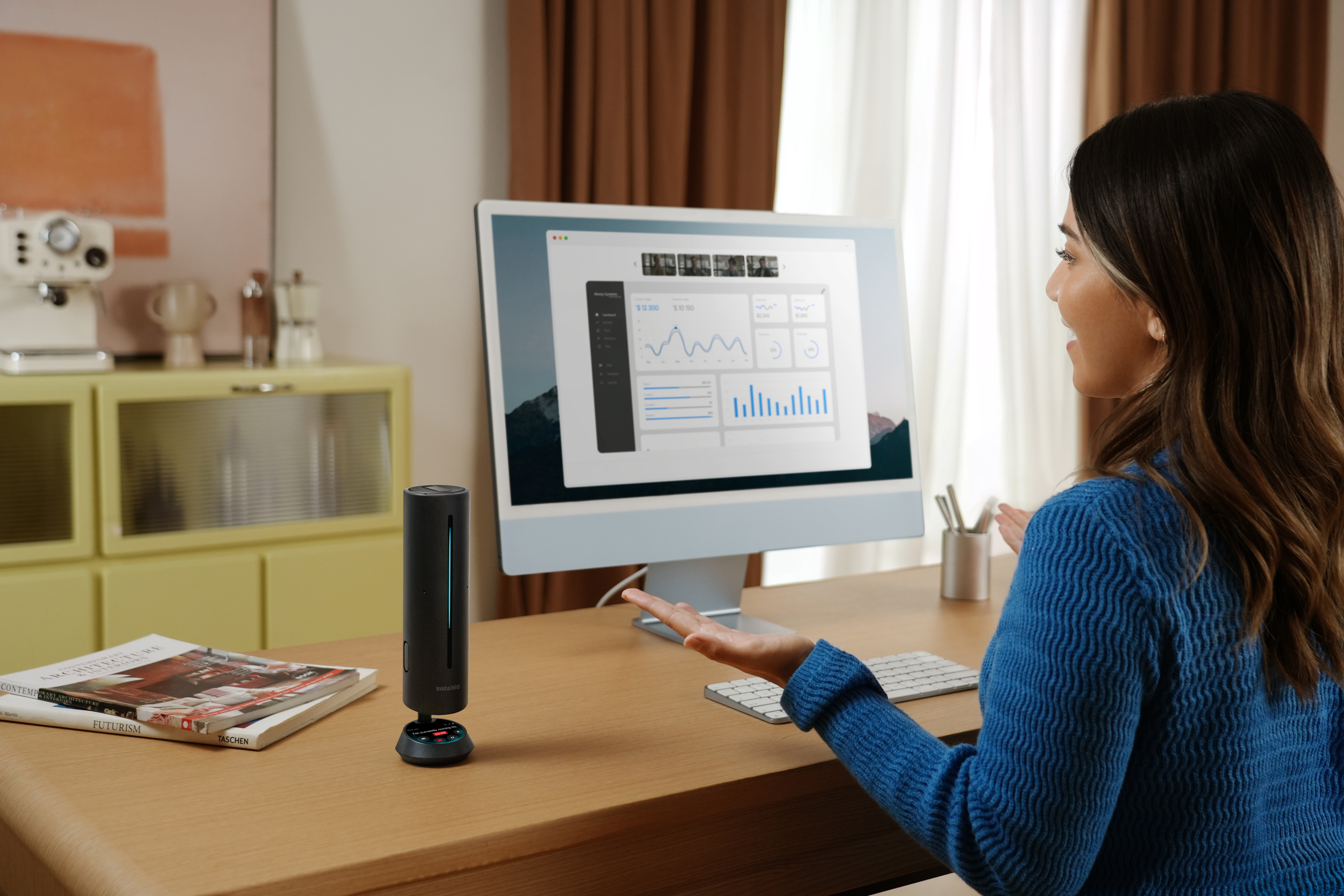


Whether you’re taking a call alone in your home office or in a packed boardroom with your colleagues, having the right speakerphone makes all the difference.
These help keep your voice crystal clear, reduce background noise, and give you the freedom to communicate hands-free so you can take notes, read through documents, or even pace throughout the room as you talk.
This guide helps you learn what to look for in a conference speaker, how to choose one that’s right for your team, and so much more.
What to Look for in a Conference Speakerphone
Here are a few important things to look for when evaluating conference speakerphones:
- Audio quality: First and foremost, look for a speakerphone that offers great audio quality. It should have multiple microphones to pick up audio from around the room, noise-canceling features to reduce background noise, and good speakers so you can hear other members of the meeting clearly through the speakerphone.
- Connectivity and compatibility: You’ll need to make sure the speakerphone is compatible with the platforms you use, whether this is Zoom, Google Meet, Slack, Microsoft Teams, or another solution. Ample connectivity options are also good to have. This lets you use the speakerphone wired in fixed setups or wirelessly via Bluetooth and/or a dongle for better portability.
- Features and functions: You should also check out the features a speakerphone has before deciding which to buy. This is a broad category, but look for speakerphones that have a strong battery life, simple controls, can record meetings, and have enough range for the room where you generally hold meetings.
- Design: The speakerphone's design is an underrated factor when choosing the right option, too. You should think about the physical size, weight, durability, and shape of the speakerphone. Some people may value a sleek design and shape over everything for a stationary speakerphone. However, others may prioritize durability and a lightweight design if it’s always on the move.
Introducing Insta360 Wave – AI-Powered Smart Speakerphone
If you’re looking for a versatile option with plenty of advanced features, consider the Insta360 Wave. This is a conference speakerphone with eight built-in mics that captures audio at 48kHz, and also offers 16ft (4.8m) voice pickup, directional pickup, and intuitive touch controls.
The speakerphone also has an advanced processing system and an AI chip to deliver a suite of AI features such as AI noise reduction, pre-recording, transcription, and an AI meeting assistant.
It also offers crystal-clear audio and lets you choose from five different pickup patterns for optimal audio, no matter how your meeting is set up or where participants are sitting.
Complete Audio & Video Conference Setup Guide
Generally, setting up the audio and video conferencing equipment involves connecting your speakerphone to the meeting computer (wired or wirelessly), finding the right position for it so it’ll pick up everyone’s voices, and ensuring you have the right settings and mic pickup patterns selected.
For video, you need to have your camera connected to your meeting computer and set up in a place where it captures you and/or your group at around eye level. Try to find the right position for the camera so the background looks good, and make sure you’re facing a light source instead of having one behind you.
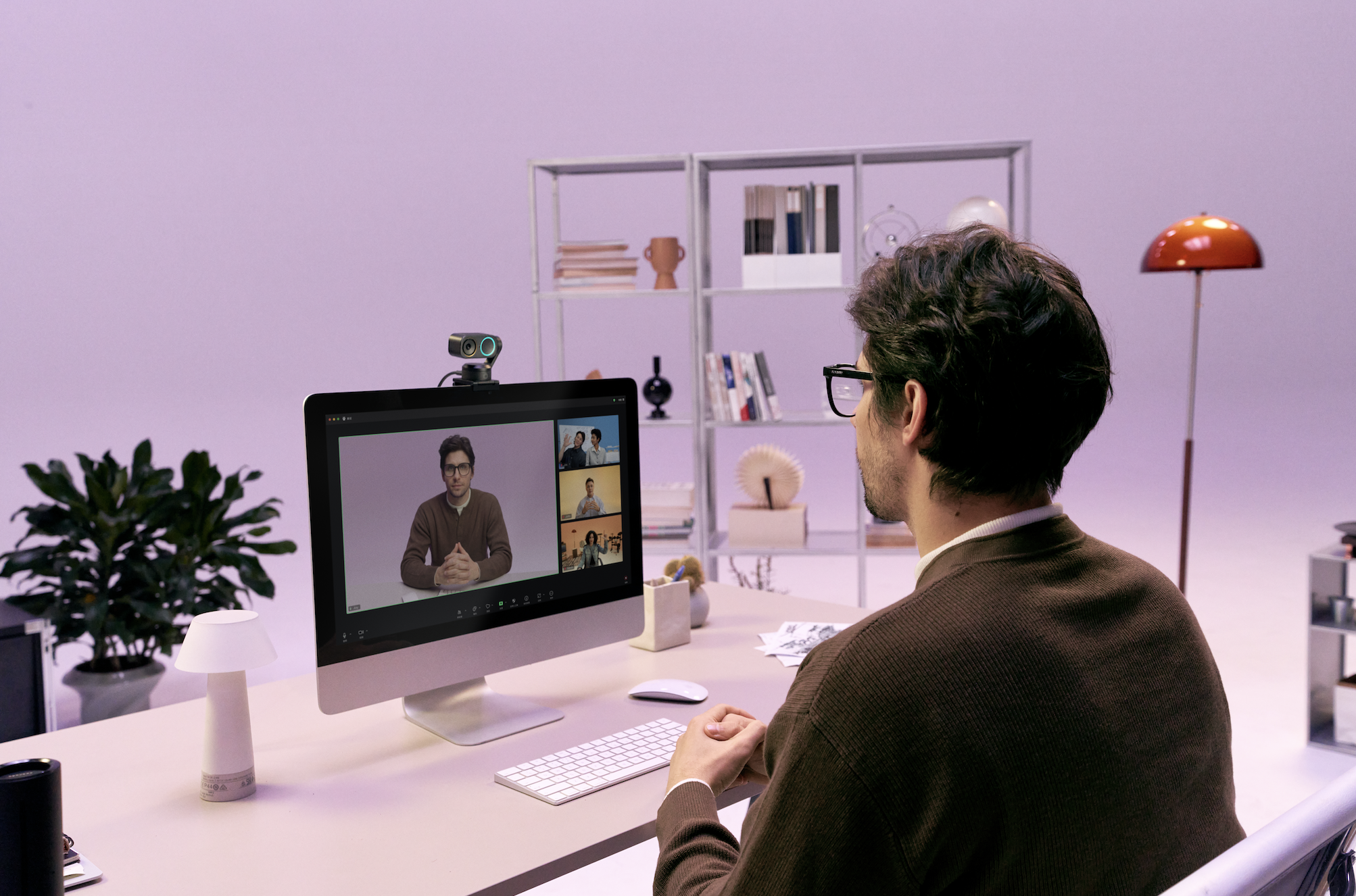
However, the setup process becomes more streamlined if you use audio and video equipment with built-in connectivity. For example, if you use Insta360 Wave for your meeting audio, you can easily connect with Insta360 Link 2.
Simply remove the top cover of Insta360 Wave and place Insta360 Link 2 on top. Next, connect Insta360 Wave to your meeting computer via USB-C and update the Insta360 Link 2 firmware for voice tracking compatibility. Finally, downloading the Insta360 Wave Controller lets you manage the settings and features of the devices.
After this setup, the mic, camera, and speaker should sync perfectly for the meeting.
How to Choose the Right Speakerphone for Your Needs
A crucial aspect of choosing the right speakerphone is knowing your needs. Here’s a breakdown of features to look for and things to consider based on the types of meetings you generally have.
For Remote Teams & Small Meetings
For remote teams and teams that meet in smaller rooms, you’ll want to look for a speakerphone that’s compact and doesn’t take up much space. It should also offer solid noise cancellation to minimize reverberation, which often causes distortion when holding meetings in smaller rooms.
It should also be capable of picking up 360 audio, as many small meetings have participants sitting around a table with the speakerphone in the middle.

For Larger Conference Rooms
If you need a speakerphone for a larger conference room, you’ll want to look for one with enough range to capture audio from across the room without people having to yell. It should also have powerful speakers so that everyone around the room can hear the incoming audio clearly.
Speakerphones in larger rooms also benefit from beamforming, which creates a directional beam that focuses on the speaker’s voice by filtering out other background noise and side chatter.
You may also want to choose a speakerphone that has daisy-chaining capabilities if you’re in an especially large room, as this lets you link multiple units together to extend the range of the microphones and speakers.
For Hybrid & Content Creators
If you’re a content creator or hybrid worker who sometimes takes meetings from home or at the office, versatility is the name of the game. You need a speakerphone that works in many different setups and different room sizes.
A speakerphone with multiple pickup patterns is useful, as is a speakerphone that’s highly portable and durable enough to handle being moved from place to place without getting damaged.
Frequently Asked Questions
What Microphone Pattern Is Best for Conference Calls?
This depends on how many people are physically in the room during the call. If you’re in a group, an omnidirectional microphone is often the best as it captures everyone, but if you’re alone on the call, a cardioid microphone often works best.
How Far Can a Conference Speakerphone Pick up Voices?
While the exact range for a mic depends on the size and quality, conference speakerphones may pick up voices from 5ft (1.5m) to around 20ft (6m). Keep in mind that a room’s acoustics can also hurt or help the range that a conference speakerphone has.
Are AI Noise Reduction Features Worth It for Conference Speakers?
Yes, AI noise reduction features are often worth it. They normally reduce the majority of background noise, whether it’s keyboard typing, chairs moving, mouse clicking, or other common distractions that can ruin the audio of a meeting. They’re especially good for uncontrolled environments, such as if you work from home or in an open office.
The Best Conference Speakerphone Combines Audio Quality, AI Features, and Flexibility
No matter what kind of meeting you’re holding or how many people are participating, having the right speakerphone is crucial so the audio sounds great and everyone’s voice is heard.
You should look for a speakerphone that offers great audio, plenty of useful features, and the right design. You also need to confirm it connects with the meeting platform you use. However, make sure it fits your specific needs, as well.
Choosing an option like Insta360 Wave gives you great audio, numerous AI features, and is versatile enough for a variety of setups and types of meetings.
Keen to keep up to date on Insta360 stories? Keep an eye on our blog and sign up for our mailing list. Got a story to share? Email yours to communitystories@insta360.com and win up to US$50.







%20(1).svg)


%20(1).svg)

.svg)


