

















































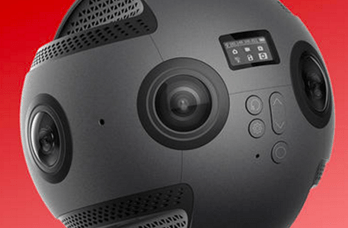


The Insta360 Pro makes high-quality 360 and stereoscopic 360 live-streaming a cinch.
Whether you want to start streaming to your favorite platform straight from the Pro’s control software, or instead push out a live-stream using a third-party solution like OBS (Open Broadcaster Software), the Pro will get you broadcasting with a few simple steps.
In our latest Insta360 Pro feature spotlight, Richard walks us through a couple of the most likely live-streaming scenarios – going live straight to YouTube and pushing out a stream with OBS. He also demos a nifty feature of the Pro’s smartphone control app – the ability to input a live-stream address by simply displaying a customized QR code to one of the Pro’s lenses.
The unique feature means that, with just a 4G dongle and a smartphone, creators can live-stream in beautiful 4K from anywhere with a steady signal.
Keen to keep up to date on Insta360 stories? Keep an eye on our blog and sign up for our mailing list.




.svg)


%20(1).svg)

%20(1).svg)


