Insta360 GO Tutorial-The Baby Pickup
- Parents love capturing cute shots of their kids, Insta360 GO makes it easy. Check out these cute shots you can try for yourself, all you’ll need is the Easy Clip and Insta360 GO!
-
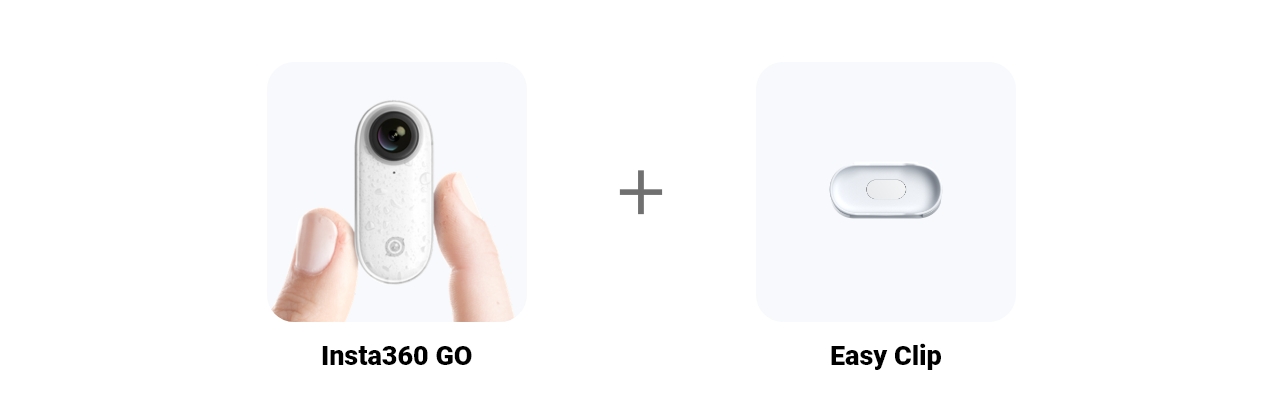
- Gear used: Insta360 GO + Easy Clip
-
- Step1: The Setup
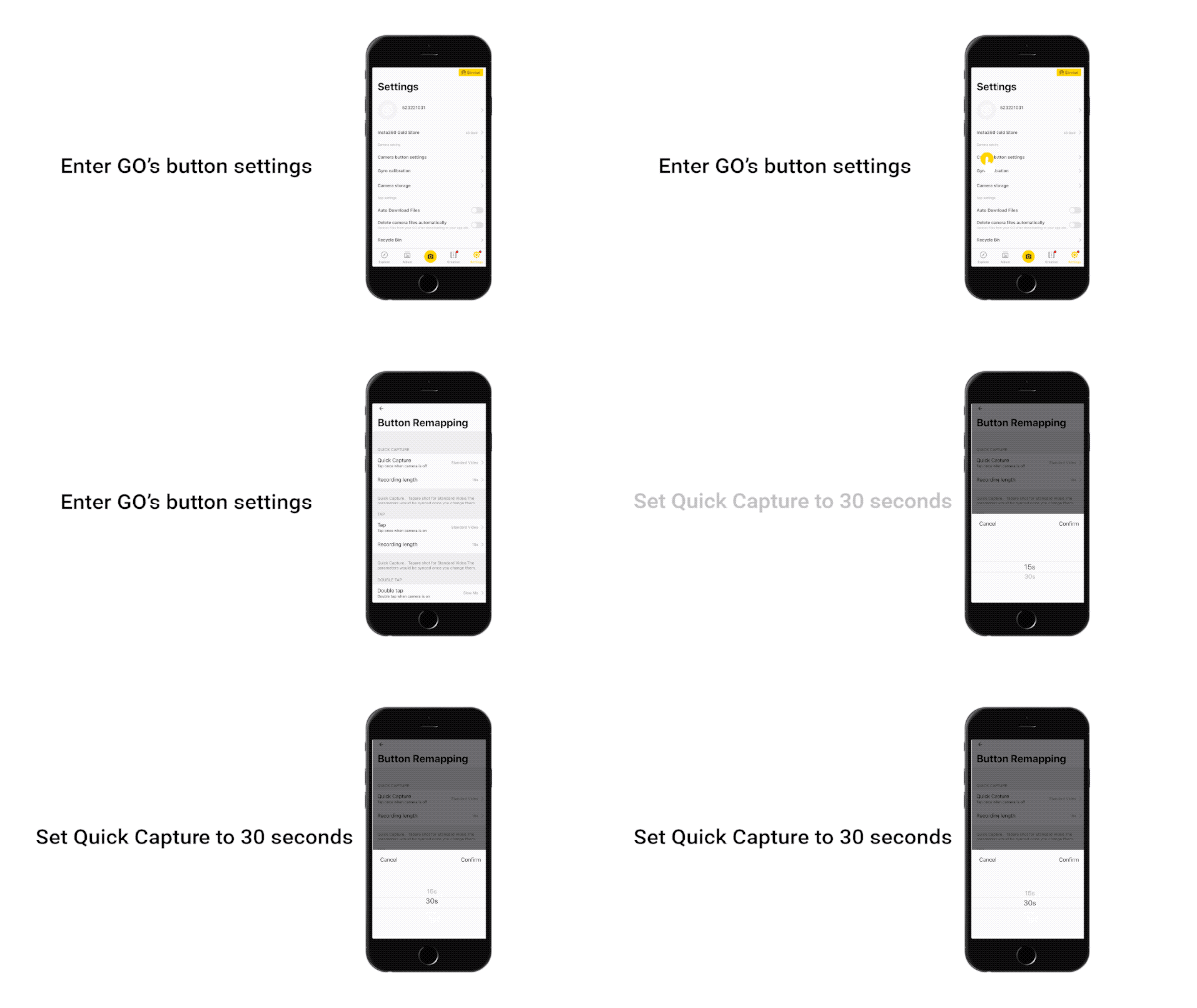
- Connect GO to your phone, open the app, enter settings, and set QuickCapture in the button settings to 30 seconds.
- Step 2: The Prep
- Pop GO in the Easy Clip and secure the clip to your cap. Once your baby is hyped and ready, press GO to begin recording.

-
- Step 3: The Edit
- Connect to the Insta360 GO app, download the video and edit.
Select the length of the video. Adjust the size according to what you’d like. Long-press the screen until the gridline appears. Drag the screen to centre the shot. It’s best if you keep the baby centred!

-
-
-
-
-
-
-
- Here’s some inspiration:
-
-
-
-
-
-

-
-
-
-
-
- Notes:
- 1.Make sure your baby is having a good time!
- 2.Insta360 GO can be placed in the Easy Clip and be operated by pressing the front part of the camera.
- 3.It’s best to calibrate your gyro if you’re encountering and odd movements in your video.
- Here’s How.
-

-
- How to join the challenge:
- 1、Log into Insta360 Community via the Insta360 GO app. Tag #TheBabyPickup and share.
- 2、The best entries will be featured on the Insta360 Community home page for Insta360 users around the world. Get creating!
-
-
-
Was this information helpful?
.svg)


Assistenza all'acquisto
Domande pre-vendita
Ordini & Pagamento
Resi & Rimborsi
 Orario d'ufficio: 9:00-18:00 (UTC+1)
Assistenza al prodotto
Risoluzione dei problemi & Assistenza
Riparazioni & Garanzia
Orario d'ufficio: 9:00-18:00 (UTC+1)
